

Amcrest
Amcrest USB Microphone for Voice Recordings (AM430-BPS)
Bottom line: The Amcrest USB Microphone for Voice Recordings: Cardioid pattern rejects room echo and off-axis keyboard noise.
As an Amazon Associate, SpecPicks earns from qualifying purchases. Full disclosure →
Pros & Cons
Pros
- ✓ Cardioid pattern rejects room echo and off-axis keyboard noise
- ✓ Metal housing resists desk knocks and boom-arm strain
- ✓ USB plug-and-play: no audio interface, phantom power or drivers needed
Cons
- ✗ Price, stock, shipping and returns are set by the retailer and may have changed since this page was last updated
SpecPicks Verdict
SpecPicks has no buyer-rating or benchmark data for Amcrest USB Microphone for Voice Recordings, so this read rests on the manufacturer's listed specs (how we evaluate). Compare with similarly-priced alternatives in the streaming gear category before committing. Its clearest listed strength is "Cardioid pattern rejects room echo and off-axis keyboard noise"; check that against the figure your use case actually depends on, then compare close alternatives in the Compare tool.
Before ordering, check the listed dimensions, load rating and mounting or device compatibility in the spec table below against how you plan to use it, and confirm them on the retailer's listing. Prices and stock are set by the retailer and may have moved since this page was last updated.
Key Features
Quoted from the manufacturer's listing. Where it differs from the pros and cons above, those note the conditions the listing leaves out.
- High Quality Recording - Enjoy crystal clear audio on all your recordings. Great for podcast gaming, remote learning, work and more.
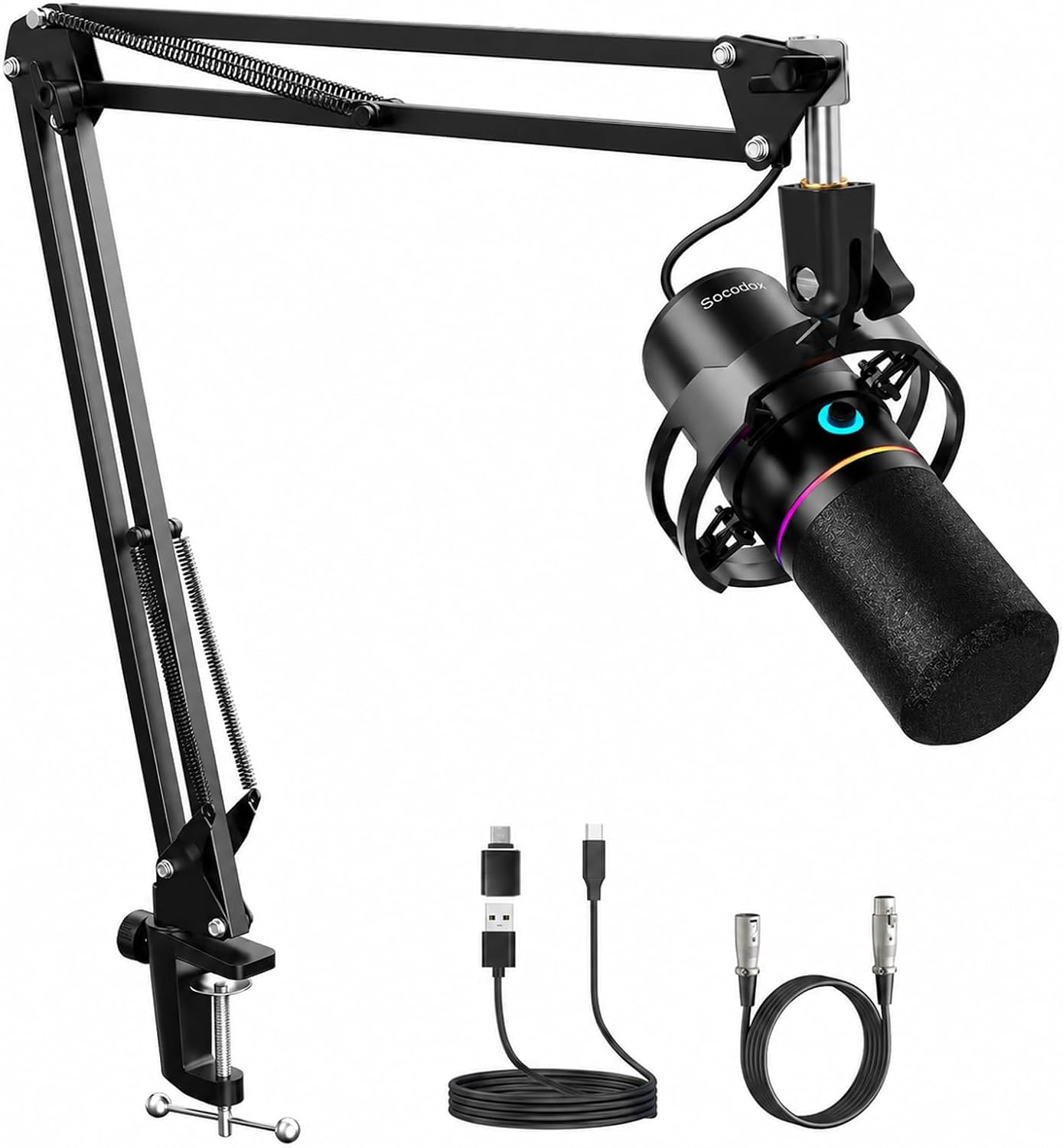
- Studio Kit - Perfect Setup for any home studio. Includes an adjustable arm bracket, shock mount and windscreen.
- Cardioid Polar Pattern - The cardioid pickup pattern helps to eliminate background noise and echo, making it perfect for home recordings.
- Heavy-Duty Housing - The USB microphone is built with a heavy-duty metal housing to help prevent against accidental damage.
- Plug and Play Setup - Simply plug in the microphone using the included USB Cable, adjust your audio settings and begin recording.
Full Specifications
| Brand | Amcrest |
|---|---|
| Color | Black |
| Model Name | AM430-BPS |
| Connectivity | USB |
| Model Number | AM430-BPS |
| Power Source | Usb Microphone,Electrical |
| Audible Noise | 78 db |
| Polar Pattern | Unidirectional |
| Built-In Media | usb_cable |
| Connector Type | USB |
| Frequency Range | 20 hz - 20 khz |
| Mfr Part Number | AM430-BPS |
| Special Feature | Gaming, USB |
| Antenna Location | Gaming, Voice Recording, Streaming, Video Conference |
| Audio Sensitivity | 43 db |
| Hardware Platform | Laptop, PC |
| Compatible Devices | Gaming Console |
| Enclosure Material | Metal |
| Frequency Response | 20 KHz |
| Number of Channels | 1 |
| Full listing title | Amcrest USB Microphone for Voice Recordings, Podcasts, Gaming, Online Conferences, Live Streaming, Cardioid Microphone with Boom Arm, Pop-Filter, Shock Mount, AM430-BPS |
Ready to buy?
Amcrest USB Microphone for Voice Recordings, Podcasts, Gaming, Online Conferences, Live Streaming, Cardioid Microphone with Boom Arm, Pop-Filter, Shock Mount, AM430-BPS is listed on Amazon. Price, availability, shipping and returns are set by Amazon and its sellers — check the listing for current terms. SpecPicks earns a small commission on qualifying purchases — thank you for supporting independent review work.
Related Streaming Gear




More guides & deep dives from the SpecPicks archive
Browse all articles & guides →- RTX 4070 Super vs RX 7800 XT — Which to Buy in 2026
- Best 1440p Gaming GPUs in 2026
- Best Retro Handhelds in 2026: Pocket, Mid-Tier and FPGA Picks
- Emulation Hardware in 2026: FPGA, Software, and Cart-Reader Ecosystems
- How to Build a Windows 98 Retro PC in 2026
- The Complete Voodoo5 5500 AGP Driver Guide (2026 Edition)
- Best Budget Gaming PC Build 2026 — ~$1,000 Parts List
More reviews from the SpecPicks archive
Browse all reviews →- Logitech G29 / G920 Not Detected on Windows 11: Step-by-Step Driver Fix Guide (2026)
- Sound BlasterX G6 on a Windows 98/XP Retro Gaming PC: What It Actually Does
- Best Mac for running local LLMs in 2026
- PFlash on a Single RTX 3090: 10× Prefill Speedup at 128K Context vs llama.cpp
- Adafruit's 2026 I2S Microphone Guide Brings Real-Time Audio to CircuitPython
- Gemma 3 12B vs Qwen2.5 14B on a 12 GB RTX 3060: Which Fits, Which Is Faster
- Best CPU Cooler for a Ryzen 5800X Under PBO + Manual Overclock in 2026
- Voodoo 5 6000 in 2026: The Card That Never Shipped, Reproduced
- Build a Self-Hosted AI Home Lab on a Raspberry Pi 4 8GB in 2026
- LLM-Driven Driver Install on Windows 98: How Claude Walks Voodoo + Sound Blaster Setup
- RTX 3060 12GB vs Ryzen 9 3900X for Qwen2.5 14B: GPU or CPU in 2026?
- Razer Blade 16 (2026) Review: Gaming Performance and Endurance
- Raspberry Pi 5 IOMMU Support Lands in Mainline Linux: What It Means
- How to run DeepSeek-R1 32B on Apple M3 Ultra
- IPEX-LLM + Ollama on Intel Arc: Setup, tok/s, and the RTX 3060 Reality Check
- Best 8GB GPU for Local LLMs in 2026
- Samsung Unveils World's First 4K 360Hz QD-OLED Panel
- Build a Raspberry Pi 4 Pi-hole + Unbound Ad-Blocker in 2026
- Best GPU for Llama 70B Local Inference in 2026: RTX 3060 12GB Dual vs RTX 3090 vs Gorgon Halo
- Open-WebUI Self-Hosted on a Ryzen 5 5600G + RTX 3060: A Private ChatGPT at Home
- NVK Open-Source Vulkan Driver Gains Experimental DLSS on Linux
- Best Budget GPU for Local 12B–14B LLM Inference: Why the RTX 3060 12GB Still Wins
- ASUS ProArt PA27USD Lands: 27-Inch OLED Aims at Gaming
- Inside the Intel 8087: Decapping a 1980 Math Coprocessor's Microcode
Earliest SpecPicks reviews
Browse full archive →- Best GPU for Llama 3.1 8B (2026)
- Best GPU for Qwen 3 14B (2026)
- Best GPU for Qwen 3 32B (2026)
- Best GPU for Llama 3.1 70B (2026)
- Best GPU for DeepSeek-R1 32B (2026)
- Best GPU for Llama 3.1 405B (2026)
- How to run Llama 3.1 8B on NVIDIA GeForce RTX 5090
- How to run Qwen 3 14B on NVIDIA GeForce RTX 5090
- How to run Qwen 3 32B on NVIDIA GeForce RTX 5090
- How to run Llama 3.1 70B on NVIDIA GeForce RTX 5090
- How to run DeepSeek-R1 32B on NVIDIA GeForce RTX 5090
- How to run Llama 3.1 8B on NVIDIA GeForce RTX 4090