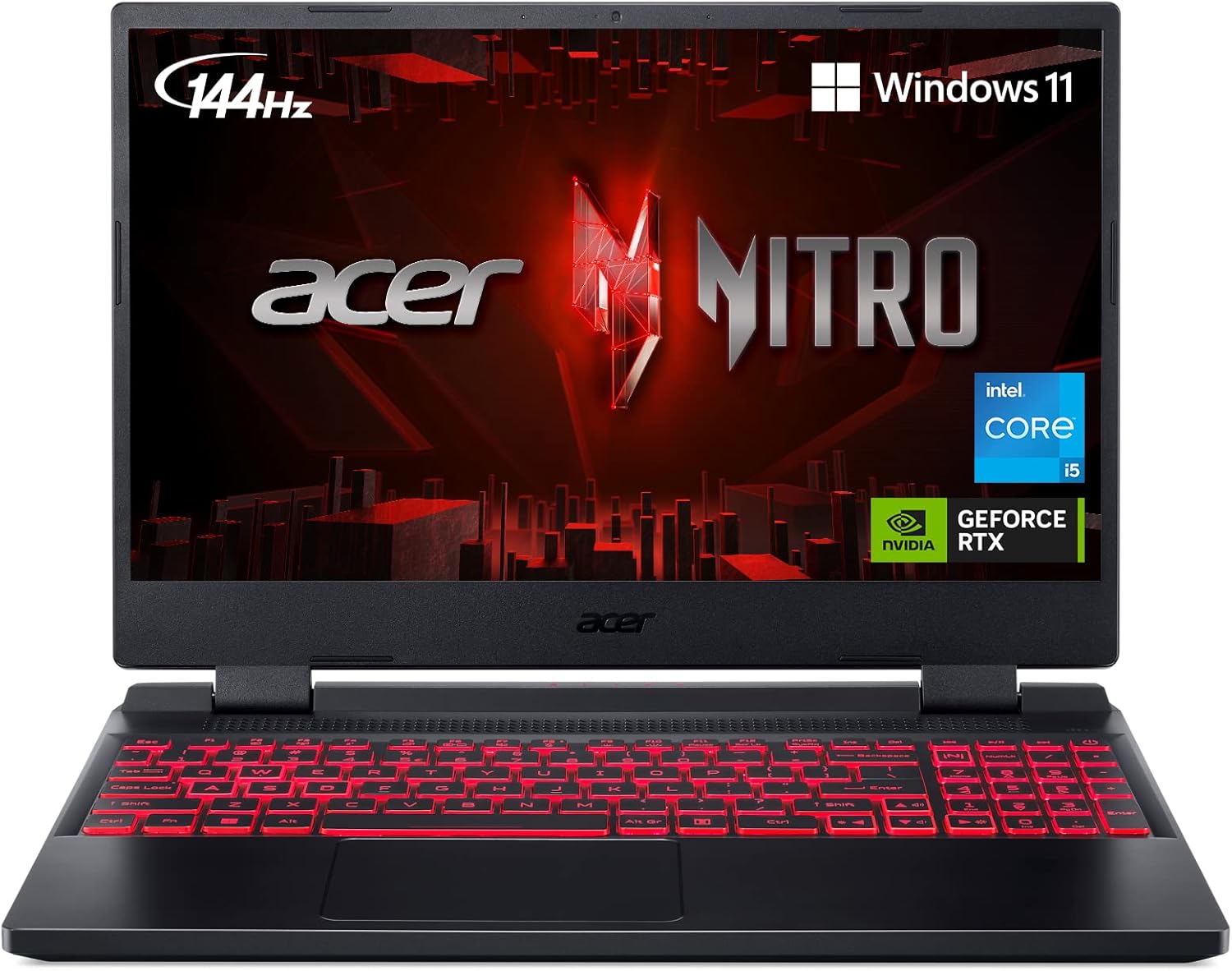

MSI Vector 16 HX AI Gaming Laptop
Bottom line: The Core Ultra 9 275HX / RTX 5080 laptop has GeForce RTX 5080 graphics, 64GB of DDR5 RAM and a 1TB SSD.
As an Amazon Associate, SpecPicks earns from qualifying purchases. Full disclosure →
Pros & Cons
Pros
- ✓ Pairs a Core Ultra 9 275HX processor with GeForce RTX 5080 graphics
- ✓ 64GB of DDR5 RAM leaves headroom for gaming alongside streaming or creative apps
Cons
- ✗ Price, stock, shipping and returns are set by the retailer and may have changed since this page was last updated
Manufacturer description
KEY SPECIFICATIONS:PC Type:AI Gaming LaptopPC Series:MSI Vector 16 HX AIProcessor:Intel Core Ultra 9 275HX Processor (24 Cores, 36 MB Intel Smart Cache, 24 Threads, 5.4 GHz Max Turbo Frequency)Memory:64GB DDR5Storage:1TB SSDGraphics:NVIDIA GeForce RTX 5080 Laptop GPU 16GB GDDR7Display:16" QHD+ (2560x1600) 16:10 Wide View Angle IPS 240Hz Thin Bezel 100% DCI-P3Communications:Wi-Fi 6E + Bluetooth 5.3Camera:IR FHD type (30fps@1080p) with HDR 3D Noise Reduction+ (3DNR+)Audio:Nahimic Audio, Hi-Res AudioKeyboard:24-Zone RGB Gaming Keyboard with Copilot KeySecurity:Camera privacy shutter, Kensington…
SpecPicks Verdict
SpecPicks has no buyer-rating or benchmark data for MSI Vector 16 HX AI Gaming Laptop, so this read rests on the manufacturer's listed specs (how we evaluate). Compare with similarly-priced alternatives in the gaming laptops category before committing. Its clearest listed strength is "Pairs a Core Ultra 9 275HX processor with GeForce RTX 5080 graphics"; check that against the figure your use case actually depends on, then compare close alternatives in the Compare tool.
Before ordering, check the listed dimensions, ports, power requirements and supported devices or systems in the spec table below against how you plan to use it, and confirm them on the retailer's listing. Prices and stock are set by the retailer and may have moved since this page was last updated.
Key Features
Quoted from the manufacturer's listing. Where it differs from the pros and cons above, those note the conditions the listing leaves out.
- 【Powerful Storage】: 64GB DDR5 SDRAM Memory, 1TB Solid State Drive
- 【MSI Vector Laptop Ultra 9】: Intel Core Ultra 9 275HX Processor (24 Cores, 36 MB Intel Smart Cache, 24 Threads, 5.4 GHz Max Turbo Frequency)
- 【Strong Graphics and Display】:16" QHD+ (2560x1600) 16:10 Wide View Angle IPS 240Hz Thin Bezel 100% DCI-P3; NVIDIA GeForce RTX 5080 Laptop GPU 16GB GDDR7
- 【External Ports and Slots】: 1x HDMI 2.1, 2x Thunderbolt 5 w/DP &PD1.4, 2x USB 3.2 Gen 2, 1x Audio Combo (1/8"), 1x RJ45, 1x SD Card Reader
- 【Operating System】: Windows 11 Home, 24-Zone RGB Gaming Keyboard with Copilot Key, Wi-Fi 6E + Bluetooth 5.3, IR FHD Camera w/shutter, Nahimic, Hi-Res Audio, Authorized DLCA Accessory
Full Specifications
| Brand | msi |
|---|---|
| Color | Cosmo Gray |
| Turbo | Yes |
| RAM Type | DDR5 RAM |
| CPU Model | Intel Mobile CPU |
| Model Name | MSI Vector 16 HX AI |
| Resolution | 2560 x 1600 |
| Form Factor | Clamshell |
| Screen Size | 16 inches |
| Connectivity | Bluetooth, USB, WiFi |
| Display Type | LED |
| Video Output | HDMI, Thunderbolt |
| Warranty Type | Limited |
| Built-In Media | Charger Adapter, Laptop |
| Hard Disk Size | 1 TB |
| Hard-Drive Size | 1 TB |
| Number of Ports | 9 |
| Processor Brand | Intel |
| Processor Count | 24 |
| Processor Speed | 2.1 GHz |
| Full listing title | MSI Vector 16 HX AI Gaming Laptop | 16" QHD+ IPS 240Hz | Intel Core Ultra 9 275HX | 64GB DDR5 1TB SSD | GeForce RTX 5080 (Up to 1334 AI Tops) | RGB Backlit Thunderbolt 5 Win11 w/DLCA Accessory |
Ready to buy?
MSI Vector 16 HX AI Gaming Laptop | 16" QHD+ IPS 240Hz | Intel Core Ultra 9 275HX | 64GB DDR5 1TB SSD | GeForce RTX 5080 (Up to 1334 AI Tops) | RGB Backlit Thunderbolt 5 Win11 w/DLCA Accessory is listed on Amazon. Price, availability, shipping and returns are set by Amazon and its sellers — check the listing for current terms. SpecPicks earns a small commission on qualifying purchases — thank you for supporting independent review work.
Related Gaming Laptops


More guides & deep dives from the SpecPicks archive
Browse all articles & guides →- How to Build a Windows 98 Retro PC in 2026
- Best Retro Handhelds in 2026: Pocket, Mid-Tier and FPGA Picks
- RTX 4070 Super vs RX 7800 XT — Which to Buy in 2026
- Best Budget Gaming PC Build 2026 — ~$1,000 Parts List
- Emulation Hardware in 2026: FPGA, Software, and Cart-Reader Ecosystems
- Best 1440p Gaming GPUs in 2026
- The Complete Voodoo5 5500 AGP Driver Guide (2026 Edition)
More reviews from the SpecPicks archive
Browse all reviews →- Best Controller for PC Emulation in 2026: Pro 2 vs DualSense
- gpt-oss 20B: RTX 3060 12GB vs Ryzen 5 5600G CPU-Only (2026)
- LattePanda Sigma vs Raspberry Pi 4 8GB: x86 Windows SBC vs ARM Linux for Edge AI Workloads in 2026
- Can a Raspberry Pi 4 Run a Local LLM? Ollama tok/s Tested
- Glide vs OpenGL vs Direct3D: The PC Gaming API War 1996-2003, Benchmarked
- Best Bluetooth Controller for Switch and Retro Emulation on Steam Deck (2026)
- 1998 3dfx Voodoo2 SLI Build Guide: Period-Correct Glide Gaming with a CompactFlash Boot Drive
- CompactFlash as Your IDE Hard Drive: A Silent, Reliable Retro PC Boot Disk
- 8BitDo Pro 2 vs DualSense: Best Controller for PC Gaming in 2026
- Best Controller for Retro Emulation and Indie Gaming in 2026
- Jetson Orin Nano Super for ROS 2 Robotics: Build Guide + Real Latency Numbers
- Building a Period-Correct 1998 Voodoo2 SLI Rig (and Imaging Its Boot Drive)
- Microsoft Now Points to 32GB RAM for Windows 11 Gaming
- Best Game Controller in 2026: 5 Picks for PC, Console and Retro
- Crucial BX500 vs Samsung 870 EVO vs WD Blue: Best Budget SATA SSD for Gaming
- Ryzen 7 5700X + RTX 3060 12GB: A Balanced 1440p Build in 2026
- Arc A770 16GB vs RTX 3060 12GB for Local Llama 3
- Claude Fable 5 Burns 117k Tokens/Task: Can a Local RTX 3060 Keep Up?
- DeepCool AK620 vs Noctua NH-U12S for the Ryzen 7 5800X
- Best IDE & SATA-to-USB Adapters for Retro PC Builds in 2026
- Best Mouse Pad for FPS and MOBA Esports Players (2026)
- GPT-5.6 Sol Matches Fable 5 at 1/3 Cost: Local-Rig Fallout
- International Women in Engineering Day 2026: A Beginner's Pi Starting Point
- Lossless Scaling on Steam Deck: Is It Worth It?
Earliest SpecPicks reviews
Browse full archive →- Best GPU for Llama 3.1 8B (2026)
- Best GPU for Qwen 3 14B (2026)
- Best GPU for Qwen 3 32B (2026)
- Best GPU for Llama 3.1 70B (2026)
- Best GPU for DeepSeek-R1 32B (2026)
- Best GPU for Llama 3.1 405B (2026)
- How to run Llama 3.1 8B on NVIDIA GeForce RTX 5090
- How to run Qwen 3 14B on NVIDIA GeForce RTX 5090
- How to run Qwen 3 32B on NVIDIA GeForce RTX 5090
- How to run Llama 3.1 70B on NVIDIA GeForce RTX 5090
- How to run DeepSeek-R1 32B on NVIDIA GeForce RTX 5090
- How to run Llama 3.1 8B on NVIDIA GeForce RTX 4090