

CyberPower OR700LCDRM1U Smart App LCD UPS Battery Backup
Bottom line: The CyberPower OR700LCDRM1U Smart App LCD UPS Battery Backup: Only 1U tall, so it fits shallow network racks and leaves room for other gear; main trade-off: simulated sine wave output is not suitable for Active PFC power supplies.
As an Amazon Associate, SpecPicks earns from qualifying purchases. Full disclosure →
Pros & Cons
Pros
- ✓ Only 1U tall, so it fits shallow network racks and leaves room for other gear
- ✓ 4 battery-backed, surge-protected outlets plus 2 that are surge-protected only
- ✓ AVR fixes minor sags and surges without using the battery
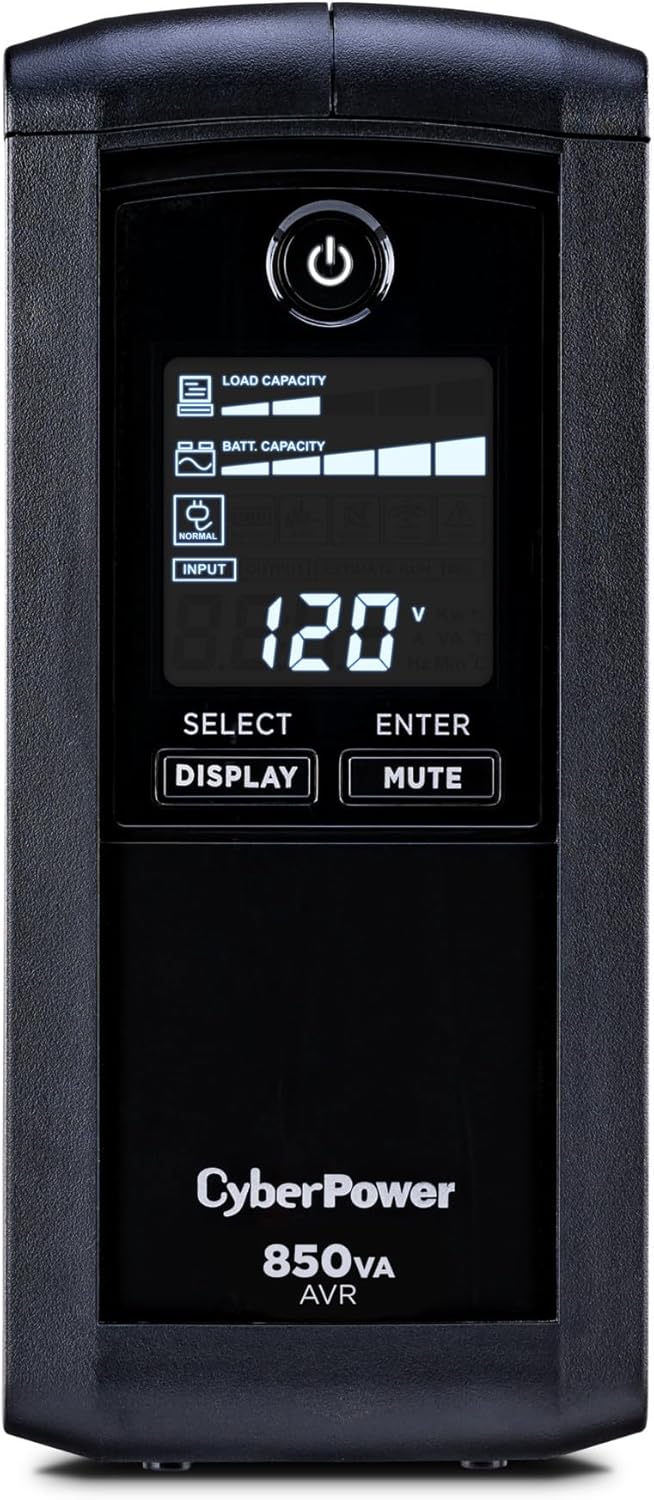
- ✓ LCD shows runtime in minutes, battery status and power conditions
Cons
- ✗ Simulated sine wave output is not suitable for Active PFC power supplies
- ✗ 400W limit covers a small server or network stack, not a loaded rack
- ✗ Remote management needs the RMCARD205 card, which is sold separately
- ✗ Only 4 of the 6 outlets stay powered during an outage
Manufacturer description
The CyberPower OR700LCDRM1U is a 1U rackmount UPS for department and workgroup servers, network gear and telecom installs that need battery backup without giving up rack space. It is rated at 700VA/400W and uses line-interactive topology with simulated sine wave output, so you should pair it with equipment whose power supplies do not use Active PFC. You get six NEMA 5-15R outlets. Four have both battery backup and surge protection, and two have surge protection only, which suits peripherals that can safely lose power during an outage. The UPS plugs into a standard 15A NEMA 5-15P outlet…
SpecPicks Verdict
SpecPicks scored CyberPower OR700LCDRM1U Smart App LCD UPS Battery Backup using a rating × review-volume × price-fit model applied to published specs and reviews across the power protection category. Compare with similarly-priced alternatives in the power protection category before committing. Judge it on the specification table and the price rather than on sentiment: check the figures that decide your use case, then put it side-by-side with two or three close alternatives in the Compare tool before clicking through.
Common buyer scenarios for power protection of this kind: matching it to an existing build, replacing a failing part, or upgrading from a previous-generation equivalent. Check the spec table below against your current setup — particularly socket / form-factor / power-rating fields — and confirm compatibility on the retailer's listing before purchase. Prices and stock are set by the retailer and may have moved since this page was last updated.
Frequently Asked Questions
Will the CyberPower OR700LCDRM1U work with a server that has an Active PFC power supply?
CyberPower does not recommend it. The OR700LCDRM1U puts out a simulated sine wave and is designed for equipment without Active PFC power supplies. Check your server's PSU specs before you buy.
How many outlets stay on during a power outage?
Four of the six NEMA 5-15R outlets have battery backup and surge protection. The other two have surge protection only and turn off when utility power fails.
Can I monitor the OR700LCDRM1U remotely over the network?
Yes, but you need the optional RMCARD205 management card. CyberPower's PowerPanel Business Edition software is a free download for managing the UPS.
What kind of wall outlet and cord does it use?
It plugs into a standard 15A outlet with a NEMA 5-15P plug on a 10-foot power cord, so it can reach a wall outlet from the back of a rack.
What does the warranty cover?
See CyberPower's warranty terms for claim details.
Key Features
- 700VA/400W Smart App LCD Uninterruptible Power Supply (UPS) System uses simulated sine wave output to protect department and workgroup servers, network devices, and telecom installations without Active PFC power supplies
- SIX NEMA 5-15R OUTLETS: FOUR battery backup and surge protected outlets; Two surge protected outlets; INPUT: 15A, NEMA 5-15P with 10 foot power cord
- MULTIFUNCTION LCD PANEL: Provides runtime in minutes, battery status, power conditions, alerting users to potential problems before they can affect critical equipment and cause downtime; REMOTE MANAGEMENT: Requires optional RMCARD205 management card
- AUTOMATIC VOLTAGE REGULATION (AVR): Corrects minor power fluctuations without switching to battery power, thereby extending the life of the battery
- 3-YEAR WARRANTY – INCLUDING THE BATTERIES; $300,000 Connected Equipment Guarantee and FREE PowerPanel Business Edition Management Software (Download)
Full Specifications
| Brand | CyberPower |
|---|---|
| Color | Black |
| Runtime | 3 minutes |
| Voltage | 120 volts |
| Wattage | 400 watts |
| Amperage | 15 A |
| Unit Count | 1 Count |
| Form Factor | Rack |
| Model Number | OR700LCDRM1U |
| Input Voltage | 120 volts |
| Maximum Power | 400 watts |
| Connector Type | NEMA |
| Output Current | 15 A |
| Output Voltage | 120 volts_of_alternating_current |
| Output Wattage | 400 watts |
| Item Dimensions | 9.25 x 17.25 x 1.75 inches |
| Mfr Part Number | OR700LCDRM1U |
| Power Plug Type | Type B - 3 pin (North American) |
| Battery Cell Type | Lead Acid |
| Number of Outlets | 6 |
| Full listing title | CyberPower OR700LCDRM1U Smart App LCD UPS Battery Backup | 700VA/400W, 6 Outlets, AVR, 1U Rackmount, UL Certified |
Hardware benchmark data
Ready to buy?
CyberPower OR700LCDRM1U Smart App LCD UPS Battery Backup | 700VA/400W, 6 Outlets, AVR, 1U Rackmount, UL Certified is listed on Amazon. Price, availability, shipping and returns are set by Amazon and its sellers — check the listing for current terms. SpecPicks earns a small commission on qualifying purchases — thank you for supporting independent review work.
Related Power Protection


More guides & deep dives from the SpecPicks archive
Browse all articles & guides →- The Complete Voodoo5 5500 AGP Driver Guide (2026 Edition)
- Best 1440p Gaming GPUs in 2026
- RTX 4070 Super vs RX 7800 XT — Which to Buy in 2026
- Best Budget Gaming PC Build 2026 — ~$1,000 Parts List
- Best Retro Handhelds in 2026 — From $35 to $500
- Emulation Hardware in 2026: FPGA, Software, and Cart-Reader Ecosystems
- How to Build a Windows 98 Retro PC in 2026
More reviews from the SpecPicks archive
Browse all reviews →- USB Wi-Fi 6 vs PCIe Wi-Fi 6E: Which Actually Fixes Gaming Lag?
- Best GPU for 1080p High-Refresh Esports 2026: RTX 3060 12GB
- Building a Silent Win98/XP Boot Drive: CompactFlash + IDE Adapter Setup
- MTP (Multi-Token Prediction): 2x Faster Token Generation on AMD Strix Halo & Radeon 9700 AI Pro
- Is the Logitech G502 Hero Still the Best FPS Mouse in 2026?
- GPT-5.6 Rollout Now Requires US Government Sign-Off, Customer by Customer
- GameSir G7 SE vs 8BitDo Pro 2: Best Wired-Feel Controller for PC & Steam Deck
- Turn a Raspberry Pi Pico W Into a Driverless USB WiFi Adapter
- Best GPU for Local LLMs by VRAM: 2026 Reddit Consensus
- Amazon RTX 5060 Deal: $324 Budget GPU for 1080p Gaming
- Best Budget 1TB SATA SSD 2026: BX500 vs WD Blue vs SanDisk Ultra 3D vs Samsung 870 EVO
- Claude Code + Fable 5 Ported Command & Conquer to iOS in Hours: What Local Coding Rigs Need
- A 4B Local Coding Agent That Hits 87%: Does It Run on a 3060?
- SANSUI vs KOORUI 27" 4K: Which Budget 4K Gaming Monitor Wins?
- Qwen 3.6 27B on 24GB VRAM: Backend, Quant + Settings Synthesis
- Linux Gaming Is Getting Faster: Windows APIs Hit the Kernel
- Best Controllers for Retro Gaming and Emulation in 2026
- Glide on Modern PCs: dgVoodoo2 + nGlide for 3dfx-Era Games (2026)
- Imaging a 90s IDE Hard Drive with a SATA/IDE-to-USB Adapter: The Retro-PC Data-Rescue Workflow
- Best CPU for the RTX 3060 12GB (No Bottleneck) in 2026
- G4-Meromero 31B: Running the Uncensored Gemma 4 Finetune on a 12GB RTX 3060
- MSI RTX 3060 Ventus 2X vs ZOTAC RTX 3060 Twin Edge: Which $300 1080p GPU Wins in 2026?
- 50+ Raspberry Pi Project Ideas for 2025 (By Skill Level)
- Host a Quake 3 + UT99 LAN Server on a Raspberry Pi 4 in 2026
Earliest SpecPicks reviews
Browse full archive →- Best GPU for Llama 3.1 8B (2026)
- Best GPU for Qwen 3 14B (2026)
- Best GPU for Qwen 3 32B (2026)
- Best GPU for Llama 3.1 70B (2026)
- Best GPU for DeepSeek-R1 32B (2026)
- Best GPU for Llama 3.1 405B (2026)
- How to run Llama 3.1 8B on NVIDIA GeForce RTX 5090
- How to run Qwen 3 14B on NVIDIA GeForce RTX 5090
- How to run Qwen 3 32B on NVIDIA GeForce RTX 5090
- How to run Llama 3.1 70B on NVIDIA GeForce RTX 5090
- How to run DeepSeek-R1 32B on NVIDIA GeForce RTX 5090
- How to run Llama 3.1 8B on NVIDIA GeForce RTX 4090