

Linksys
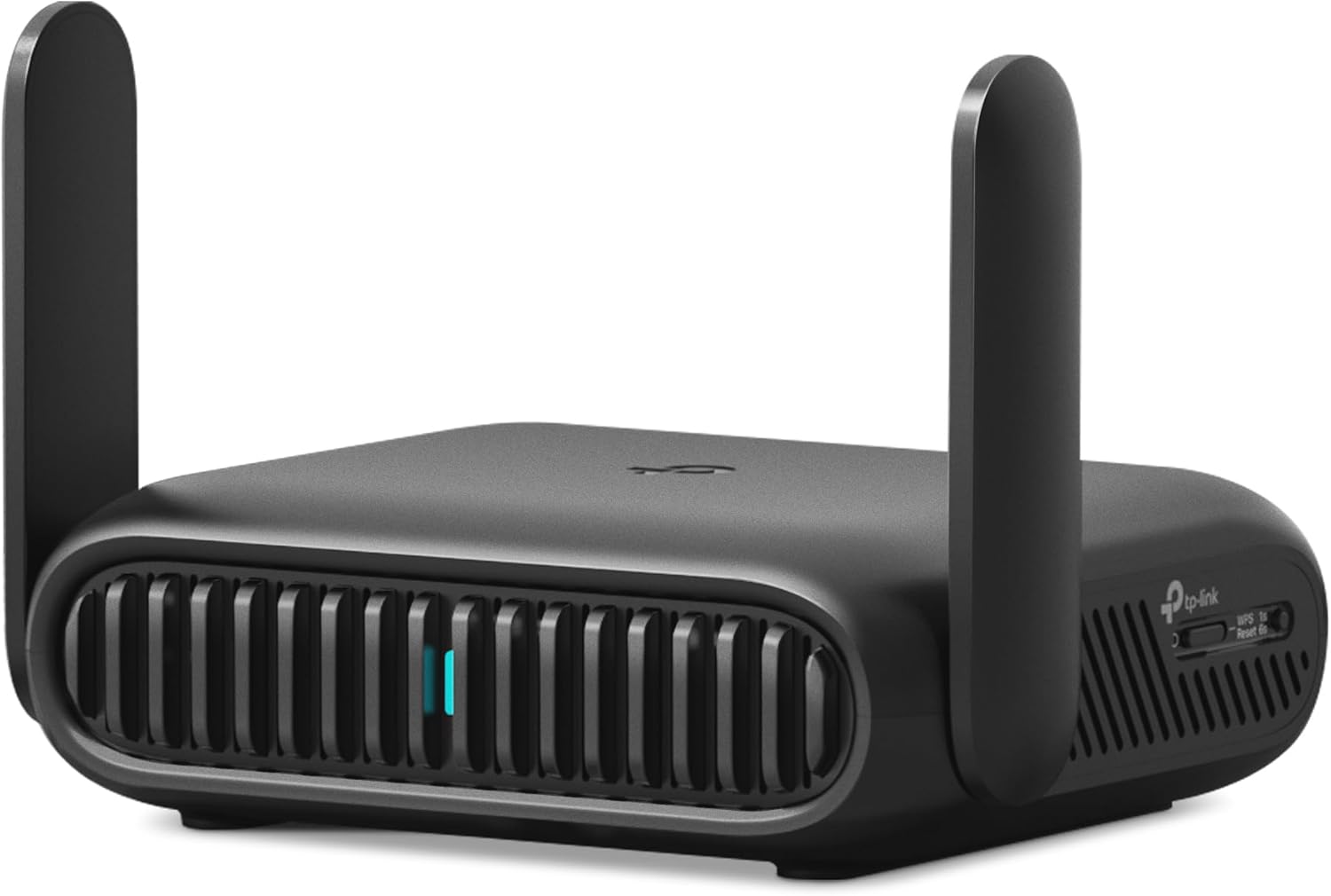
Cisco-Linksys E1000 Wireless-N Router
Bottom line: The Cisco-Linksys E1000 Wireless-N Router: Wireless-N speeds up to 300 Mbps for home browsing and streaming; main trade-off: fast Ethernet ports cap wired transfers at 100 Mbps.
As an Amazon Associate, SpecPicks earns from qualifying purchases. Full disclosure →
Pros & Cons
Pros
- ✓ Wireless-N speeds up to 300 Mbps for home browsing and streaming
- ✓ Four Fast Ethernet (10/100) ports for wired devices
- ✓ Connects computers, wireless printers, and smartphones over Wi-Fi
- ✓ Straightforward setup for basic home and home-office networks
Cons
- ✗ Fast Ethernet ports cap wired transfers at 100 Mbps
- ✗ 300 Mbps ceiling trails modern Wi-Fi 5/6 routers
- ✗ Wireless-N (802.11n) is an older Wi-Fi standard
- ✗ No gigabit LAN for fast local file transfers
Manufacturer description
Cisco Linksys E1000 Wireless N Router
SpecPicks Verdict
SpecPicks has no buyer-rating or benchmark data for Cisco-Linksys E1000 Wireless-N Router, so this read rests on the manufacturer's listed specs (how we evaluate). Compare with similarly-priced alternatives in the networking category before committing. On the listing's own facts, the case for it is "Wireless-N speeds up to 300 Mbps for home browsing and streaming"; the main trade-off is "Fast Ethernet ports cap wired transfers at 100 Mbps". If those two points fit how you will use it, put it beside one or two close alternatives in the Compare tool to confirm the price.
Before ordering, check the listed dimensions, ports, power requirements and supported devices or systems in the spec table below against how you plan to use it, and confirm them on the retailer's listing. Prices and stock are set by the retailer and may have moved since this page was last updated.
Key Features
Quoted from the manufacturer's listing. Where it differs from the pros and cons above, those note the conditions the listing leaves out.
- Enjoy the benefits of Wireless-N in your home--ideal for wireless Internet usage and home office productivity
- Connect your computers, wireless printers, smartphones, and other wireless devices at up to 300 Mbps of transfer speed
- Use four Fast Ethernet (10/100 Mbps) ports to directly connect wired devices
Full Specifications
| Brand | Linksys |
|---|---|
| Color | Black, Glossy Black |
| Voltage | 12 Volts |
| Coverage | Large Household |
| Frequency | 5 GHz |
| Model Name | E1000 |
| Unit Count | 1.0 Count |
| Antenna Type | Internal |
| Connectivity | Wireless |
| Model Number | E1000 |
| Built-In Media | Cisco-Linksys E1000 Wireless-N Router |
| Control Method | Voice |
| Connection Type | Wired |
| Controller Type | Switch |
| Mfr Part Number | E1000 |
| Number of Ports | 4 |
| Special Feature | MU-MIMO, Smart Wi-Fi Cloud Management |
| Antenna Location | Internal |
| Wi-Fi Generation | Wi-Fi 4 (802.11n) |
| Security Protocol | WPA-PSK, WPA2-PSK |
Ready to buy?
Cisco-Linksys E1000 Wireless-N Router is listed on Amazon. Price, availability, shipping and returns are set by Amazon and its sellers — check the listing for current terms. SpecPicks earns a small commission on qualifying purchases — thank you for supporting independent review work.
Related Networking


More guides & deep dives from the SpecPicks archive
Browse all articles & guides →- Best 1440p Gaming GPUs in 2026
- How to Build a Windows 98 Retro PC in 2026
- Emulation Hardware in 2026: FPGA, Software, and Cart-Reader Ecosystems
- Best Retro Handhelds in 2026: Pocket, Mid-Tier and FPGA Picks
- RTX 4070 Super vs RX 7800 XT — Which to Buy in 2026
- Best Budget Gaming PC Build 2026 — ~$1,000 Parts List
- The Complete Voodoo5 5500 AGP Driver Guide (2026 Edition)
More reviews from the SpecPicks archive
Browse all reviews →- Noctua NH-U12S vs ML240L RGB on a Ryzen 7 5800X
- Asus ROG Xreal R1 Brings 240 Hz to AR Glasses — What PC Gamers Should Know
- Gemini 3.6 Flash Shipped: Why Local Builders Still Reach for a 12GB GPU
- Heterogeneous GPU Weighting and Layer Splitting: Mixed-GPU LLM Inference on Consumer Hardware
- Best Sim Racing Wheel & Pedal Setup in 2026
- Noctua NH-U12S vs Corsair H150i vs Kraken M22 on a 24/7 Ryzen 7 5800X Host
- Best AM4 CPU to Pair With an RTX 3060 12GB in 2026
- How to run Qwen 3 32B on NVIDIA GeForce RTX 5080
- Ultrawide vs 27-Inch 4K for Sim Racing on a G29 and RTX 3060
- Transcend CF133 CompactFlash as a Windows 98 Boot Drive: Setup & Gotchas
- AA-AgentPerf: What the New Agentic Inference Benchmark Means for Local Coding Rigs
- Gemma 4 26B-A4B on a 16GB GPU: RTX 5060 Ti 16GB vs RTX 3060 12GB Quant Table (2026)
- Local PDF-to-Audiobook on a Raspberry Pi 5: Kokoro 82M + Qwen + llama.cpp
- RTX 5090 AI Models: Performance, VRAM, Power
- Intel Arc B580 LLM Inference: 12GB Battlemage Benchmarks
- Best Mechanical Keyboard for Office and Hybrid Work in 2026
- Black Friday CPU Deals: 5 Ryzen Picks Worth Buying
- OpenAI Codex Now Encrypts Agent-to-Agent Instructions: The Case for Local, Auditable Agents
- Retro Console Mods in Canada: 2026 Legal & Hardware Guide
- Build a RetroPie Handheld with the Raspberry Pi Zero W in 2026: Full BOM + Setup
- How to run Llama 3.1 8B on Apple M4 Pro (2026)
- RTX 4090 vs RX 7900 XTX
- Pi Pico Puts Bluetooth Keyboards on the I2C Bus
- Best Buy Cuts $900 Off an Asus 64GB Gaming Laptop — Is a Desktop Smarter?
Earliest SpecPicks reviews
Browse full archive →- Best GPU for Llama 3.1 8B (2026)
- Best GPU for Qwen 3 14B (2026)
- Best GPU for Qwen 3 32B (2026)
- Best GPU for Llama 3.1 70B (2026)
- Best GPU for DeepSeek-R1 32B (2026)
- Best GPU for Llama 3.1 405B (2026)
- How to run Llama 3.1 8B on NVIDIA GeForce RTX 5090
- How to run Qwen 3 14B on NVIDIA GeForce RTX 5090
- How to run Qwen 3 32B on NVIDIA GeForce RTX 5090
- How to run Llama 3.1 70B on NVIDIA GeForce RTX 5090
- How to run DeepSeek-R1 32B on NVIDIA GeForce RTX 5090
- How to run Llama 3.1 8B on NVIDIA GeForce RTX 4090