

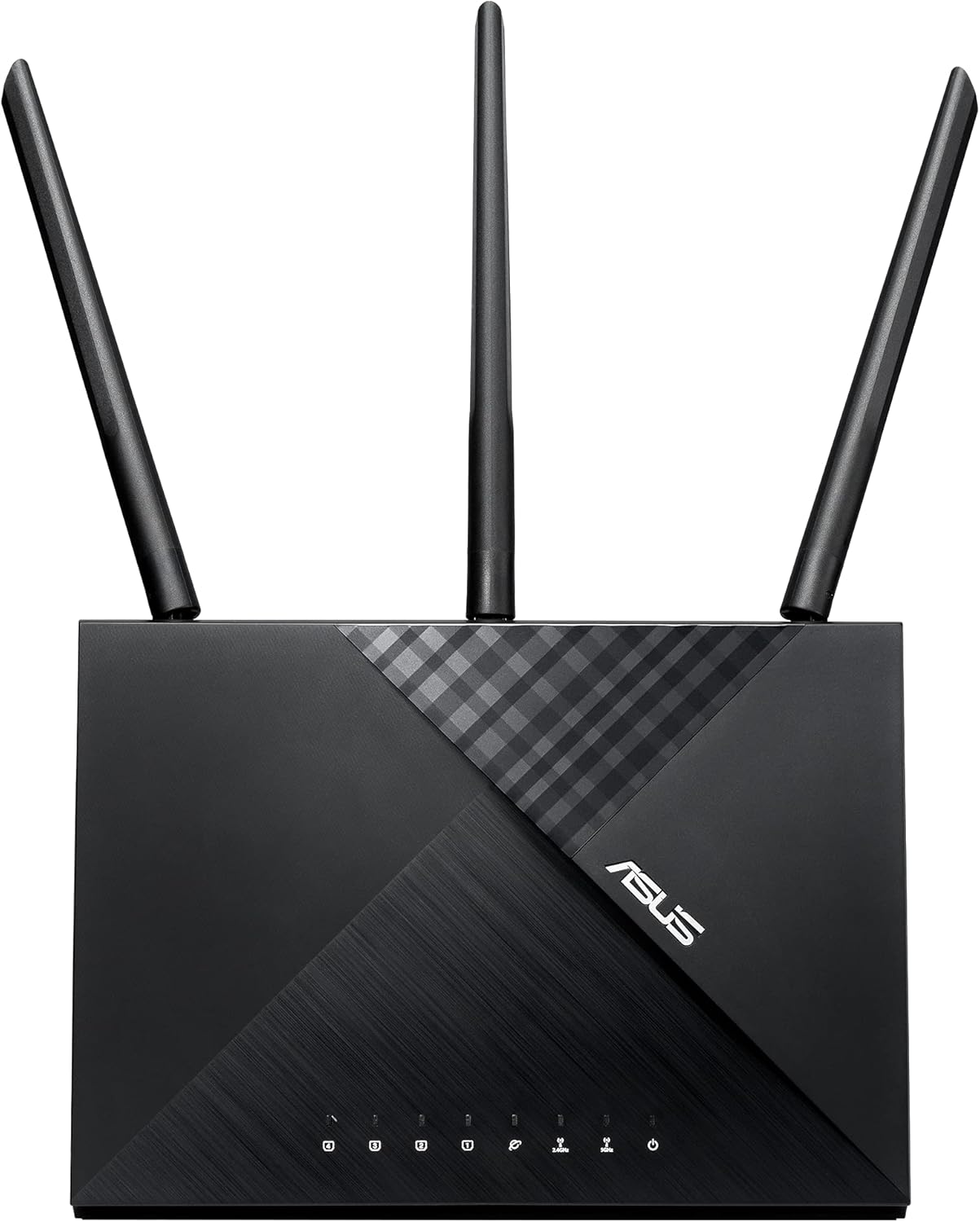
T-Mobile (AC-1900) By ASUS Wireless-AC1900 Dual-Band Gigabit Router
Bottom line: The T-Mobile By ASUS Wireless-AC1900 Dual-Band Gigabit Router: 802.11ac 3x3 dual-band delivers up to 1900 Mbps combined; main trade-off: locked to T-Mobile; will not work with any other carrier.
As an Amazon Associate, SpecPicks earns from qualifying purchases. Full disclosure →
Pros & Cons
Pros
- ✓ 802.11ac 3x3 dual-band delivers up to 1900 Mbps combined
- ✓ 1 GHz dual-core CPU splits Wi-Fi and USB traffic into separate lanes
- ✓ AiProtection with Trend Micro secures every connected device
- ✓ ASUS Router App for monitoring and managing from your phone
- ✓ Browser-based ASUSWRT interface for setup and advanced settings
Cons
- ✗ Locked to T-Mobile; will not work with any other carrier
- ✗ Wi-Fi 5 (802.11ac) only, no Wi-Fi 6 support
- ✗ 1900 Mbps is combined across bands, not per-device throughput
- ✗ Listing does not specify Ethernet or USB port counts
Manufacturer description
The T-Mobile edition of the ASUS AC1900 Dual-Band Gigabit Router is a Wi-Fi 5 router for households on T-Mobile service. It uses 802.11ac 3x3 technology across two bands for combined wireless speeds of up to 1900 Mbps, which gives streaming, gaming and video calls room to run at the same time. A 1 GHz dual-core processor keeps Wi-Fi traffic and USB data on separate lanes, so a file transfer from an attached drive does not slow down everyone else on the network. AiProtection with Trend Micro adds network-level security that covers every device on your network, including smart-home gadgets…
SpecPicks Verdict
SpecPicks has no buyer-rating or benchmark data for T-Mobile By ASUS Wireless-AC1900 Dual-Band Gigabit Router, so this read rests on the manufacturer's listed specs (how we evaluate). Compare with similarly-priced alternatives in the networking category before committing. On the listing's own facts, the case for it is "802.11ac 3x3 dual-band delivers up to 1900 Mbps combined"; the main trade-off is "Locked to T-Mobile; will not work with any other carrier". If those two points fit how you will use it, put it beside one or two close alternatives in the Compare tool to confirm the price.
Before ordering, check the listed dimensions, ports, power requirements and supported devices or systems in the spec table below against how you plan to use it, and confirm them on the retailer's listing. Prices and stock are set by the retailer and may have moved since this page was last updated.
Frequently Asked Questions
Will this ASUS router work with Comcast, Spectrum or Verizon internet?
No. This edition is locked to the T-Mobile GSM network and will not work with any carrier other than T-Mobile. Non-T-Mobile customers should buy the standard retail ASUS AC1900 model.
How fast is the Wi-Fi on the ASUS AC1900 T-Mobile router?
It uses dual-band 802.11ac 3x3 technology for combined speeds of up to 1900 Mbps across both bands. Real speeds for each device depend on your T-Mobile plan, distance from the router and the device's own Wi-Fi hardware.
Does this router include built-in network security?
Yes. It includes AiProtection with Trend Micro, which protects the whole network at the router level, so phones, laptops and smart-home devices on your Wi-Fi are all covered.
Can I manage the router from my phone?
Yes. The ASUS Router App lets you monitor and manage your network from a mobile device. For first-time setup and deeper settings, you can also use the ASUSWRT web interface in a browser.
What warranty comes with the T-Mobile edition?
The product listing does not state warranty terms. Check with the seller, ASUS or T-Mobile for current coverage before you buy.
Key Features
Quoted from the manufacturer's listing. Where it differs from the pros and cons above, those note the conditions the listing leaves out.
- Dual-band with the latest 802.11ac 3x3 technology for combined speeds of up to 1900 Mbps
- 1 GHz Dual-core CPU enables smart multitasking by dedicating separate lanes for Wifi and USB data
- Efortless router setup with the ASUSWRT web-based interface
- Monitor and manage your network with ease from your mobile device using the intuitive ASUS Router App,
- This Product is locked to the T-Mobile GSM network. It will NOT work with ANY OTHER carrier besides T-Mobile.
Full Specifications
| Brand | Asus |
|---|---|
| Color | Black |
| Frequency | 5 GHz |
| Model Name | T-Mobile AC-1900 |
| Antenna Type | Internal |
| Connectivity | Wireless, USB, WiFi |
| Model Number | TM-AC1900 |
| Control Method | App |
| Connection Type | Wireless |
| Controller Type | App Control |
| Mfr Part Number | T-Mobile (AC-1900) |
| Number of Ports | 5 |
| Special Feature | WPS |
| Antenna Location | Security |
| Security Protocol | WPS |
| Compatible Devices | Laptop, Tablet |
| Data Transfer Rate | 1900 Megabits Per Second |
| LAN Port Bandwidth | 1000 Mbps |
| Number of Antennas | 1 |
| Is Modem Compatible | No |
| Full listing title | T-Mobile (AC-1900) By ASUS Wireless-AC1900 Dual-Band Gigabit Router, AiProtection with Trend Micro for Complete Network Security |
Ready to buy?
T-Mobile (AC-1900) By ASUS Wireless-AC1900 Dual-Band Gigabit Router, AiProtection with Trend Micro for Complete Network Security is listed on Amazon. Price, availability, shipping and returns are set by Amazon and its sellers — check the listing for current terms. SpecPicks earns a small commission on qualifying purchases — thank you for supporting independent review work.
Related Networking



More guides & deep dives from the SpecPicks archive
Browse all articles & guides →- The Complete Voodoo5 5500 AGP Driver Guide (2026 Edition)
- Best Retro Handhelds in 2026: Pocket, Mid-Tier and FPGA Picks
- Emulation Hardware in 2026: FPGA, Software, and Cart-Reader Ecosystems
- Best 1440p Gaming GPUs in 2026
- Best Budget Gaming PC Build 2026 — ~$1,000 Parts List
- How to Build a Windows 98 Retro PC in 2026
- RTX 4070 Super vs RX 7800 XT — Which to Buy in 2026
More reviews from the SpecPicks archive
Browse all reviews →- The Sound Blaster Monopoly: How Creative Labs Owned PC Audio
- Second Streaming PC vs NVENC: What an Old i7-9700K Is Still Good For
- Voodoo5 5500 PCI Boots on a Modern Z77 Board: Retro-on-Modern Just Got Easier
- Intel Arc A770 for Local LLMs: 2026 Benchmark Guide
- GLM-5.2 vs Qwen3 on a 12GB GPU: Best Open-Weights LLM for an RTX 3060
- Best Gaming Mouse Pad for Esports & Office Use in 2026
- Qwen3.6 the Right Way: Run It Through a Pi Coding Agent
- Best Gaming SSD in 2026: 5 Picks for PS5, Steam Deck, and Custom Builds
- LLM-Driven Driver Install on Windows 98: How Claude Walks Voodoo + Sound Blaster Setup
- Homelab Month One: Raspberry Pi 4 or a Ryzen 5 Mini-PC?
- Best NVMe Boot SSD for an AM4 Ryzen Build: 970 EVO Plus vs the Budget Field
- Apple Sues OpenAI Over Alleged Trade-Secret Theft: What It Means
- Raspberry Pi Projects for Beginners: 6 No-Solder Builds
- Samsung 870 EVO vs Crucial BX500: Best Budget SATA SSD for a Secondary or Retro Build in 2026
- Acer Nitro 65 Review: Solid Gaming, Connectivity Caveats
- Best 1440p Gaming Monitor in 2026: 5 Picks for Esports, RPGs, and PS5
- Is 8GB RAM Enough in 2026? A Real-World Performance Analysis
- CompactFlash-to-IDE Boot Drive: The Silent Win98 Build Upgrade
- Debugging Vintage Windows with Claude: SYSFIX Patterns for Win98 vcache, MSNP32, and Glide Hangs
- Best CPU Cooler for AM4 Ryzen Overclocking (2026 Edition)
- A New Benchmark Says AI Fails at Real Knowledge Work — Does a Bigger Local Rig Help?
- Self-Hosted Home Assistant on a Raspberry Pi 4 8GB (2026 Build)
- SANSUI vs KOORUI 27" 4K: Which Budget 4K Gaming Monitor Wins?
- Build a Home NAS on a Raspberry Pi 4 8GB in 2026
Earliest SpecPicks reviews
Browse full archive →- Best GPU for Llama 3.1 8B (2026)
- Best GPU for Qwen 3 14B (2026)
- Best GPU for Qwen 3 32B (2026)
- Best GPU for Llama 3.1 70B (2026)
- Best GPU for DeepSeek-R1 32B (2026)
- Best GPU for Llama 3.1 405B (2026)
- How to run Llama 3.1 8B on NVIDIA GeForce RTX 5090
- How to run Qwen 3 14B on NVIDIA GeForce RTX 5090
- How to run Qwen 3 32B on NVIDIA GeForce RTX 5090
- How to run Llama 3.1 70B on NVIDIA GeForce RTX 5090
- How to run DeepSeek-R1 32B on NVIDIA GeForce RTX 5090
- How to run Llama 3.1 8B on NVIDIA GeForce RTX 4090