
ELECBRAiN
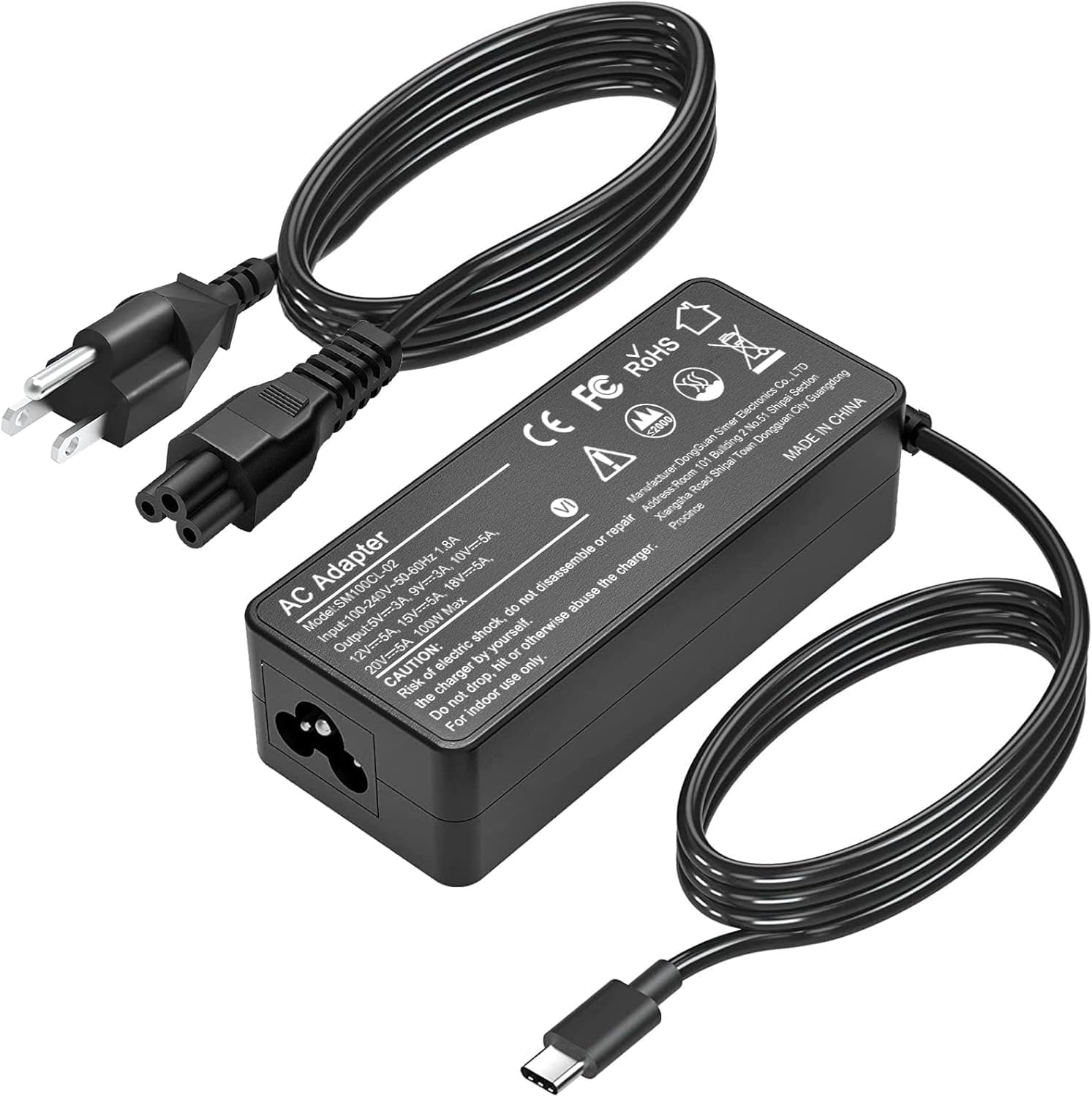
ELECBRAiN 100W Universal USB-C Power Adapter Fast Charger
Bottom line: The ELECBRAiN 100W Universal USB-C Power Adapter Fast Charger: Full 100W PD 3.0 with 20V/5A output, enough for a 16-inch MacBook Pro; main trade-off: single USB-C port only - no second port for a phone while the laptop charges.
As an Amazon Associate, SpecPicks earns from qualifying purchases. Full disclosure →
Pros & Cons
Pros
- ✓ Full 100W PD 3.0 with 20V/5A output, enough for a 16-inch MacBook Pro
- ✓ Included 4.9ft cable has an E-mark chip, required to actually pass 5A
- ✓ Auto-negotiates 12 power tiers from 18W to 96W for phones and laptops alike
- ✓ Fivefold protection: over-current, over-voltage, over-heat, short-circuit, over-charge
Cons
- ✗ Single USB-C port only - no second port for a phone while the laptop charges
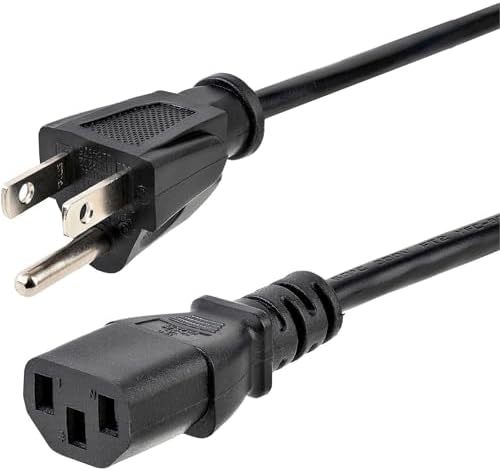
- ✗ Detachable 5.9ft AC cable adds bulk versus a folding-prong wall plug
- ✗ No stated GaN construction, so expect a larger body than GaN rivals
- ✗ Listing does not specify warranty length or return terms
Manufacturer description
The ELECBRAiN 100W Universal USB-C Power Adapter is a single-port PD 3.0 charger built to replace the brick that came with your laptop. It negotiates output automatically across the full PD ladder - 20V/5A, 18V/5A, 15V/5A, 10V/5A, 9V/3A and 5V/3A - so the same adapter steps down to 96W, 87W, 65W, 45W, 30W or 20W depending on what you plug in. That covers MacBook Pro 13/14/15/16, MacBook Air 13 (2024, 2025 and 2026 models), plus Lenovo, Acer, Dell and Asus USB-C laptops and Android phones from one brick. The included 4.9ft USB-C cable carries an E-mark chip, which is what allows it to pass…
SpecPicks Verdict
SpecPicks has no buyer-rating or benchmark data for ELECBRAiN 100W Universal USB-C Power Adapter Fast Charger, so this read rests on the manufacturer's listed specs (how we evaluate). Compare with similarly-priced alternatives in the power supplies & cables category before committing. On the listing's own facts, the case for it is "Full 100W PD 3.0 with 20V/5A output, enough for a 16-inch MacBook Pro"; the main trade-off is "Single USB-C port only - no second port for a phone while the laptop charges". If those two points fit how you will use it, put it beside one or two close alternatives in the Compare tool to confirm the price.
Common buyer scenarios for power supplies & cables of this kind: matching it to an existing build, replacing a failing part, or upgrading from a previous-generation equivalent. Check the spec table below against your current setup — particularly socket / form-factor / power-rating fields — and confirm compatibility on the retailer's listing before purchase. Prices and stock are set by the retailer and may have moved since this page was last updated.
Frequently Asked Questions
Will this charge a 16-inch MacBook Pro at full speed?
Yes. The adapter delivers 20V/5A for a full 100W, and Apple's 16-inch MacBook Pro USB-C charging tops out in that range. ELECBRAiN lists 96W, 90W and 87W among its negotiated tiers.
Is a USB-C cable included, or do I need my own?
A 4.9ft USB-C cable is included, and it carries an E-mark chip - the component that lets a cable legally pass 5A. A 5.9ft/1.8m AC cable and an instruction sheet are also in the box.
Does it work with Dell, Lenovo, Acer and Asus laptops?
Yes, ELECBRAiN lists all four brands as compatible along with any USB-C PD device. The adapter identifies the device and selects the matching output automatically, so no manual switching is needed.
Can I use it to charge my phone without damaging the battery?
Yes. The charger steps down to 18W, 20W or 25W for phones rather than forcing 100W, and it includes over-current, over-voltage and over-charge protection. Android USB-C phones are explicitly listed as supported.
Key Features
Quoted from the manufacturer's listing. Where it differs from the pros and cons above, those note the conditions the listing leaves out.
- Fast Charging: ELECBRAIN 100W USB-C Power Adapter will smart identify your devices automatically. its Charging power Up to 96W, 90W, 87W, 67W, 65W, 61W, 45W, 30W, 29W, 25W, 20W,18W ; PD 20V=5A; 18V=5A; 15V = 5A; 10V=5A; 9V=3A; 5V=3A. It supports USB-C PD 3.0 Charging protocol. Quick charge for your USB-C devices
- Safety and Wide Compatibility: Super safety with fivefold protections:over-current protection, over-voltage protection, over-heating protection, short-circuiting protection,over-charge protection. Wide Compatibility, it can automatically recognize your device and provide the fastest and most efficient output current
- Widely Compatibility: ELECBRAIN 100W USB-C Power Adapter Charger specially designed for charging your USB C device, 100W USB C Charger with 4.9ft USB-C Cable, Which with E-mark Chip, Compatible with Lenovo, Acer, Dell, Asus, and all USB-C charger devices, laptops and android phones. It can automatically recognize your device and provide the fastest and most efficient output current
- Full Safety Protection: In order to let you use our USB C charger with confidence, each of our chargers has undergone professional technical inspections before shipment to ensure excellent performance and safety. ELECBRAIN charger has a built-in heat dissipation system to prevent the charger from overheating at full power output. The built-in IC chip technology provides overload short-circuit /overheat protection, so there’s no worries about damaging functional devices
- Safety Certification: The 100W USB C fast charger have passed the US charger was certificated with safety certification standards.Intelligent output and protection, avoid sparks, overheat,overcurrent.USB C Cable supports safe speed charging and fast data transfer to ensure safety for you and your device
- Customers Foremost: Any issue please contact us: click the "Ask a question" on our storefront or in "YOUR ORDER" options click the "contact seller”. Package includes: 1 x 100W ELECBRAIN USB C Laptop Charger, 1 x 5.9ft/1.8m AC cable, 1 x instruction
Full Specifications
| Brand | ELECBRAiN |
|---|---|
| Color | Black |
| Current | AC |
| Wattage | 100 watts |
| Amperage | 5 Amps |
| Portable | Yes |
| Power Plug | Type A - 2 pin (North American) |
| Unit Count | 1.0 Count |
| Connectivity | USB-C |
| Model Number | SM100CL-02 |
| Power Source | AC |
| Compatibility | Android, Mac |
| Input Voltage | 240 Volts |
| Mounting Type | Wall Mount |
| Built-In Media | 100W USB-C Mac book Pro Charger, 1 x 7.2ft(2.2m) USB C to C Cord, 1 x instruction |
| Connector Type | USB Type C |
| Output Current | 5 Amps |
| Output Voltage | 20 Volts |
| Mfr Part Number | SM100CL-02 |
| Special Feature | Fast Charging |
| Full listing title | 100W Universal USB-C Power Adapter Fast Charger, Compatible with Mac Book Pro/Air 16, 15, 14, 13 Inch,Mac Book Air 13 Inch 2026 2025 2024, Lenovo, Acer, Dell, Asus |
Ready to buy?
100W Universal USB-C Power Adapter Fast Charger, Compatible with Mac Book Pro/Air 16, 15, 14, 13 Inch,Mac Book Air 13 Inch 2026 2025 2024, Lenovo, Acer, Dell, Asus is listed on Amazon. Price, availability, shipping and returns are set by Amazon and its sellers — check the listing for current terms. SpecPicks earns a small commission on qualifying purchases — thank you for supporting independent review work.
Related Power Supplies & Cables



More guides & deep dives from the SpecPicks archive
Browse all articles & guides →- The Complete Voodoo5 5500 AGP Driver Guide (2026 Edition)
- Emulation Hardware in 2026: FPGA, Software, and Cart-Reader Ecosystems
- Best Retro Handhelds in 2026: Pocket, Mid-Tier and FPGA Picks
- How to Build a Windows 98 Retro PC in 2026
- RTX 4070 Super vs RX 7800 XT — Which to Buy in 2026
- Best Budget Gaming PC Build 2026 — ~$1,000 Parts List
- Best 1440p Gaming GPUs in 2026
More reviews from the SpecPicks archive
Browse all reviews →- Best Single-Board Computer Kits for Beginners (2026)
- Building a Local LLM Workstation on a Raspberry Pi 5 + Ryzen 7 5800X Hybrid
- Best GPU for 1080p Esports in 2026: High-Refresh Without Overspending
- Cheap 80s Keyboard Gets a Modern Brain Upgrade
- IBM Granite 4.1 (3B / 8B / 30B): Local Inference Benchmarks and Hardware Picks
- GPT-5.6 Sol vs Local Open-Weights: Why a 12GB Rig Still Earns Its Keep
- Run Text-to-SQL Locally on a 12GB GPU After Gemini-SQL2
- Home Assistant on a Raspberry Pi 4 8GB: Full 2026 Setup
- Llama 3.3 70B: Dual RTX 3060 12GB vs Ryzen 7 5800X CPU Offload (2026)
- Best Streaming Setup for Sim Racing in 2026: Cam, Mic, Light
- Best Wireless Controller for PC LAN Parties & Couch Co-Op in 2026
- MAYFLASH F300 vs DualSense for PC Rhythm Games (2026)
- GPT-5.6 Sol Ships Under Government Access OpenAI Calls Unsustainable
- Best Storage Upgrades for Gaming and Retro PCs in 2026
- AI-Driven Win98 Voodoo3 Driver Recovery on a Raspberry Pi 5 Companion
- GameSir G7 SE vs DualSense for PC Gaming in 2026
- Building a 2001 LAN-Party Rig: Pentium III, GeForce 3, Win98 SE Period-Correct Build Log
- Best Raspberry Pi Alternative in 2025: Full Buying Guide
- Running Gemma 4 31B Finetunes Locally: Dual RTX 3060 12GB vs Single 24GB Card
- Mistral Seeks €3B: What a Bigger European Lab Means for Local Rigs
- Can a Ryzen AI Max+ 395 Mini-PC With 128GB Run Big LLMs? The r/LocalLLaMA Question
- A 3D-Printed Switch Steering Wheel V2 Brings Adaptive Racing to More Players
- KOORUI 27" 4K vs Samsung Odyssey 4K: Best 27-Inch Panel for PC and Console
- ComfyUI Ideogram 4: Setup, GPU Needs & Hardware Guide
Earliest SpecPicks reviews
Browse full archive →- Best GPU for Llama 3.1 8B (2026)
- Best GPU for Qwen 3 14B (2026)
- Best GPU for Qwen 3 32B (2026)
- Best GPU for Llama 3.1 70B (2026)
- Best GPU for DeepSeek-R1 32B (2026)
- Best GPU for Llama 3.1 405B (2026)
- How to run Llama 3.1 8B on NVIDIA GeForce RTX 5090
- How to run Qwen 3 14B on NVIDIA GeForce RTX 5090
- How to run Qwen 3 32B on NVIDIA GeForce RTX 5090
- How to run Llama 3.1 70B on NVIDIA GeForce RTX 5090
- How to run DeepSeek-R1 32B on NVIDIA GeForce RTX 5090
- How to run Llama 3.1 8B on NVIDIA GeForce RTX 4090