

EDUP
EDUP® USB 3.0 WiFi 6E Adapter for PC
Bottom line: The EDUP® USB 3.0 WiFi 6E Adapter for PC: Tri-band 802.11ax: up to 1200Mbps on 6GHz and 5GHz, 600Mbps on 2.4GHz; main trade-off: windows 10 is limited to 5GHz and 2.4GHz; no 6GHz band.
As an Amazon Associate, SpecPicks earns from qualifying purchases. Full disclosure →
Pros & Cons
Pros
- ✓ Tri-band 802.11ax: up to 1200Mbps on 6GHz and 5GHz, 600Mbps on 2.4GHz
- ✓ Plug and play on Linux kernel 5.19+ thanks to the MT7921AU chipset
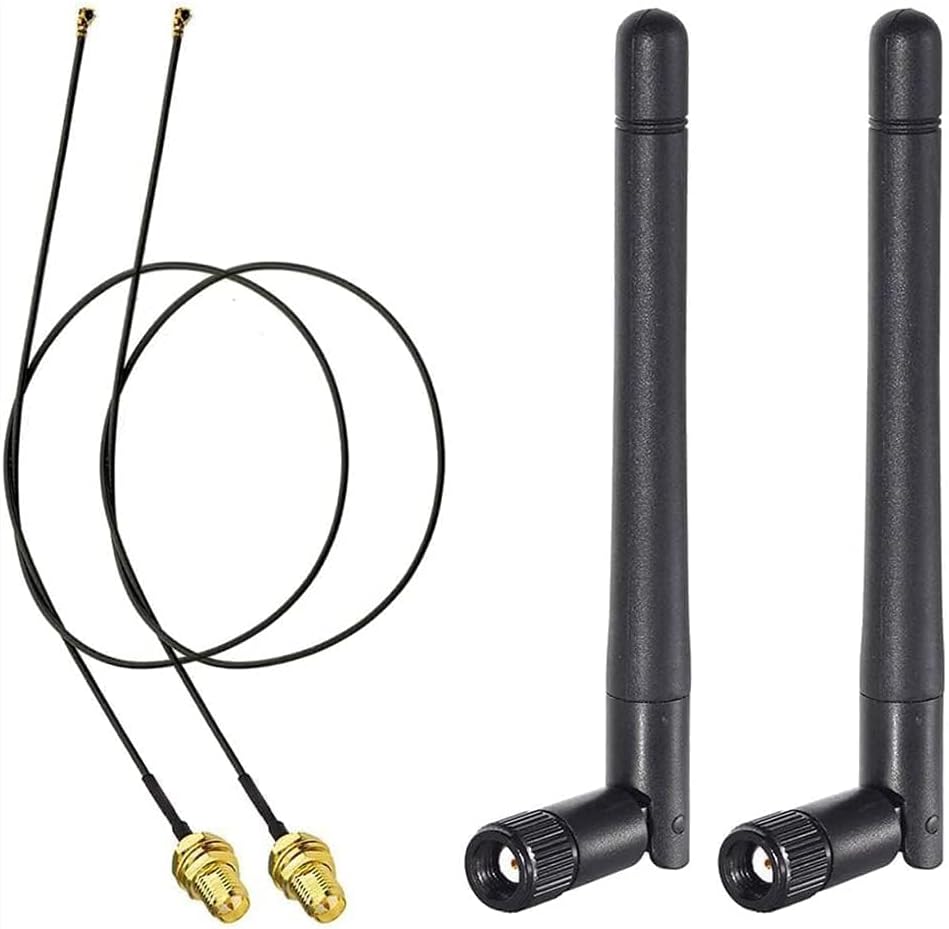
- ✓ Dual 5dBi external antennas to extend range and connection stability
- ✓ USB 3.0 interface avoids the USB 2.0 bottleneck on fast wireless links
- ✓ 3-year manufacturer replacement warranty plus 90-day no-questions return
Cons
- ✗ Windows 10 is limited to 5GHz and 2.4GHz; no 6GHz band
- ✗ Windows requires a manual driver install from the U disk or szedup.com
- ✗ Driver download is compressed, so extraction software is needed first
- ✗ No native support on Linux kernels older than 5.19; Windows 11 is 64-bit only
Manufacturer description
Add WiFi 6E to a desktop or laptop that lacks it with the EDUP AX3000 USB 3.0 WiFi 6E adapter. Built on the MediaTek MT7921AU chipset, this 802.11ax dongle runs on all three bands. It reaches up to 1200Mbps on 6GHz, up to 1200Mbps on 5GHz and up to 600Mbps on 2.4GHz. With a 6GHz-capable router, you get a band that older devices can't use, so it is less crowded. Two 5dBi external antennas improve range and stability for video calls, streaming and online gaming. The USB 3.0 interface keeps the bus from capping your wireless throughput the way USB 2.0 would. Setup depends on your OS. On Linux…
SpecPicks Verdict
SpecPicks has no buyer-rating or benchmark data for EDUP® USB 3.0 WiFi 6E Adapter for PC, so this read rests on the manufacturer's listed specs (how we evaluate). Compare with similarly-priced alternatives in the networking category before committing. On the listing's own facts, the case for it is "Tri-band 802.11ax: up to 1200Mbps on 6GHz and 5GHz, 600Mbps on 2.4GHz"; the main trade-off is "Windows 10 is limited to 5GHz and 2.4GHz; no 6GHz band". If those two points fit how you will use it, put it beside one or two close alternatives in the Compare tool to confirm the price.
Before ordering, check the listed dimensions, ports, power requirements and supported devices or systems in the spec table below against how you plan to use it, and confirm them on the retailer's listing. Prices and stock are set by the retailer and may have moved since this page was last updated.
Frequently Asked Questions
Does the EDUP WiFi 6E adapter work on 6GHz in Windows 10?
No. On Windows 10 (32/64-bit) the adapter works on 5GHz and 2.4GHz only. The 6GHz band is available on Windows 11 (64-bit) and Linux, and only when your router supports 6GHz.
Do I need to install a driver?
On Windows 10 and 11, yes. Install it from the included U disk or download it from szedup.com/usb-adapters/EP1672.html. The download is compressed, so extract it first. On Linux kernel 5.19 or newer, it is plug and play with no driver needed.
What speeds does it support on each band?
EDUP rates the adapter at up to 600Mbps on 2.4GHz, up to 1200Mbps on 5GHz and up to 1200Mbps on 6GHz, for a combined AX3000 rating. Real-world throughput depends on your router, distance and interference.
What chipset does this adapter use, and will it work with older routers?
It uses the MediaTek MT7921AU chipset and is backward compatible with 802.11ax/ac/a/b/g/n networks. That means it connects to WiFi 6, WiFi 5 and older routers on the 5GHz and 2.4GHz bands.
What warranty comes with the EDUP AX3000 adapter?
EDUP lists a 3-year manufacturer replacement warranty and a 90-day no-questions-asked return policy. Check the product listing for current terms before you buy.
Key Features
Quoted from the manufacturer's listing. Where it differs from the pros and cons above, those note the conditions the listing leaves out.
- 【Fast WiFi 6E Connectivity】: Experience the latest WiFi 6E technology with EDUP USB adapter, delivering high-speed AX3000M transmission. It supports three frequency bands - 6GHz, 5GHz, and 2.4GHz - enabling seamless connections for multiple devices on your PC or laptop, ensuring a stable and lag-free wireless network experience.
- 【Powerful Signal Coverage】: EDUP AX3000Mbps WiFi Adapter features dual 5dBi antennas that provide robust signal enhancement, extending the range and stability of your wireless connection for a more reliable and uninterrupted experience. Whether you're participating in real-time meetings, streaming your favorite shows, or playing games, you can enjoy seamless connectivity without any interference.
- 【USB 3.0 Hi-Speed Transfer】: Featuring a USB 3.0 interface, EDUP WiFi 6E adapter offers blazing-fast data transfer speeds, 10 times faster than traditional USB 2.0 interfaces. Enjoy quicker response times during data transfers, smooth video streaming, and online gaming.
- 【Operating System Support 】: EDUP AX3000Mbps WiFi Dongle is highly compatible, making it suitable for various devices. It works seamlessly with desktop PCs and laptops running Windows 10 ( 32/64-bits ) / Windows 11( 64-bits )/ Linux ( ≥ Kernel 5.19 ) , 802.11 ax/ac/a/b/g/n devices, ensuring a hassle-free setup and reliable wireless connectivity. WARM TIPS : This wifi dongle can work for 5Ghz and 2.4Ghz on Windows 10 ; It can work for 6Ghz, 5Ghz and 2.4Ghz on Windows 11 and Linux ( if your router can work for 6Ghz );
- 【Install Driver Tips for Windows 10/11】: Please download and install the driver for this wifi adapter from U disk before use it. You also can online download driver on Site: szedup.com/usb-adapters/EP1672.html. ( A friendly reminder: You need to decompression software before install the driver )
- 【Plug and Play for Linux 】: You don't need install driver for OS Linux, it can plug and play on Linux ( ≥ Kernel 5.19 )
Full Specifications
| Brand | EDUP |
|---|---|
| Color | Black |
| Weight | 6g |
| Unit Count | 1 Count |
| Connectivity | Wireless, USB, WiFi, 2.4GHz |
| Model Number | EP-AX1672 |
| Compatibility | PC, Linux |
| Built-In Media | 1* U Disk Driver, 1* USB WiFi 6E Adapter |
| Connection Type | Wireless |
| Number of Items | 1 |
| Number of Packs | 1 |
| Compatible Devices | Laptop, Desktop |
| Data Link Protocol | USB |
| Data Transfer Rate | 5000 megabits_per_second |
| Hardware Interface | USB 3.0 |
| Warranty Description | 3 years warranty |
| Full listing title | EDUP® USB 3.0 WiFi 6E Adapter for PC, AX3000M, Mt7921au, 802.11ax | Tri-Band 6G/5G/2.4GHz, Wi-Fi Dongle Wireless Network Card, Support Windows 11/10 ( Install Driver ) & Linux ( Free Driver ) |
Ready to buy?
EDUP® USB 3.0 WiFi 6E Adapter for PC, AX3000M, Mt7921au, 802.11ax | Tri-Band 6G/5G/2.4GHz, Wi-Fi Dongle Wireless Network Card, Support Windows 11/10 ( Install Driver ) & Linux ( Free Driver ) is listed on Amazon. Price, availability, shipping and returns are set by Amazon and its sellers — check the listing for current terms. SpecPicks earns a small commission on qualifying purchases — thank you for supporting independent review work.
Related Networking


More guides & deep dives from the SpecPicks archive
Browse all articles & guides →- Best Budget Gaming PC Build 2026 — ~$1,000 Parts List
- Emulation Hardware in 2026: FPGA, Software, and Cart-Reader Ecosystems
- The Complete Voodoo5 5500 AGP Driver Guide (2026 Edition)
- RTX 4070 Super vs RX 7800 XT — Which to Buy in 2026
- Best Retro Handhelds in 2026: Pocket, Mid-Tier and FPGA Picks
- How to Build a Windows 98 Retro PC in 2026
- Best 1440p Gaming GPUs in 2026
More reviews from the SpecPicks archive
Browse all reviews →- Ternary Text-to-Image: Running Bonsai 4B on a 12GB RTX 3060
- How to run Llama 3.1 8B on NVIDIA GeForce RTX 5090
- Logitech G29 vs HORI vs Thrustmaster: Best Sim Racing Wheel for Beginners
- Intel Core Ultra 7 270K Plus: Dual-Channel Memory Scaling Tested
- ComfyUI on an RTX 3060 12GB: Stable Diffusion Setup and Real tok-per-image Math
- How to run Qwen 3 14B on AMD Radeon RX 7900 XTX
- ESP32-S3 vs RP2350 vs Nordic nRF54L15: Which MCU for On-Device AI in 2026?
- KOORUI 27" 4K QD-Mini LED: Is a Budget 4K Gaming Monitor Enough for an RTX 3060?
- Building a 2003-Era LAN Party Rig: Pentium 4, GeForce FX 5900, Audigy 2 ZS
- Raspberry Pi Dual Monitor Setup: Driving Two 4K Displays in 2026
- Best Dock and Storage Combo for Handheld PC Gaming: JSAUX Dock + a Fast SSD
- Microsoft and Mistral Sign Multi-Billion Europe AI Infra Deal
- Vision LLMs Driving Period-Correct WinXP and Win98 Installers: Field Report from a 4-PC Retro Fleet
- Qwen3 8B: Raspberry Pi 4 8GB vs RTX 3060 12GB (2026)
- AMD Ryzen Buying Guide 2026: Every Tier Compared
- Can a Ryzen AI Max+ 395 Mini-PC With 128GB Run Big LLMs? The r/LocalLLaMA Question
- Best Mouse Pads for Competitive FPS Gaming in 2026
- Best GPU for 1080p High-Refresh Esports 2026: RTX 3060 12GB
- Best Budget Streaming Starter Kit for Twitch & YouTube in 2026
- Best SSD for a Local LLM Workstation: NVMe vs SATA Model-Load Latency Tested
- Voodoo 5 6000 Stability: Hangs, Wedges and a Bricked Board
- Run a Local LLM on a Raspberry Pi 4 (8GB) in 2026: What Actually Works and How Slow It Is
- RTX 5090 vs. M5 Max 128GB for Agentic Dev (2026)
- Local LLM Hardware in 2025: Picking GPUs, CPUs & RAM
Earliest SpecPicks reviews
Browse full archive →- Best GPU for Llama 3.1 8B (2026)
- Best GPU for Qwen 3 14B (2026)
- Best GPU for Qwen 3 32B (2026)
- Best GPU for Llama 3.1 70B (2026)
- Best GPU for DeepSeek-R1 32B (2026)
- Best GPU for Llama 3.1 405B (2026)
- How to run Llama 3.1 8B on NVIDIA GeForce RTX 5090
- How to run Qwen 3 14B on NVIDIA GeForce RTX 5090
- How to run Qwen 3 32B on NVIDIA GeForce RTX 5090
- How to run Llama 3.1 70B on NVIDIA GeForce RTX 5090
- How to run DeepSeek-R1 32B on NVIDIA GeForce RTX 5090
- How to run Llama 3.1 8B on NVIDIA GeForce RTX 4090