

StarTech.com
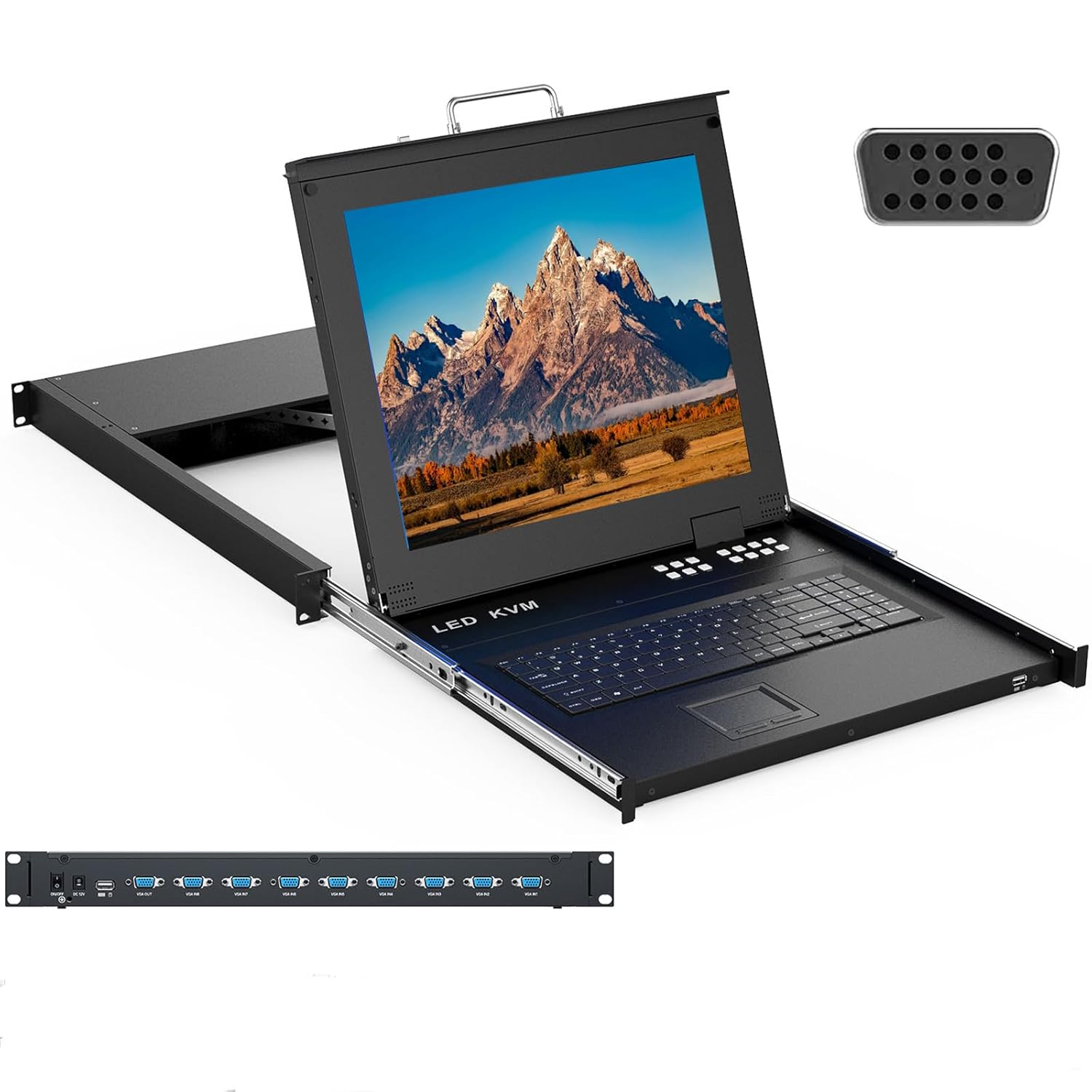
StarTech.com StarTech 8-Port 1U VGA KVM Switch
Bottom line: The StarTech.com StarTech 8-Port 1U VGA KVM Switch is a specs-and-price decision rather than a crowd-consensus one in the kvm switches category. Check the specification table below against one or two close alternatives — on price and spec fit, not on star ratings.
As an Amazon Associate, SpecPicks earns from qualifying purchases. Full disclosure →
Pros & Cons
Pros
- ✓ Connect USB and PS/2 based computer systems
- ✓ Backed by StarTech.com's warranty and support channels
Cons
- ✗ Check the listed dimensions, connectors and platform compatibility against your setup before ordering
- ✗ Price, stock, shipping and returns are set by the retailer and may have changed since this page was last updated
Manufacturer description
The SV831DUSB 8 Port 1U Rack Mount USB PS/2 KVM Switch with OSD offers a dependable computer management tool that allows you to control up to 8 USB or PS/2 connected computers from a single keyboard, mouse and monitor. The KVM switch offers maximum control, allowing you to switch computers using hotkey commands or front panel push-buttons, and offers the added convenience of an On Screen Display to quickly access configuration options. A suitable addition to server room operations, the 8 port switch can be rack-mounted into 1U of cabinet space, and can be cascaded with multiple KVM switches…
SpecPicks Verdict
SpecPicks scored StarTech.com StarTech 8-Port 1U VGA KVM Switch using a rating × review-volume × price-fit model applied to published specs and reviews across the kvm switches category. StarTech.com's kvm switches lineup sits within the broader category mid-tier; price and specs are the deciding factors over brand loyalty here. Judge it on the specification table and the price rather than on sentiment: check the figures that decide your use case, then put it side-by-side with two or three close alternatives in the Compare tool before clicking through.
Common buyer scenarios for kvm switches of this kind: matching it to an existing build, replacing a failing part, or upgrading from a previous-generation equivalent. Check the spec table below against your current setup — particularly socket / form-factor / power-rating fields — and confirm compatibility on the retailer's listing before purchase. Prices and stock are set by the retailer and may have moved since this page was last updated.
Key Features
- Connect USB and PS/2 based computer systems
- OS independent – No software or drivers required
- Auto-scan function cycles through computers sequentially
- Cascade configuration expands system capability
- Front panel push-buttons and Hot-key functions allow for easy switching
Full Specifications
| Brand | StarTech.com |
|---|---|
| Color | Black |
| Model | SV831DUSB |
| Wattage | 5.4 watts |
| Material | Steel |
| Terminal | Physical |
| Unit Count | 1 Count |
| Part Number | SV831DUSB |
| Switch Type | Kvm Switch |
| Circuit Type | Parallel |
| Connectivity | USB |
| Contact Type | Normally Open |
| Control Type | Manual |
| Actuator Type | Push Button |
| Compatibility | Switch |
| Material Type | Steel |
| Mounting Type | Rack Mount |
| Connector Type | Usb |
| Control Method | Touch |
| Operation Mode | manual |
| Full listing title | StarTech 8-Port 1U VGA KVM Switch, USB & PS/2, OSD, TAA, 1920 (SV831DUSB) | Rack Mount, 1440, @60hz, Video, Connect USB and PS/2 computers, On screen display, Operating system independent |
Hardware benchmark data
Ready to buy?
StarTech 8-Port 1U VGA KVM Switch, USB & PS/2, OSD, TAA, 1920 (SV831DUSB) | Rack Mount, 1440, @60hz, Video, Connect USB and PS/2 computers, On screen display, Operating system independent is listed on Amazon. Price, availability, shipping and returns are set by Amazon and its sellers — check the listing for current terms. SpecPicks earns a small commission on qualifying purchases — thank you for supporting independent review work.
Related KVM Switches



More guides & deep dives from the SpecPicks archive
Browse all articles & guides →- How to Build a Windows 98 Retro PC in 2026
- Best 1440p Gaming GPUs in 2026
- Emulation Hardware in 2026: FPGA, Software, and Cart-Reader Ecosystems
- RTX 4070 Super vs RX 7800 XT — Which to Buy in 2026
- Best Retro Handhelds in 2026 — From $35 to $500
- Best Budget Gaming PC Build 2026 — ~$1,000 Parts List
- The Complete Voodoo5 5500 AGP Driver Guide (2026 Edition)
More reviews from the SpecPicks archive
Browse all reviews →- Dump and Archive Your Retro PC's IDE Drives in 2026: A USB Adapter Workflow
- Ryzen 5 5600G vs Ryzen 7 5700X: Best Budget Build CPU 2026
- Best CPU Cooler for AM4 Ryzen Overclocking (2026 Edition)
- Best Budget GPU for Local LLMs in 2026: RTX 3060 12GB vs the Alternatives
- Raspberry Pi 4 8GB vs Zero 2W for an AI Camera (2026)
- Best SATA SSD for Boot Drive Upgrades on Aging Desktops (2026)
- AMD Ryzen AI Halo Review Roundup: AMD Builds Its Own DGX Spark Rival
- Building a 1999 GeForce 256 + Pentium III Win98 Rig in 2026
- Best Retro Console Reissues to Buy in 2026
- This DIY 'Steam Controller Puck' Emulates Xbox, Switch & PS Pads
- ComfyUI on an RTX 3060 12GB: What Image Models Actually Run Well
- Ryzen 7 5800X vs Ryzen 7 5700X for 2026 Budget Gaming Builds
- Best Sim Racing Wheel Under $300 in 2026: Force Feedback That's Worth It
- Stream Deck MK.2 vs 12-Button MMO Mouse vs Macro Keys: Which Shortcut Buttons Are Worth It
- Best Wireless Controller for PC Gaming in 2026
- Best GPU for AI code generation in 2026
- Local RTX 3060 rig vs Kimi K3's cheap API: the 2026 cost-per-task math
- Sound Blaster Audigy 2 ZS Won't Install on Windows XP: Driver Hunt + Fix
- RTX 3060 12GB vs RTX 3090 for Local LLMs (2026)
- Home Assistant Air Quality Monitor: 2025 Setup Guide
- RTX 5090 AIO Cooler: Liquid Cooling Options in 2026
- pxpipe Cuts Claude Code Token Costs Up to 70%: How It Works, When to Go Local
- Best GPU for an AI rig in 2026 — the shortlist
- How to Run a SATA SSD on a Windows XP Retro Gaming PC (AHCI + Adapters)
Earliest SpecPicks reviews
Browse full archive →- Best GPU for Llama 3.1 8B (2026)
- Best GPU for Qwen 3 14B (2026)
- Best GPU for Qwen 3 32B (2026)
- Best GPU for Llama 3.1 70B (2026)
- Best GPU for DeepSeek-R1 32B (2026)
- Best GPU for Llama 3.1 405B (2026)
- How to run Llama 3.1 8B on NVIDIA GeForce RTX 5090
- How to run Qwen 3 14B on NVIDIA GeForce RTX 5090
- How to run Qwen 3 32B on NVIDIA GeForce RTX 5090
- How to run Llama 3.1 70B on NVIDIA GeForce RTX 5090
- How to run DeepSeek-R1 32B on NVIDIA GeForce RTX 5090
- How to run Llama 3.1 8B on NVIDIA GeForce RTX 4090