

Womier
Womier 60% Gaming Keyboard Wired
Bottom line: The Womier 60% Gaming Keyboard Wired ($36.54 on Amazon as of 2026-11-22 05:25 UTC): Hot-swappable 3-pin/5-pin PCB swaps switches with no soldering; main trade-off: 60% layout moves arrows and function keys onto Fn layers.
As an Amazon Associate, SpecPicks earns from qualifying purchases. Full disclosure →
*Price sourced from Amazon.com. Last updated 2026-11-22. Product prices and availability are accurate as of the date/time indicated and are subject to change. Any price and availability information displayed on Amazon.com at the time of purchase will apply to the purchase of this product.
Pros & Cons
Pros
- ✓ Hot-swappable 3-pin/5-pin PCB swaps switches with no soldering
- ✓ QMK/VIA programmable and remappable on Windows, macOS, and Linux
- ✓ Gasket mount plus multi-layer silicone fill for low-noise typing
- ✓ Pre-lubed POM linear switches rated for 80 million keystrokes
- ✓ Rotary volume knob and 16.8M-color RGB with heart-shaped effects
Cons
- ✗ 60% layout moves arrows and function keys onto Fn layers
- ✗ Wired only, with no Bluetooth or 2.4GHz wireless option
- ✗ Ships with POM linear switches only, no tactile or clicky
- ✗ White case and translucent keycaps show dust and finger smudges
SpecPicks Verdict
SpecPicks has no buyer-rating or benchmark data for Womier 60% Gaming Keyboard Wired, so this read rests on the manufacturer's listed specs and the current price in the gaming peripherals category (how we evaluate). Compare with similarly-priced alternatives in the gaming peripherals category before committing. On the listing's own facts, the case for it is "Hot-swappable 3-pin/5-pin PCB swaps switches with no soldering"; the main trade-off is "60% layout moves arrows and function keys onto Fn layers". If those two points fit how you will use it, put it beside one or two close alternatives in the Compare tool to confirm the price.
Before ordering, check the listed dimensions, load rating and mounting or device compatibility in the spec table below against how you plan to use it, and confirm them on the retailer's listing. Prices and stock are set by the retailer and may have moved since this page was last updated.
Key Features
Quoted from the manufacturer's listing. Where it differs from the pros and cons above, those note the conditions the listing leaves out.
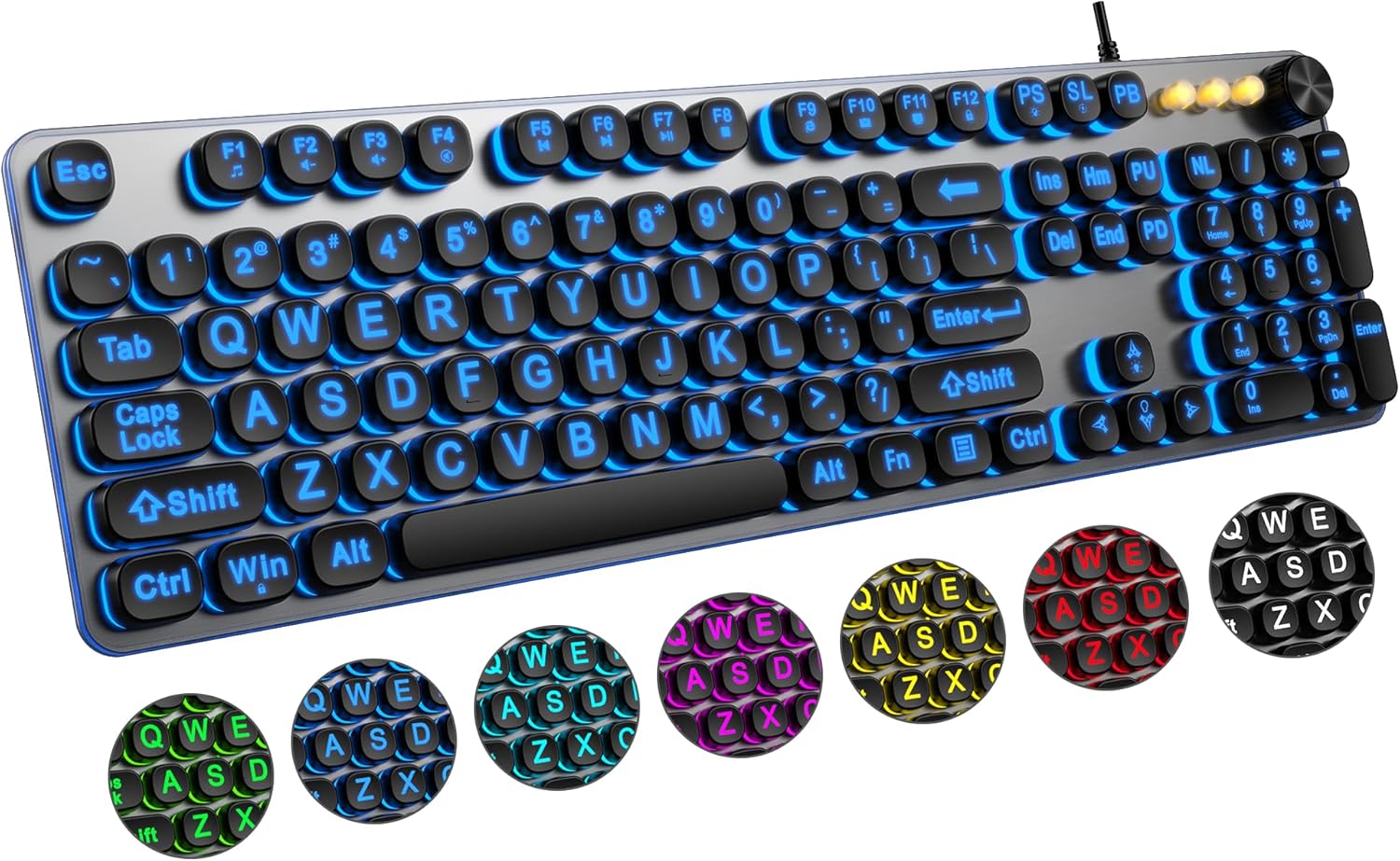
- White Wired Creamy Keyboard & Keyboard Strap:Immersive RGB lighting experience, WOMIER VK66 PRO keyboard features dynamic 16.8M-color RGB backlighting with unique heart-shaped effects, controllable via VIA open-source software. Simple keycap color matching highlights the advanced sense of RGB, the keyboard is very eye-catching even in a dark environment. The popular keyboard strap can be installed or disassembled according to your preference.
- 60% Percent Keyboard Gasket-mounted & Multimedia Control Knob: Space-saving 60% design maximizes desk space for mouse movement, ideal for FPS/MOBA gamers.With multiple layers of filling silencer fills the gap between the PCB, the positioning plate and the Switch. It's the ideal choice for a satisfying,low-noise typing experience, whether in an office or gaming environment.Rotate the knob to adjust the keyboard volume, convenient operation.
- QMK/VIA Gaming Keyboard:You can easily program and remap each key you want on any system (macOS, Windows, or Linux). The open-source firmware means endless possibilities for keyboard layouts, shortcuts, backlight effects, and more.
- Hot Swappable & POM Linear Switches: VK66 PRO keyboard is equipped with hot-swappable PCB to ensure easy replacement of different mechanical switches with 3-pin and 5-pin. The Hot-Swappable custom keyboard adopts POM material pre-lubed mechanical switches with 80 million keystroke lifespan. Creamy and thocky sounding gives you unlimited fun while typing.
- Ergonomic Design & N Key Rollover:Keyboard provids a nice support angle for comfortable position, and reduces hand fatigue body pain and caused by prolonged use. Its 2-stage kickstand design can be adjusted as per your requests. It's also a keyboard with NKRO, allowing you to switch into many keys freely and improving typing efficiency.
Full Specifications
| Brand | Womier |
|---|---|
| Color | V-White Grey |
| Style | Contemporary |
| Theme | Creamy/White |
| Material | Polybutylene Terephthalate |
| Model Name | V-K66 pro |
| Style Name | Contemporary |
| Unit Count | 1.0 Count |
| Switch Type | Linear |
| Model Number | JM-AZ-129 |
| Power Source | Corded Electric |
| Compatibility | Switch, Mac, Linux |
| Series Number | 60 |
| Built-In Media | USB Cable |
| Number of Keys | 61 |
| Button Quantity | 61 |
| Connection Type | Wired |
| Keyboard Layout | QWERTY |
| Mfr Part Number | TC-VK66-BAI |
| Special Feature | Hot-Swappable, Keyboard Strap, RGB Keyboard |
| Full listing title | Womier 60% Gaming Keyboard Wired, Creamy Mechanical Keyboard QMK/VIA | Hot Swappable Gasket Mount RGB Key board & Translucent Keycaps POM Linear Switch for Windows/MAC (VK66 PRO White) |
Ready to buy?
Womier 60% Gaming Keyboard Wired, Creamy Mechanical Keyboard QMK/VIA | Hot Swappable Gasket Mount RGB Key board & Translucent Keycaps POM Linear Switch for Windows/MAC (VK66 PRO White) is listed on Amazon. Price, availability, shipping and returns are set by Amazon and its sellers — check the listing for current terms. SpecPicks earns a small commission on qualifying purchases — thank you for supporting independent review work.
*Price sourced from Amazon.com. Last updated 2026-11-22. Product prices and availability are accurate as of the date/time indicated and are subject to change. Any price and availability information displayed on Amazon.com at the time of purchase will apply to the purchase of this product.
Related Gaming Peripherals




More guides & deep dives from the SpecPicks archive
Browse all articles & guides →- RTX 4070 Super vs RX 7800 XT — Which to Buy in 2026
- The Complete Voodoo5 5500 AGP Driver Guide (2026 Edition)
- Emulation Hardware in 2026: FPGA, Software, and Cart-Reader Ecosystems
- Best Budget Gaming PC Build 2026 — ~$1,000 Parts List
- Best Retro Handhelds in 2026: Pocket, Mid-Tier and FPGA Picks
- How to Build a Windows 98 Retro PC in 2026
- Best 1440p Gaming GPUs in 2026
More reviews from the SpecPicks archive
Browse all reviews →- Best Budget Streaming Mic + Capture Setup: Blue Yeti vs HyperX QuadCast 2 S
- Intel's Bartlett Lake Core 9 273PQE Reportedly Loses to a Four-Year-Old CPU
- SANSUI 27" 4K vs KOORUI 27" QD-Mini LED for PS5 & 4K Gaming in 2026
- Best Coding LLM Stack for an RTX 3060 12GB and 32GB RAM
- Homelab Month One: Raspberry Pi 4 or a Ryzen 5 Mini-PC?
- Steam Deck OLED vs ROG Xbox Ally X: 2026 Comparison
- How to Run a SATA SSD on a Windows XP Retro Gaming PC (AHCI + Adapters)
- vLLM vs llama.cpp on a 12GB GPU: Which Serves Local LLMs Faster?
- Blue Yeti vs HyperX QuadCast 2 S: Best USB Mic for Streaming in 2026
- Budget Ollama Build Under $500: What Actually Runs in 2026
- Handheld Gaming PC Near Me: Where to Buy in 2025
- AMD Ryzen AI Halo vs NVIDIA DGX Spark — or Just an RTX 3060?
- Best Wireless Gaming Controllers for PC and Console in 2026
- Best Raspberry Pi 4 8GB Retro Emulation Setup in 2026
- Sound Blaster Audigy FX vs Sound BlasterX G6 for Retro Win98/XP Builds
- Play Retro Games in Your Browser: Best Emulators 2025
- Best GPU for Gemma 3 27B in 2026: Where 12 GB Stops Being Enough
- Pi Pico Puts Bluetooth Keyboards on the I2C Bus
- Best SATA SSD for Gaming and Game-Library Storage in 2026
- Noctua NH-U12S vs DeepCool AK620: Best Air Cooler for an Overclocked Ryzen
- Kimi K3 Scores 57 on Intelligence Index at $0.94/Task
- R36S Retro Handheld: Real Specs vs. the Hype (2026 Guide)
- Best Peripherals for a Modern Retro-PC LAN Party (2026)
- Is the RTX 3060 12GB Still the Best Budget 1080p GPU in 2026?
Earliest SpecPicks reviews
Browse full archive →- Best GPU for Llama 3.1 8B (2026)
- Best GPU for Qwen 3 14B (2026)
- Best GPU for Qwen 3 32B (2026)
- Best GPU for Llama 3.1 70B (2026)
- Best GPU for DeepSeek-R1 32B (2026)
- Best GPU for Llama 3.1 405B (2026)
- How to run Llama 3.1 8B on NVIDIA GeForce RTX 5090
- How to run Qwen 3 14B on NVIDIA GeForce RTX 5090
- How to run Qwen 3 32B on NVIDIA GeForce RTX 5090
- How to run Llama 3.1 70B on NVIDIA GeForce RTX 5090
- How to run DeepSeek-R1 32B on NVIDIA GeForce RTX 5090
- How to run Llama 3.1 8B on NVIDIA GeForce RTX 4090