
TEROW
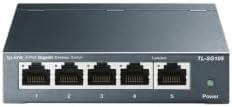
TEROW Network Ethernet Switch
Bottom line: The TEROW Network Ethernet Switch: Four 2.5G RJ45 ports plus two 10G SFP+ slots in one compact switch; main trade-off: unmanaged: no web UI, port statistics, QoS or custom VLAN tagging.
As an Amazon Associate, SpecPicks earns from qualifying purchases. Full disclosure →
Pros & Cons
Pros
- ✓ Four 2.5G RJ45 ports plus two 10G SFP+ slots in one compact switch
- ✓ 60Gbps switching capacity covers all six ports running at full speed
- ✓ Fanless metal housing runs silent on a desk or in a media cabinet
- ✓ One-key VLAN mode isolates ports 1-4 so they only reach the SFP uplinks
- ✓ Auto-negotiates 10/100/1000M and 2.5G with Auto MDI/MDIX
Cons
- ✗ Unmanaged: no web UI, port statistics, QoS or custom VLAN tagging
- ✗ VLAN mode is a single fixed preset, not configurable per port
- ✗ SFP+ modules or DAC cables may need to be bought separately
- ✗ 10G only via SFP+; the copper ports top out at 2.5G
Manufacturer description
The TEROW 2.5 Gigabit Ethernet switch combines four 2.5G RJ45 ports with two 10G SFP+ uplink slots. It gives a home lab, NAS setup or small office a simple way past the 1 Gbps limit of a standard gigabit switch. Each copper port auto-negotiates 10/100/1000M and 2.5G speeds with Auto MDI/MDIX. The switch follows the IEEE 802.3bz standard for 2.5G compatibility. Its total switching capacity is 60Gbps, which covers all four 2.5G ports and both 10G uplinks running at full speed. This is an unmanaged switch. Connect the power and Ethernet cables and it starts passing traffic, with no web…
SpecPicks Verdict
SpecPicks has no buyer-rating or benchmark data for TEROW Network Ethernet Switch, so this read rests on the manufacturer's listed specs (how we evaluate). Compare with similarly-priced alternatives in the networking category before committing. On the listing's own facts, the case for it is "Four 2.5G RJ45 ports plus two 10G SFP+ slots in one compact switch"; the main trade-off is "Unmanaged: no web UI, port statistics, QoS or custom VLAN tagging". If those two points fit how you will use it, put it beside one or two close alternatives in the Compare tool to confirm the price.
Before ordering, check the listed dimensions, ports, power requirements and supported devices or systems in the spec table below against how you plan to use it, and confirm them on the retailer's listing. Prices and stock are set by the retailer and may have moved since this page was last updated.
Frequently Asked Questions
Do I need to configure this switch before using it?
No. It is an unmanaged plug-and-play switch. Connect the power and your Ethernet cables and it starts forwarding traffic. There is no web interface or software to set up.
Will it work with my older gigabit and 100Mbps devices?
Yes. The four RJ45 ports auto-negotiate 10/100/1000M and 2.5G speeds and support Auto MDI/MDIX. Older devices connect at their own top speed, and 2.5G-capable devices connect at 2.5G.
What can I plug into the two 10G ports?
They are 10G SFP+ slots, so they take SFP+ fiber transceivers or DAC cables rather than standard RJ45 Ethernet cables. Check the product listing to see which modules are compatible and whether any are included.
What does the one-key VLAN mode do?
When it is on, ports 1-4 can only communicate with the SFP optical ports, not with each other. This keeps the connected devices isolated while they share the 10G uplink. It is a fixed preset, not a custom VLAN setup.
Is the switch noisy, and does it get hot?
It has no fan, so it runs silently. The metal housing spreads heat passively, which suits bedrooms, offices and media cabinets where fan noise would be a problem.
Key Features
Quoted from the manufacturer's listing. Where it differs from the pros and cons above, those note the conditions the listing leaves out.
- 【4-Port 2.5G Ethernet Switch add 2-Port 10G SFP+] This network switch is equipped with 4x2.5 Gigabit Ethernet ports and 2x10G SFP Port, supporting 10/100/1000M/2.5G adaptive speeds and Auto MDI/MDIX. It is compliant with the IEEE802.3bz (2.5G) standard, ensuring compatibility and high-speed performance for various applications.
- 【One Key VLAN Mode] This switch comes with a VLAN mode that isolates ports 1-4 to exclusively communicate with the SFP optical ports. This feature enhances network security, reduces the chance of network outages, and optimizes port bandwidth utilization.
- Delivering up to 2.5x the speed of traditional Gigabit switches, this switch boasts a switching capacity of up to 60Gbps. It is designed to manage substantial data traffic efficiently, ensuring seamless network operation.
- Experience hassle-free setup with this unmanaged 2.5Gbps Ethernet switch. It requires no configuration, offering a genuine plug-and-play experience. Just connect the power and Ethernet cables, and you're ready to go.
- Encased in a durable metal housing, this switch promises exceptional durability and efficient heat dissipation. Its fanless design guarantees silent operation, making it an excellent choice for environments sensitive to noise.
Full Specifications
| Brand | TEROW |
|---|---|
| Color | black |
| Weight | 2.5g |
| Voltage | 12 volts |
| Platform | Not Machine Specific |
| Interface | RJ45 |
| Switch Type | unmanaged |
| Model Number | 2.5G 4 Port |
| Compatibility | Switch |
| Maximum Power | 120 watts |
| Built-In Media | Network Switch Body |
| Mfr Part Number | 2.5G 4 Port |
| Number of Ports | 6 |
| Case Material Type | Metal |
| Compatible Devices | Desktop |
| Data Transfer Rate | 2.5 gigabits_per_second |
| Included Components | Network Switch Body |
| Warranty Description | 1 Year Manufacturer |
| Item Dimensions L x W x H | 7.08"L x 6.88"W x 2.86"H |
| Full listing title | Network Ethernet Switch,2.5 Gigabit Portable, Plug&Play,Fanless Housing,Black, for Home/Office,4*2.5G with 2*10G SFP |
Ready to buy?
Network Ethernet Switch,2.5 Gigabit Portable, Plug&Play,Fanless Housing,Black, for Home/Office,4*2.5G with 2*10G SFP is listed on Amazon. Price, availability, shipping and returns are set by Amazon and its sellers — check the listing for current terms. SpecPicks earns a small commission on qualifying purchases — thank you for supporting independent review work.
Related Networking


More guides & deep dives from the SpecPicks archive
Browse all articles & guides →- How to Build a Windows 98 Retro PC in 2026
- Best Budget Gaming PC Build 2026 — ~$1,000 Parts List
- RTX 4070 Super vs RX 7800 XT — Which to Buy in 2026
- Best 1440p Gaming GPUs in 2026
- The Complete Voodoo5 5500 AGP Driver Guide (2026 Edition)
- Best Retro Handhelds in 2026: Pocket, Mid-Tier and FPGA Picks
- Emulation Hardware in 2026: FPGA, Software, and Cart-Reader Ecosystems
More reviews from the SpecPicks archive
Browse all reviews →- Why Preassembled PCs Beat DIY Builds in 2026
- Best Fight Stick and Pad for Fighting Games on PC (2026)
- Qwen 3.6 27B on 24GB VRAM: Backend, Quant + Settings Synthesis
- Raspberry Pi 5 IOMMU Support Is Landing in the Mainline Linux Kernel
- Building a 3dfx Voodoo2 SLI Win98 Rig with a CompactFlash Boot Drive
- Best Budget Streaming Setup for Beginners in 2026
- Best Streaming Setup Under $400: G502 + QuadCast 2 S + Cam Link 4K vs the Bundle Alternatives
- Ryzen 7 5700X + RTX 3060 12GB: The Best Value 1080p Combo in 2026
- Best Microphone for Streaming and Podcasting Under $200 in 2026
- Samsung 870 EVO vs Crucial BX500: Best SATA SSD 2026
- How to Build a Fully Declarative Homelab Stack
- Best Budget Gaming CPUs for 1080p in 2026
- How to run Llama 3.1 70B on Apple M4 Pro
- Building a Local AI-Agent Eval Rig After AISI's Benchmark Warning
- Logitech G920 vs HORI Racing Wheel: Best Beginner Sim Setup (2026)
- Nintendo Switch Steering Wheel V2: A 3D-Printed Accessibility Controller
- The Pac-Man Benchmark: Testing Local Agentic Coding AI
- Samsung 870 EVO vs WD Blue SN550: Best Storage for Forza Horizon 6 Fast Loading
- Best USB Microphone for Streaming and Podcasting (2026)
- Prime Day 2026: Logitech Gaming Mice Drop Up to 47% Off
- Qwen MTP on LLaMA.cpp + TurboQuant: What's Actually Verified
- Best Wired Mouse and Pad for FPS in 2026: Logitech G502 Hero and SteelSeries QcK
- Save $550 on iBuyPower RTX 5070 + 7800X3D 4K Gaming PC
- Ollama vs llama.cpp on a 12GB GPU: Which Is Faster for Single-User Chat?
Earliest SpecPicks reviews
Browse full archive →- Best GPU for Llama 3.1 8B (2026)
- Best GPU for Qwen 3 14B (2026)
- Best GPU for Qwen 3 32B (2026)
- Best GPU for Llama 3.1 70B (2026)
- Best GPU for DeepSeek-R1 32B (2026)
- Best GPU for Llama 3.1 405B (2026)
- How to run Llama 3.1 8B on NVIDIA GeForce RTX 5090
- How to run Qwen 3 14B on NVIDIA GeForce RTX 5090
- How to run Qwen 3 32B on NVIDIA GeForce RTX 5090
- How to run Llama 3.1 70B on NVIDIA GeForce RTX 5090
- How to run DeepSeek-R1 32B on NVIDIA GeForce RTX 5090
- How to run Llama 3.1 8B on NVIDIA GeForce RTX 4090