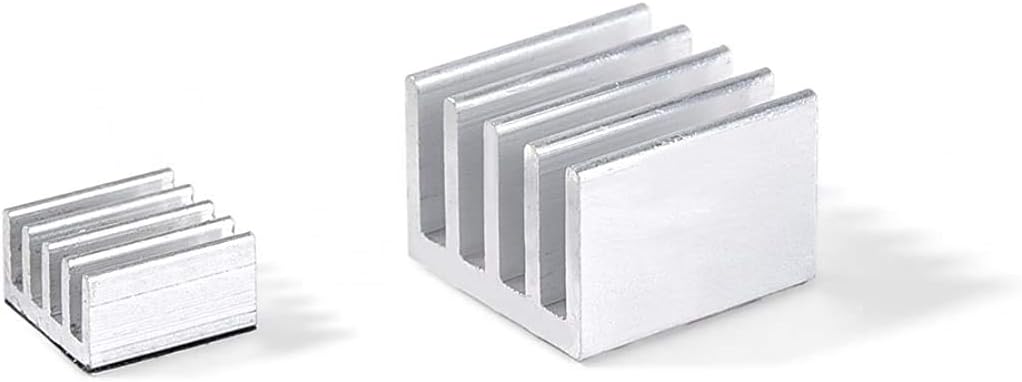

Raspberry Pi
Raspberry Pi M.2 HAT
Bottom line: The Raspberry Pi M.2 HAT ($22.99 on Amazon as of 2026-11-22 21:49 UTC): Single-lane PCIe 2.0 interface rated for a 500 MB/s peak transfer rate; main trade-off: one PCIe 2.0 lane caps throughput at 500 MB/s with no faster mode.
As an Amazon Associate, SpecPicks earns from qualifying purchases. Full disclosure →
*Price sourced from Amazon.com. Last updated 2026-11-22. Product prices and availability are accurate as of the date/time indicated and are subject to change. Any price and availability information displayed on Amazon.com at the time of purchase will apply to the purchase of this product.
Pros & Cons
Pros
- ✓ Single-lane PCIe 2.0 interface rated for a 500 MB/s peak transfer rate
- ✓ Supplies attached M.2 devices with up to 3 A of power
- ✓ Built to the Raspberry Pi HAT+ specification
- ✓ Complete mounting kit: ribbon cable, 16 mm stacking header, spacers and screws
- ✓ Power and activity LEDs, plus a knurled double-flange screw to secure the drive
Cons
- ✗ One PCIe 2.0 lane caps throughput at 500 MB/s with no faster mode
- ✗ Fits 2230 and 2242 drives only, so longer 2280 sticks will not mount
- ✗ M.2 M-key edge connector only; other keyings are unsupported
- ✗ No M.2 drive in the box, so budget for an SSD separately
Manufacturer description
About this item Unterstützt einspurige PCIe 2.0-Schnittstelle (500 MB/s Spitzenübertragungsrate) Unterstützt Geräte, die den M.2-M-Key-Edge-Anschluss verwenden. Unterstützt Geräte mit dem Formfaktor 2230 oder 2242 Kann angeschlossene M.2-Geräte mit bis zu 3 A versorgen. Inklusive Power- und Aktivitäts-LEDs Entspricht der Raspberry Pi HAT+ Spezifikation Lieferung mit Flachbandkabel, 16 mm Stapelkopf, Gewindeabstandshalter und Schrauben und gerändelter Doppelflanschschraube zur Sicherung und Unterstützung des M.2-Peripheriegeräts › See more product details
SpecPicks Verdict
SpecPicks has no buyer-rating or benchmark data for Raspberry Pi M.2 HAT, so this read rests on the manufacturer's listed specs and the current price in the single-board computers category (how we evaluate). Compare with similarly-priced alternatives in the single-board computers category before committing. On the listing's own facts, the case for it is "Single-lane PCIe 2.0 interface rated for a 500 MB/s peak transfer rate"; the main trade-off is "One PCIe 2.0 lane caps throughput at 500 MB/s with no faster mode". If those two points fit how you will use it, put it beside one or two close alternatives in the Compare tool to confirm the price.
Before ordering, check the listed dimensions, ports, power requirements and supported devices or systems in the spec table below against how you plan to use it, and confirm them on the retailer's listing. Prices and stock are set by the retailer and may have moved since this page was last updated.
Key Features
Quoted from the manufacturer's listing. Where it differs from the pros and cons above, those note the conditions the listing leaves out.
- Unterstützt einspurige PCIe 2.0-Schnittstelle (500 MB/s Spitzenübertragungsrate)
- Unterstützt Geräte, die den M.2-M-Key-Edge-Anschluss verwenden. Unterstützt Geräte mit dem Formfaktor 2230 oder 2242
- Kann angeschlossene M.2-Geräte mit bis zu 3 A versorgen. Inklusive Power- und Aktivitäts-LEDs
- Entspricht der Raspberry Pi HAT+ Spezifikation
- Lieferung mit Flachbandkabel, 16 mm Stapelkopf, Gewindeabstandshalter und Schrauben und gerändelter Doppelflanschschraube zur Sicherung und Unterstützung des M.2-Peripheriegeräts
Full Specifications
| ASIN | B0CRDY6Q3C |
|---|---|
| Brand | Raspberry Pi |
| Style | Modern |
| Style Name | Modern |
| Item Weight | 30 Grams |
| Manufacturer | Raspberry Pi |
| Model Number | RPI-MD2-HATP |
| Built-In Media | ribbon cable, 16mm stacking header, threaded spacers and screws, knurled double-flanged screw, M.2 peripheral (not explicitly stated but implied) |
| Compatible Devices | M.2-format PCIe and NVMe devices (Raspberry Pi 5) |
| Hardware Interface | PCI Express x1 |
| Product Dimensions | 2.36"L x 1.18"W x 0.2"H |
| Warranty Description | 1Year Manufacturer |
| Item Dimensions L x W x H | 2.36"L x 1.18"W x 0.2"H |
Ready to buy?
Raspberry Pi M.2 HAT is listed on Amazon. Price, availability, shipping and returns are set by Amazon and its sellers — check the listing for current terms. SpecPicks earns a small commission on qualifying purchases — thank you for supporting independent review work.
*Price sourced from Amazon.com. Last updated 2026-11-22. Product prices and availability are accurate as of the date/time indicated and are subject to change. Any price and availability information displayed on Amazon.com at the time of purchase will apply to the purchase of this product.
Related Single-Board Computers




More guides & deep dives from the SpecPicks archive
Browse all articles & guides →- Best 1440p Gaming GPUs in 2026
- How to Build a Windows 98 Retro PC in 2026
- RTX 4070 Super vs RX 7800 XT — Which to Buy in 2026
- Emulation Hardware in 2026: FPGA, Software, and Cart-Reader Ecosystems
- Best Budget Gaming PC Build 2026 — ~$1,000 Parts List
- Best Retro Handhelds in 2026: Pocket, Mid-Tier and FPGA Picks
- The Complete Voodoo5 5500 AGP Driver Guide (2026 Edition)
More reviews from the SpecPicks archive
Browse all reviews →- Adding a Sound BlasterX G6 to a Windows 98/XP Retro Gaming PC
- RTX 3060 12GB vs RTX 5060: Best Value for 1080p Gaming + Local AI
- Best Streaming Microphone for Twitch and YouTube in 2026
- Home Assistant on a Raspberry Pi 4 8GB: Full 2026 Setup
- 007: First Light Is Great on Steam Deck
- Ryzen 7 5800X3D vs Intel Core i7-14700K for DDR4 Gaming
- RTX 4000 SFF Ada vs RTX PRO 4000 SFF Blackwell for Local LLMs: 20GB vs 24GB at 70W
- Build a Self-Hosted AI Home Lab on a Raspberry Pi 4 8GB in 2026
- Best GPU for 1080p High-Refresh Esports 2026: RTX 3060 12GB
- Sound Blaster AWE32/AWE64 to Audigy: The Right Sound Card for Every Retro Era
- 1440p High-Refresh vs 4K for Gaming in 2026: ASUS TUF 27" QHD vs SANSUI/KOORUI 4K
- Best Game Controllers for PC, Retro & Handheld in 2026
- Period-Correct Pentium III + GeForce 4 Ti Build for 2001-2003 Gaming
- RetroArch PS2 Emulation: Setup, BIOS & Performance Guide
- Best GPU for Local Llama 3 8B Under $400: Why the RTX 3060 12GB Wins
- Best Bluetooth Controller for Retro Emulation in 2026 (RetroPie, Batocera, PC)
- Best Budget Gaming PC Build 2026: AMD Parts Guide
- Moving Files On and Off a Retro PC: CompactFlash + IDE-to-USB
- Building a 2002 LAN Party PC: GeForce 4 Ti + Athlon XP
- $100 CPU Shootout: Ryzen 5 5500 vs Core i3-14100F vs i3-12100F
- Best Budget Gaming CPUs for 1080p in 2026
- Best Controller for PC Gaming in 2026: GameSir G7 SE vs DualSense vs HORI
- Best Budget GPU for 1440p Gaming in 2026: Is the RTX 3060 12GB Still It?
- Best Raspberry Pi 4 Starter Kit Bundle for First-Time Robotics Builders in 2026
Earliest SpecPicks reviews
Browse full archive →- Best GPU for Llama 3.1 8B (2026)
- Best GPU for Qwen 3 14B (2026)
- Best GPU for Qwen 3 32B (2026)
- Best GPU for Llama 3.1 70B (2026)
- Best GPU for DeepSeek-R1 32B (2026)
- Best GPU for Llama 3.1 405B (2026)
- How to run Llama 3.1 8B on NVIDIA GeForce RTX 5090
- How to run Qwen 3 14B on NVIDIA GeForce RTX 5090
- How to run Qwen 3 32B on NVIDIA GeForce RTX 5090
- How to run Llama 3.1 70B on NVIDIA GeForce RTX 5090
- How to run DeepSeek-R1 32B on NVIDIA GeForce RTX 5090
- How to run Llama 3.1 8B on NVIDIA GeForce RTX 4090