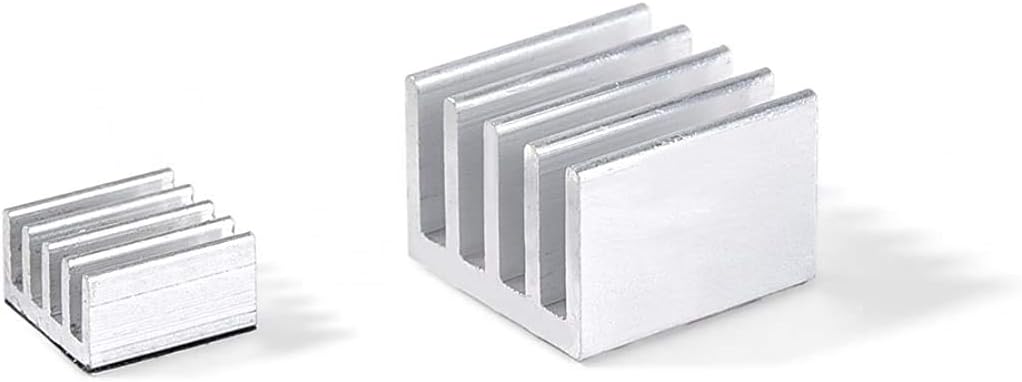

GeeekPi
GeeekPi ICE Tower Cooler for Raspberry Pi 5, with Aluminum Heatsink and Cooling Fan
Bottom line: The GeeekPi ICE Tower Cooler for Raspberry Pi 5 ($14.39 on Amazon as of 2026-11-22 17:22 UTC): Tower heatsink with stacked aluminum fins maximizes surface area on Raspberry Pi 5; main trade-off: mounts to the GPIO header, so that header is occupied while the cooler is installed.
As an Amazon Associate, SpecPicks earns from qualifying purchases. Full disclosure →
*Price sourced from Amazon.com. Last updated 2026-11-22. Product prices and availability are accurate as of the date/time indicated and are subject to change. Any price and availability information displayed on Amazon.com at the time of purchase will apply to the purchase of this product.
Pros & Cons
Pros
- ✓ Tower heatsink with stacked aluminum fins maximizes surface area on Raspberry Pi 5
- ✓ PWM fan speed ramps automatically with board temperature under Raspberry Pi OS
- ✓ Officially listed as compatible with both 4GB and 8GB Raspberry Pi 5 models
- ✓ Fan sits atop the tower and blows straight down onto the fin stack
Cons
- ✗ Mounts to the GPIO header, so that header is occupied while the cooler is installed
- ✗ Tower height adds vertical bulk that low-profile Pi 5 cases may not clear
- ✗ RGB lighting is always-on styling some builders will want to disable or cover
- ✗ GeeekPi lists no decibel rating, so fan noise at full PWM is unknown
Manufacturer description
About this item 【Compatibility】GeeekPi ICE Tower Cooler is compatible with the latest Raspberry Pi 5 4GB/8GB. 【Good Cooling Effect】The tower-style heatsink, made of aluminum, provides excellent heat dissipation to keep the Raspberry Pi 5's temperature within optimal limits. The tall tower design with multiple aluminum fins maximizes the surface area for enhanced cooling performance. The included fan is positioned at the top of the tower and blows air directly onto the heatsink, accelerating heat dissipation. 【RGB PWM Fan】This fan can be adjusted by PWM. The official Raspberry Pi OS supports…
SpecPicks Verdict
SpecPicks has no buyer-rating or benchmark data for GeeekPi ICE Tower Cooler for Raspberry Pi 5, so this read rests on the manufacturer's listed specs and the current price in the single-board computers category (how we evaluate). Compare with similarly-priced alternatives in the single-board computers category before committing. On the listing's own facts, the case for it is "Tower heatsink with stacked aluminum fins maximizes surface area on Raspberry Pi 5"; the main trade-off is "Mounts to the GPIO header, so that header is occupied while the cooler is installed". If those two points fit how you will use it, put it beside one or two close alternatives in the Compare tool to confirm the price.
Before ordering, check the listed dimensions, ports, power requirements and supported devices or systems in the spec table below against how you plan to use it, and confirm them on the retailer's listing. Prices and stock are set by the retailer and may have moved since this page was last updated.
Key Features
Quoted from the manufacturer's listing. Where it differs from the pros and cons above, those note the conditions the listing leaves out.
- 【Compatibility】GeeekPi ICE Tower Cooler is compatible with the latest Raspberry Pi 5 4GB/8GB.
- 【Good Cooling Effect】The tower-style heatsink, made of aluminum, provides excellent heat dissipation to keep the Raspberry Pi 5's temperature within optimal limits. The tall tower design with multiple aluminum fins maximizes the surface area for enhanced cooling performance. The included fan is positioned at the top of the tower and blows air directly onto the heatsink, accelerating heat dissipation.
- 【RGB PWM Fan】This fan can be adjusted by PWM. The official Raspberry Pi OS supports the speed adjustment function. The system will adjust the speed based on the temperature of the motherboard.
- 【Easy Installation】 The ICE Tower Cooler is designed to fit securely onto the Raspberry Pi 5's GPIO header, ensuring proper contact with the processor and other heat-generating components. Installation is simple and straightforward.
- 【Compact and Space-Saving】Despite its efficient cooling capabilities, the cooler maintains a compact form factor, making it suitable for projects with limited space.
Full Specifications
| ASIN | B0CJLX4K2X |
|---|---|
| Brand | GeeekPi |
| Voltage | 5 Volts |
| Material | Aluminum |
| Brand Name | GeeekPi |
| Unit Count | 1.0 Count |
| Noise Level | 17.6 Decibels |
| Manufacturer | GeeekPi |
| Material Type | Aluminum |
| Cooling Method | Air |
| Number of Items | 1 |
| Compatible Devices | Raspberry Pi 5 |
| Included Components | Blu-ray |
| Power Connector Type | 4-Pin |
| Warranty Description | 1 month |
Ready to buy?
GeeekPi ICE Tower Cooler for Raspberry Pi 5, with Aluminum Heatsink and Cooling Fan is listed on Amazon. Price, availability, shipping and returns are set by Amazon and its sellers — check the listing for current terms. SpecPicks earns a small commission on qualifying purchases — thank you for supporting independent review work.
*Price sourced from Amazon.com. Last updated 2026-11-22. Product prices and availability are accurate as of the date/time indicated and are subject to change. Any price and availability information displayed on Amazon.com at the time of purchase will apply to the purchase of this product.
Related Single-Board Computers


More guides & deep dives from the SpecPicks archive
Browse all articles & guides →- Best Retro Handhelds in 2026: Pocket, Mid-Tier and FPGA Picks
- RTX 4070 Super vs RX 7800 XT — Which to Buy in 2026
- The Complete Voodoo5 5500 AGP Driver Guide (2026 Edition)
- Best Budget Gaming PC Build 2026 — ~$1,000 Parts List
- Emulation Hardware in 2026: FPGA, Software, and Cart-Reader Ecosystems
- Best 1440p Gaming GPUs in 2026
- How to Build a Windows 98 Retro PC in 2026
More reviews from the SpecPicks archive
Browse all reviews →- OpenAI and Anthropic Are Giving Startups Free Compute — Here's the Local Rig That Replaces It
- ComfyUI on an RTX 3060 12GB: VRAM Tuning and Image-Gen Throughput
- Build a Raspberry Pi Zero Cyberdeck in 2026: Parts, Wiring and a Working BOM
- RTX 3060 12GB vs RTX 4060 for 1080p Gaming: Which Wins in 2026?
- Voodoo5 5500 PCI Boots on Modern ASUS P8Z77-V Pro — A Look at Retro GPUs in 2026 Boards
- Best Raspberry Pi 5 Home Lab Cluster Setup for Self-Hosting (2026)
- Modern CRT Monitor for Retro Gaming: The 2025 Reality Check
- AMD Challenges Nvidia DGX Spark with $3,999 Ryzen AI Halo
- Build Your Own Gaming PC in 2026: The 5 Components That Actually Matter
- Ryzen 5 5600G vs Ryzen 7 5700X: Best Budget AM4 CPU 2026
- AI Technologies We'll Realistically See in Our Lifetimes
- Best Budget Gaming SSDs Under $100 in 2026
- Blue Yeti vs HyperX QuadCast 2 S: Best USB Mic for Streaming in 2026
- Voodoo3 3000 Won't POST: Troubleshooting a 1999 Build in 2026
- The Best Retro Game Emulators for Mac in 2026
- ASUS ROG Crosshair 2006 X870E: A Retro-Styled AM5 Mobo for ROG's 20th Anniversary
- Troubleshooting Corsair 12V-2x6 Cable Issues on RTX-Class GPUs (2026)
- Best SATA SSD for an AM4 Budget Build: BX500 vs 870 EVO vs WD Blue
- CompactFlash as an IDE Hard Drive: Silent, Solid-State Storage for Win98 & DOS Builds
- RTX 3060 12GB vs RTX 4070 Super for Local LLMs (2026): Same VRAM, 40% More Bandwidth
- Intel Arc AI Image Generator: 2025 Setup & Performance Guide
- DIY Open-Source Photo Frame: Pi Zero 2 W + Immich
- Grok 4.5 at $0.31 a Task: When Cheap Cloud Beats a Local Build
- Matrox G400 MAX in 2026: Period-Correct Install, EMBM Showcase, and Pentium III Benchmarks
Earliest SpecPicks reviews
Browse full archive →- Best GPU for Llama 3.1 8B (2026)
- Best GPU for Qwen 3 14B (2026)
- Best GPU for Qwen 3 32B (2026)
- Best GPU for Llama 3.1 70B (2026)
- Best GPU for DeepSeek-R1 32B (2026)
- Best GPU for Llama 3.1 405B (2026)
- How to run Llama 3.1 8B on NVIDIA GeForce RTX 5090
- How to run Qwen 3 14B on NVIDIA GeForce RTX 5090
- How to run Qwen 3 32B on NVIDIA GeForce RTX 5090
- How to run Llama 3.1 70B on NVIDIA GeForce RTX 5090
- How to run DeepSeek-R1 32B on NVIDIA GeForce RTX 5090
- How to run Llama 3.1 8B on NVIDIA GeForce RTX 4090