

NETGEAR
NETGEAR Nighthawk Dual-Band WiFi 7 Router (RS100)
Bottom line: The NETGEAR Nighthawk Dual-Band WiFi 7 Router: WiFi 7 BE3600 speeds up to 3.6 Gbps, rated 1.2x faster than WiFi 6; main trade-off: no built-in modem; cable service needs a separate coax modem.
As an Amazon Associate, SpecPicks earns from qualifying purchases. Full disclosure →
Pros & Cons
Pros
- ✓ WiFi 7 BE3600 speeds up to 3.6 Gbps, rated 1.2x faster than WiFi 6
- ✓ 2.5 Gig internet port ready for multi-gig cable and fiber plans
- ✓ Up to 2,000 sq. ft. of coverage with capacity for 50 devices
- ✓ Compact 7.2 x 2.6 x 4.8 in. body with high-performance antennas
- ✓ Works with any ISP; NETGEAR Armor shields every connected device
Cons
- ✗ No built-in modem; cable service needs a separate coax modem
- ✗ Dual-band only, fewer radio bands than tri-band WiFi 7 routers
- ✗ 2,000 sq. ft. coverage may fall short in large or multi-story homes
- ✗ 50-device capacity can feel tight in device-heavy smart homes
Manufacturer description
The NETGEAR Nighthawk RS100 brings WiFi 7 to a compact dual-band router. Its BE3600 rating means wireless speeds up to 3.6 Gbps, which NETGEAR rates as 1.2x faster than WiFi 6. That is enough headroom for gaming, 4K streaming and video calls running at the same time. Coverage reaches up to 2,000 sq. ft., and the router handles up to 50 connected devices. That fits most apartments and single-floor homes with phones, laptops, consoles and smart home gear. A 2.5 Gig internet port lets you use multi-gig cable or fiber plans without a 1 Gbps bottleneck at the WAN. The RS100 is a router only and…
SpecPicks Verdict
SpecPicks has no buyer-rating or benchmark data for NETGEAR Nighthawk Dual-Band WiFi 7 Router, so this read rests on the manufacturer's listed specs (how we evaluate). Compare with similarly-priced alternatives in the networking category before committing. On the listing's own facts, the case for it is "WiFi 7 BE3600 speeds up to 3.6 Gbps, rated 1.2x faster than WiFi 6"; the main trade-off is "No built-in modem; cable service needs a separate coax modem". If those two points fit how you will use it, put it beside one or two close alternatives in the Compare tool to confirm the price.
Before ordering, check the listed dimensions, ports, power requirements and supported devices or systems in the spec table below against how you plan to use it, and confirm them on the retailer's listing. Prices and stock are set by the retailer and may have moved since this page was last updated.
Frequently Asked Questions
Does the NETGEAR Nighthawk RS100 have a built-in modem?
No. The RS100 is a router only. For cable internet you need a separate cable modem with a coax input. Fiber and other services also need your ISP's modem or ONT, and the RS100 connects to it through its 2.5 Gig internet port.
Will the RS100 work with my internet provider?
Yes. NETGEAR says the RS100 works with any internet service provider, as long as you have a compatible modem or gateway to plug into its internet port.
How large a home can the Nighthawk RS100 cover?
NETGEAR rates the RS100 for up to 2,000 sq. ft. of WiFi coverage and up to 50 connected devices. Walls, floors and router placement affect how far the signal actually reaches.
Can the RS100 handle a multi-gig internet plan?
Yes. It has a 2.5 Gig internet port, so cable or fiber plans faster than 1 Gbps are not capped at the WAN connection. Wireless speeds reach up to 3.6 Gbps combined under the BE3600 rating.
How big is the NETGEAR RS100 and what warranty does it have?
The router measures 7.2 x 2.6 x 4.8 inches. Check the product listing or netgear.com/support for current warranty terms. You can also reach NETGEAR support at 1.888.638.4327.
Key Features
Quoted from the manufacturer's listing. Where it differs from the pros and cons above, those note the conditions the listing leaves out.
- Fast WiFi 7 speeds up to 3.6 Gbps for gaming, smooth streaming, video conferencing and entertainment
- WiFi 7 delivers 1.2x faster speeds than WiFi 6 to maximize performance across all devices. This is a WiFi Router not a Modem, works with any ISP (Internet Service Provider)
- This router does not include a built-in cable modem. A separate cable modem (with coax inputs) is required for internet service.
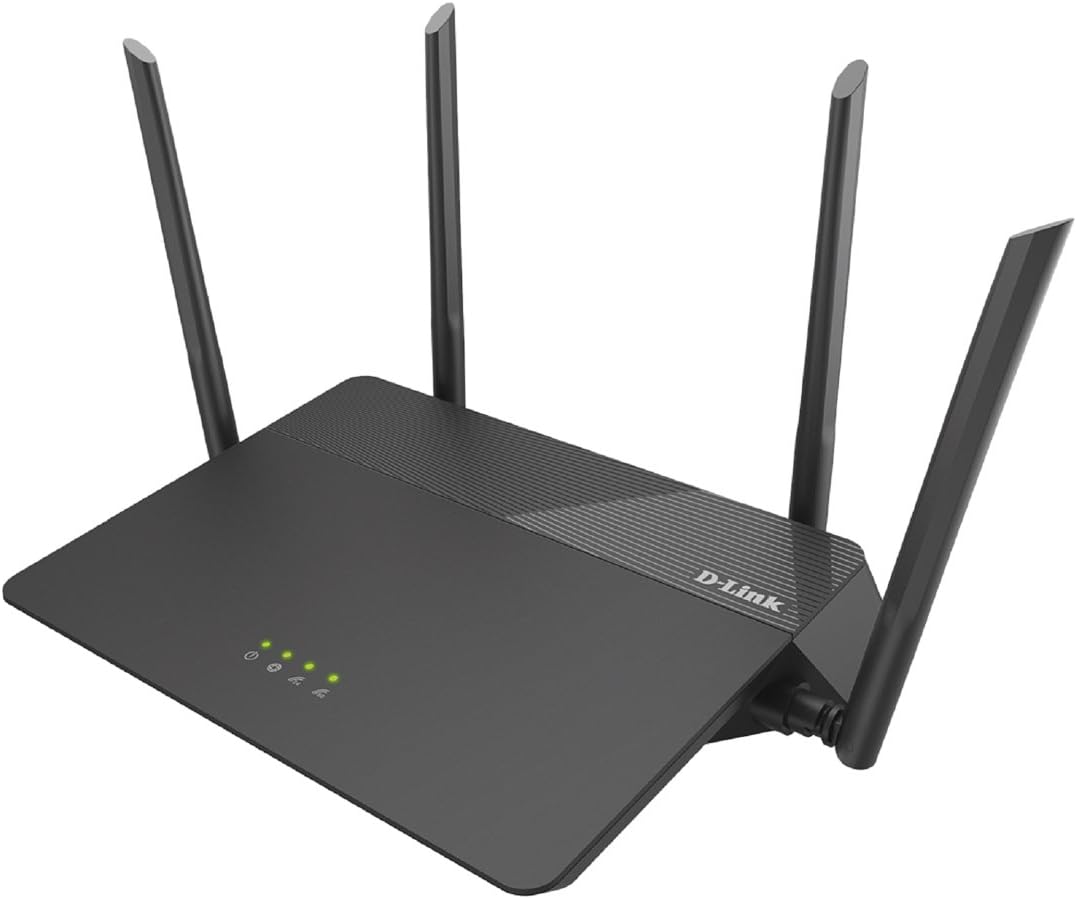
- Sleek new body with smaller footprint and high-performance antennas for up to 2,000 sq. ft. of WiFi coverage
- 2.5 Gig internet port enables multi-gig speeds with the latest cable or fiber internet service plans, a separate modem may be needed for you cable or fiber internet service, works with any internet service provider.
Full Specifications
| Brand | NETGEAR |
|---|---|
| Color | Black |
| Voltage | 240 volts |
| Coverage | 2000 square feet |
| Frequency | 5 GHz |
| Model Name | RS100-100NAS |
| Unit Count | 1 Count |
| Antenna Type | Fixed |
| Connectivity | Wireless, WiFi |
| Model Number | RS100-100APS |
| Built-In Media | One (1) 12V/1.5A power adapter, One (1) 2m Ethernet cable, One (1) WiFi 7 Dual-Band Router (RS100), Quick start guide |
| Control Method | App |
| Connection Type | Wireless |
| Mfr Part Number | RS100-100NAS |
| Number of Ports | 3 |
| Special Feature | Internet Security |
| Antenna Location | Business, Gaming, Home |
| Wi-Fi Generation | WiFi 7 |
| Security Protocol | WPA3, WPA2-PSK, WPS |
| Compatible Devices | Gaming Console, Personal Computer, Security Camera, Smart Television, Smartphone |
| Full listing title | NETGEAR Nighthawk Dual-Band WiFi 7 Router (RS100) – Router Only, BE3600 Wireless Speed (up to 3.6 Gbps) - Covers up to 2,000 sq. ft., 50 Devices – 2.5 Gig Internet Port - Free Expert Help |
Ready to buy?
NETGEAR Nighthawk Dual-Band WiFi 7 Router (RS100) – Router Only, BE3600 Wireless Speed (up to 3.6 Gbps) - Covers up to 2,000 sq. ft., 50 Devices – 2.5 Gig Internet Port - Free Expert Help is listed on Amazon. Price, availability, shipping and returns are set by Amazon and its sellers — check the listing for current terms. SpecPicks earns a small commission on qualifying purchases — thank you for supporting independent review work.
Related Networking



More guides & deep dives from the SpecPicks archive
Browse all articles & guides →- Emulation Hardware in 2026: FPGA, Software, and Cart-Reader Ecosystems
- How to Build a Windows 98 Retro PC in 2026
- Best 1440p Gaming GPUs in 2026
- The Complete Voodoo5 5500 AGP Driver Guide (2026 Edition)
- Best Retro Handhelds in 2026: Pocket, Mid-Tier and FPGA Picks
- RTX 4070 Super vs RX 7800 XT — Which to Buy in 2026
- Best Budget Gaming PC Build 2026 — ~$1,000 Parts List
More reviews from the SpecPicks archive
Browse all reviews →- Forza Horizon 6 Is the Highest-Rated Game of 2026: What Metacritic's 94 Says About Where Racing Sims Are Going
- Running a Local LLM on the Ryzen 7 5800X + RTX 3060 12GB: Ollama Throughput Per Watt
- Qwen3.6 35B-A3B on a 12GB GPU: 95 tok/s on 4070 Super, 34 on 3060
- DeepSeek V4 on an RTX 3060 12GB: What Actually Fits Locally
- Best GPU for 1080p Esports in 2026: Why the RTX 3060 12GB Still Delivers
- Gemma 4 31B-IT on a 12GB RTX 3060: What Fits, What Offloads, How Fast
- Build a Plex Media Server on a Raspberry Pi 4 8GB in 2026
- DwarfStar Distributed Inference: Splitting a Single LLM Across a Home LAN of Mismatched GPUs
- AMD Ryzen AI Max+ 'Gorgon Halo' 192GB: What 192GB Unified Memory Means for Local LLMs
- Ryzen 7 9800X3D vs Ryzen 9 9900X: Which Zen 5 CPU Wins in 2026?
- How to run Llama 3.1 8B on NVIDIA GeForce RTX 3090
- RetroPie Handheld 3D Print Guide: Cases, Settings & Parts
- Best Internal SSDs Under $100 in 2026
- GameSir G7 SE vs DualSense: Best Controller for PC
- Best 4K Monitor for an RTX 3060 12GB: KOORUI vs Samsung Odyssey
- Best GPU for Local LLMs Under $400 in 2026
- xAI Open-Sources Grok-Build: Can You Run It Locally?
- Fable 5 as Manager: The Delegate-to-Sonnet-5 Cost Pattern
- Best Gaming SSD for PC Builds in 2026: 5 Picks Tested
- Best Budget SSD for Gaming and Local-LLM Storage in 2026
- Best Retro Gaming Console to Buy in 2026
- RTX 4090 AIO Kit 2025: Pricing, Cooling & Buying Guide
- Run DeepSeek Locally on a 12GB RTX 3060: 2026 Quant Guide
- Noctua NH-U12S vs Cooler Master ML240L for Ryzen 5800X
Earliest SpecPicks reviews
Browse full archive →- Best GPU for Llama 3.1 8B (2026)
- Best GPU for Qwen 3 14B (2026)
- Best GPU for Qwen 3 32B (2026)
- Best GPU for Llama 3.1 70B (2026)
- Best GPU for DeepSeek-R1 32B (2026)
- Best GPU for Llama 3.1 405B (2026)
- How to run Llama 3.1 8B on NVIDIA GeForce RTX 5090
- How to run Qwen 3 14B on NVIDIA GeForce RTX 5090
- How to run Qwen 3 32B on NVIDIA GeForce RTX 5090
- How to run Llama 3.1 70B on NVIDIA GeForce RTX 5090
- How to run DeepSeek-R1 32B on NVIDIA GeForce RTX 5090
- How to run Llama 3.1 8B on NVIDIA GeForce RTX 4090