
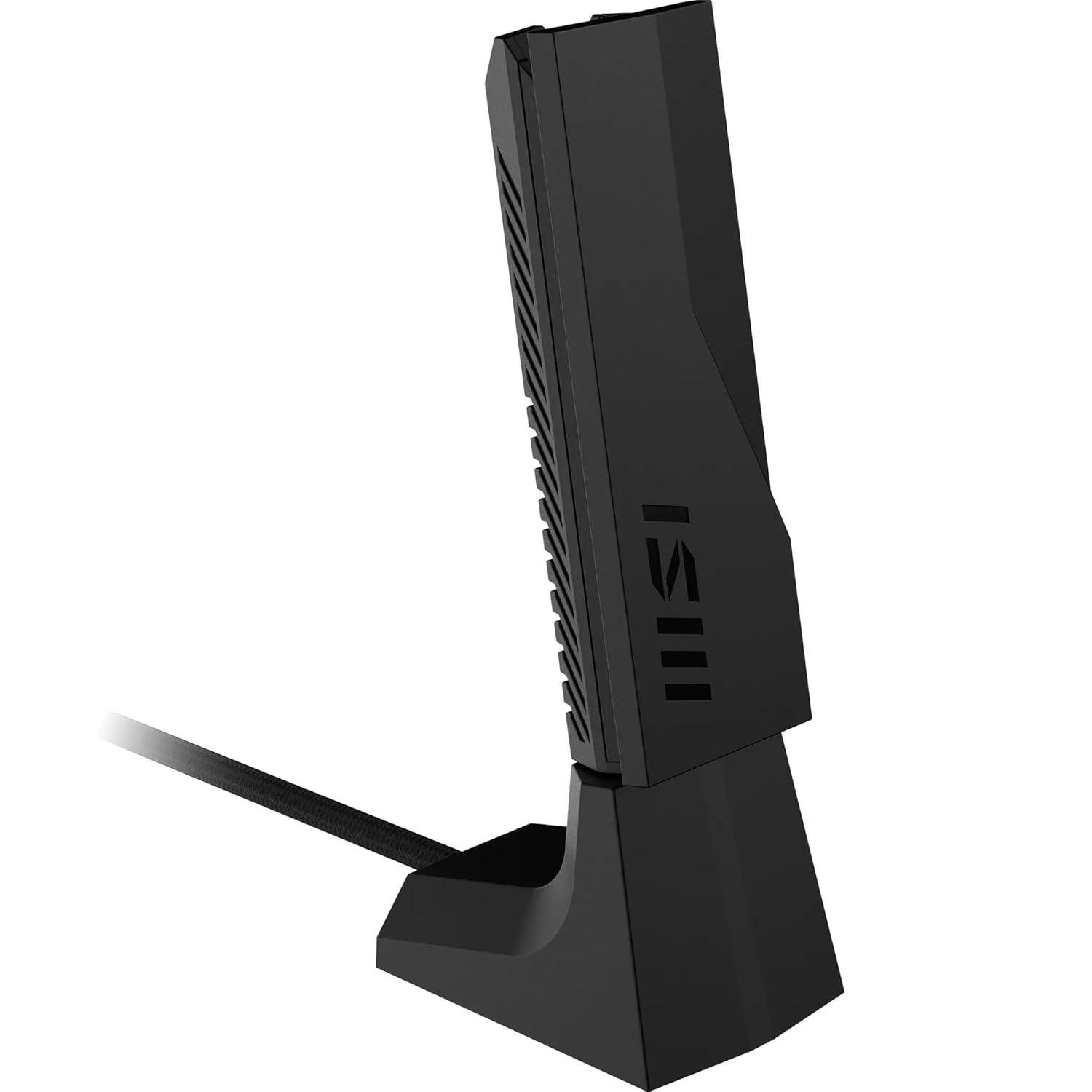
MSI BE6500 WiFi 7 USB Adapter
Bottom line: The MSI BE6500 WiFi 7 USB Adapter is a specs-and-price decision rather than a crowd-consensus one in the networking category. Check the specification table below against one or two close alternatives — on price and spec fit, not on star ratings.
As an Amazon Associate, SpecPicks earns from qualifying purchases. Full disclosure →
Pros & Cons
Pros
- ✓ Lower latency: Upgrade your laptop/PC to WiFi 7 for faster connectivity and lower latency
Cons
- ✗ Check the listed dimensions, connectors and platform compatibility against your setup before ordering
- ✗ Price, stock, shipping and returns are set by the retailer and may have changed since this page was last updated
Manufacturer description
The BE6500 WiFi 7 USB adapter utilizes cutting-edge WiFi 7 technology, revolutionizing the way WiFi functions. With MLO (Multi-Link Operation), the adapter can simultaneously establish multiple connections to a router or access point, significantly reducing latency and enhancing reliability. Additionally, 4096-QAM technology increases speeds by up to 20% compared to WiFi 6.
SpecPicks Verdict
SpecPicks has no buyer-rating or benchmark data for MSI BE6500 WiFi 7 USB Adapter, so this read rests on the manufacturer's listed specs (how we evaluate). Compare with similarly-priced alternatives in the networking category before committing. Judge it on the specification table and the price rather than on sentiment: check the figures that decide your use case, then put it side-by-side with two or three close alternatives in the Compare tool before clicking through.
Before ordering, check the listed dimensions, ports, power requirements and supported devices or systems in the spec table below against how you plan to use it, and confirm them on the retailer's listing. Prices and stock are set by the retailer and may have moved since this page was last updated.
Key Features
Quoted from the manufacturer's listing. Where it differs from the pros and cons above, those note the conditions the listing leaves out.
- Lower latency: Upgrade your laptop/PC to WiFi 7 for faster connectivity and lower latency
- Blazing-fast tri-band speeds: Enjoy blazing-fast WiFi 7 speeds up to 2880 Mbps (6 GHz) + 2880 Mbps (5 GHz) + 688 Mbps (2.4 GHz)
- Multi-link operation (MLO): Enhances WiFi performance by combining multiple links for faster, more stable, and seamless connectivity
- Broader coverage: Beamforming and high-gain antennas offer best WiFi connectivity in broader range
- Advanced security: WPA3 WiFi encryption brings better protection to your network
Full Specifications
| Brand | msi |
|---|---|
| Color | Black |
| Connectivity | Wireless, USB, WiFi, 2.4GHz |
| Model Number | 302-8ZE20XU-000 |
| Compatibility | PC |
| Lower latency | Upgrade your laptop/PC to WiFi 7 for faster connectivity and lower latency |
| Built-In Media | USB Wifi Adapter; cradle; quick setup guide |
| Connection Type | Wireless |
| Mfr Part Number | 302-8ZE20XU-000 |
| Number of Items | 1 |
| Broader coverage | Beamforming and high-gain antennas offer best WiFi connectivity in broader range |
| Advanced security | WPA3 WiFi encryption brings better protection to your network |
| Compatible Devices | Desktop |
| Data Link Protocol | WiFi 7 (802.11be), WiFi 6 (802.11ax), WiFi 5 (802.11ac), WiFi 4 (802.11n), 802.11g, 802.11b, 802.11a |
| Data Transfer Rate | 2880 megabits_per_second |
| Hardware Interface | USB |
| Warranty Description | 1 Year Manufacturer |
| Multi-link operation (MLO) | Enhances WiFi performance by combining multiple links for faster, more stable, and seamless connectivity |
| Blazing-fast tri-band speeds | Enjoy blazing-fast WiFi 7 speeds up to 2880 Mbps (6 GHz) + 2880 Mbps (5 GHz) + 688 Mbps (2.4 GHz) |
| Full listing title | MSI BE6500 WiFi 7 USB Adapter - WLAN up to 2880 Mbps (6GHz, 5GHz, 2.4GHz Wireless), USB 3.2 Gen 1, MU-MIMO, 2X High-Gain Tri-Band Antennas, Beamforming, WPA3 - Cradle Included |
Ready to buy?
MSI BE6500 WiFi 7 USB Adapter - WLAN up to 2880 Mbps (6GHz, 5GHz, 2.4GHz Wireless), USB 3.2 Gen 1, MU-MIMO, 2X High-Gain Tri-Band Antennas, Beamforming, WPA3 - Cradle Included is listed on Amazon. Price, availability, shipping and returns are set by Amazon and its sellers — check the listing for current terms. SpecPicks earns a small commission on qualifying purchases — thank you for supporting independent review work.
Related Networking


More guides & deep dives from the SpecPicks archive
Browse all articles & guides →- Emulation Hardware in 2026: FPGA, Software, and Cart-Reader Ecosystems
- Best Retro Handhelds in 2026: Pocket, Mid-Tier and FPGA Picks
- Best 1440p Gaming GPUs in 2026
- The Complete Voodoo5 5500 AGP Driver Guide (2026 Edition)
- RTX 4070 Super vs RX 7800 XT — Which to Buy in 2026
- Best Budget Gaming PC Build 2026 — ~$1,000 Parts List
- How to Build a Windows 98 Retro PC in 2026
More reviews from the SpecPicks archive
Browse all reviews →- RTX 3060 12GB vs Intel Arc B580 for 1080p gaming: FPS per dollar (2026)
- Building a period-correct Windows 98 gaming rig in 2026
- AMD RX 9070 XT Hits All-Time Low $629 in Amazon Lightning Sale
- CRT PC Monitors for Retro Gaming: 2026 Buying Guide
- LLM-Driven Driver Install on Windows 98: How Claude Walks Voodoo + Sound Blaster Setup
- Build a Silent Raspberry Pi 5 NAS with NVMe and Active Cooling in 2026
- Don't Buy Cheap SSDs: Hidden Risks Explained (2026)
- VRAM calculator: what can you actually run on your GPU?
- Pro-Level 180Hz 1440p Gaming Monitor for $159: Gigabyte Deal
- Raspberry Pi 5 16GB Ships — Is the Pi 4 8GB Still Worth It?
- Core i7-9700K vs Ryzen 7 5800X for 1440p Gaming in 2026
- Best GPU for LLM Training and Inference in 2026
- Best GPU for Qwen3 30B-A3B: What the 3B Active Path Really Needs
- Logitech G502 Hero in 2026: Is the FPS Mouse King Still Worth It?
- Build a Budget Self-Hosted Game Server on a Ryzen 5 5600G in 2026
- Which Open LLMs Actually Handle Tool-Calling on an RTX 3060?
- How to Identify Any Vintage GPU: A Visual + GPU-Z Guide for Retro PC Builders
- Surprise AI Bills: Moving LLM Work to a Local RTX 3060 12GB Rig
- Mistral 7B vs Mistral Small 24B: GPU Requirements Compared
- Claude Fable 5: Anthropic Admits 'Wrong Tradeoff' on Throttling
- Do you need a shifter for sim racing? Logitech G29 + Thrustmaster TH8A
- Raspberry Pi AI HAT+ (26 TOPS): What It Actually Runs in 2026
- Playing Pokémon on Steam Deck: The Real 2026 Guide
- 8BitDo Pro 2 vs GameSir G7 SE: Best Controller for PC Emulation in 2026
Earliest SpecPicks reviews
Browse full archive →- Best GPU for Llama 3.1 8B (2026)
- Best GPU for Qwen 3 14B (2026)
- Best GPU for Qwen 3 32B (2026)
- Best GPU for Llama 3.1 70B (2026)
- Best GPU for DeepSeek-R1 32B (2026)
- Best GPU for Llama 3.1 405B (2026)
- How to run Llama 3.1 8B on NVIDIA GeForce RTX 5090
- How to run Qwen 3 14B on NVIDIA GeForce RTX 5090
- How to run Qwen 3 32B on NVIDIA GeForce RTX 5090
- How to run Llama 3.1 70B on NVIDIA GeForce RTX 5090
- How to run DeepSeek-R1 32B on NVIDIA GeForce RTX 5090
- How to run Llama 3.1 8B on NVIDIA GeForce RTX 4090