

WayPonDEV
WayPonDEV Banana Pi BPI-R4 WiFi 7 Wireless Tri-Band Router OpenWRT
Bottom line: Per its Amazon listing, the WayPonDEV Banana Pi BPI-R4 WiFi 7 Wireless Tri-Band Router OpenWRT ($399.99 on Amazon as of 2026-11-22 11:19 UTC): banana Pi BPI-R4 wireless tri-band Router Board onboard 2x 10Gbe SFP Optical ports; 36Gbps Wi-Fi 7 Access Point/Router/Gateway.
As an Amazon Associate, SpecPicks earns from qualifying purchases. Full disclosure →
*Price sourced from Amazon.com. Last updated 2026-11-22. Product prices and availability are accurate as of the date/time indicated and are subject to change. Any price and availability information displayed on Amazon.com at the time of purchase will apply to the purchase of this product.
Pros & Cons
Pros
- ✓ Banana Pi BPI-R4 wireless tri-band Router Board onboard 2x 10Gbe SFP Optical ports
- ✓ 36Gbps Wi-Fi 7 Access Point/Router/Gateway
- ✓ Backed by WayPonDEV's warranty and support channels
Cons
- ✗ Check the listed dimensions, connectors and platform compatibility against your setup before ordering
- ✗ Price, stock, shipping and returns are set by the retailer and may have changed since this page was last updated
Manufacturer description
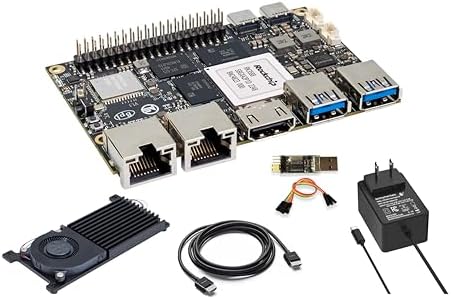
About this item [Out-of-the-box] The Banana Pi BPI-R4 Router shown in is the installed version (BPI-R4 router board, WIFI7 NIC module, 6 antennas, metal casing are all installed), no need to install by yourself, you can use it right out of the box. The eMMC has installed the OpenWRT firmware, you can use Tri-band WIFI function right after you turn on the router to enjoy the network environment. [MediaTek MT7988A SoC] Banana Pi BPI-R4 wireless tri-band router board with MediaTek MT7988A (Filogic 880) quad-core ARM Corex-A73 CPU design, 4GB/8GB DDR4 RAM 8GB eMMC and 128MB SPI-NAND flash…
SpecPicks Verdict
SpecPicks has no buyer-rating or benchmark data for WayPonDEV Banana Pi BPI-R4 WiFi 7 Wireless Tri-Band Router OpenWRT, so this read rests on the manufacturer's listed specs and the current price in the single-board computers category (how we evaluate). Compare with similarly-priced alternatives in the single-board computers category before committing. Judge it on the specification table and the price rather than on sentiment: check the figures that decide your use case, then put it side-by-side with two or three close alternatives in the Compare tool before clicking through.
Before ordering, check the listed dimensions, ports, power requirements and supported devices or systems in the spec table below against how you plan to use it, and confirm them on the retailer's listing. Prices and stock are set by the retailer and may have moved since this page was last updated.
Key Features
Quoted from the manufacturer's listing. Where it differs from the pros and cons above, those note the conditions the listing leaves out.
- [Out-of-the-box] The Banana Pi BPI-R4 Router shown in is the installed version (BPI-R4 router board, WIFI7 NIC module, 6 antennas, metal casing are all installed), no need to install by yourself, you can use it right out of the box. The eMMC has installed the OpenWRT firmware, you can use Tri-band WIFI function right after you turn on the router to enjoy the network environment.
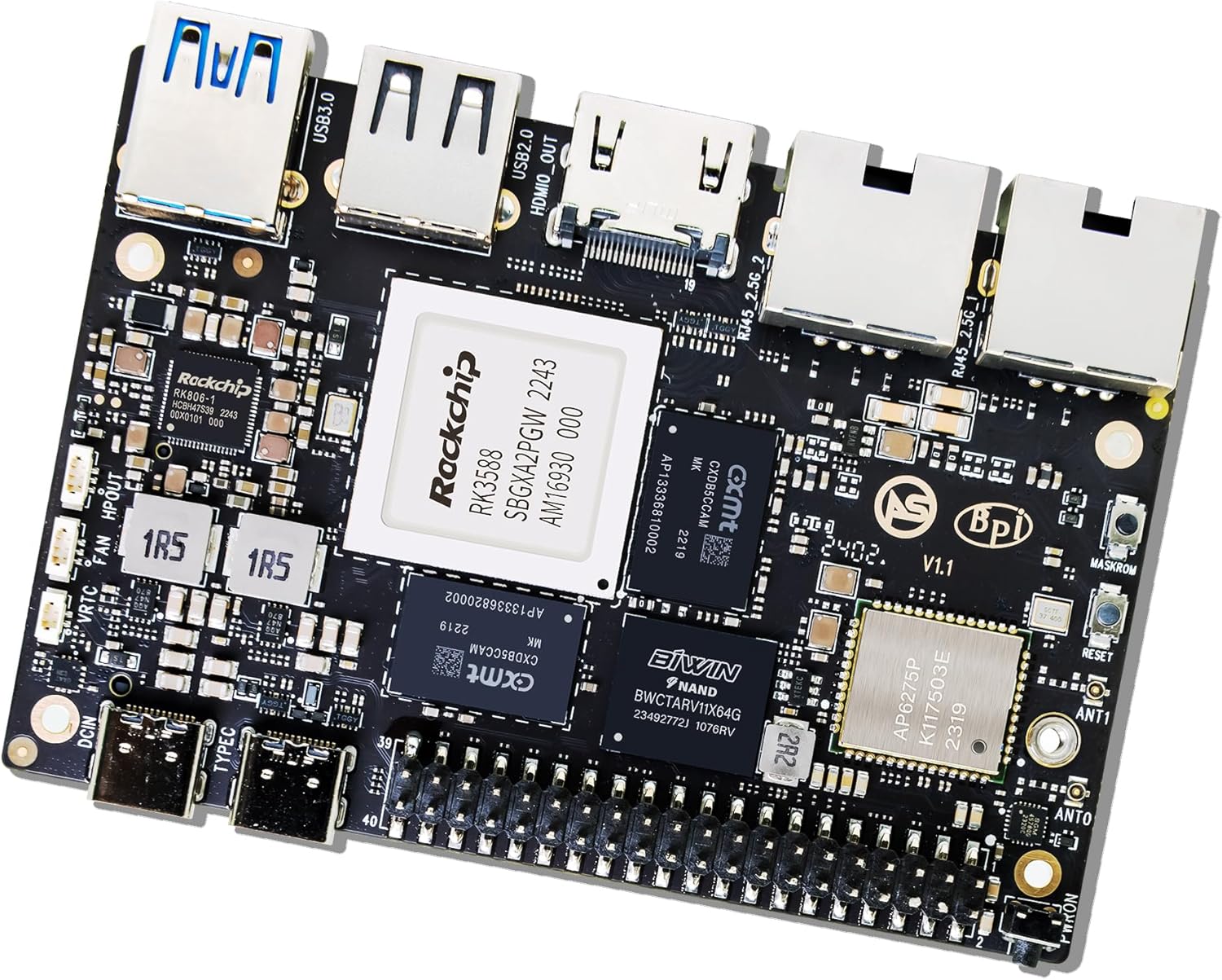
- [MediaTek MT7988A SoC] Banana Pi BPI-R4 wireless tri-band router board with MediaTek MT7988A (Filogic 880) quad-core ARM Corex-A73 CPU design, 4GB/8GB DDR4 RAM 8GB eMMC and 128MB SPI-NAND flash onboard, works as 36Gbps Wi-Fi 7 access point/router/gateway. It is also a very high performance open source router development board.
- [Support WiFi7 iPA NIC Module] Banana Pi BPI-R4 wireless dual-band router board onboard 2x miniPCIe slots with PCIe3.0 2lane interface for Wi-Fi 7 NIC module (Network Interface Card), it also support WIFI 6/ WIFI 6E. MediaTek MT7988A enables seamless Wi-Fi 7 tri-band, 2.4GHz, 5GHz and 6GHz connectivity, with its Wi-Fi 7 companion chip that features 320-MHz bandwidth, 4096-QAM, MLO, MRU and AFC.
- [Support 2x 10Gbe SFP/4x Gbe] Banana Pi BPI-R4 wireless wifi router board support 2x 10Gbe SFP and 4x Gbe ethernet with 4 Port 10/100/1000Mbps Gigabit Ethernet port, also has USB3.2 port and M.2 interface, support 4G/5G module (EM05/RM500Q-GL/RM520N-GL) signal reception and NVME SSD.Providing the fastest and most reliable network connection.
- [Rich Peripheral interfaces] Banana Pi BPI-R4 wireless tri-band Router Board onboard 2x 10Gbe SFP Optical ports, 4x Gbe Gigabit LAN ports, 1x USB3.2 port, 3x Nano SIM Slot, 1x M.2 KEY-B connector for 4G/5G Module, 1x M.2 KEY-M connector for 2280 SSD, mPCle Slot for Wi-Fi 6/6E/7 NIC, 1x MicroSD Slot(TF), 1x Debug UART port, 1x 26 Pin GPIO, supports UART, I2C, SPI, PWM, I2S.
- [Application Scenarios] Banana Pi BPI-R4 Router Board can be applied to Internet service Router, Wifi 7 Wireless Router, 4G/5G Wireless Router, Wireless Repeater, Home security Gateway, Home Automation, Nas device, Network and communication applications. 36Gbps Wi-Fi 7 Access Point/Router/Gateway
Full Specifications
| ASIN | B0F2MQM1B1 |
|---|---|
| Brand | WayPonDEV |
| Color | Basic Kit |
| Voltage | 12 Volts (DC) |
| Coverage | wide |
| Frequency | 1.8 GHz |
| Model Name | BPI-R4 Wi-Fi 7 Wireless Tri-Band Router OpenWRT (Assembled Version) |
| Antenna Type | Internal |
| Manufacturer | WayPonDEV |
| Model Number | BPI-R4 Wi-Fi 7 OpenWRT Router |
| Built-In Media | Show as picture |
| Mfr Part Number | BPI R4 |
| Number of Ports | 6 |
| Special Feature | Access Point Mode, Guest Mode, Internet Security, Parental Control, QoS |
| Antenna Location | Business, Gaming, Home |
| Wi-Fi Generation | Wi-Fi 7 |
| Security Protocol | WFA WPA, WPA2, WPA3 personal, WPS2 |
| Compatible Devices | Gaming Console, Personal Computer, Printer, Security Camera, Smart Television |
| Data Transfer Rate | 36 Gigabits Per Second |
| LAN Port Bandwidth | 10/100/1000 Mbps |
| Full listing title | Banana Pi BPI-R4 WiFi 7 Wireless Tri-Band Router OpenWRT - DDR4 4GB/8GB RAM - MediaTek MT7988A SoC, 4G/5G Wireless Router Repeater, 2X 10GbE SFP 4X GbE for NAS Smart Home Gateway (Basic Kit, DDR4 4GB) |
Ready to buy?
Banana Pi BPI-R4 WiFi 7 Wireless Tri-Band Router OpenWRT - DDR4 4GB/8GB RAM - MediaTek MT7988A SoC, 4G/5G Wireless Router Repeater, 2X 10GbE SFP 4X GbE for NAS Smart Home Gateway (Basic Kit, DDR4 4GB) is listed on Amazon. Price, availability, shipping and returns are set by Amazon and its sellers — check the listing for current terms. SpecPicks earns a small commission on qualifying purchases — thank you for supporting independent review work.
*Price sourced from Amazon.com. Last updated 2026-11-22. Product prices and availability are accurate as of the date/time indicated and are subject to change. Any price and availability information displayed on Amazon.com at the time of purchase will apply to the purchase of this product.
Related Single-Board Computers


More guides & deep dives from the SpecPicks archive
Browse all articles & guides →- Best Retro Handhelds in 2026: Pocket, Mid-Tier and FPGA Picks
- Best 1440p Gaming GPUs in 2026
- Emulation Hardware in 2026: FPGA, Software, and Cart-Reader Ecosystems
- How to Build a Windows 98 Retro PC in 2026
- The Complete Voodoo5 5500 AGP Driver Guide (2026 Edition)
- Best Budget Gaming PC Build 2026 — ~$1,000 Parts List
- RTX 4070 Super vs RX 7800 XT — Which to Buy in 2026
More reviews from the SpecPicks archive
Browse all reviews →- Best NVMe SSD for Gaming PCs in 2026
- Best SSD for a PS4 Pro Upgrade in 2026: 870 EVO vs BX500
- Anker's Thus Chip Claims 150x AI Boost: No Benchmarks Yet
- Best Budget GPU for 1080p Gaming in 2026: Is the RTX 3060 12GB Still the Pick?
- Intel LLM-Scaler vLLM 1.4 on Arc Pro B70: What the Latest Driver Stack Means for Local Inference
- Best Cooler for the Ryzen 7 5800X: Noctua NH-U12S vs Cooler Master ML240L
- Best PC Game Controller for Every Genre in 2026
- Pro-Level 180Hz 1440p Gaming Monitor for $159: Gigabyte Deal
- Best Budget Streaming Setup for Beginners in 2026
- GeForce4 Ti 4600 tuning guide — ForceWare, Detonator, and XP/98 driver pairing
- Running Mistral Leanstral 1.5 Locally on an RTX 3060 12GB
- Claude Now Writes 65% of Anthropic's Code: The Local Coding-Rig Angle
- Local LLM Use Cases in 2026: What a 12GB Rig Actually Delivers
- Running local LLMs on the Ryzen 5 5600G iGPU (no dedicated GPU) in 2026
- Replace a Dying IDE Drive With CompactFlash in a Win98 Retro PC
- Best Budget Gaming Keyboard Under $50 in 2026
- Best SSD for PS4 Pro Upgrade in 2026: SATA Picks That Actually Cut Load Times
- RX 9060 XT vs RX 9070 XT: OLED 1440p or 4K IPS?
- How to run Qwen 3 14B on NVIDIA GeForce RTX 5070
- 9800X3D Build: RTX 5080 vs 5070 Ti vs 9070 XT at 1440p
- Ryzen 5 5600G vs Ryzen 7 5800X for a 24/7 Ollama Box
- Open Weights Are Reshaping Agentic Coding: A 2026 Local-Rig Reality Check
- Raspberry Pi 5 IOMMU Support Is Landing in the Mainline Linux Kernel
- Best Gaming Mouse for FPS Esports Under $100 (2026)
Earliest SpecPicks reviews
Browse full archive →- Best GPU for Llama 3.1 8B (2026)
- Best GPU for Qwen 3 14B (2026)
- Best GPU for Qwen 3 32B (2026)
- Best GPU for Llama 3.1 70B (2026)
- Best GPU for DeepSeek-R1 32B (2026)
- Best GPU for Llama 3.1 405B (2026)
- How to run Llama 3.1 8B on NVIDIA GeForce RTX 5090
- How to run Qwen 3 14B on NVIDIA GeForce RTX 5090
- How to run Qwen 3 32B on NVIDIA GeForce RTX 5090
- How to run Llama 3.1 70B on NVIDIA GeForce RTX 5090
- How to run DeepSeek-R1 32B on NVIDIA GeForce RTX 5090
- How to run Llama 3.1 8B on NVIDIA GeForce RTX 4090