

ASUS
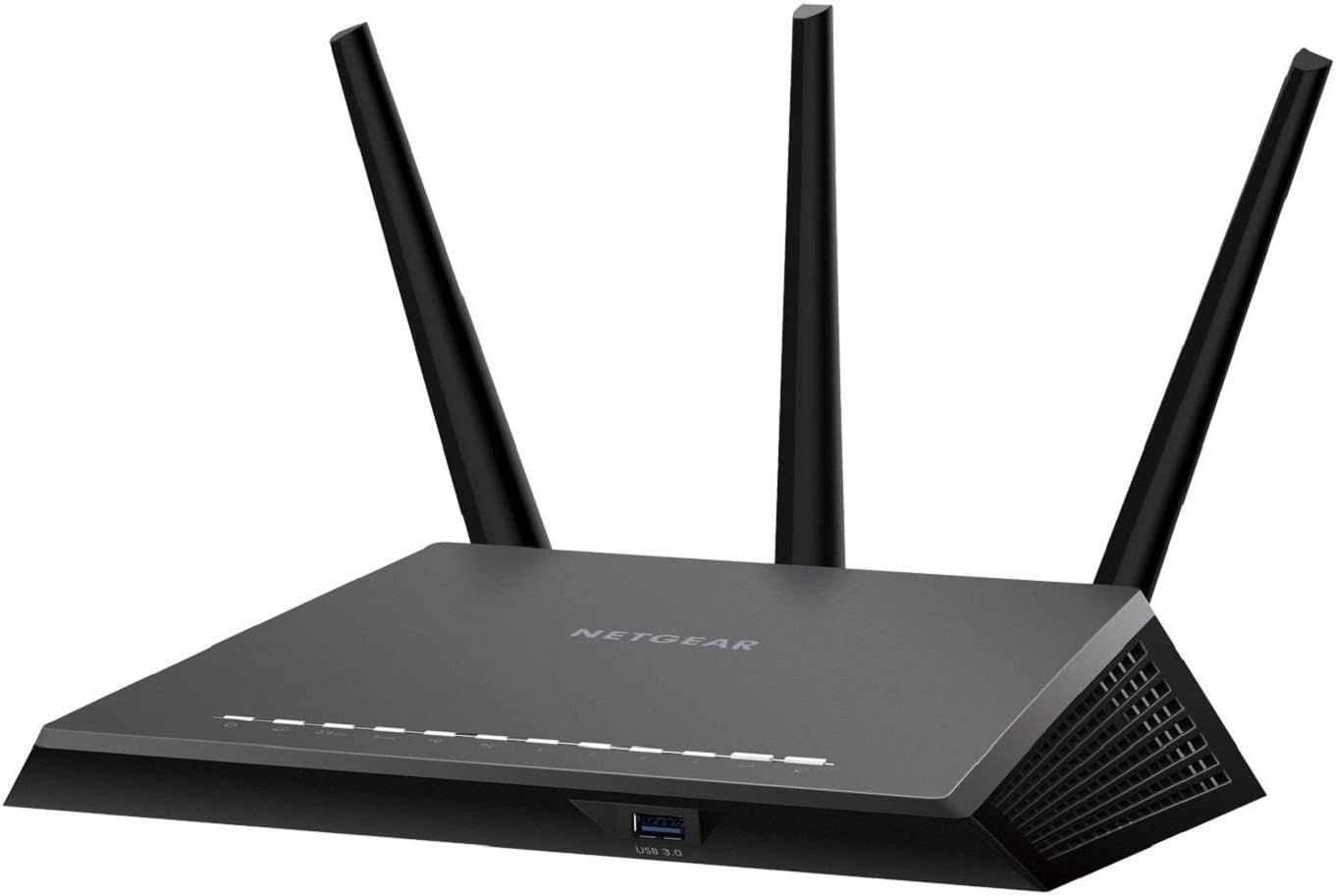
ASUS WiFi Gaming Router (RT-AC5300)
Bottom line: The ASUS WiFi Gaming Router ($302.14 on Amazon as of 2026-11-22 17:23 UTC): Tri-band 802.11ac 4x4 rated at 5334 Mbps combined throughput; main trade-off: 802.11ac only, so no Wi-Fi 6 or 6E client gains.
As an Amazon Associate, SpecPicks earns from qualifying purchases. Full disclosure →
*Price sourced from Amazon.com. Last updated 2026-11-22. Product prices and availability are accurate as of the date/time indicated and are subject to change. Any price and availability information displayed on Amazon.com at the time of purchase will apply to the purchase of this product.
Pros & Cons
Pros
- ✓ Tri-band 802.11ac 4x4 rated at 5334 Mbps combined throughput
- ✓ Covers up to 5,000 sq ft on a single unit
- ✓ WTFast GPN access for lower, steadier gaming ping
- ✓ Lifetime Trend Micro AiProtection included, no subscription
Cons
- ✗ 802.11ac only, so no Wi-Fi 6 or 6E client gains
- ✗ 5334 Mbps is combined across three bands, not per device
- ✗ Large eight-antenna chassis is hard to place discreetly
- ✗ Printer server support is Windows-only
Manufacturer description
Wireless-AC5300 Tri-band Gigabit Router with 5330 Mbps throughput for smooth up to 4K/UHD video playback, support Air Protection, MU-MIMO, Link aggregation with teaming ports and Tri-Band Smart Connect
SpecPicks Verdict
SpecPicks has no buyer-rating or benchmark data for ASUS WiFi Gaming Router, so this read rests on the manufacturer's listed specs and the current price in the networking category (how we evaluate). Compare with similarly-priced alternatives in the networking category before committing. On the listing's own facts, the case for it is "Tri-band 802.11ac 4x4 rated at 5334 Mbps combined throughput"; the main trade-off is "802.11ac only, so no Wi-Fi 6 or 6E client gains". If those two points fit how you will use it, put it beside one or two close alternatives in the Compare tool to confirm the price.
Before ordering, check the listed dimensions, ports, power requirements and supported devices or systems in the spec table below against how you plan to use it, and confirm them on the retailer's listing. Prices and stock are set by the retailer and may have moved since this page was last updated.
Key Features
Quoted from the manufacturer's listing. Where it differs from the pros and cons above, those note the conditions the listing leaves out.
- Tri-band (Dual 5 GHz, single 2. 4 GHz) with the latest 802. 11AC 4x4 technology for maximum throughput (5334 Mbps) and coverage (up to 5, 000 sq. Ft. )
- Mu-memo technology enables multiple compatible clients to connect at each client’s respective maximum speed. Supports every operating System, including Windows, Mac OS and Linux
- Built-in ACCESS to Waist gamers private network (GPN) of route-optimized servers ensures low, stable ping times for gaming; Printer Server - Multifunctional printer support (Windows only)
- A protection powered by Trend Micro provides multi-stage protection from vulnerability detection to protecting sensitive data
- ASUS Smart Connect delivers consistent bandwidth by dynamically switching devices between 2. 4 and 5 GHz bands based on speed, load and signal strength ; NOTE : Refer the user manual . . WAN Connection Type: Internet connection type : Automatic IP, Static IP, Pepo(MPPE supported), PPTP, L2TP.DC Output : 19 V with max. 3.42 A current
Full Specifications
| Brand | ASUS |
|---|---|
| Color | Black |
| Voltage | 240 volts |
| Coverage | 5000 square feet |
| Frequency | 5 GHz |
| Model Name | RT-AC5300 |
| Unit Count | 1 Count |
| Antenna Type | Fixed |
| Connectivity | Wireless, WiFi |
| Model Number | RT-AC5300 |
| Compatibility | Mac, Linux |
| Built-In Media | RT-AC5300 |
| Control Method | Voice |
| Connection Type | Wireless |
| Controller Type | amazon_alexa, vera |
| Mfr Part Number | RT-AC5300 |
| Number of Ports | 4 |
| Special Feature | WPS |
| Antenna Location | Business, Gaming, Home |
| Wi-Fi Generation | Wi-Fi 5 |
| Full listing title | ASUS WiFi Gaming Router (RT-AC5300) - Tri-Band Gigabit Wireless Internet Router, Gaming & Streaming, AiMesh Compatible, Included Lifetime Internet Security, Adaptive QoS, Parental Control, MU-MIMO |
Ready to buy?
ASUS WiFi Gaming Router (RT-AC5300) - Tri-Band Gigabit Wireless Internet Router, Gaming & Streaming, AiMesh Compatible, Included Lifetime Internet Security, Adaptive QoS, Parental Control, MU-MIMO is listed on Amazon. Price, availability, shipping and returns are set by Amazon and its sellers — check the listing for current terms. SpecPicks earns a small commission on qualifying purchases — thank you for supporting independent review work.
*Price sourced from Amazon.com. Last updated 2026-11-22. Product prices and availability are accurate as of the date/time indicated and are subject to change. Any price and availability information displayed on Amazon.com at the time of purchase will apply to the purchase of this product.
Related Networking



More guides & deep dives from the SpecPicks archive
Browse all articles & guides →- Best 1440p Gaming GPUs in 2026
- RTX 4070 Super vs RX 7800 XT — Which to Buy in 2026
- Best Retro Handhelds in 2026: Pocket, Mid-Tier and FPGA Picks
- The Complete Voodoo5 5500 AGP Driver Guide (2026 Edition)
- How to Build a Windows 98 Retro PC in 2026
- Emulation Hardware in 2026: FPGA, Software, and Cart-Reader Ecosystems
- Best Budget Gaming PC Build 2026 — ~$1,000 Parts List
More reviews from the SpecPicks archive
Browse all reviews →- Build a Raspberry Pi 4 8GB NAS with SATA SSDs in 2026
- Running GLM-5.2 Locally on an RTX 3060: Ollama VRAM + tok/s
- Best Game Controller for Couch & Big-Screen PC Gaming in 2026
- Best SSD for a 4TB Steam Game Library Under $250 (2026)
- 1440p High-Refresh vs 4K for Gaming in 2026: ASUS TUF 27" QHD vs SANSUI/KOORUI 4K
- Best SSD for Expanding Your Steam Library in 2026: SATA Value Picks
- Best CPU Coolers for Ryzen and Intel Builds in 2026
- Sound Blaster X G6 on a Windows XP Retro Gaming PC: Worth It?
- Best Raspberry Pi Projects for Beginners in 2026
- Noctua NH-U12S vs DeepCool AK620 for Ryzen Overclocking: Air-Cooler Showdown
- Run Local LLMs on a Ryzen 5 5600G With No GPU (2026)
- Best Gaming CPUs for 1080p and 1440p Builds (2026)
- ZOTAC RTX 3060 Twin Edge vs MSI RTX 3060 Ventus 3X: Which 12GB Card?
- Best Raspberry Pi Alternative in 2026: Pi vs Orange Pi vs Radxa
- Benchmarking Open LLMs for Tool-Use: RTX 3060 12GB vs Ryzen 5800X CPU-Only
- Raspberry Pi 5 IOMMU Support Lands in Mainline Linux: What It Means
- 4K Mini-LED vs 240 Hz QD-OLED: Which Monitor for Work and Play?
- Glide vs OpenGL vs Direct3D: The PC Gaming API War 1996-2003, Benchmarked
- Best Capture Setup for Console Streaming in 2026: Elgato Cam Link 4K + PS4 Pro
- Ryzen AI Halo vs a DIY RTX 3060 Box for Local LLMs in 2026
- Best Raspberry Pi Alternative for AI Inference in 2026: When to Step Up
- Intel Arc Pro B60 vs RTX 3060 12GB for Local LLMs
- Troubleshooting Corsair 12V-2x6 Cable Issues on RTX-Class GPUs (2026)
- Samsung 870 EVO vs WD Blue SN550: Best Storage for Forza Horizon 6 Fast Loading
Earliest SpecPicks reviews
Browse full archive →- Best GPU for Llama 3.1 8B (2026)
- Best GPU for Qwen 3 14B (2026)
- Best GPU for Qwen 3 32B (2026)
- Best GPU for Llama 3.1 70B (2026)
- Best GPU for DeepSeek-R1 32B (2026)
- Best GPU for Llama 3.1 405B (2026)
- How to run Llama 3.1 8B on NVIDIA GeForce RTX 5090
- How to run Qwen 3 14B on NVIDIA GeForce RTX 5090
- How to run Qwen 3 32B on NVIDIA GeForce RTX 5090
- How to run Llama 3.1 70B on NVIDIA GeForce RTX 5090
- How to run DeepSeek-R1 32B on NVIDIA GeForce RTX 5090
- How to run Llama 3.1 8B on NVIDIA GeForce RTX 4090