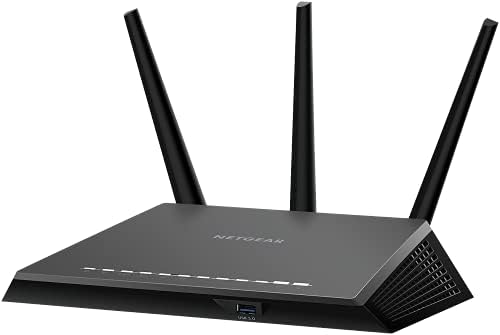

Ubiquiti Networks
Ubiquiti Networks Unifi Security Gateway, USG-PRO-4
Bottom line: The Ubiquiti Networks Unifi Security Gateway: Four Gigabit Ethernet ports for WAN and LAN connections; main trade-off: only four ports; you need separate switches for more devices.
As an Amazon Associate, SpecPicks earns from qualifying purchases. Full disclosure →
Pros & Cons
Pros
- ✓ Four Gigabit Ethernet ports for WAN and LAN connections
- ✓ Two combination SFP/RJ-45 ports for fiber or copper uplinks
- ✓ VLAN support to keep guest, IoT and VoIP traffic separate
- ✓ Rackmount chassis fits next to switches in a standard network rack
- ✓ RJ45 serial console port for direct setup and recovery
Cons
- ✗ Only four ports; you need separate switches for more devices
- ✗ Combo ports run fiber or copper, not both at once
- ✗ No built-in Wi-Fi; wireless needs separate access points
- ✗ Rackmount form factor is bulky for a desk or shelf setup
Manufacturer description
The Ubiquiti Networks UniFi Security Gateway Pro (USG-PRO-4) is an enterprise gateway router built to sit at the core of your network. It has four Gigabit Ethernet ports, two of which are combination SFP/RJ-45 ports. That lets you use copper or fiber on your uplink and backhaul links without adding a separate media converter. The USG-PRO-4 is designed to feed multiple network switches. Those switches can then serve access points, management stations, VoIP phones and other networked devices. The SFP combination ports make it simple to connect fiber devices, such as SAN servers and other LAN…
SpecPicks Verdict
SpecPicks has no buyer-rating or benchmark data for Ubiquiti Networks Unifi Security Gateway, so this read rests on the manufacturer's listed specs (how we evaluate). Compare with similarly-priced alternatives in the networking category before committing. On the listing's own facts, the case for it is "Four Gigabit Ethernet ports for WAN and LAN connections"; the main trade-off is "Only four ports; you need separate switches for more devices". If those two points fit how you will use it, put it beside one or two close alternatives in the Compare tool to confirm the price.
Before ordering, check the listed dimensions, ports, power requirements and supported devices or systems in the spec table below against how you plan to use it, and confirm them on the retailer's listing. Prices and stock are set by the retailer and may have moved since this page was last updated.
Frequently Asked Questions
How many ports does the Ubiquiti USG-PRO-4 have?
The USG-PRO-4 has four Gigabit Ethernet ports. Two of them are combination SFP/RJ-45 ports that accept either a fiber SFP module or a copper Ethernet cable. It also has a separate RJ45 serial console port.
Can I connect fiber directly to the USG-PRO-4?
Yes. Its two SFP ports let you connect fiber directly for backhaul links and fiber devices such as SAN servers. Because these are combination ports, each one runs as either SFP or RJ-45 at a time.
Does the USG-PRO-4 support VLANs?
Yes. The UniFi Security Gateway Pro can create virtual network segments (VLANs). You can use them to separate traffic, for example guest, VoIP, IoT and staff devices, for security and traffic management.
Can I mount the USG-PRO-4 in a server rack?
Yes. The USG-PRO-4 comes in a durable rackmount chassis, so it fits into a standard network rack next to your switches and patch panels. Check the product listing for the exact rack height and included mounting hardware.
Does the USG-PRO-4 include Wi-Fi or PoE for access points?
The listing does not mention built-in Wi-Fi or PoE output. The USG-PRO-4 is designed to feed network switches, which then power and connect access points, VoIP phones and other devices.
Key Features
Quoted from the manufacturer's listing. Where it differs from the pros and cons above, those note the conditions the listing leaves out.
- Ubiquiti Networks USG-PRO-4 Enterprise Gateway Router with Gigabit Ethernet 2 Combination SFP/RJ-45 Ports
- The UniFi Security Gateway Pro offers two optional SFP ports for fiber connectivity to support backhaul applications.
- Convenient VLAN Support: The UniFi Security Gateway Pro can create virtual network segments for security and network traffic management.
- The UniFi Security Gateway Pro is housed in a durable, rackmount chassis.
- 1x RJ45 Serial Port
Full Specifications
| Brand | Ubiquiti Networks |
|---|---|
| Color | Silver |
| Voltage | 240 Volts |
| Frequency | 1 GHz |
| Model Name | USG-PRO-4 |
| Antenna Type | Internal |
| Model Number | USG-PRO-4 |
| Control Method | App |
| Controller Type | Software |
| Mfr Part Number | USG-PRO-4 |
| Number of Ports | 5 |
| Special Feature | WPS |
| Antenna Location | Security |
| Security Protocol | WPS |
| Compatible Devices | Personal Computer |
| Data Transfer Rate | 1000 Megabits Per Second |
| LAN Port Bandwidth | 10/100 megabits per second |
| Is Modem Compatible | No |
| Router Network Type | Multi-type (WAN, LAN, VLAN) |
| Frequency Band Class | Quad-Band |
Ready to buy?
Ubiquiti Networks Unifi Security Gateway, USG-PRO-4 is listed on Amazon. Price, availability, shipping and returns are set by Amazon and its sellers — check the listing for current terms. SpecPicks earns a small commission on qualifying purchases — thank you for supporting independent review work.
Related Networking


More guides & deep dives from the SpecPicks archive
Browse all articles & guides →- Best Budget Gaming PC Build 2026 — ~$1,000 Parts List
- How to Build a Windows 98 Retro PC in 2026
- Emulation Hardware in 2026: FPGA, Software, and Cart-Reader Ecosystems
- Best 1440p Gaming GPUs in 2026
- RTX 4070 Super vs RX 7800 XT — Which to Buy in 2026
- Best Retro Handhelds in 2026: Pocket, Mid-Tier and FPGA Picks
- The Complete Voodoo5 5500 AGP Driver Guide (2026 Edition)
More reviews from the SpecPicks archive
Browse all reviews →- Best CPU Air Cooler for Ryzen 7000/9000 Builds (2026)
- Is vLLM Worth It If You're Not Serving Other Users?
- How to Decode Modern Monitor Names: A 2026 Buyer's Translation Guide
- Sound Blaster X G6 on a Windows XP Retro Gaming PC: Worth It?
- Noctua NH-U12S vs Corsair H150i vs Kraken M22 on a 24/7 Ryzen 7 5800X Host
- Silent Cooling for a Retro Sleeper PC: Fitting a Modern Quiet Fan to a Vintage Case
- KOORUI 4K QD-Mini LED vs Samsung Odyssey 4K: Best 27-Inch Gaming Monitor?
- This Retro Switch 2 Dock Looks Exactly Like an N64 — and Holds Six Cards
- $400 Qwen 3.6-27B Setup: Is the Dual RTX 3060 Claim Real?
- DGX Spark vs RTX 5090 vs M3 Ultra for Local LLMs
- Can a Raspberry Pi 4 8GB Run Local LLMs in 2026?
- Ryzen 7 5800X vs 5700X vs 5600G for a Budget Local-LLM Rig
- Raspberry Pi 4 8GB vs a Used Mini PC for a 2026 Beginner Homelab
- Best SSDs for a Raspberry Pi homelab NAS in 2026
- Best Raspberry Pi Starter Kits for Beginners (2026)
- Windows XP Gaming in 2025: Hardware, Fixes, Best Games
- Best Gaming Controllers for PC and Emulation in 2026
- Best Wired Gaming Headset Under $50 for PC and Console in 2026
- Best Parts for an Always-On Local LLM Server in 2026
- Pentium III Tualatin Overclocking and Slotket Build Guide: The Forgotten King of Socket 370
- Intel's Bartlett Lake Core 9 273PQE Loses to a 4-Year-Old CPU
- DIY NVIDIA 3D Vision Emitter: Building One with an RP2040
- Motherboard Sales Fell 33% in 2026: Is DIY PC Building Dying?
- ComfyUI on an RTX 3060 12GB: Stable Diffusion Throughput in 2026
Earliest SpecPicks reviews
Browse full archive →- Best GPU for Llama 3.1 8B (2026)
- Best GPU for Qwen 3 14B (2026)
- Best GPU for Qwen 3 32B (2026)
- Best GPU for Llama 3.1 70B (2026)
- Best GPU for DeepSeek-R1 32B (2026)
- Best GPU for Llama 3.1 405B (2026)
- How to run Llama 3.1 8B on NVIDIA GeForce RTX 5090
- How to run Qwen 3 14B on NVIDIA GeForce RTX 5090
- How to run Qwen 3 32B on NVIDIA GeForce RTX 5090
- How to run Llama 3.1 70B on NVIDIA GeForce RTX 5090
- How to run DeepSeek-R1 32B on NVIDIA GeForce RTX 5090
- How to run Llama 3.1 8B on NVIDIA GeForce RTX 4090