

VIVO Premium Aluminum Heavy Duty Arms (STAND-V102G2U)
Bottom line: The VIVO Premium Aluminum Heavy Duty Arms: Holds two ultrawide monitors up to 38 inches, flat or curved screens; main trade-off: C-clamp needs a desk edge no thicker than 3.3 inches.
As an Amazon Associate, SpecPicks earns from qualifying purchases. Full disclosure →
Pros & Cons
Pros
- ✓ Holds two ultrawide monitors up to 38 inches, flat or curved screens
- ✓ Pneumatic spring lift gives 13 inches of smooth height adjustment (10.5-23.5")
- ✓ Supports up to 33 lbs per arm for heavy widescreen displays
- ✓ Front-facing USB 3.0 plus audio/mic ports for quick device access
- ✓ Drill-free C-clamp or optional grommet mount, no desk holes required
Cons
- ✗ C-clamp needs a desk edge no thicker than 3.3 inches
- ✗ Max 23.5-inch height may sit low for very tall standing setups
- ✗ Screens over 38 inches or 33 lbs per arm are unsupported
- ✗ 40-inch arm spread when raised demands a wide, deep desk
SpecPicks Verdict
SpecPicks has no buyer-rating or benchmark data for VIVO Premium Aluminum Heavy Duty Arms, so this read rests on the manufacturer's listed specs (how we evaluate). Compare with similarly-priced alternatives in the gaming desks category before committing. On the listing's own facts, the case for it is "Holds two ultrawide monitors up to 38 inches, flat or curved screens"; the main trade-off is "C-clamp needs a desk edge no thicker than 3.3 inches". If those two points fit how you will use it, put it beside one or two close alternatives in the Compare tool to confirm the price.
Common buyer scenarios for gaming desks: matching surface dimensions to the room footprint and monitor count, checking height-adjustment range for sit-stand setups, verifying cable-management channels for a clean multi-monitor build, and confirming weight capacity for a full tower + dual-monitor load. Review the spec sheet for assembly difficulty before ordering.
Key Features
Quoted from the manufacturer's listing. Where it differs from the pros and cons above, those note the conditions the listing leaves out.
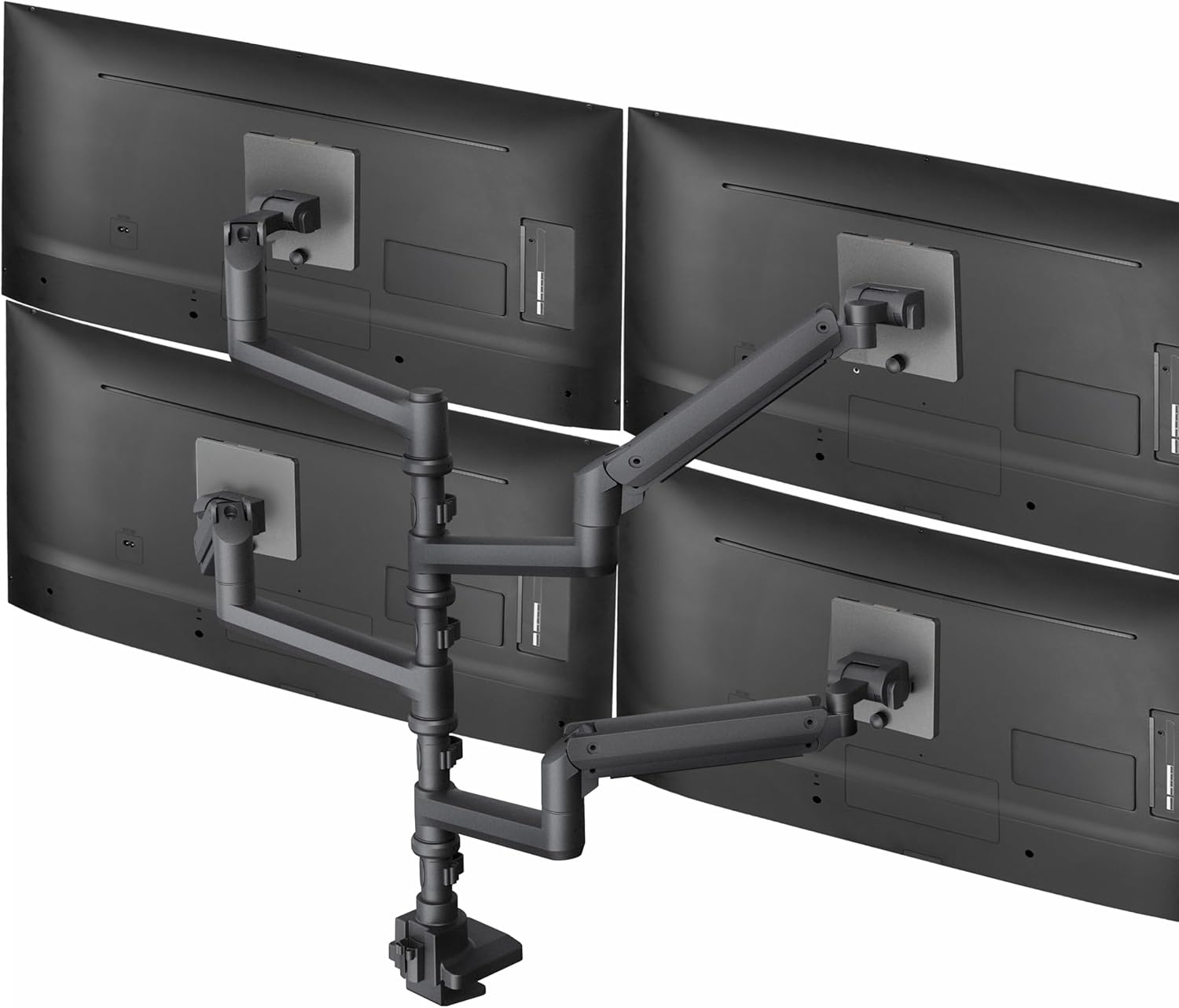
- VIVO Premium Aluminum Dual Arm Mount: This innovatively designed dual ultrawide monitor counterbalance desk mount from VIVO features pneumatic spring arms for perfect weight adjustment, cable management, and quick-release VESA plates for easy mounting
- Ultrawide Compatibility: Holds 2 ultrawide monitors up to 38" in size (both flat and curved screens) and 33 lbs in weight each. The quick-release VESA bracket has 75x75mm and 100x100mm mounting capability
- USB Ports: Innovative design features front side 3.0 USB ports and audio/mic ports for convenient access when you want to charge a device or sync something with your computer
- Fully Adjustable: Monitor arms offer an ideal range of motion with -45° to +45° tilt, 180° swivel, 180° rotation, and 13" of smooth height adjustment (10.5” to 23.5”) with pneumatic spring lift. Mounting brackets are 40" apart when arms are fully raised
- Drill-Free Mounting: This product secures to your surface of choice up to 3.3” thick via a heavy-duty C-clamp, or use the equally sturdy optional grommet mount (up to 1.9” thick) to suit your preferred layout
Full Specifications
| Brand | VIVO |
|---|---|
| Color | Black |
| Material | Aluminum |
| Connectivity | USB |
| Model Number | STAND-V102G2U |
| Mounting Type | Tabletop Mount |
| Movement Type | Articulating |
| Mfr Part Number | STAND-V102G2U |
| Compatible Devices | Monitor |
| Enclosure Material | Aluminum |
| Maximum Tilt Angle | 45 Degrees |
| Warranty Description | 3 Year Warranty |
| Maximum-Supported Screen Size | 38 Inches |
| Minimum-Supported Screen Size | 17 Inches |
| Global Trade Identification Number | 00818538024227 |
| Full listing title | VIVO Premium Aluminum Heavy Duty Arms, Fits 2 Ultrawide Monitors up to 38 inches, Widescreen Dual Monitor Desk Mount with Instant Pneumatic Spring Height Adjustment VESA Stand, USB 3.0, STAND-V102G2U |
Ready to buy?
VIVO Premium Aluminum Heavy Duty Arms, Fits 2 Ultrawide Monitors up to 38 inches, Widescreen Dual Monitor Desk Mount with Instant Pneumatic Spring Height Adjustment VESA Stand, USB 3.0, STAND-V102G2U is listed on Amazon. Price, availability, shipping and returns are set by Amazon and its sellers — check the listing for current terms. SpecPicks earns a small commission on qualifying purchases — thank you for supporting independent review work.
Related Gaming Desks



More guides & deep dives from the SpecPicks archive
Browse all articles & guides →- Best Budget Gaming PC Build 2026 — ~$1,000 Parts List
- RTX 4070 Super vs RX 7800 XT — Which to Buy in 2026
- Best 1440p Gaming GPUs in 2026
- The Complete Voodoo5 5500 AGP Driver Guide (2026 Edition)
- Emulation Hardware in 2026: FPGA, Software, and Cart-Reader Ecosystems
- How to Build a Windows 98 Retro PC in 2026
- Best Retro Handhelds in 2026: Pocket, Mid-Tier and FPGA Picks
More reviews from the SpecPicks archive
Browse all reviews →- Pentium 4 + Radeon 9700 Pro Windows XP Build in 2026
- Field Report: Running Qwen 3.6 35B-A3B on a 32GB M2 Mac
- Best Budget Gaming Mouse + Mousepad Combo Under $80 in 2026
- Best Gaming SSD for PC Builds in 2026: 5 Picks Tested
- 32B Models on 12GB VRAM: What an RTX 3060 Can Really Run in 2026
- Best Raspberry Pi Alternatives for AI in 2026
- Anthropic's Samsung Chip Talks: Why Local Inference on an RTX 3060 Still Matters
- NVIDIA Nemotron 3 Ultra (550B/55B-Active): What a 12GB Rig Can Run
- Arc A770 vs B580 for Local LLM Inference: 2025 Comparison
- Logitech G29 vs HORI Force Feedback Wheel — Which First Wheel Is Right?
- Ryzen 7 5800X3D vs Core i7-14700K on DDR4 for 1440p Gaming (2026)
- Intel-Scaler vLLM 0.21.0: What the New Release Changes for Intel GPU Inference
- Steam Deck on 100+ Inch Screens: Big-Screen Setup Guide
- Dual RTX 3090 LLM Training: 2026 Benchmarks & Build Guide
- Best GPU for 1080p Esports in 2026: Why the RTX 3060 12GB Still Wins
- Best Gaming Monitor for 1440p Under $400 (2026)
- Aider vs Cline vs Cursor for Local Coding on a 12GB GPU (2026)
- RTX 3060 12GB vs Ryzen 5 5600G iGPU for Entry Local LLM Inference
- Raspberry Pi LLM Cluster: What It Can (and Can't) Do
- Self-hosting a Claude proxy — cache, rate-limit, and audit every request
- Intel LLM-Scaler vLLM 1.4 on Arc Pro B70: What the Latest Driver Stack Means for Local Inference
- Llama 3.2 3B: Raspberry Pi 4 8GB vs RTX 3060 12GB for Local Inference
- AVX-512 Speeds Up Linux Software RAID by Up to 41% on AMD Ryzen
- Intel Plans Two 22-Core Nova Lake-S SKUs With Game-Boosting Cache
Earliest SpecPicks reviews
Browse full archive →- Best GPU for Llama 3.1 8B (2026)
- Best GPU for Qwen 3 14B (2026)
- Best GPU for Qwen 3 32B (2026)
- Best GPU for Llama 3.1 70B (2026)
- Best GPU for DeepSeek-R1 32B (2026)
- Best GPU for Llama 3.1 405B (2026)
- How to run Llama 3.1 8B on NVIDIA GeForce RTX 5090
- How to run Qwen 3 14B on NVIDIA GeForce RTX 5090
- How to run Qwen 3 32B on NVIDIA GeForce RTX 5090
- How to run Llama 3.1 70B on NVIDIA GeForce RTX 5090
- How to run DeepSeek-R1 32B on NVIDIA GeForce RTX 5090
- How to run Llama 3.1 8B on NVIDIA GeForce RTX 4090