

MokerLink
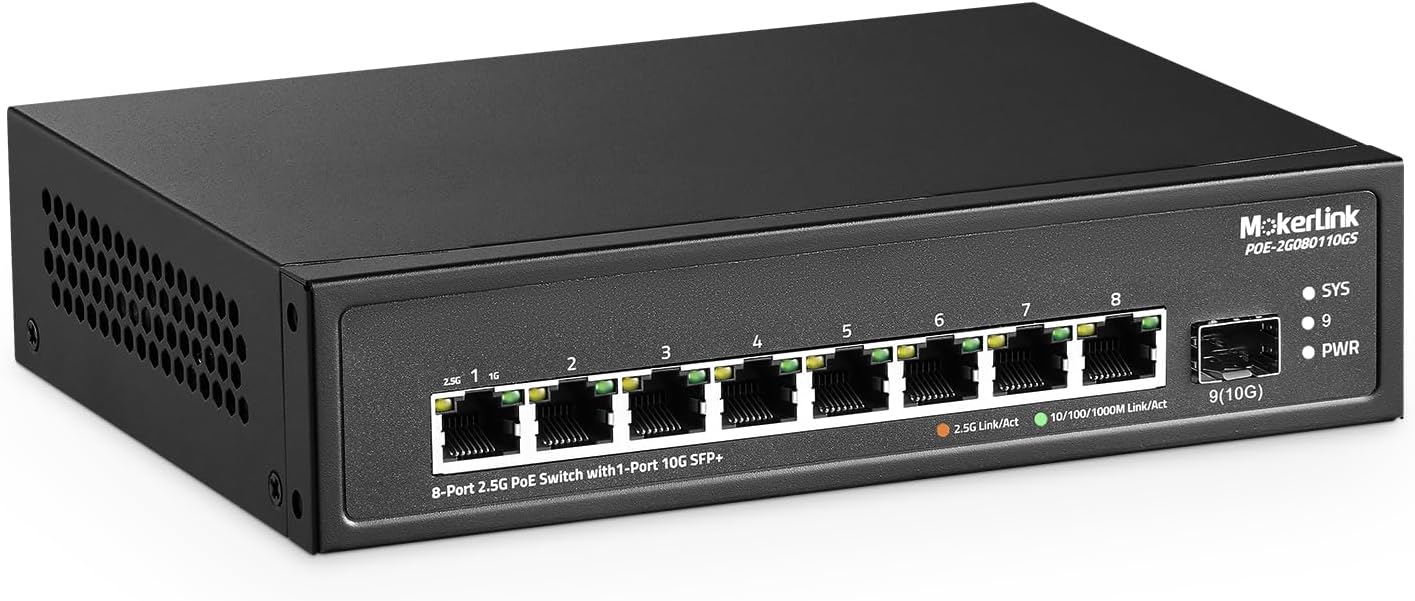
MokerLink 11 Port Gigabit PoE Switch with 8 PoE+ Port
Bottom line: The MokerLink 11 Port Gigabit PoE Switch with 8 PoE+ Port: 8 PoE+ ports at up to 30W each, IEEE 802.3af/at compliant; main trade-off: 120W budget can't run all 8 ports at the full 30W simultaneously.
As an Amazon Associate, SpecPicks earns from qualifying purchases. Full disclosure →
Pros & Cons
Pros
- ✓ 8 PoE+ ports at up to 30W each, IEEE 802.3af/at compliant
- ✓ 120W total PoE budget from a built-in industrial power supply
- ✓ SFP port extends fiber runs past the 100m copper Ethernet limit
- ✓ Fanless metal housing runs silent in offices, closets and desks
- ✓ QoS on ports 1-2 protects NVR or AP traffic during congestion
Cons
- ✗ 120W budget can't run all 8 ports at the full 30W simultaneously
- ✗ No passive 24V PoE; legacy passive-powered gear needs an injector
- ✗ Unmanaged: no VLANs, web interface or per-port power scheduling
- ✗ No 802.3bt support, so high-draw PTZ cameras may not power up
Manufacturer description
The MokerLink 11 Port Gigabit PoE Switch powers and connects IP cameras, wireless access points and other PoE devices from one fanless metal box. It has 8 Gigabit PoE+ ports, 2 Gigabit uplink ports and 1 SFP port, and every port runs at 1000Mbps. Use the SFP slot to add a fiber link when a run is longer than the 100-meter limit of copper Ethernet, such as out to a detached garage, a barn or another building. The built-in industrial power supply provides a 120W total PoE budget. Each port can deliver up to 30W under IEEE 802.3af/at, which covers most dome cameras, bullet cameras and…
SpecPicks Verdict
SpecPicks has no buyer-rating or benchmark data for MokerLink 11 Port Gigabit PoE Switch with 8 PoE+ Port, so this read rests on the manufacturer's listed specs (how we evaluate). Compare with similarly-priced alternatives in the networking category before committing. On the listing's own facts, the case for it is "8 PoE+ ports at up to 30W each, IEEE 802.3af/at compliant"; the main trade-off is "120W budget can't run all 8 ports at the full 30W simultaneously". If those two points fit how you will use it, put it beside one or two close alternatives in the Compare tool to confirm the price.
Before ordering, check the listed dimensions, ports, power requirements and supported devices or systems in the spec table below against how you plan to use it, and confirm them on the retailer's listing. Prices and stock are set by the retailer and may have moved since this page was last updated.
Frequently Asked Questions
How many PoE cameras can the MokerLink 11 port switch power?
It has 8 PoE+ ports and a 120W total budget, with up to 30W per port. Eight cameras drawing about 15W or less each fit within the budget. If several devices draw close to 30W, the total power limit is reached before all 8 ports are full.
Does this switch work with passive 24V PoE devices?
No. It supports IEEE 802.3af and 802.3at standard PoE only, and the listing states that it does not support passive 24V PoE. Devices that need passive 24V power require a separate injector.
Can I run a fiber connection to another building with this switch?
Yes. The SFP port accepts an optical fiber connection for runs longer than 100 meters, which is the limit for copper Ethernet. Check the product listing to see whether an SFP transceiver module is included.
Do I need to configure the MokerLink switch before using it?
No. It is an unmanaged plug-and-play switch. Connect the power cord and Ethernet cables and it starts working. AI detection runs automatically and restarts a port's device if that device stops responding.
Which ports should I use for my NVR or main access point?
Use ports 1 and 2. These ports have QoS priority, so their traffic is protected first when the network is congested, which helps prevent dropped video or wireless traffic.
Key Features
Quoted from the manufacturer's listing. Where it differs from the pros and cons above, those note the conditions the listing leaves out.
- 11 Gigabit PoE Ports: Includes 8 Gigabit POE ports, 2 Gigabit Uplink and 1 SFP Port, all ports support gigabit rate(1000Mbps), With excellent data exchange performance, the SFP port can be connected to optical fiber, suitable for long-distance transmission greater than 100 meters.
- High POE Power: Maximum support 120W high output power, built-in power supply makes installation easier. Support IEEE 802.3af/at, each port max power supply reached 30W. *Please note: not support passive 24V PoE.*
- Plug & Play, AI Detection: Just plug in the power cord, connect the ethernet cable to the PoE device, can be used without configuration. AI intelligent detection, automatic detection of port data, if disconnected, automatically restart the port device, ensure stable operation and worry-free maintenance
- Qos: The port 1-2 support Qos function, can connect important network device to these 2 ports, when network congestion occurs, it will be protected first to prevent data loss
- Widely Used: Built-in Industrial Power Supply. Durable Metal housing. LED indicator lights. Widely used in IP cameras, Wireless Access Point, Computer Networks etc. Any questions please contact us, we will provide the best support.
Full Specifications
| Brand | MokerLink |
|---|---|
| Color | 8G*POE+2G+1SFP |
| Voltage | 24 volts |
| Platform | Not Machine Specific |
| Interface | PoE, SFP |
| Unit Count | 1 Count |
| Switch Type | PoE Switch |
| Connectivity | Wireless |
| Model Number | 11 Gigabit PoE + SFP Unmanaged |
| Compatibility | Switch |
| Built-In Media | Power cord, User manual |
| Connection Type | Wireless |
| Mfr Part Number | POE-G083GS |
| Number of Items | 1 |
| Number of Ports | 13 |
| Number of Layers | 1 |
| Case Material Type | Metal |
| Compatible Devices | Camera |
| Data Transfer Rate | 1000 megabits_per_second |
| Included Components | Power cord, User manual |
| Full listing title | MokerLink 11 Port Gigabit PoE Switch with 8 PoE+ Port, 2 Gigabit Uplink, 1 SFP Port, 120W AI Detection, Qos, Fanless Metal Plug & Play Unmanaged Network Switch |
Ready to buy?
MokerLink 11 Port Gigabit PoE Switch with 8 PoE+ Port, 2 Gigabit Uplink, 1 SFP Port, 120W AI Detection, Qos, Fanless Metal Plug & Play Unmanaged Network Switch is listed on Amazon. Price, availability, shipping and returns are set by Amazon and its sellers — check the listing for current terms. SpecPicks earns a small commission on qualifying purchases — thank you for supporting independent review work.
Related Networking



More guides & deep dives from the SpecPicks archive
Browse all articles & guides →- Emulation Hardware in 2026: FPGA, Software, and Cart-Reader Ecosystems
- The Complete Voodoo5 5500 AGP Driver Guide (2026 Edition)
- Best Budget Gaming PC Build 2026 — ~$1,000 Parts List
- How to Build a Windows 98 Retro PC in 2026
- Best Retro Handhelds in 2026: Pocket, Mid-Tier and FPGA Picks
- RTX 4070 Super vs RX 7800 XT — Which to Buy in 2026
- Best 1440p Gaming GPUs in 2026
More reviews from the SpecPicks archive
Browse all reviews →- AOOSTAR MACO 6850H as a Proxmox 9 Home Server
- Building a Period-Correct 2001 GeForce 3 Windows 98 SE Rig — With a CompactFlash Boot Drive
- Best Cooler for the Ryzen 7 5800X: Noctua NH-U12S vs Cooler Master ML240L
- Turning a Broken Steam Deck Into a 2.5GbE NAS
- Build a Wall-Mounted Raspberry Pi 4 Arcade Cabinet: 3D-Printed Case, SSD Boot, Real BOM
- Best Storage Kit for Archiving a Physical Game Collection in 2026
- Did Anyone Actually Ditch iCloud or Google One for Self-Hosting?
- Intel Arc Pro B70 + llm-scaler-vllm 1.4: Is It the New Budget Inference King?
- Best Webcam for Streaming and Video Calls Under $200 (2026)
- NVK Open-Source Vulkan Driver Gains Experimental DLSS on Linux
- Athlon 64 + Radeon 9800 Pro Windows XP Build (2026 Revival): CompactFlash-to-IDE Boot Guide
- Can You Game While Ollama Runs? RTX 3060 12GB VRAM Contention
- Best Arcade Fight Stick & Controller for PlayStation Fighting Games (2026)
- Best 1TB SATA SSDs for PC Builds and Retro Upgrades
- Best 2.5" SATA SSD for Old Laptop and PC Upgrades in 2026
- AI-Driven Win98 Voodoo3 Driver Recovery on a Raspberry Pi 5 Companion
- DeepCool AK620 vs Noctua NH-U12S for Ryzen 7 5800X: Which Air Cooler Wins in 2026?
- Free Retro Game Emulator Online: 2026 Browser Guide
- Intel Arc Pro B60 vs RTX 3060 12GB for Local LLM
- Ryzen 7 9800X3D vs Ryzen 9 9950X3D: The 2026 X3D Buyer's Verdict
- AVX-512 Speeds Up Linux Software RAID by Up to 41% on AMD Ryzen
- Best Budget GPU for RPCS3 PS3 Emulation in 2026
- Best Streaming Starter Kit for Creators in 2026
- Playing Pokémon on Steam Deck: The Real 2026 Guide
Earliest SpecPicks reviews
Browse full archive →- Best GPU for Llama 3.1 8B (2026)
- Best GPU for Qwen 3 14B (2026)
- Best GPU for Qwen 3 32B (2026)
- Best GPU for Llama 3.1 70B (2026)
- Best GPU for DeepSeek-R1 32B (2026)
- Best GPU for Llama 3.1 405B (2026)
- How to run Llama 3.1 8B on NVIDIA GeForce RTX 5090
- How to run Qwen 3 14B on NVIDIA GeForce RTX 5090
- How to run Qwen 3 32B on NVIDIA GeForce RTX 5090
- How to run Llama 3.1 70B on NVIDIA GeForce RTX 5090
- How to run DeepSeek-R1 32B on NVIDIA GeForce RTX 5090
- How to run Llama 3.1 8B on NVIDIA GeForce RTX 4090