
NETGEAR
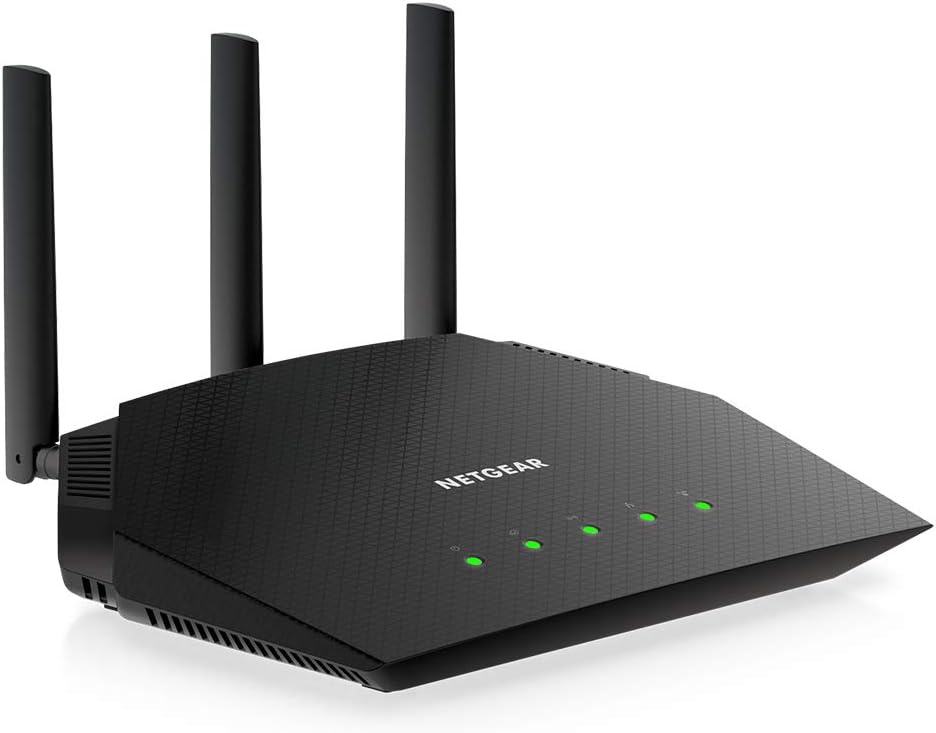
NETGEAR 4-Stream WiFi 6 Router (R6700AXS)
Bottom line: The NETGEAR 4-Stream WiFi 6 Router: AX1800 WiFi 6 speeds up to 1.8 Gbps across 4 streams; main trade-off: 1,500 sq. ft. ceiling leaves larger homes needing a mesh setup.
As an Amazon Associate, SpecPicks earns from qualifying purchases. Full disclosure →
Pros & Cons
Pros
- ✓ AX1800 WiFi 6 speeds up to 1.8 Gbps across 4 streams
- ✓ Covers up to 1,500 sq. ft. and 20+ simultaneous devices
- ✓ 1-year NETGEAR Armor security subscription included
- ✓ Four 1G Ethernet ports for consoles, PCs, and streamers
- ✓ Quad-core CPU handles concurrent streaming and gaming loads
Cons
- ✗ 1,500 sq. ft. ceiling leaves larger homes needing a mesh setup
- ✗ ISP throughput capped at 1Gbps, so multi-gig plans are wasted
- ✗ Armor renews at cost after the included first year ends
- ✗ Parental Controls trial is only 30 days, not bundled long-term
Manufacturer description
The NETGEAR R6700AXS 4-Stream WiFi 6 Router brings AX1800 wireless speeds of up to 1.8 Gbps to small and medium homes, covering up to 1,500 square feet and handling 20 or more connected devices at once. WiFi 6 technology adds the capacity your older router lacks, so streaming, HD video gaming, and web conferencing keep running while phones, consoles, and smart-home gear all share the network. A quad-core processor keeps concurrent real-time traffic moving without the stutter you get when a single-core router runs out of headroom. Four 1G Ethernet ports let you hardwire a desktop, game…
SpecPicks Verdict
SpecPicks has no buyer-rating or benchmark data for NETGEAR 4-Stream WiFi 6 Router, so this read rests on the manufacturer's listed specs (how we evaluate). Compare with similarly-priced alternatives in the networking category before committing. On the listing's own facts, the case for it is "AX1800 WiFi 6 speeds up to 1.8 Gbps across 4 streams"; the main trade-off is "1,500 sq. ft. ceiling leaves larger homes needing a mesh setup". If those two points fit how you will use it, put it beside one or two close alternatives in the Compare tool to confirm the price.
Before ordering, check the listed dimensions, ports, power requirements and supported devices or systems in the spec table below against how you plan to use it, and confirm them on the retailer's listing. Prices and stock are set by the retailer and may have moved since this page was last updated.
Frequently Asked Questions
How big a home will the NETGEAR R6700AXS cover?
NETGEAR rates it for up to 1,500 sq. ft., which suits small to medium homes. Larger floorplans will need a mesh system or an added extender.
How many devices can this router handle at once?
It is rated for 20 or more connected devices, with WiFi 6 and a quad-core processor providing the capacity for concurrent streaming, gaming, and video calls.
Does it work with my internet provider?
It connects to your existing cable modem and works with any ISP up to 1Gbps, including cable, satellite, fiber, and DSL. It replaces your WiFi router, not your modem.
What security software is included?
A 1-year NETGEAR Armor subscription is included, plus a 30-day free trial of NETGEAR Smart Parental Controls.
Key Features
Quoted from the manufacturer's listing. Where it differs from the pros and cons above, those note the conditions the listing leaves out.
- Coverage up to 1,500 sq. ft. for 20+ devices
- Fast AX1800 Gigabit speed with WiFi 6 technology for uninterrupted streaming, HD video gaming, and web conferencing
- Connects to your existing cable modem and replaces your WiFi router. Compatible with any internet service provider up to 1Gbps including cable, satellite, fiber, and DSL
- Plug in computers, game consoles, streaming players, and more with 4 x 1G Ethernet ports
- NETGEAR Armor protects your family's WiFi with an automatic shield of security across your connected devices with a 1-year subscription (99.99 value) included
- NETGEAR Smart Parental Controls promotes healthy Internet habits, fosters responsibility and builds trust with your kids (30-day free trial included)
Full Specifications
| Brand | NETGEAR |
|---|---|
| Color | Black |
| Weight | 1g |
| Voltage | 120 Volts |
| Coverage | 1,500 sq ft |
| Frequency | 5 GHz |
| Model Name | R6700AXS-1AZNAS |
| Unit Count | 1.0 Count |
| Is Electric | Yes |
| Antenna Type | Internal |
| Connectivity | Wireless, WiFi |
| Model Number | R6700AXS-1AZNAS |
| Built-In Media | 4-Stream AX1800 WiFi 6 Router (R6700AX), Ethernet cable, Power adapter, Quick start guide |
| Control Method | App |
| Connection Type | Wireless |
| Controller Type | App Control |
| Mfr Part Number | R6700AXS-1AZNAS |
| Number of Ports | 4 |
| Special Feature | WPS |
| Antenna Location | Security |
| Full listing title | NETGEAR 4-Stream WiFi 6 Router (R6700AXS) – with 1-Year Armor Internet Security - AX1800 Wireless Speed (Up to 1.8 Gbps) | Coverage up to 1,500 sq. ft., 20+ Devices |
Ready to buy?
NETGEAR 4-Stream WiFi 6 Router (R6700AXS) – with 1-Year Armor Internet Security - AX1800 Wireless Speed (Up to 1.8 Gbps) | Coverage up to 1,500 sq. ft., 20+ Devices is listed on Amazon. Price, availability, shipping and returns are set by Amazon and its sellers — check the listing for current terms. SpecPicks earns a small commission on qualifying purchases — thank you for supporting independent review work.
Related Networking


More guides & deep dives from the SpecPicks archive
Browse all articles & guides →- How to Build a Windows 98 Retro PC in 2026
- Best 1440p Gaming GPUs in 2026
- Best Budget Gaming PC Build 2026 — ~$1,000 Parts List
- Best Retro Handhelds in 2026: Pocket, Mid-Tier and FPGA Picks
- The Complete Voodoo5 5500 AGP Driver Guide (2026 Edition)
- Emulation Hardware in 2026: FPGA, Software, and Cart-Reader Ecosystems
- RTX 4070 Super vs RX 7800 XT — Which to Buy in 2026
More reviews from the SpecPicks archive
Browse all reviews →- Best CPU Cooler for the Core i7-9700K in 2026
- Complete Ollama Installation Guide for 2026: Hardware & Software Setup
- ComfyUI for local image generation — the 2026 setup guide
- RTX 5080 vs RTX 5070: Which Blackwell GPU Should You Buy in 2026?
- RTX 5080 vs RTX 4090: Which GPU Is Best in 2026?
- Inside the Creative Katana V2X Soundbar Teardown — and What It Says About Sound Blaster
- Field Report: Running Qwen 3.6 35B-A3B on a 32GB M2 Mac
- gpt-oss 120B at Home: RTX 3060 12GB Offload vs Ryzen 7 5800X CPU-Only
- Imaging a vintage IDE hard drive with a USB adapter in 2026
- Framework RTX 5070 12GB Module: Why It's $1,199, Not $699
- Retro Game Emulator Download 2026: Best Picks for AMD PCs
- Gemma 4 31B on a 16GB GPU: RTX 5060 Ti vs RX 9060 XT vs Arc A770 Quant Table (2026)
- VibeThinker-3B Local: 3B Reasoning Model on an RTX 3060 12GB
- Ryzen AI Max+ 395 LLM Performance: What to Expect
- Microsoft's Copilot Goes Agentic — Run Your Own Agent Locally on an RTX 3060
- Best IDE-to-USB Adapter for Retro PC Data Recovery: FIDECO vs Unitek vs Vantec
- Imaging Big-Box CD-ROMs to CompactFlash for a Windows 98 Retro PC
- Ryzen 7 5800X vs Core i7-9700K: Best Budget 1080p Gaming CPU in 2026
- Best SSD for a Local LLM Model Library in 2026: Capacity vs Load Speed
- Best Single-Board Computers for AI and Robotics Projects in 2026
- The vLLM MCP Vulnerability: What Local LLM Operators Need to Do
- Ryzen 5 5600X vs 5700X vs 5800X: Best AM4 Gaming CPU in 2026
- Is 12GB VRAM Still Enough for Local LLMs in 2026?
- 7800X3D vs 5700X3D: Is the AM5 Upgrade Worth It?
Earliest SpecPicks reviews
Browse full archive →- Best GPU for Llama 3.1 8B (2026)
- Best GPU for Qwen 3 14B (2026)
- Best GPU for Qwen 3 32B (2026)
- Best GPU for Llama 3.1 70B (2026)
- Best GPU for DeepSeek-R1 32B (2026)
- Best GPU for Llama 3.1 405B (2026)
- How to run Llama 3.1 8B on NVIDIA GeForce RTX 5090
- How to run Qwen 3 14B on NVIDIA GeForce RTX 5090
- How to run Qwen 3 32B on NVIDIA GeForce RTX 5090
- How to run Llama 3.1 70B on NVIDIA GeForce RTX 5090
- How to run DeepSeek-R1 32B on NVIDIA GeForce RTX 5090
- How to run Llama 3.1 8B on NVIDIA GeForce RTX 4090