

NETGEAR
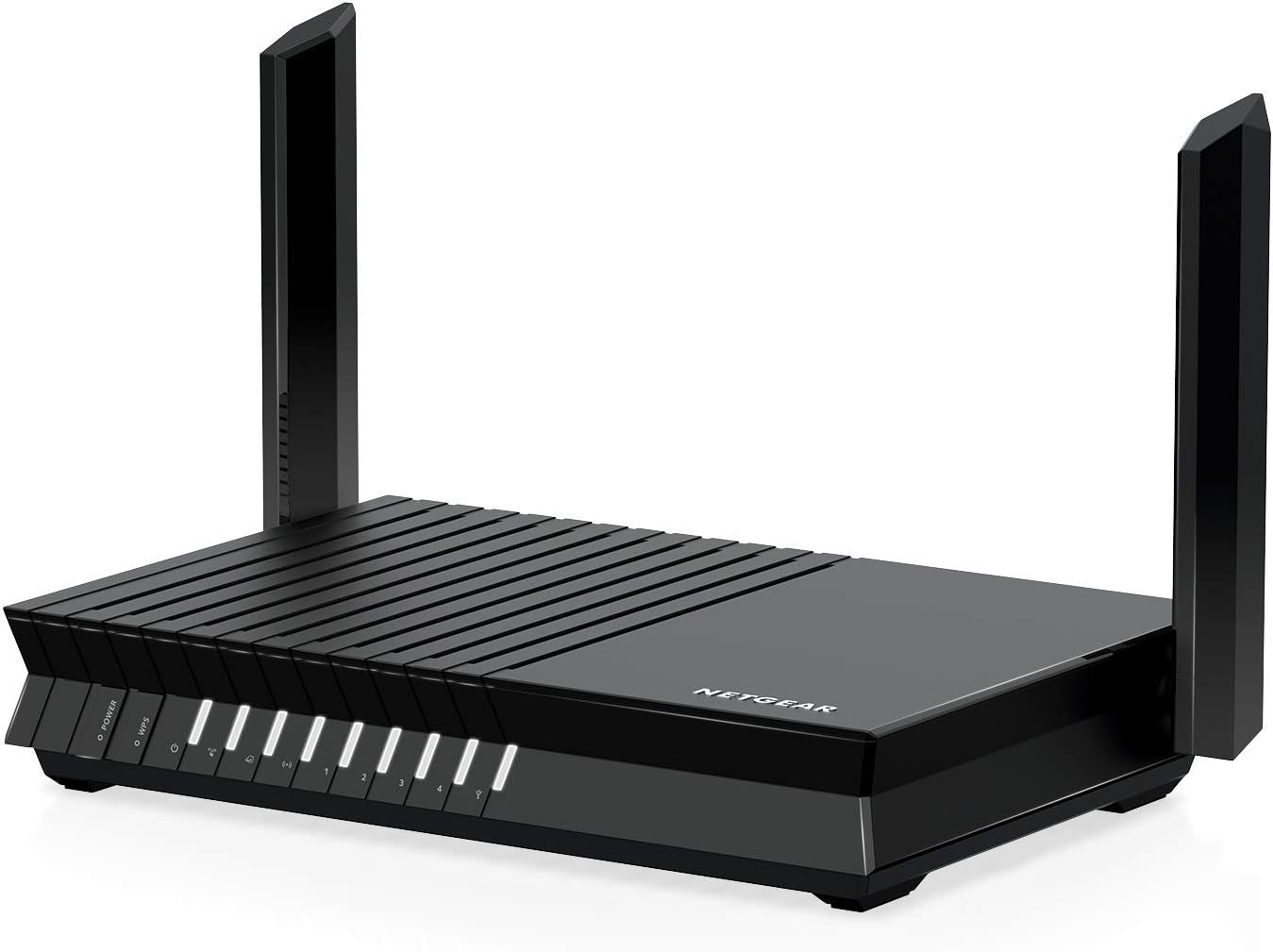
NETGEAR Nighthawk AX5400 WiFi 6 Router with One Year Advanced Internet Security Included, RAX54S-100NAS
Bottom line: The NETGEAR Nighthawk AX5400 WiFi 6 Router: AX5400 class: up to 5.4 Gbps combined theoretical wireless throughput; main trade-off: wiFi 6, not 6E or WiFi 7: no access to the 6 GHz band.
As an Amazon Associate, SpecPicks earns from qualifying purchases. Full disclosure →
Pros & Cons
Pros
- ✓ AX5400 class: up to 5.4 Gbps combined theoretical wireless throughput
- ✓ WiFi 6 (802.11ax) serves multiple devices at once, cutting congestion
- ✓ One year of NETGEAR Advanced Internet Security included in the box
- ✓ Nighthawk line sits above NETGEAR's entry-level routers
- ✓ Backward compatible with WiFi 5 and WiFi 4 phones, laptops and consoles
Cons
- ✗ WiFi 6, not 6E or WiFi 7: no access to the 6 GHz band
- ✗ 5.4 Gbps is a combined radio total, not the speed one device will see
- ✗ Security suite is one year only; renewal costs extra after that
- ✗ Port count and coverage area not listed; check NETGEAR's spec sheet
Manufacturer description
The NETGEAR Nighthawk AX5400 WiFi 6 Router (model RAX54S-100NAS) is built for homes where many phones, laptops, consoles and smart-home devices share the same network. It belongs to NETGEAR's AX5400 class, meaning combined theoretical wireless throughput of up to 5.4 Gbps across its radios. Real-world speeds per device will be lower and depend on your internet plan and your client hardware. WiFi 6 (802.11ax) is designed to cut congestion. Instead of making devices wait their turn, the router can serve several at once, so a 4K stream, a video call and an online match on the same network get…
SpecPicks Verdict
SpecPicks has no buyer-rating or benchmark data for NETGEAR Nighthawk AX5400 WiFi 6 Router, so this read rests on the manufacturer's listed specs (how we evaluate). Compare with similarly-priced alternatives in the networking category before committing. On the listing's own facts, the case for it is "AX5400 class: up to 5.4 Gbps combined theoretical wireless throughput"; the main trade-off is "WiFi 6, not 6E or WiFi 7: no access to the 6 GHz band". If those two points fit how you will use it, put it beside one or two close alternatives in the Compare tool to confirm the price.
Before ordering, check the listed dimensions, ports, power requirements and supported devices or systems in the spec table below against how you plan to use it, and confirm them on the retailer's listing. Prices and stock are set by the retailer and may have moved since this page was last updated.
Frequently Asked Questions
What does AX5400 mean on the NETGEAR Nighthawk RAX54S?
AX5400 means the router supports WiFi 6 (802.11ax) with up to 5.4 Gbps of combined theoretical throughput across its radios. A single device will connect at a fraction of that, depending on its own WiFi hardware and your internet plan.
Is the NETGEAR RAX54S a WiFi 6E router?
No. The RAX54S-100NAS is a WiFi 6 router, so it does not use the 6 GHz band that WiFi 6E and WiFi 7 routers add. It still supports WiFi 6 features for compatible devices.
What happens after the included year of Advanced Internet Security ends?
The bundle includes one year of NETGEAR Advanced Internet Security. After that, continuing the service requires a paid renewal. Check NETGEAR or the product listing for current renewal terms and pricing.
Will my older laptops and phones work with this Nighthawk router?
Yes. WiFi 6 is backward compatible, so WiFi 5 (802.11ac) and WiFi 4 (802.11n) devices connect normally. They run at their own standard's speeds, and WiFi 6 devices get the biggest benefit.
How many Ethernet ports does the RAX54S have, and what is the warranty?
The listing used for this page does not state port count, coverage area or warranty terms. Check NETGEAR's official RAX54S spec sheet or the product listing for current port layout and warranty coverage.
Full Specifications
| Brand | NETGEAR |
|---|---|
| Color | Black |
| Voltage | 100 Volts |
| Coverage | Home |
| Frequency | 5 GHz |
| Model Name | RAX54S |
| Unit Count | 1.0 Count |
| Antenna Type | Internal |
| Connectivity | WiFi |
| Model Number | RAX54S-100NAS |
| Control Method | App |
| Controller Type | App Control |
| Mfr Part Number | RAX54S-100NAS |
| Number of Ports | 4 |
| Special Feature | Internet Security, WPS |
| Antenna Location | Security |
| Security Protocol | WPA2/WPA3 |
| Compatible Devices | Personal Computer |
| Data Transfer Rate | 1000 Megabits Per Second |
| LAN Port Bandwidth | 10/100/1000 megabits_per_second |
Ready to buy?
NETGEAR Nighthawk AX5400 WiFi 6 Router with One Year Advanced Internet Security Included, RAX54S-100NAS is listed on Amazon. Price, availability, shipping and returns are set by Amazon and its sellers — check the listing for current terms. SpecPicks earns a small commission on qualifying purchases — thank you for supporting independent review work.
Related Networking


More guides & deep dives from the SpecPicks archive
Browse all articles & guides →- Emulation Hardware in 2026: FPGA, Software, and Cart-Reader Ecosystems
- Best 1440p Gaming GPUs in 2026
- RTX 4070 Super vs RX 7800 XT — Which to Buy in 2026
- How to Build a Windows 98 Retro PC in 2026
- Best Retro Handhelds in 2026: Pocket, Mid-Tier and FPGA Picks
- Best Budget Gaming PC Build 2026 — ~$1,000 Parts List
- The Complete Voodoo5 5500 AGP Driver Guide (2026 Edition)
More reviews from the SpecPicks archive
Browse all reviews →- Stable Diffusion on Intel Arc vs RTX 3060 12GB: Which Budget GPU Renders Faster?
- Transcend CF133 CompactFlash as a Retro PC Boot Drive: Setup + Gotchas
- Best Budget Gaming PC Parts in 2026: A 5-Pick Build List
- Crucial BX500 vs Samsung 870 EVO: Best 2.5" SATA SSD for a Budget Build
- Xbox Cloud Gaming in 2025: How It Works & What You Need
- Best Mini PC for Local LLM Inference in 2026
- No Wonder My CPU Was Hitting 100°C: 7 Build Mistakes
- Why Privacy-Preserving AI Demand Is Rising in the LLM Era
- Raspberry Pi 4 vs Pi Zero W: Which Board for Your First Project?
- Best CPU Air Cooler for Ryzen 7000/9000 Builds (2026)
- Logitech G29 vs HORI Force Feedback Wheel for Sim-Racing Beginners
- Build a Live ADS-B Flight Tracker on a Raspberry Pi 4 in 2026
- Building a 2001 LAN Party Rig in 2026: GeForce 3, Pentium III, and Period-Correct Peripherals
- Best GPU for Local LLMs by VRAM: 2026 Reddit Consensus
- GPT and Claude Flunked Bridgewater's Finance Test — Why a Local RAG Box Fills the Gap
- CompactFlash to IDE Adapter Won't Boot on Windows 98: Troubleshooting Guide 2026
- Build a Magic Mirror 2 Smart Home Hub (2026)
- Raspberry Pi OS Moves to Linux 6.18 LTS: Performance Gains for Pi 4 Owners
- KOORUI 27" QD-Mini LED vs Samsung Odyssey: Best 4K Pick
- Best Webcam for Streaming and Remote Work in 2026
- Local AI Video After Seedance 2.5: What GPU Generates 30-Second Clips
- Pentium III Tualatin Overclocking and Slotket Build Guide: The Forgotten King of Socket 370
- Samsung 1440p 240Hz Gaming Monitor Drops to $169 — 32% Off
- Ollama vs llama.cpp vs vLLM — which local LLM runtime wins in 2026?
Earliest SpecPicks reviews
Browse full archive →- Best GPU for Llama 3.1 8B (2026)
- Best GPU for Qwen 3 14B (2026)
- Best GPU for Qwen 3 32B (2026)
- Best GPU for Llama 3.1 70B (2026)
- Best GPU for DeepSeek-R1 32B (2026)
- Best GPU for Llama 3.1 405B (2026)
- How to run Llama 3.1 8B on NVIDIA GeForce RTX 5090
- How to run Qwen 3 14B on NVIDIA GeForce RTX 5090
- How to run Qwen 3 32B on NVIDIA GeForce RTX 5090
- How to run Llama 3.1 70B on NVIDIA GeForce RTX 5090
- How to run DeepSeek-R1 32B on NVIDIA GeForce RTX 5090
- How to run Llama 3.1 8B on NVIDIA GeForce RTX 4090