Argon Forty
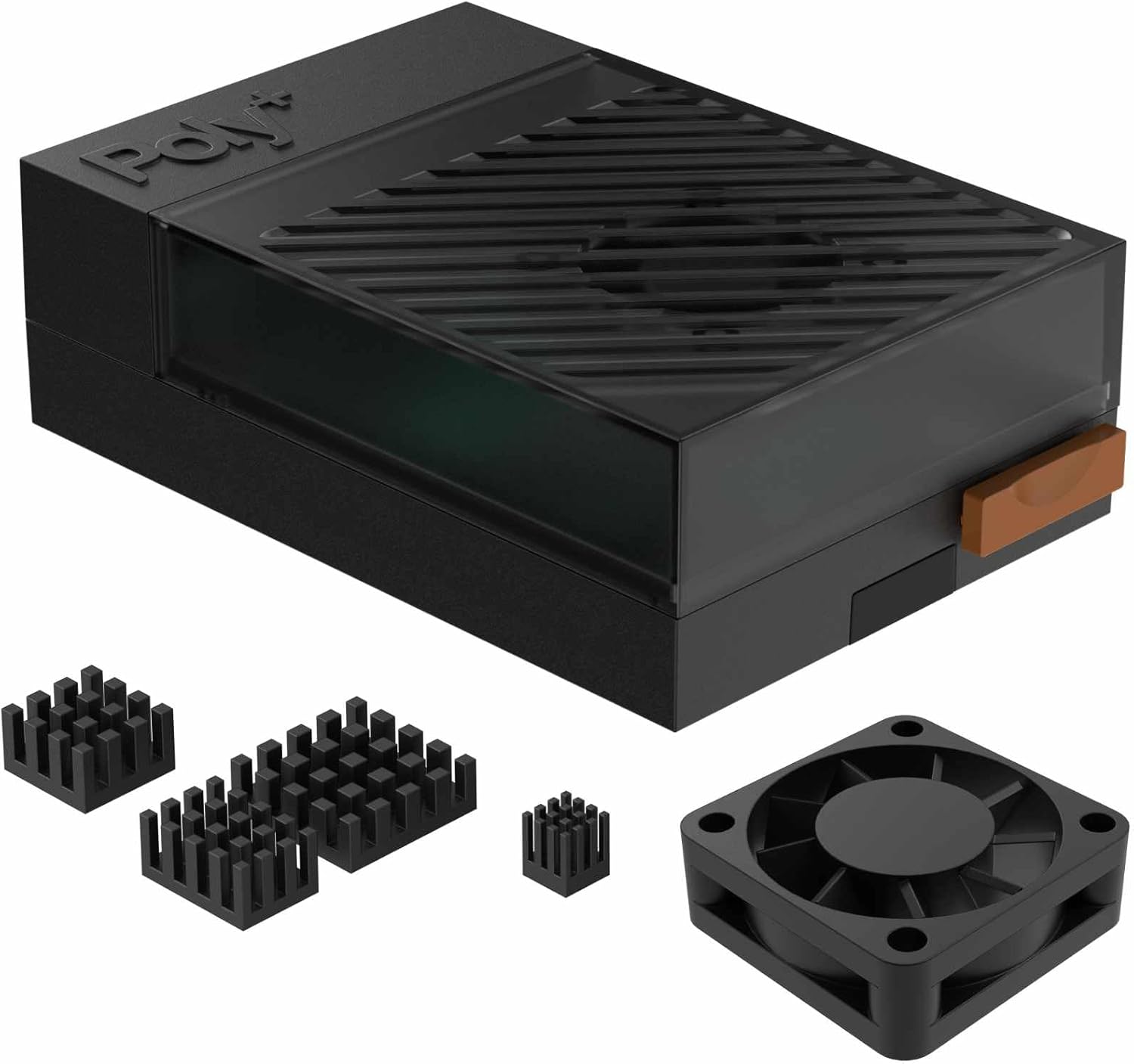
Argon Poly+5 Raspberry Pi 5 Case with 30mm PWM Fan, Heatsink, Removable Top Cover, ABS Plastic, Black
Bottom line: The Argon Forty Argon Poly+5 Raspberry Pi 5 Case with 30mm PWM Fan is a specs-and-price decision rather than a crowd-consensus one in the single-board computers category, priced around $9.99 on Amazon as of 2026-11-22 17:23 UTC. Check the specification table below against one or two close alternatives — on price and spec fit, not on star ratings.
As an Amazon Associate, SpecPicks earns from qualifying purchases. Full disclosure →
*Price sourced from Amazon.com. Last updated 2026-11-22. Product prices and availability are accurate as of the date/time indicated and are subject to change. Any price and availability information displayed on Amazon.com at the time of purchase will apply to the purchase of this product.
Before you buy
- Check the listed dimensions, connectors and platform compatibility against your setup before ordering
- Price, stock, shipping and returns are set by the retailer and may have changed since this page was last updated
Manufacturer description
About this item Easy-to-Install Raspberry Pi 5 Case: Snap-on assembly makes setting up your Pi quick and tool-free. Designed as a versatile raspberry pi 5 camera case, poe case, or raspberry pi 5 stack case, it adapts to your project needs with ease Maximize Heat Dissipation: Includes aluminum heatsinks and elevated rubber feet allow better airflow. The raspberry pi 5 case with cooling design efficiently pulls heat away from the board for stable performance High-Efficiency 30mm PWM Fan: Integrated PWM raspberry pi 5 case with fan supports speed regulation via Raspberry Pi OS, delivering…
SpecPicks Verdict
SpecPicks has no buyer-rating or benchmark data for Argon Forty Argon Poly+5 Raspberry Pi 5 Case with 30mm PWM Fan, so this read rests on the manufacturer's listed specs and the current price in the single-board computers category (how we evaluate). Compare with similarly-priced alternatives in the single-board computers category before committing. Judge it on the specification table and the price rather than on sentiment: check the figures that decide your use case, then put it side-by-side with two or three close alternatives in the Compare tool before clicking through.
Before ordering, check the listed dimensions, ports, power requirements and supported devices or systems in the spec table below against how you plan to use it, and confirm them on the retailer's listing. Prices and stock are set by the retailer and may have moved since this page was last updated.
Key Features
Quoted from the manufacturer's listing. Where it differs from the pros and cons above, those note the conditions the listing leaves out.
- Easy-to-Install Raspberry Pi 5 Case Snap-on assembly makes setting up your Pi quick and tool-free. Designed as a versatile raspberry pi 5 camera case, poe case, or raspberry pi 5 stack case, it adapts to your project needs with ease
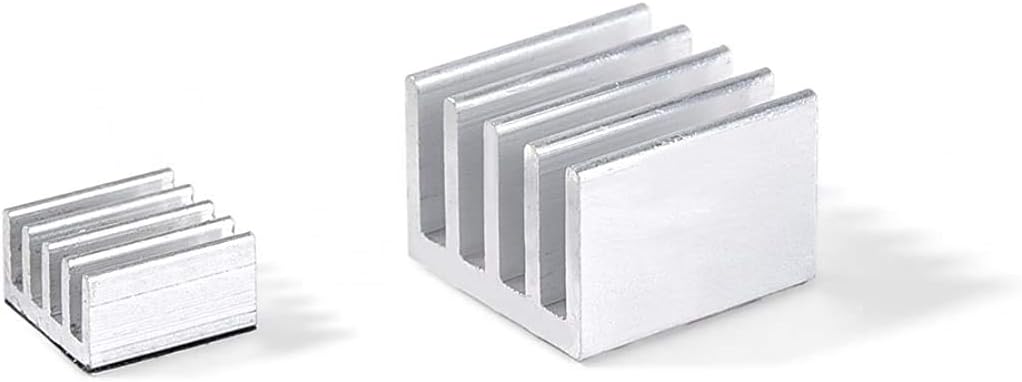
- Maximize Heat Dissipation Includes aluminum heatsinks and elevated rubber feet allow better airflow. The raspberry pi 5 case with cooling design efficiently pulls heat away from the board for stable performance
- High-Efficiency 30mm PWM Fan Integrated PWM raspberry pi 5 case with fan supports speed regulation via Raspberry Pi OS, delivering strong airflow through intake and exhaust vents to keep your system running cool under load
- Full HAT & Accessory Compatibility Works with standard Raspberry Pi 5 HATs and provides full access to GPIO pins, camera connectors, and peripheral ports, making it suitable as a raspberry pi 5 camera case for makers
- Secure Fit & Reliable Protection Durable ABS plastic shell with snap-on locks keeps your Pi 5 protected from bumps and dust, while the built-in SD card cover secures your data and prevents accidental ejection
- Smart, Functional Design Removable top cover ensures easy customization, while the snap-on LAN/USB cover prevents the board from slipping. Sleek, modern aesthetics let the case blend seamlessly into any workstation setup
Full Specifications
| ASIN | B0D8TPDMY6 |
|---|---|
| Brand | Argon Forty |
| Color | BLACK |
| Material | Acrylonitrile Butadiene Styrene (ABS) |
| Case Type | Raspberry Pi |
| Model Name | Argon Poly+ 5 |
| Item Weight | 0.06 Kilograms |
| Manufacturer | Argon Forty |
| Model Number | Argon Poly+ 5 |
| Built-In Media | Instruction manual |
| Cooling Method | Air |
| Antenna Location | DIY electronics, IoT project, development setups, development workstation, home automation projects, home server, learning environments |
| Compatible Devices | Raspberry Pi 5 |
| Enclosure Material | Acrylonitrile Butadiene Styrene (ABS) |
| Warranty Description | 1 month |
| Hard Disk Form Factor | 3.5 Inches |
| Supported Motherboard | Mini ITX |
| Internal Bays Quantity | 1 |
| Motherboard Compatability | Mini ITX |
| Number of Expansion Slots | 4 |
Ready to buy?
Argon Poly+5 Raspberry Pi 5 Case with 30mm PWM Fan, Heatsink, Removable Top Cover, ABS Plastic, Black is listed on Amazon. Price, availability, shipping and returns are set by Amazon and its sellers — check the listing for current terms. SpecPicks earns a small commission on qualifying purchases — thank you for supporting independent review work.
*Price sourced from Amazon.com. Last updated 2026-11-22. Product prices and availability are accurate as of the date/time indicated and are subject to change. Any price and availability information displayed on Amazon.com at the time of purchase will apply to the purchase of this product.
Related Single-Board Computers


More guides & deep dives from the SpecPicks archive
Browse all articles & guides →- The Complete Voodoo5 5500 AGP Driver Guide (2026 Edition)
- Best Budget Gaming PC Build 2026 — ~$1,000 Parts List
- How to Build a Windows 98 Retro PC in 2026
- RTX 4070 Super vs RX 7800 XT — Which to Buy in 2026
- Emulation Hardware in 2026: FPGA, Software, and Cart-Reader Ecosystems
- Best Retro Handhelds in 2026: Pocket, Mid-Tier and FPGA Picks
- Best 1440p Gaming GPUs in 2026
More reviews from the SpecPicks archive
Browse all reviews →- Best Gaming Mouse Pad for FPS Esports (2026)
- Best Retro Gaming Storage Adapters for Win98 and DOS PCs in 2026
- 1440p High-Refresh vs 4K for Gaming in 2026: ASUS TUF 27" QHD vs SANSUI/KOORUI 4K
- Cactus Hybrid Router: Gemma4-2B Local + Gemini Fallback
- KDE KWin Gaming Patches 2026: Linux Latency vs Windows
- RTX 4090 vs RX 7900 XTX
- Asus ProArt PA27USD 27-Inch OLED Review: Color Meets Gaming Speed
- How to run DeepSeek-R1 32B on Arc B580
- Best Gaming Keyboard for Office and Gaming Crossover (2026)
- Is Your First Homelab Right? A 2026 Hardware Sanity Check on a Ryzen 5 5600G
- RTX 3060 12GB for Local LLMs: The Complete 2026 Guide
- Dumping Big-Box CD-ROM Games in 2026 with an IDE-to-USB Adapter
- Best Budget Streaming Mic + Capture Setup: Blue Yeti vs HyperX QuadCast 2 S
- Ryzen 5 2600 vs Ryzen 9 3900X: Do 12 Cores Buy CPU-Only 8B Inference?
- Transcend CF133 CompactFlash as a Win98 Boot Drive: Speed Tests, Compatibility, and the Adapter That…
- Best CPU Cooler for AM5 Overclocking: Noctua NH-U12S vs Cooler Master ML240L
- Arc A770 vs B580 for Local LLM Inference: 2025 Comparison
- LattePanda Sigma vs Raspberry Pi 4 8GB: x86 Windows SBC vs ARM Linux for Edge AI Workloads in 2026
- Best GPU for Training CNNs at Home in 2026: The RTX 3060 12GB Case
- Local Whisper for Stream VODs: What Mic and GPU You Actually Need
- llama.cpp vs vLLM for Single-User Local Chat in 2026: Which Wins on a 12GB GPU?
- CompactFlash as an IDE Hard Drive: Silent, Solid-State Storage for Win98 & DOS Builds
- Coding Agents Can Run Hidden Malware: Why a Sandboxed Local Rig Matters
- How to run Qwen 3 32B on NVIDIA GeForce RTX 5090
Earliest SpecPicks reviews
Browse full archive →- Best GPU for Llama 3.1 8B (2026)
- Best GPU for Qwen 3 14B (2026)
- Best GPU for Qwen 3 32B (2026)
- Best GPU for Llama 3.1 70B (2026)
- Best GPU for DeepSeek-R1 32B (2026)
- Best GPU for Llama 3.1 405B (2026)
- How to run Llama 3.1 8B on NVIDIA GeForce RTX 5090
- How to run Qwen 3 14B on NVIDIA GeForce RTX 5090
- How to run Qwen 3 32B on NVIDIA GeForce RTX 5090
- How to run Llama 3.1 70B on NVIDIA GeForce RTX 5090
- How to run DeepSeek-R1 32B on NVIDIA GeForce RTX 5090
- How to run Llama 3.1 8B on NVIDIA GeForce RTX 4090