
YUNZII
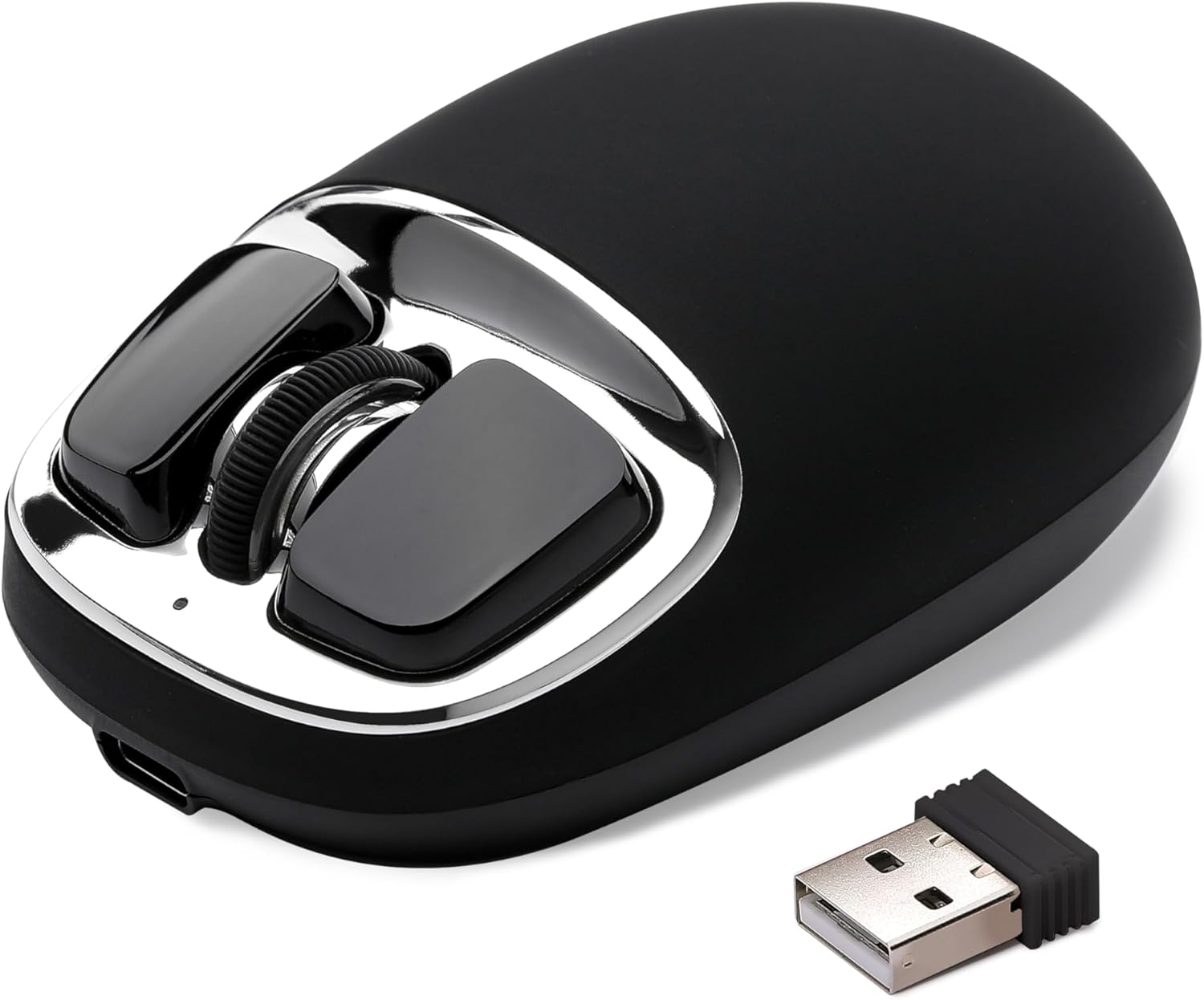
YUNZII YUNZll C1 Silicone Wireless Mouse
Bottom line: The YUNZII YUNZll C1 Silicone Wireless Mouse ($30.39 on Amazon as of 2026-11-22 05:18 UTC): Tri-mode connectivity: Bluetooth, 2.4GHz dongle, and USB-C wired in one mouse; main trade-off: 4800 DPI max trails gaming mice that hit 16000+ DPI for fast-flick FPS play.
As an Amazon Associate, SpecPicks earns from qualifying purchases. Full disclosure →
*Price sourced from Amazon.com. Last updated 2026-11-22. Product prices and availability are accurate as of the date/time indicated and are subject to change. Any price and availability information displayed on Amazon.com at the time of purchase will apply to the purchase of this product.
Pros & Cons
Pros
- ✓ Tri-mode connectivity: Bluetooth, 2.4GHz dongle, and USB-C wired in one mouse
- ✓ Six DPI stages from 800 to 4800 for spreadsheets, photo edits, or casual gaming
- ✓ 500mAh cell rated up to 90 days standby and 120+ hours of continuous use
- ✓ Velvety silicone shell gives a non-slip grip on a compact 98x62.5x40mm body
- ✓ Remappable buttons and macros via Windows software or the Mac/Win web configurator
Cons
- ✗ 4800 DPI max trails gaming mice that hit 16000+ DPI for fast-flick FPS play
- ✗ 98mm length suits small to medium hands; palm grippers may want a larger shell
- ✗ Full configuration software is Windows-only, with Mac users on the web tool
- ✗ Silicone surface attracts lint and skin oils and needs periodic wiping
SpecPicks Verdict
SpecPicks has no buyer-rating or benchmark data for YUNZII YUNZll C1 Silicone Wireless Mouse, so this read rests on the manufacturer's listed specs and the current price in the gaming peripherals category (how we evaluate). Compare with similarly-priced alternatives in the gaming peripherals category before committing. On the listing's own facts, the case for it is "Tri-mode connectivity: Bluetooth, 2.4GHz dongle, and USB-C wired in one mouse"; the main trade-off is "4800 DPI max trails gaming mice that hit 16000+ DPI for fast-flick FPS play". If those two points fit how you will use it, put it beside one or two close alternatives in the Compare tool to confirm the price.
Before ordering, check the listed dimensions, ports, power requirements and supported devices or systems in the spec table below against how you plan to use it, and confirm them on the retailer's listing. Prices and stock are set by the retailer and may have moved since this page was last updated.
Key Features
Quoted from the manufacturer's listing. Where it differs from the pros and cons above, those note the conditions the listing leaves out.
- Tri-Mode Seamless Switching - Effortlessly switch between Bluetooth, 2.4GHz wireless, and USB-C wired connections for maximum flexibility and near-zero latency. Universally compatible with Windows, macOS, Android, and iPad OS, this wireless mouse ensures you stay productive across your computer, tablet, and phone—without ever missing a click
- 6-Level DPI Gaming Mouse- Customize your cursor sensitivity across 6 precise settings (800/1200/1600/2400/3200/4800). Whether you're navigating detailed spreadsheets, editing photos, or a game, this gaming wireless mouse delivers the perfect speed and precision for any application
- Full Customization, Your Rules - Take complete command of your device. Our advanced software (for Windows) and web-based configurator (for Mac/Win) give you deep control over button assignments, DPI stages, and macro functions. Simply connect via USB to tailor the bluetooth mouse's behavior to your exact preferences, unlocking a truly personalized workflow or gaming experience
- Massive 500mAh Battery - Experience up to 90 days of battery life from a single charge—that's over 120 hours of continuous use! Thanks to its intelligent power-saving design, the pc gaming mice automatically enters sleep mode when idle, ensuring unwavering reliability for your daily tasks and entertainment
- Small Size, Big Performance - Encased in premium velvety-soft silicone, this portable mouse (98x62.5x40mm) melts into your palm for all-day comfort and a secure, non-slip grip. Despite its compact size, it delivers big performance with a complete feature set, making it both a productivity powerhouse and a stylish portable companion—perfect for professionals, students, and life on the move
Full Specifications
| Brand | YUNZII |
|---|---|
| Color | Black Silver |
| Weight | 2.4g |
| Dimensions | 98x62.5x40mm |
| Style Name | Classic |
| Unit Count | 1.0 Count |
| Connectivity | Bluetooth, USB-C, 2.4GHz |
| Model Number | C1 |
| Power Source | Battery Powered |
| Compatibility | PC, Switch, Android, Mac |
| Built-In Media | 2.4G Dongle, Manual, USB Cable for Type-C |
| Button Quantity | 2 |
| Connection Type | Wired |
| Special Feature | Ergonomic Design |
| Antenna Location | Office |
| Hand Orientation | Right |
| Compatible Devices | Personal Computer |
| Movement Detection | Optical |
| Additional Features | Ergonomic Design |
| Number of Batteries | 1 AA batteries required. (included) |
| Full listing title | YUNZll C1 Silicone Wireless Mouse, Tri-Mode 2.4G/USB-C/Bluetooth Mouse, 4800 DPl Optical Tracking, 6 Adjustment Levels,Customize Mice for Laptop, Computer, iPad, MacBook (Black Silver) |
Ready to buy?
YUNZll C1 Silicone Wireless Mouse, Tri-Mode 2.4G/USB-C/Bluetooth Mouse, 4800 DPl Optical Tracking, 6 Adjustment Levels,Customize Mice for Laptop, Computer, iPad, MacBook (Black Silver) is listed on Amazon. Price, availability, shipping and returns are set by Amazon and its sellers — check the listing for current terms. SpecPicks earns a small commission on qualifying purchases — thank you for supporting independent review work.
*Price sourced from Amazon.com. Last updated 2026-11-22. Product prices and availability are accurate as of the date/time indicated and are subject to change. Any price and availability information displayed on Amazon.com at the time of purchase will apply to the purchase of this product.
Related Gaming Peripherals


More guides & deep dives from the SpecPicks archive
Browse all articles & guides →- RTX 4070 Super vs RX 7800 XT — Which to Buy in 2026
- How to Build a Windows 98 Retro PC in 2026
- Best 1440p Gaming GPUs in 2026
- Best Retro Handhelds in 2026: Pocket, Mid-Tier and FPGA Picks
- The Complete Voodoo5 5500 AGP Driver Guide (2026 Edition)
- Best Budget Gaming PC Build 2026 — ~$1,000 Parts List
- Emulation Hardware in 2026: FPGA, Software, and Cart-Reader Ecosystems
More reviews from the SpecPicks archive
Browse all reviews →- Glide vs OpenGL vs Direct3D: The API War That DirectX 9 Ended
- Flux.2-Klein Pipeline: Real-Time Webcam AI at 30 FPS
- Best Handheld Gaming PC Under $200 in 2026
- Best Mac for running local LLMs in 2026
- Logitech G502 Hero vs Modern FPS Mice: Is the Classic Still Worth It in 2026?
- Four Frontier Models in Eight Days: What a 12GB GPU Can Actually Run
- Home Assistant on a Raspberry Pi 4 8GB: 2026 Smart-Home Hub Build
- Rescue a Dying Vintage IDE Drive: Imaging Retro Disks with a USB-to-IDE Adapter
- Raspberry Pi 4 vs Pi Zero W: Which Board for Your First Project?
- Which LLMs Fit a 12GB RTX 3060? Per-Model VRAM Cheat Sheet (2026)
- vLLM on a Single RTX 3060 12GB: Batched Serving Numbers and When It's Worth It (2026)
- Best Coding LLM Stack for an RTX 3060 12GB and 32GB RAM
- Ryzen AI Max+ 395 128GB vs Dual RTX 3060 for Local LLMs
- Best SATA SSD to Revive an Old Gaming PC in 2026
- Microsoft MAI-Image-2.5 Lands #2 on the Image Arena — The Local Angle
- Best Gaming Monitor for Console Gaming in 2026
- Build a Pi Zero W Handheld Retro Emulator in 2026: Full Parts List and Setup
- Best Controller for Retro Emulation on PC: 8BitDo Pro 2 vs GameSir G7 SE
- ASUS ProArt PA27USD Lands: 27-Inch OLED Aims at Gaming
- AI-Assisted Voodoo Driver Surgery on Windows 98
- RTX 4090 AI Video Generation: 2026 Performance Guide
- This Retro Switch 2 Dock Looks Exactly Like an N64 — and Holds Six Cards
- Best SSD for the PS4 Pro in 2026: SATA Upgrade Guide
- Is the RTX 3060 12GB Still the Best Budget 1080p GPU in 2026?
Earliest SpecPicks reviews
Browse full archive →- Best GPU for Llama 3.1 8B (2026)
- Best GPU for Qwen 3 14B (2026)
- Best GPU for Qwen 3 32B (2026)
- Best GPU for Llama 3.1 70B (2026)
- Best GPU for DeepSeek-R1 32B (2026)
- Best GPU for Llama 3.1 405B (2026)
- How to run Llama 3.1 8B on NVIDIA GeForce RTX 5090
- How to run Qwen 3 14B on NVIDIA GeForce RTX 5090
- How to run Qwen 3 32B on NVIDIA GeForce RTX 5090
- How to run Llama 3.1 70B on NVIDIA GeForce RTX 5090
- How to run DeepSeek-R1 32B on NVIDIA GeForce RTX 5090
- How to run Llama 3.1 8B on NVIDIA GeForce RTX 4090