
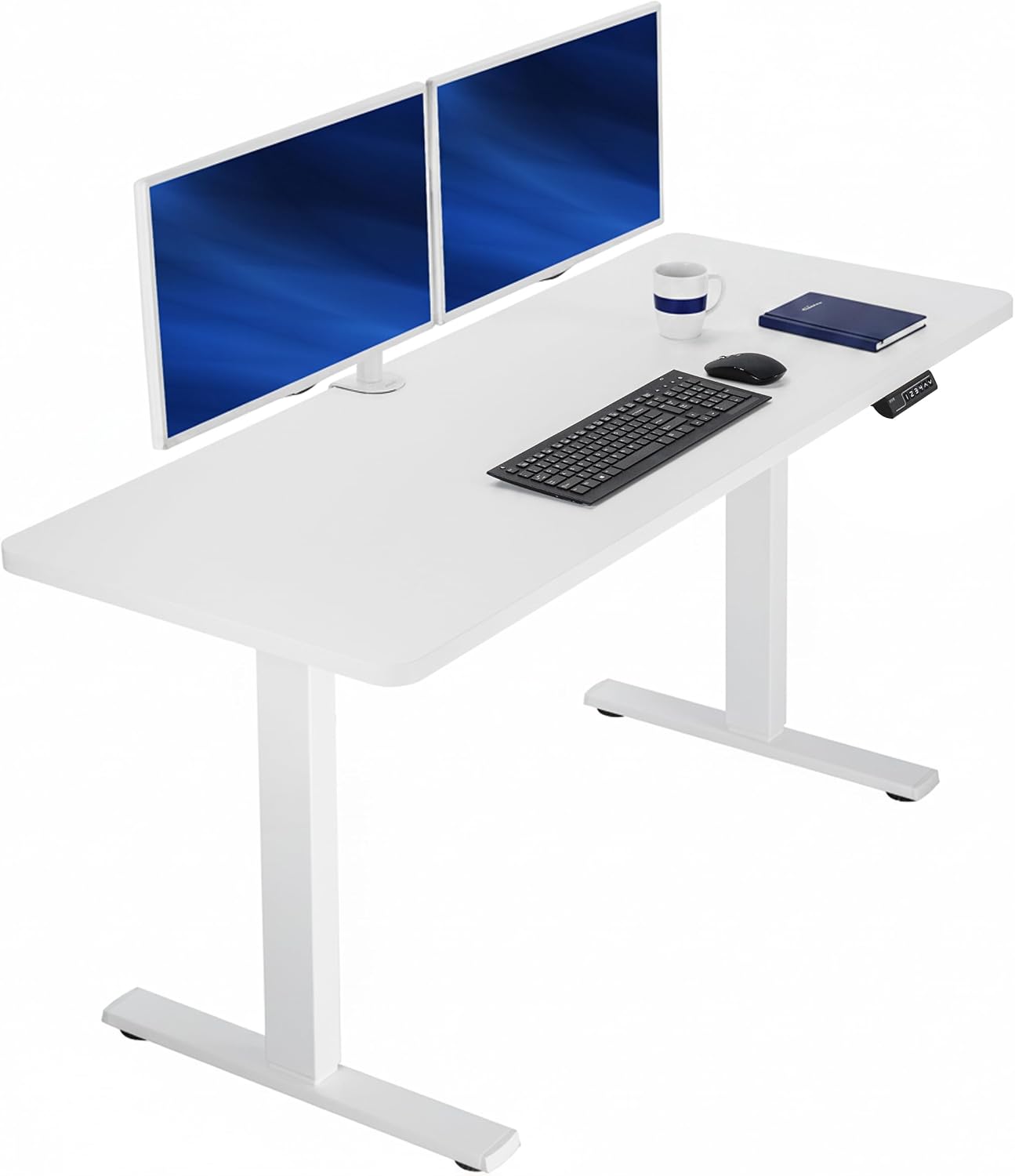
VIVO White 60 x 24 in Standing Desk, DESK-KIT-1W6W
Bottom line: The VIVO White 60 x 24 in Standing Desk: One-piece 59" x 23.6" top with no seam break down the middle; main trade-off: particle board top, not solid wood or laminate-over-MDF.
As an Amazon Associate, SpecPicks earns from qualifying purchases. Full disclosure →
Pros & Cons
Pros
- ✓ One-piece 59" x 23.6" top with no seam break down the middle
- ✓ 220 lb all-steel frame handles monitor arms plus a tower
- ✓ Wide 29.3"-48.5" range fits both short seated and tall standing users
- ✓ 4 memory presets on the push-button controller, not just up/down
Cons
- ✗ Particle board top, not solid wood or laminate-over-MDF
- ✗ 220 lb rating is mid-pack for dual-motor standing desks
- ✗ 24 in depth is tight for deep monitors plus a keyboard
- ✗ No grommet, cable tray, or wire management mentioned in the listing
SpecPicks Verdict
SpecPicks has no buyer-rating or benchmark data for VIVO White 60 x 24 in Standing Desk, so this read rests on the manufacturer's listed specs (how we evaluate). Compare with similarly-priced alternatives in the gaming desks category before committing. On the listing's own facts, the case for it is "One-piece 59" x 23.6" top with no seam break down the middle"; the main trade-off is "Particle board top, not solid wood or laminate-over-MDF". If those two points fit how you will use it, put it beside one or two close alternatives in the Compare tool to confirm the price.
Common buyer scenarios for gaming desks: matching surface dimensions to the room footprint and monitor count, checking height-adjustment range for sit-stand setups, verifying cable-management channels for a clean multi-monitor build, and confirming weight capacity for a full tower + dual-monitor load. Review the spec sheet for assembly difficulty before ordering.
Frequently Asked Questions
How tall does this VIVO desk go?
The frame adjusts from 29.3 inches to 48.5 inches via telescopic legs, covering seated use through standing for most users.
How much weight can the desk hold?
The all-steel frame is rated for 220 lbs, enough for multiple monitors, a laptop, and desktop accessories.
Does it save my sitting and standing heights?
Yes. The push-button controller has 4 memory presets, so you can recall a saved height with one click.
What are the exact desktop dimensions?
The one-piece top measures 59 inches wide by 23.6 inches deep, listed as a 60 x 24 in desk.
Is the desktop one piece or two panels?
It is a solid one-piece particle board top with no seam breaks, finished as a smooth scratch-resistant white surface.
Key Features
Quoted from the manufacturer's listing. Where it differs from the pros and cons above, those note the conditions the listing leaves out.
- Create Instant Active Standing: Go from sitting to standing in one smooth motion with this complete active workstation providing comfortable viewing angles and customized user heights
- Solid One-Piece 59” Top: This 59” x 23.6” table provides ample space for monitors, workspace accessories, supplies, and decor. The one-piece top is free of seam breaks and is made of sturdy particle board, creating a smooth and scratch-resistant surface
- Powerful Electric Motor: Enjoy a height range of 29.3" to 48.5" with this frame’s powerful motor and strong legs using precise telescopic height adjustment
- Strong Desk Frame Support: With all-steel construction, the desk frame supports up to 220 lbs. This ensures maximum stability and sturdiness for a variety of monitor and laptop setups, giving you a solid foundation for all your equipment
- Memory Controller: The easy-to-use push-button controller features 4 memory presets to save your desired heights. With a simple click of a button, you can say goodbye to long hours of sitting and end the day feeling energized and refreshed
Full Specifications
| Base | Alloy Steel |
|---|---|
| Size | 60 x 24-inch |
| Brand | VIVO |
| Color | White Top / White Frame |
| Shape | Rectangular |
| Style | Full Desk Kit |
| Base Type | Steel |
| Room Type | Office |
| Top Color | White |
| Base Color | White |
| Item Depth | 23.6 inches |
| Model Name | DESK-KIT-1W6W |
| Style Name | Full Desk Kit |
| Unit Count | 1 Count |
| Desk Design | Computer Desk |
| Desk design | Computer Desk |
| Drawer Type | No Drawer |
| Finish Type | Laminated |
| Finish Types | Laminated |
| Model Number | DESK-KIT-1W6W |
Ready to buy?
VIVO White 60 x 24 in Standing Desk, DESK-KIT-1W6W is listed on Amazon. Price, availability, shipping and returns are set by Amazon and its sellers — check the listing for current terms. SpecPicks earns a small commission on qualifying purchases — thank you for supporting independent review work.
Related Gaming Desks


More guides & deep dives from the SpecPicks archive
Browse all articles & guides →- Best Retro Handhelds in 2026: Pocket, Mid-Tier and FPGA Picks
- Emulation Hardware in 2026: FPGA, Software, and Cart-Reader Ecosystems
- The Complete Voodoo5 5500 AGP Driver Guide (2026 Edition)
- Best Budget Gaming PC Build 2026 — ~$1,000 Parts List
- RTX 4070 Super vs RX 7800 XT — Which to Buy in 2026
- Best 1440p Gaming GPUs in 2026
- How to Build a Windows 98 Retro PC in 2026
More reviews from the SpecPicks archive
Browse all reviews →- Retro Windows XP: SSD Upgrade via IDE Adapter (2026 Guide)
- Best CPU cooler for the Ryzen 7 5800X in 2026
- UT99 OldUnreal 469 Patch in 2026: Migrate Configs, Rejoin Modern Servers, and Tune Mouse Precision
- RTX 5090 AI Models: Performance, VRAM, Power
- Best Wired Gaming Headset Under $50 for PC and Console in 2026
- Best PC Cooling Fans for High-Airflow Gaming PCs in 2026
- Pentium III Coppermine vs Tualatin: Which 2001 LAN Build CPU Aged Better
- Best $500-600 Gaming PC Build for a Ryzen/RX 6600 Rig
- Best Budget CPU for Gaming + Productivity in 2026: The Honest Buying Guide
- Best Hardware for Running Small Language Models Locally in 2026
- Qwen3.6-35B-A3B on an 8GB Laptop: What the Krasis Benchmark Means for Local Inference
- Microsoft MAI-Image-2.5 Lands #2 on the Image Arena — The Local Angle
- Best Budget GPU for Local LLM Inference Under $400 (2026)
- Glide vs OpenGL vs Direct3D: The PC Gaming API War 1996-2003, Benchmarked
- Hailo-10H AI Accelerator on Raspberry Pi 5: Real Tok/s for On-Device LLMs
- How to run Llama 3.1 70B on AMD Radeon RX 7900 XTX
- Ryzen 7 5800X vs 5700X for Gaming: Is the $60 Gap Worth It?
- Run Qwen 3.6 27B Locally: VRAM, Quant & tok/s on a 12GB RTX 3060
- Gemma 3 12B: RTX 3060 12GB vs Ryzen 7 5800X CPU Offload (2026)
- Raspberry Pi 5 IOMMU Driver Lands for the Mainline Linux Kernel
- Best Controller for PC Emulation in 2026: Pro 2 vs DualSense
- Best SATA SSD for Boot Drive Upgrades on Aging Desktops (2026)
- Raspberry Pi OS Moves to Linux 6.18 LTS: What the Kernel Jump Means for Pi 4 Owners
- LattePanda Sigma Review (2026): The x86 SBC That Breaks the Pi Pattern
Earliest SpecPicks reviews
Browse full archive →- Best GPU for Llama 3.1 8B (2026)
- Best GPU for Qwen 3 14B (2026)
- Best GPU for Qwen 3 32B (2026)
- Best GPU for Llama 3.1 70B (2026)
- Best GPU for DeepSeek-R1 32B (2026)
- Best GPU for Llama 3.1 405B (2026)
- How to run Llama 3.1 8B on NVIDIA GeForce RTX 5090
- How to run Qwen 3 14B on NVIDIA GeForce RTX 5090
- How to run Qwen 3 32B on NVIDIA GeForce RTX 5090
- How to run Llama 3.1 70B on NVIDIA GeForce RTX 5090
- How to run DeepSeek-R1 32B on NVIDIA GeForce RTX 5090
- How to run Llama 3.1 8B on NVIDIA GeForce RTX 4090