

TP-Link
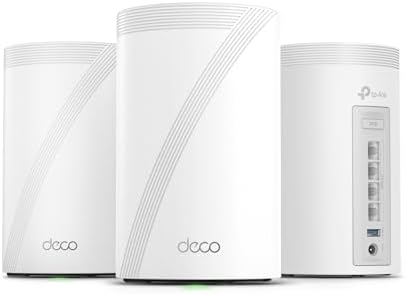
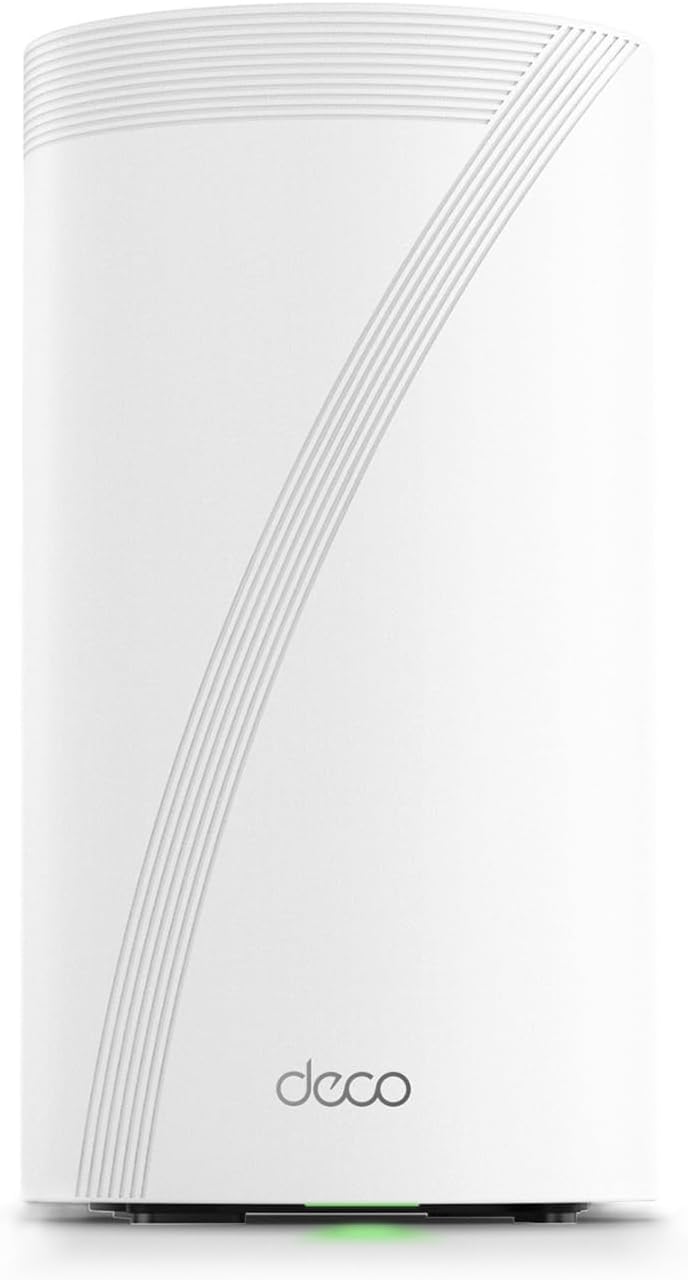
TP-Link Deco 7 Elite BE85 Tri-Band WiFi 7 BE22000 Whole Home Mesh System
Bottom line: The TP-Link Deco 7 Elite BE85 Tri-Band WiFi 7 BE22000 Whole Home Mesh: BE22000 tri-band WiFi 7: 11,520 Mbps 6GHz, 8,640 5GHz, 1,376 2.4GHz; main trade-off: wiFi 7 speed gains need WiFi 7 client devices, still uncommon.
As an Amazon Associate, SpecPicks earns from qualifying purchases. Full disclosure →
Pros & Cons
Pros
- ✓ BE22000 tri-band WiFi 7: 11,520 Mbps 6GHz, 8,640 5GHz, 1,376 2.4GHz
- ✓ 3-pack covers up to 9,600 sq ft and 200+ connected devices
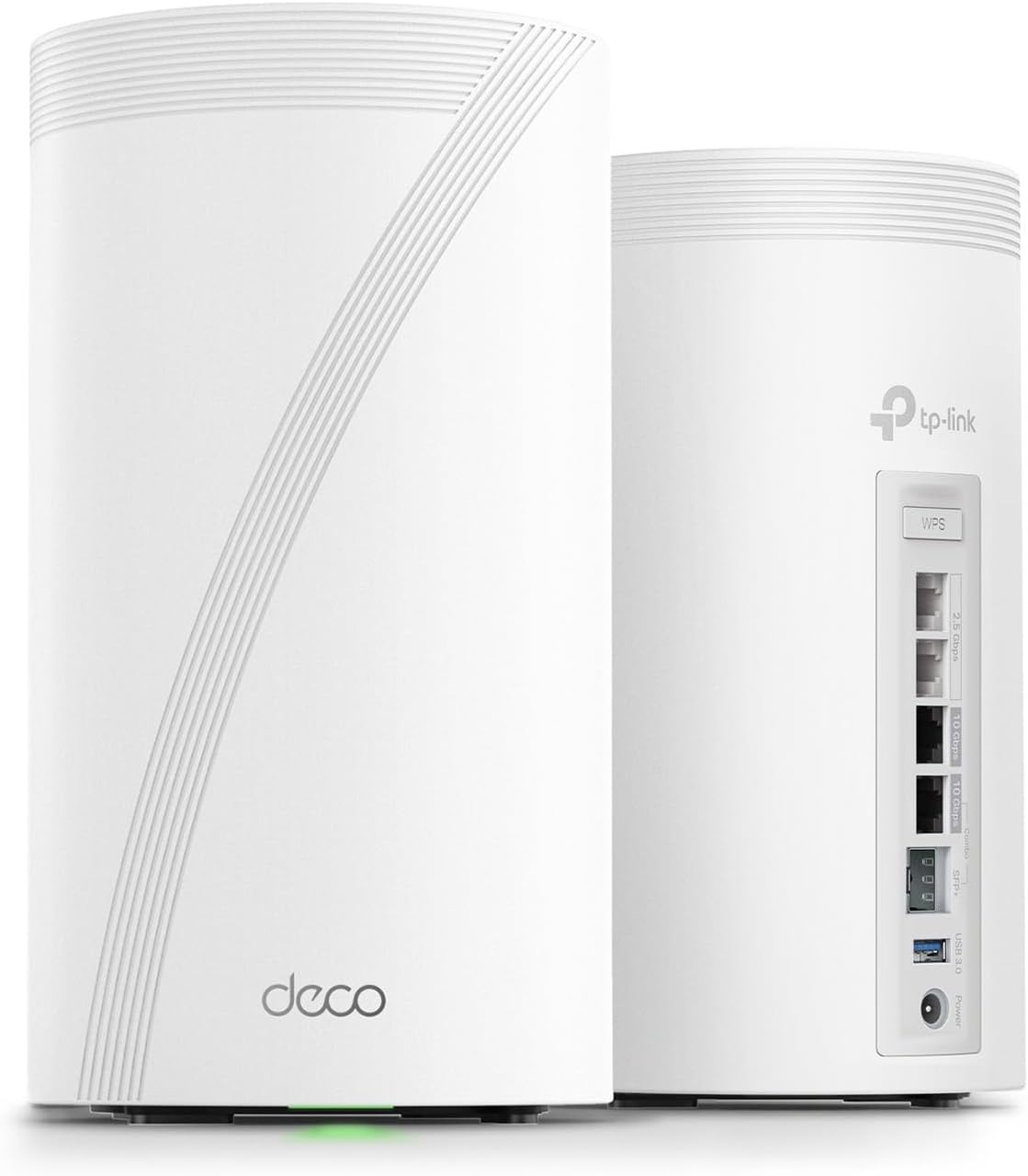
- ✓ Dual 10G WAN/LAN ports (RJ45 + SFP+ combo) plus 2x 2.5G and USB 3.0
- ✓ Simultaneous wired and wireless backhaul for faster, wider coverage
- ✓ AI-Roaming single-SSID mesh with VPN server/client and Alexa/Google voice
Cons
- ✗ WiFi 7 speed gains need WiFi 7 client devices, still uncommon
- ✗ Advanced HomeShield security features sit behind a paid subscription
- ✗ Large units with built-in cooling fans need real shelf space
Manufacturer description
Get ready for lightning-fast WiFi with Deco BE85 mesh system, utilizing the latest WiFi 7 technology for unprecedented speed and efficiency. Tri-band channel with WiFi 7 exclusive features, 8 high-performance antennas, and 2 internal cooling fans ensure reliable connections and maximum performance. Connect to wireless and wired backhaul simultaneously, while enjoying flexible support for both fiber and copper connections on 10 Gbps speeds. Expandability options include 2 x 2.5 Gbps ports and 1 x USB A 3.0 port. Get the Deco BE85 for unmatched WiFi performance.
SpecPicks Verdict
SpecPicks has no buyer-rating or benchmark data for TP-Link Deco 7 Elite BE85 Tri-Band WiFi 7 BE22000 Whole Home Mesh…, so this read rests on the manufacturer's listed specs (how we evaluate). Compare with similarly-priced alternatives in the networking category before committing. On the listing's own facts, the case for it is "BE22000 tri-band WiFi 7: 11,520 Mbps 6GHz, 8,640 5GHz, 1,376 2.4GHz"; the main trade-off is "WiFi 7 speed gains need WiFi 7 client devices, still uncommon". If those two points fit how you will use it, put it beside one or two close alternatives in the Compare tool to confirm the price.
Before ordering, check the listed dimensions, ports, power requirements and supported devices or systems in the spec table below against how you plan to use it, and confirm them on the retailer's listing. Prices and stock are set by the retailer and may have moved since this page was last updated.
Key Features
Quoted from the manufacturer's listing. Where it differs from the pros and cons above, those note the conditions the listing leaves out.
- 【Ultimate BE22000 Tri-Band Wi-Fi 7 Speeds】Deco 7 Elite BE85 is designed with the latest Wi-Fi 7 technology, featuring Multi-Link Operation, Multi-RUs, 4K-QAM, and 320 MHz channels. With speeds of 11520 Mbps on the 6GHz band, 8640 Mbps on the 5GHz band, and 1376 Mbps on the 2.4GHz band, the 3 pack mesh covers up to a colossal 9,600 Sq.Ft, connects over 200 devices without dragging down performance and delivers unparalleled Wi-Fi performance.
- 【Pro-Grade Dual 10G WAN/LAN Ports】Equipped with two 10G WAN/LAN ports—one RJ45 port and one SFPplus Fiber/RJ45 Ethernet combo port—Deco 7 Elite BE85 provides flexible support for both fiber and copper connections. The additional two 2.5G ports and a USB 3.0 port make it an ideal solution for future-proofing your home network.
- 【Simultaneous Wireless plus Wired Backhaul】Through TP-Link's self-developed technology, Deco 7 Elite BE85 can connect to wireless and wired backhaul simultaneously, taking full advantage of the WiFi 7 technology and giving you a faster speeds and wider coverage.
- 【AI-Driven Seamless Roaming】The Deco Mesh forms a unified network with a single network name. With built-in AI-Roaming technology, it creates the ideal WiFi solution with its advanced algorithms and self-learning. Walk through your home and enjoy seamless streaming at the fastest possible speeds.
- 【TP-Link HomeShield】TP-Link's premium security service keeps your home network safe with cutting-edge network and IoT protection. Free features: 1. Basic Network Security including Security Scan and IoT Device Identification 2. Basic Parental Controls 3. Quality of Service 4. Basic Weekly/Monthly Reports. Visit TP-Link website for more information.
- 【VPN Clients and Server Supported】Allow devices in your home network to access remote VPN servers without needing to install VPN software on every device. Deco BE85 can run both the VPN and ordinary internet connections at the same time, delivering security and flexibility.
Full Specifications
| Brand | TP-Link |
|---|---|
| Color | White |
| Weight | 10g |
| Coverage | Up to 9,600 Sq.Ft. |
| Frequency | 6 GHz |
| Model Name | Deco BE85(3-pack) |
| Unit Count | 3 Count |
| Antenna Type | Internal |
| Connectivity | Wireless, USB, WiFi, 2.4GHz |
| Model Number | Deco BE85(3-pack) |
| Compatibility | Android, iOS |
| Built-In Media | 1 RJ45 Ethernet cable, 3 Power adapters, 3 x Deco BE85 unit, Quick Installation Guide |
| Control Method | App |
| Item Type Name | Mesh WiFi |
| Connection Type | Wired |
| Controller Type | App Control |
| Mfr Part Number | Deco BE85(3-pack) |
| Number of Items | 1 |
| Number of Packs | 3 |
| Number of Ports | 4 |
Ready to buy?
TP-Link Deco 7 Elite BE85 Tri-Band WiFi 7 BE22000 Whole Home Mesh System is listed on Amazon. Price, availability, shipping and returns are set by Amazon and its sellers — check the listing for current terms. SpecPicks earns a small commission on qualifying purchases — thank you for supporting independent review work.
Related Networking


More guides & deep dives from the SpecPicks archive
Browse all articles & guides →- Best Budget Gaming PC Build 2026 — ~$1,000 Parts List
- How to Build a Windows 98 Retro PC in 2026
- RTX 4070 Super vs RX 7800 XT — Which to Buy in 2026
- Emulation Hardware in 2026: FPGA, Software, and Cart-Reader Ecosystems
- Best Retro Handhelds in 2026: Pocket, Mid-Tier and FPGA Picks
- The Complete Voodoo5 5500 AGP Driver Guide (2026 Edition)
- Best 1440p Gaming GPUs in 2026
More reviews from the SpecPicks archive
Browse all reviews →- AA-Briefcase's 800x Cost Spread: What It Means for Local Agentic Rigs
- Intel-Scaler vLLM 0.21.0: What Changes for Local Arc + Intel GPU Rigs
- Sound Blaster AWE32/AWE64 to Audigy: The Right Sound Card for Every Retro Era
- Expanding the SNES Classic and Genesis Mini Library in 2026
- AMD Ryzen AI Max+ 395 Box (Strix Halo) for Local LLMs: What 128GB Unified Memory Actually Buys You
- Best Budget 4K Gaming Monitor Under $400 in 2026: SANSUI vs KOORUI Mini-LED
- Best PC Gaming Controller 2026: GameSir G7 SE vs 8BitDo Pro 2 vs Sony DualSense
- Best Apartment Sim Racing Wheel Setup: Quiet and Clamp-On (2026)
- Best Budget Battlestation 2026: 5 Picks That Punch Up
- Best GPU for 1440p Esports at 240Hz in 2026
- Ryzen AI Halo vs a DIY RTX 3060 Box for Local LLMs in 2026
- Cerebras Running GPT-5.4 and GPT-5.5 Internally: What the CFO's Slip Tells Us About Wafer-Scale Inference
- Ryzen AI Max 395 Mini PC: Specs, Performance & Buying Guide
- Raspberry Pi 4 8GB vs Pi Zero W: Which Fits Your First Project?
- RX 580 in 2026: Still Worth It for 1080p Gaming?
- Ryzen 7 5800X vs Ryzen 5 5600G for a Budget Gaming Build
- Ryzen 7 5800X vs 5700X for 1080p Gaming: Which AM4 Chip Wins in 2026?
- RTX 4090 AIO Kit 2025: Pricing, Cooling & Buying Guide
- Best GPU for Qwen 3 14B (2026)
- RX 7900 XTX 24GB vs RTX 4080 16GB for Local LLM Inference (2026)
- Best SSD for PS5 Storage Expansion Under $100 (2026)
- Qwen3 0.6B: Raspberry Pi 4 8GB vs Ryzen 5 5600G for Tiny-Model Hosts (2026)
- AI-Assisted Voodoo Driver Surgery on Windows 98
- Build a Raspberry Pi Carputer for Your Daily Driver (2026)
Earliest SpecPicks reviews
Browse full archive →- Best GPU for Llama 3.1 8B (2026)
- Best GPU for Qwen 3 14B (2026)
- Best GPU for Qwen 3 32B (2026)
- Best GPU for Llama 3.1 70B (2026)
- Best GPU for DeepSeek-R1 32B (2026)
- Best GPU for Llama 3.1 405B (2026)
- How to run Llama 3.1 8B on NVIDIA GeForce RTX 5090
- How to run Qwen 3 14B on NVIDIA GeForce RTX 5090
- How to run Qwen 3 32B on NVIDIA GeForce RTX 5090
- How to run Llama 3.1 70B on NVIDIA GeForce RTX 5090
- How to run DeepSeek-R1 32B on NVIDIA GeForce RTX 5090
- How to run Llama 3.1 8B on NVIDIA GeForce RTX 4090