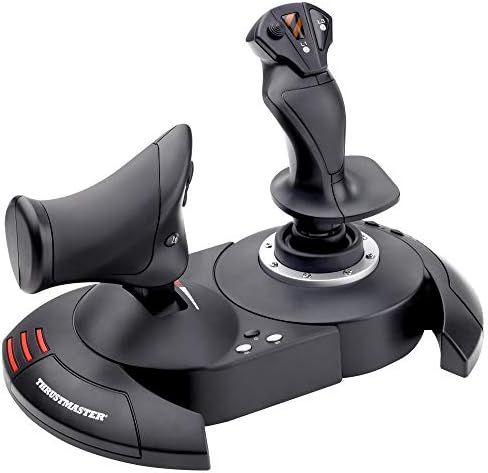

Thrustmaster ESWAP X 2 PRO Controller (Compatible with XBOX Series X|S and PC)
Bottom line: The Thrustmaster ESWAP X 2 PRO Controller: Mechanical buttons fire 64% faster than membrane, with 0.3 mm activation travel; main trade-off: wired-only via USB-C, so no wireless play on Xbox or PC.
As an Amazon Associate, SpecPicks earns from qualifying purchases. Full disclosure →
Pros & Cons
Pros
- ✓ Mechanical buttons fire 64% faster than membrane, with 0.3 mm activation travel
- ✓ Hot-swap S5 NXG mini-stick modules replace unlimited times without tools or soldering
- ✓ Mechanical D-pad co-designed with fighting game experts for cleaner diagonals
- ✓ 4 rear buttons remap on the pad itself or via THRUSTMAPPERX software
- ✓ 9.8-foot USB-C cable keeps latency low and works on Xbox Series X|S and PC
Cons
- ✗ Wired-only via USB-C, so no wireless play on Xbox or PC
- ✗ Hot-swap modules and D-pad kits are sold separately, adding to total spend
- ✗ No PlayStation or Nintendo Switch support, Xbox and PC only
Manufacturer description
The Thrustmaster eSwap X2 represents the new generation of the ESWAP X PRO CONTROLLER, maintaining all the features that gamers have come to appreciate over the years. Hot-Swap technology allows for unlimited replacement of the S5 NXG mini-sticks, recognized for their exceptional precision in the world of esports. This new version improves the lifespan of the mini-sticks, providing players with an extended gaming experience. Featuring mechanical buttons, ESWAP X2 improves responsiveness with activation travel of just 0.01" / 0.3 mm. In collaboration with professional players of fighting…
SpecPicks Verdict
SpecPicks has no buyer-rating or benchmark data for Thrustmaster ESWAP X 2 PRO Controller, so this read rests on the manufacturer's listed specs (how we evaluate). Compare with similarly-priced alternatives in the flight sim gear category before committing. On the listing's own facts, the case for it is "Mechanical buttons fire 64% faster than membrane, with 0.3 mm activation travel"; the main trade-off is "Wired-only via USB-C, so no wireless play on Xbox or PC". If those two points fit how you will use it, put it beside one or two close alternatives in the Compare tool to confirm the price.
Before ordering, check the listed dimensions, ports, power requirements and supported devices or systems in the spec table below against how you plan to use it, and confirm them on the retailer's listing. Prices and stock are set by the retailer and may have moved since this page was last updated.
Key Features
Quoted from the manufacturer's listing. Where it differs from the pros and cons above, those note the conditions the listing leaves out.
- NEXT-LEVEL RESPONSIVENESS: Mechanical buttons 64% faster than standard membrane-based buttons, with an activation distance reduced to 0.01" / 0.3 mm
- MASTER YOUR DIAGONALS: The mechanical D-pad has been developed in close collaboration with fighting game experts for optimized comfort, responsiveness and control
- IMPROVE YOUR AIM: ESWAP X2 features two S5 NXG mini-stick modules, whose surgical precision is endorsed by renowned professional gamers
- INCREASE YOUR ARSENAL: 4 additional buttons on the back of ESWAP X2 can be remapped directly via the gamepad itself, or using the THRUSTMAPPERX software
- OPTIMAL CONNECTION: The connection via 9.8-foot / 3-meter USB-C cable ensures minimal latency and fast, stable data transmission
Full Specifications
| Color | Black |
|---|---|
| Model Name | eSwap X 2 PRO Controller |
| Connectivity | USB-C |
| Model Number | 4460265 |
| Power Source | Corded Electric |
| Compatibility | PC, Xbox |
| Button Quantity | 21 |
| Controller Type | Gamepad |
| Item Dimensions | 9.37 x 7.87 x 3.31 inches |
| IMPROVE YOUR AIM | ESWAP X2 features two S5 NXG mini-stick modules, whose surgical precision is endorsed by renowned professional gamers |
| Hardware Platform | Desktop, Gaming Console, Laptop |
| Compatible Devices | PC, Xbox Series S, Xbox Series X |
| OPTIMAL CONNECTION | The connection via 9.8-foot / 3-meter USB-C cable ensures minimal latency and fast, stable data transmission |
| Additional Features | Ergonomic, Headphone Jack, Rumble |
| Warranty Description | 1 year |
| INCREASE YOUR ARSENAL | 4 additional buttons on the back of ESWAP X2 can be remapped directly via the gamepad itself, or using the THRUSTMAPPERX software |
| MASTER YOUR DIAGONALS | The mechanical D-pad has been developed in close collaboration with fighting game experts for optimized comfort, responsiveness and control |
| Connectivity Technology | USB |
| Manufacturer Part Number | 4460265 |
| Item Dimensions D x W x H | 0.09"H |
Ready to buy?
Thrustmaster ESWAP X 2 PRO Controller (Compatible with XBOX Series X|S and PC) is listed on Amazon. Price, availability, shipping and returns are set by Amazon and its sellers — check the listing for current terms. SpecPicks earns a small commission on qualifying purchases — thank you for supporting independent review work.
Related Flight Sim Gear


More guides & deep dives from the SpecPicks archive
Browse all articles & guides →- How to Build a Windows 98 Retro PC in 2026
- The Complete Voodoo5 5500 AGP Driver Guide (2026 Edition)
- RTX 4070 Super vs RX 7800 XT — Which to Buy in 2026
- Best Budget Gaming PC Build 2026 — ~$1,000 Parts List
- Emulation Hardware in 2026: FPGA, Software, and Cart-Reader Ecosystems
- Best Retro Handhelds in 2026: Pocket, Mid-Tier and FPGA Picks
- Best 1440p Gaming GPUs in 2026
More reviews from the SpecPicks archive
Browse all reviews →- MicroPython Now Runs on the Super Nintendo — Here's What That Means
- Best Streaming Gear for Starting a Channel in 2026
- Set Up a Local LLM Coding Assistant in VS Code on an RTX 3060 12GB (2026)
- Building multi-agent AI orchestrators — LangGraph, DSPy, n8n, and picking the right one
- Win98 SE on 1GB+ RAM: The vcache Fix Every Retro Builder Needs
- Gemma 4 Tool-Calling Fix: Re-test Function Calls Locally
- KOORUI vs Samsung Odyssey: Best 27" 4K Gaming Monitor?
- Local Coding Agents: 87% HumanEval with a 4B-Parameter Model
- USB-to-IDE Adapter vs CF-to-IDE for Imaging Retro PC Drives
- Build a RetroPie Handheld with the Raspberry Pi Zero W in 2026: Full BOM + Setup
- Ryzen 7 5800X vs Ryzen 7 5700X for Gaming and Local AI: Which Wins?
- Ryzen 5 2600 vs Core i7-9700K for a First 1080p Gaming Build (2026)
- Best 27-Inch 4K Gaming Monitor: KOORUI QD-Mini LED vs Samsung Odyssey
- Best SSD for PS4 Pro in 2026: SATA Upgrades That Cut Load Times
- Intel Arc vs NVIDIA 2026: Local LLM Tokens per Dollar
- In Brief: Best Buy Cuts $1,000 Off RTX 5070 OLED Gaming Laptop with Core Ultra 9 275HX
- Best Storage Upgrades for Gaming and Retro PCs in 2026
- Moving Files On and Off a Retro PC: CompactFlash + IDE-to-USB
- Ryzen 7 5700X vs 5800X for a 2026 Gaming and Streaming Build
- Best Storage for a Raspberry Pi Homelab: SATA SSD over USB vs microSD
- Best Gaming Headsets and Streaming Mics for Console + PC (2026)
- Best Gaming Mouse Pad for Esports and Productivity (2026)
- Best Gaming Mice for Competitive FPS in 2026
- Windows NT Now Boots on the Nintendo GameCube: What the Homebrew Port Actually Runs
Earliest SpecPicks reviews
Browse full archive →- Best GPU for Llama 3.1 8B (2026)
- Best GPU for Qwen 3 14B (2026)
- Best GPU for Qwen 3 32B (2026)
- Best GPU for Llama 3.1 70B (2026)
- Best GPU for DeepSeek-R1 32B (2026)
- Best GPU for Llama 3.1 405B (2026)
- How to run Llama 3.1 8B on NVIDIA GeForce RTX 5090
- How to run Qwen 3 14B on NVIDIA GeForce RTX 5090
- How to run Qwen 3 32B on NVIDIA GeForce RTX 5090
- How to run Llama 3.1 70B on NVIDIA GeForce RTX 5090
- How to run DeepSeek-R1 32B on NVIDIA GeForce RTX 5090
- How to run Llama 3.1 8B on NVIDIA GeForce RTX 4090