

MageGee
MageGee SKY81 75% Wireless Gasket Mechanical Gaming Keyboard
Bottom line: Per its Amazon listing, the MageGee SKY81 75% Wireless Gasket Mechanical Gaming Keyboard: SKY81 has a built-in 3000 mAh battery.
As an Amazon Associate, SpecPicks earns from qualifying purchases. Full disclosure →
Pros & Cons
Pros
- ✓ SKY81 has a built-in 3000 mAh battery
- ✓ Backed by MageGee's warranty and support channels
Cons
- ✗ Check the listed dimensions, connectors and platform compatibility against your setup before ordering
- ✗ Price, stock, shipping and returns are set by the retailer and may have changed since this page was last updated
SpecPicks Verdict
SpecPicks has no buyer-rating or benchmark data for MageGee SKY81 75% Wireless Gasket Mechanical Gaming Keyboard, so this read rests on the manufacturer's listed specs (how we evaluate). Compare with similarly-priced alternatives in the gaming peripherals category before committing. Judge it on the specification table and the price rather than on sentiment: check the figures that decide your use case, then put it side-by-side with two or three close alternatives in the Compare tool before clicking through.
Before ordering, check the listed dimensions, ports, power requirements and supported devices or systems in the spec table below against how you plan to use it, and confirm them on the retailer's listing. Prices and stock are set by the retailer and may have moved since this page was last updated.
Key Features
Quoted from the manufacturer's listing. Where it differs from the pros and cons above, those note the conditions the listing leaves out.
- TRI-MODE CONNECTIVITY & 3000MAH BATTERY: SKY81 75% custom keyboard supports 3 connection modes: stable wired, ultra-sensitive BT5.0 and hassle-free wireless 2.4G, allowing up to 5 devices to be connected at the same time. The toggle switch on the side of the keyboard can switch the connection mode for easy and quick response. SKY81 has a built-in 3000 mAh battery, which can last for about 15 hours when used with the light on. You can check the battery level at any time by pressing FN + Backspace.
- GASKET-MOUNTED STRUCTURE: Unlike the traditional screw fixed structure, the positioning plate of the SKY81 wireless creamy keyboard is fixed in the middle by the pressure of the upper and lower shells. There are gaskets distributed around the positioning plate to prevent direct contact between the interior and the shells, acting as a cushioning layer and effectively reducing vibration and noise generated when typing. This keyboard feels soft and even, elastic and has pure sound.
- 5-LAYER SOUND ABSORBING FILLING: In order to improve the noise situation, this gasket keyboard is equipped with a IXPE foam pad, PORON foam, diaphragm, EVA soundproofing foam and silicone absorbing pad in the gaps between the positioning plate, PCB board and bottom. This greatly reduces the resonance space inside the keyboard, thereby suppressing hollow sounds and making every key press comfortable and pleasant. For gamers and office users, this keyboard is a great addition to the desktop.
- HOT-SWAPPABLE SOCKET & PRE-LUBED CUSTOM SWITCHES: This 75% mechanical keyboard is compatible with 3-pin or 5-pin switches, allowing you to personalize your keyboard. The switches are individually removable and can be replaced in seconds. The SKY81 keyboard utilizes MageGee's finely tuned switches, which are pre-lubricated at the factory and built to last up to 70 million keystrokes for responsive and creamy typing.
- STUNNING RGB BACKLIGHTING AND WIN/MAC SUPPORT: This creamy mechanical keyboard has 18 backlighting modes, a wide range of light colors, and adjustable backlighting brightness and speed. Bright static and dynamic lights shine in the dark, illuminating your desktop and enhancing the gaming experience. The light can be switched off by pressing FN + DEL to save power. It works on both Mac and Windows systems, so there’s no need to worry about adaptation issues. Reliable multi-device connectivity helps you handle your work more efficiently.
Full Specifications
| Brand | MageGee |
|---|---|
| Color | Mecha / Blue Whale Switch |
| Style | Compact |
| Weight | 2.4g |
| Material | Plastic or plastic composite |
| Model Name | SKY81 |
| Style Name | Compact |
| Unit Count | 1.0 Count |
| Switch Type | Tactile |
| Connectivity | Wireless, USB-C, 2.4GHz |
| Model Number | [SKY81] |
| Power Source | Battery Powered |
| Compatibility | Switch, Mac |
| Built-In Media | Knob Control, 5-Layer Sound Dampening, USB-C Cable |
| Number of Keys | 83 |
| Button Quantity | 83 |
| Connection Type | Wired |
| Keyboard Layout | QWERTY |
| Special Feature | Backlit, Hot-Swappable, Hotkeys and Media Keys, Rechargeable, Volume Roller |
| Antenna Location | Business, Education, Everyday Use, Gaming, Multimedia, Personal, Student |
| Full listing title | MageGee SKY81 75% Wireless Gasket Mechanical Gaming Keyboard, Hot Swappable RGB Custom Creamy Keyboard w/ 5-Layer Padding, BT/2.4G/USB-C, Knob Control, NKRO for Win/Mac (Mecha, Blue Whale Switch) |
Ready to buy?
MageGee SKY81 75% Wireless Gasket Mechanical Gaming Keyboard, Hot Swappable RGB Custom Creamy Keyboard w/ 5-Layer Padding, BT/2.4G/USB-C, Knob Control, NKRO for Win/Mac (Mecha, Blue Whale Switch) is listed on Amazon. Price, availability, shipping and returns are set by Amazon and its sellers — check the listing for current terms. SpecPicks earns a small commission on qualifying purchases — thank you for supporting independent review work.
Related Gaming Peripherals
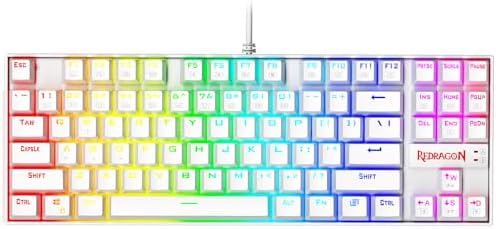


TMKB Technology Mechanical KeyBoard
TMKB T68E 60% Wired Gaming Mechanical Keyboard, RGB Backlit Hot-Swappable Gasket Mount, Creamy Keyboard with…

More guides & deep dives from the SpecPicks archive
Browse all articles & guides →- The Complete Voodoo5 5500 AGP Driver Guide (2026 Edition)
- Emulation Hardware in 2026: FPGA, Software, and Cart-Reader Ecosystems
- RTX 4070 Super vs RX 7800 XT — Which to Buy in 2026
- Best Budget Gaming PC Build 2026 — ~$1,000 Parts List
- Best 1440p Gaming GPUs in 2026
- Best Retro Handhelds in 2026: Pocket, Mid-Tier and FPGA Picks
- How to Build a Windows 98 Retro PC in 2026
More reviews from the SpecPicks archive
Browse all reviews →- How Companies Name Their Monitors: Brand-by-Brand Guide
- Self-Hosted Personal Finance: n8n + Actual Budget + Claude
- Samsung's 256GB microSD Drops to $47.99 — and What It Means for Cheap Storage
- Best Steam Deck Accessories in 2026: Docks, Audio, Controllers, and Storage
- Best NVMe SSD for Local LLM Model Storage in 2026
- Qwen3.6 35B-A3B on a 12GB GPU: 95 tok/s on 4070 Super, 34 on 3060
- Intel Arc vs NVIDIA 2026: Local LLM Tokens per Dollar
- Gemma 3 12B vs Qwen2.5 14B on a 12 GB RTX 3060: Which Fits, Which Is Faster
- Raspberry Pi 4 8GB vs Pi 5 for a 2026 Homelab: Is the Pi 4 Still Worth It?
- Intel Arc GPU for Stable Diffusion: Setup & Benchmarks
- Gemma 4 31B on a 12GB RTX 3060: Quantization, VRAM, and Real tok/s
- Anthropic's Samsung Chip Talks: Why Local Inference on an RTX 3060 Still Matters
- Voodoo3 3000 PCI No-Display Troubleshooting on Windows 98 SE (2026)
- Best GPU Upgrade From a GTX 1050 Ti for Local LLMs in 2026
- Ryzen 5 5600G vs RTX 3060 12GB for Entry Local LLM Inference (2026)
- On-Device AI Keyboards: Can an RTX 3060 12GB Train the Model?
- Best Controller for Sim Racing Beginners on PC in 2026
- Best Webcam for Streaming and Remote Work in 2026
- Sega Genesis Mini vs SNES Classic: Which Plug-and-Play Console Holds Up in 2026?
- Samsung 870 EVO vs WD Blue SN550: Best Storage for Forza Horizon 6 Fast Loading
- Gemma-4-Harmonia-31B Heretic: What the Uncensored Merge Adds Over Base Gemma 4
- How Many CPU Cores Does a Local-LLM Rig Actually Need?
- Intel Arc B60 Stable Diffusion: Setup & Benchmarks 2025
- CRT PC Monitors for Retro Gaming: 2026 Buying Guide
Earliest SpecPicks reviews
Browse full archive →- Best GPU for Llama 3.1 8B (2026)
- Best GPU for Qwen 3 14B (2026)
- Best GPU for Qwen 3 32B (2026)
- Best GPU for Llama 3.1 70B (2026)
- Best GPU for DeepSeek-R1 32B (2026)
- Best GPU for Llama 3.1 405B (2026)
- How to run Llama 3.1 8B on NVIDIA GeForce RTX 5090
- How to run Qwen 3 14B on NVIDIA GeForce RTX 5090
- How to run Qwen 3 32B on NVIDIA GeForce RTX 5090
- How to run Llama 3.1 70B on NVIDIA GeForce RTX 5090
- How to run DeepSeek-R1 32B on NVIDIA GeForce RTX 5090
- How to run Llama 3.1 8B on NVIDIA GeForce RTX 4090