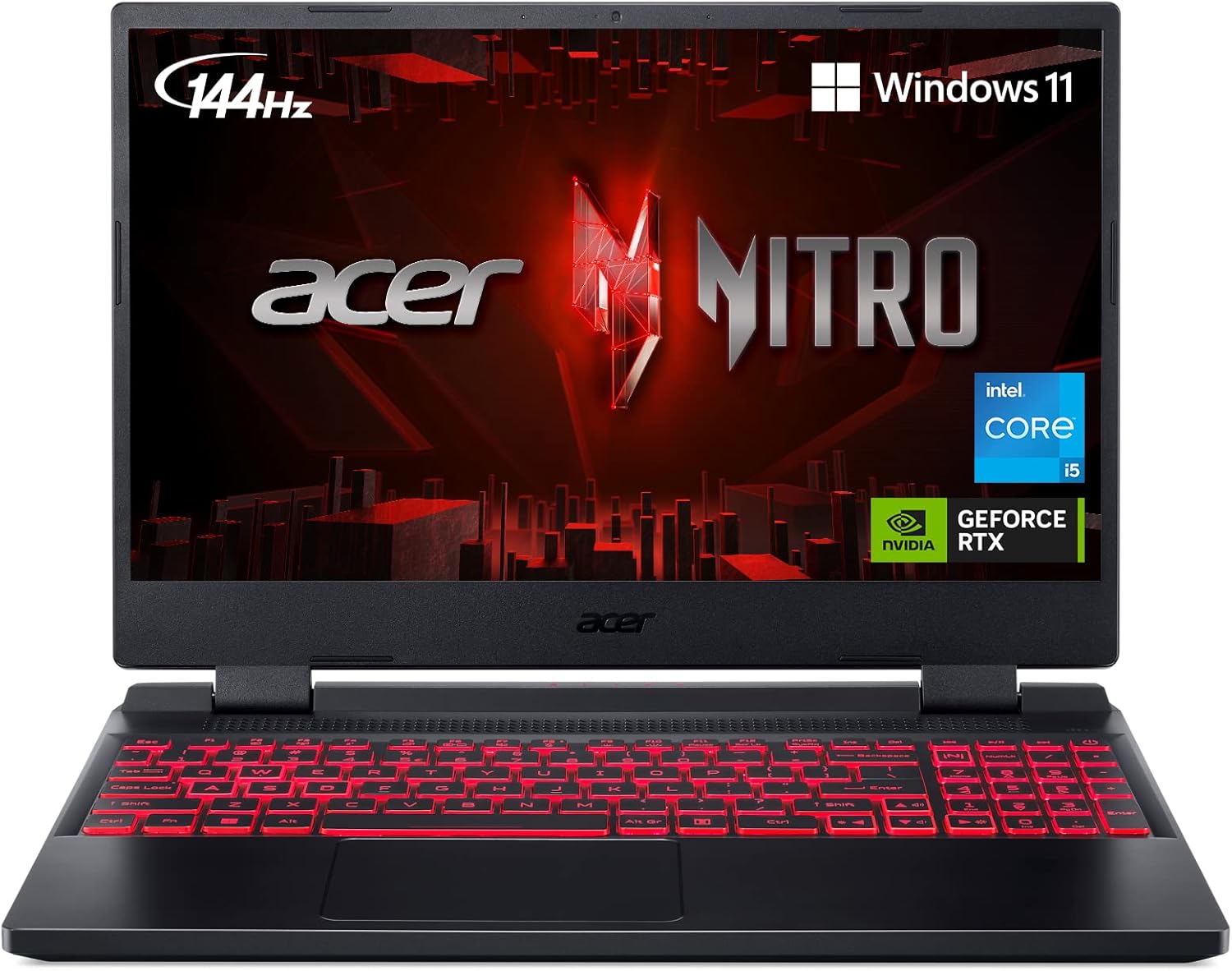

Acer Nitro V 16 AI Gaming Laptop 16" WUXGA IPS 180Hz AMD 6-core Ryzen 5 240 16GB DDR5 512GB SSD GeForce RTX 5050 (Up to 421 AI Tops) Backlit Wi-Fi6E Type-C Win11 w/ICP Hub
Bottom line: Per its Amazon listing, the Acer Nitro V 16 AI Gaming Laptop 16" WUXGA IPS 180Hz AMD 6-core Ryzen: 16GB DDR5 | 512GB SSD; 16" WUXGA (1920 x 1200) IPS 180Hz, Dedicated NVIDIA GeForce RTX 5050 8GB Graphic.
As an Amazon Associate, SpecPicks earns from qualifying purchases. Full disclosure →
Pros & Cons
Pros
- ✓ 16GB DDR5 | 512GB SSD
Cons
- ✗ Check the listed dimensions, connectors and platform compatibility against your setup before ordering
- ✗ Price, stock, shipping and returns are set by the retailer and may have changed since this page was last updated
Manufacturer description
PRODUCT OVERVIEW:Product Details:Microprocessor:AMD 6-core Ryzen 5 240 Processor (Base Clock 4.3GHz, Max Boost Clock Up to 5GHz, 16MB L3 Cache, 12 Threads)Memory:16GB RAMStorage:512GB SSDOperating system:Microsoft Windows 11 HomeGraphics & Video:Dedicated NVIDIA GeForce RTX 5050 8GB Graphic16" WUXGA (1920 x 1200) IPS 180HzKey Features:Backlit Keyboard: YesWi-Fi 6E: YesWebcam: YesPorts:3 x USB-A 3.2, 1 x USB-C 4, 1 x HDMI 2.1, 1 x RJ45 Gigabit EthernetBattery:76WhAdditional Information:Dimension: 10.9" x 14.2" x 0.96"Weight: 5.38 lbs
SpecPicks Verdict
SpecPicks has no buyer-rating or benchmark data for Acer Nitro V 16 AI Gaming Laptop 16" WUXGA IPS 180Hz AMD 6-core…, so this read rests on the manufacturer's listed specs (how we evaluate). Compare with similarly-priced alternatives in the gaming laptops category before committing. Judge it on the specification table and the price rather than on sentiment: check the figures that decide your use case, then put it side-by-side with two or three close alternatives in the Compare tool before clicking through.
Before ordering, check the listed dimensions, ports, power requirements and supported devices or systems in the spec table below against how you plan to use it, and confirm them on the retailer's listing. Prices and stock are set by the retailer and may have moved since this page was last updated.
Key Features
Quoted from the manufacturer's listing. Where it differs from the pros and cons above, those note the conditions the listing leaves out.
- 16GB DDR5 | 512GB SSD
- Equipped With The Most Powerful and Fast AMD 6-core Ryzen 5 240 Processor
- 16" WUXGA (1920 x 1200) IPS 180Hz, Dedicated NVIDIA GeForce RTX 5050 8GB Graphic
- 3 x USB-A 3.2, 1 x USB-C 4, 1 x HDMI 2.1, 1 x RJ45 Gigabit Ethernet, 1 x MicroSD Card Reader
- Microsoft Windows 11 Home, Backlit Keyboard, Wi-Fi 6E, 720p Webcam, Auth USB-C Hub
Full Specifications
| Brand | Acer |
|---|---|
| Color | Black |
| RAM Type | DDR5 RAM |
| CPU Model | Ryzen 5 |
| Model Name | Acer Nitro V 16 AI |
| Resolution | 1920 x 1200 |
| Unit Count | 1 Count |
| Form Factor | Clamshell |
| Screen Size | 16 inches |
| Connectivity | USB-C, WiFi |
| Display Type | LED |
| Video Output | HDMI |
| Built-In Media | Charger Adapter, Laptop |
| Hard Disk Size | 512 GB |
| Hard-Drive Size | 512 GB |
| Number of Ports | 7 |
| Processor Brand | AMD |
| Processor Count | 6 |
| Processor Speed | 4.3 GHz |
| Special Feature | Backlit Keyboard |
Ready to buy?
Acer Nitro V 16 AI Gaming Laptop 16" WUXGA IPS 180Hz AMD 6-core Ryzen 5 240 16GB DDR5 512GB SSD GeForce RTX 5050 (Up to 421 AI Tops) Backlit Wi-Fi6E Type-C Win11 w/ICP Hub is listed on Amazon. Price, availability, shipping and returns are set by Amazon and its sellers — check the listing for current terms. SpecPicks earns a small commission on qualifying purchases — thank you for supporting independent review work.
Related Gaming Laptops


More guides & deep dives from the SpecPicks archive
Browse all articles & guides →- RTX 4070 Super vs RX 7800 XT — Which to Buy in 2026
- Best Retro Handhelds in 2026: Pocket, Mid-Tier and FPGA Picks
- Best 1440p Gaming GPUs in 2026
- The Complete Voodoo5 5500 AGP Driver Guide (2026 Edition)
- How to Build a Windows 98 Retro PC in 2026
- Emulation Hardware in 2026: FPGA, Software, and Cart-Reader Ecosystems
- Best Budget Gaming PC Build 2026 — ~$1,000 Parts List
More reviews from the SpecPicks archive
Browse all reviews →- Build a Raspberry Pi 4 NAS With an SSD in 2026
- Intel LLM-Scaler vLLM 1.4 on Arc Pro B70: What the Latest Driver Stack Means for Local Inference
- Best Streaming Setup for PC Gamers in 2026: 5 Picks Under $500
- Raspberry Pi AI Kit 2025: Specs, Uses, and Limits
- Best CPU Cooler for Ryzen 7 5800X and 5700X in 2026
- AI-Driven Driver Install for Win98: Vision-LLM + 3060 12GB Build (2026)
- Inside China's Mini PC Production: How They're Built
- Raspberry Pi Projects for Teens: Best Builds 2026
- HiDream-O1-Image Debuts as Top Open-Weights Text-to-Image Model
- Best Streaming Starter Kit for Creators in 2026
- Best Gaming Mouse for FPS Esports in 2026 (Tournament-Tested Picks)
- Running Local LLMs on a Raspberry Pi 4 8GB: tok/s, Quantization, and What Actually Works
- Best 1440p 240Hz Gaming Monitors in 2026
- Best Cooler for the Ryzen 7 5800X: Noctua vs DeepCool vs CoolerMaster
- AA-AgentPerf: What the New Agentic Benchmark Means for Local Coding Rigs
- N100 Mini PC vs Raspberry Pi 4 for Home Assistant in 2026
- Qwen 3.6 27B vs Sonnet 4.6: Local Agentic Benchmarks
- Noctua-Style Pi 5 NAS Build Goes Viral — Here's the Parts List
- M5 vs DGX Spark vs Strix Halo vs RTX 6000: AI Workload Guide
- Mistral Medium 3.5 128B on Local Hardware: MLX 4-bit at ~70GB Explained
- Logitech G920 vs HORI Overdrive for Sim Racing in 2026
- Ryzen 7 5800X vs Ryzen 7 5700X for 1440p Gaming: Is the Premium Worth It?
- Best Gaming Controller for PC and Console in 2026: 5 Picks Compared
- Optimizing LTX-2.3 Inference Speed on an RTX 3080 Ti
Earliest SpecPicks reviews
Browse full archive →- Best GPU for Llama 3.1 8B (2026)
- Best GPU for Qwen 3 14B (2026)
- Best GPU for Qwen 3 32B (2026)
- Best GPU for Llama 3.1 70B (2026)
- Best GPU for DeepSeek-R1 32B (2026)
- Best GPU for Llama 3.1 405B (2026)
- How to run Llama 3.1 8B on NVIDIA GeForce RTX 5090
- How to run Qwen 3 14B on NVIDIA GeForce RTX 5090
- How to run Qwen 3 32B on NVIDIA GeForce RTX 5090
- How to run Llama 3.1 70B on NVIDIA GeForce RTX 5090
- How to run DeepSeek-R1 32B on NVIDIA GeForce RTX 5090
- How to run Llama 3.1 8B on NVIDIA GeForce RTX 4090