

Amazon Renewed
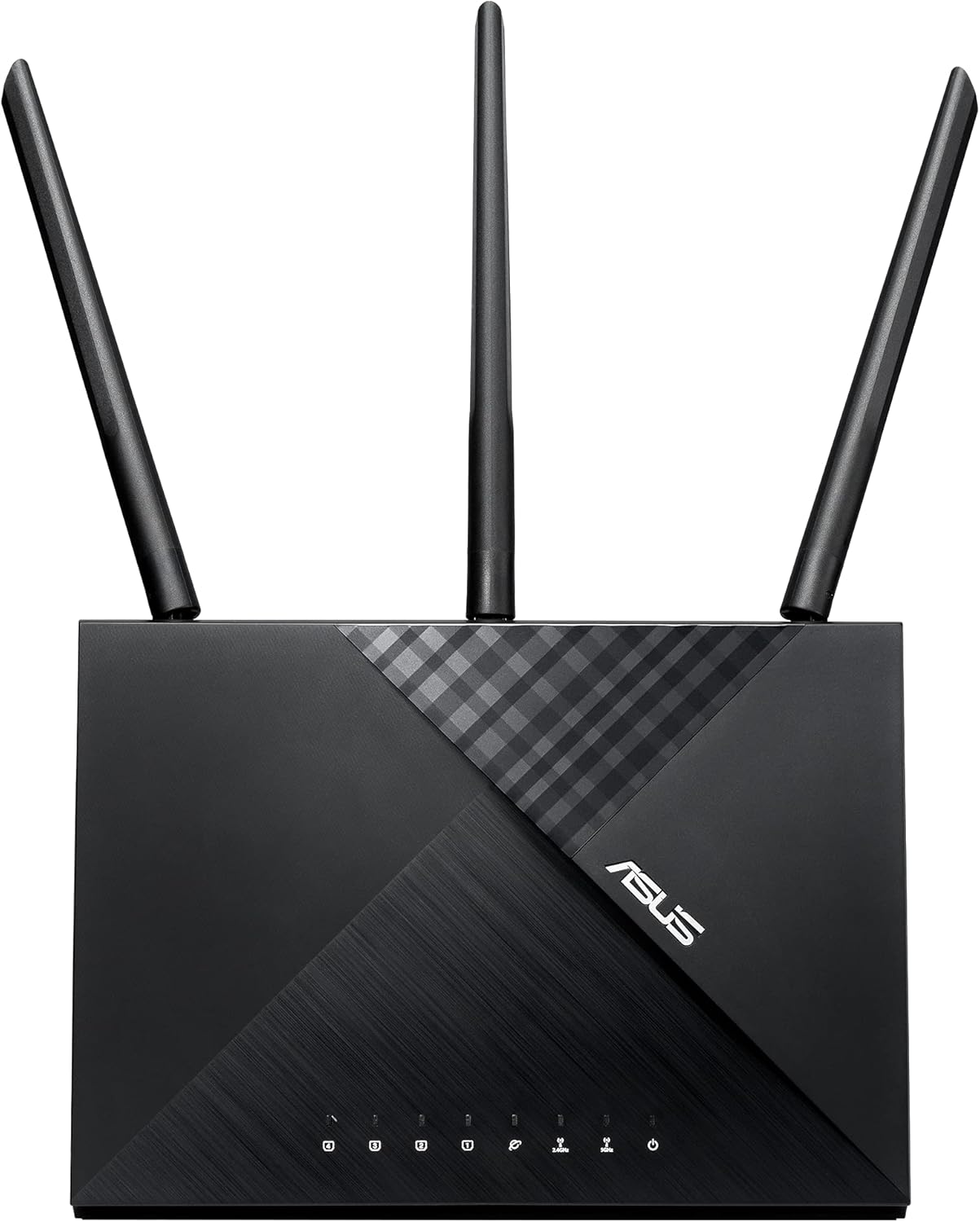
Amazon Renewed TP-Link AC4000 Smart WiFi Router
Bottom line: The Amazon Renewed TP-Link AC4000 Smart WiFi Router: Tri-band design with up to 4000 Mbps combined Wi-Fi throughput; main trade-off: renewed unit, so cosmetic condition and included accessories may vary.
As an Amazon Associate, SpecPicks earns from qualifying purchases. Full disclosure →
Pros & Cons
Pros
- ✓ Tri-band design with up to 4000 Mbps combined Wi-Fi throughput
- ✓ 1.8GHz CPU keeps routing responsive on networks with many devices
- ✓ MU-MIMO serves multiple compatible devices at the same time
- ✓ Built-in VPN server for secure remote access to your home network
- ✓ Built-in antivirus and parental controls, no extra hardware needed
Cons
- ✗ Renewed unit, so cosmetic condition and included accessories may vary
- ✗ AC4000-class Wi-Fi 5 router, not Wi-Fi 6 or Wi-Fi 6E
- ✗ 4000 Mbps is a combined total across bands, not speed per device
- ✗ Per-band speed breakdown is not fully listed in this product's details
Manufacturer description
The TP-Link Archer A20 AC4000 is a tri-band smart WiFi router for homes and small offices where many devices share one connection. This listing is a renewed unit, so you get TP-Link's AC4000-class hardware in pre-owned, refurbished condition. Its three Wi-Fi bands give a combined throughput of up to 4000 Mbps. Spreading traffic across separate bands keeps 4K streams, online gaming and large downloads from slowing each other down. A 1.8GHz CPU handles routing for busy networks, and Gigabit wired networking keeps your desktops and consoles on a fast connection. MU-MIMO lets the router send…
SpecPicks Verdict
SpecPicks has no buyer-rating or benchmark data for Amazon Renewed TP-Link AC4000 Smart WiFi Router, so this read rests on the manufacturer's listed specs (how we evaluate). Compare with similarly-priced alternatives in the networking category before committing. On the listing's own facts, the case for it is "Tri-band design with up to 4000 Mbps combined Wi-Fi throughput"; the main trade-off is "Renewed unit, so cosmetic condition and included accessories may vary". If those two points fit how you will use it, put it beside one or two close alternatives in the Compare tool to confirm the price.
Before ordering, check the listed dimensions, ports, power requirements and supported devices or systems in the spec table below against how you plan to use it, and confirm them on the retailer's listing. Prices and stock are set by the retailer and may have moved since this page was last updated.
Frequently Asked Questions
Is the TP-Link Archer A20 a new router?
No. This listing is a renewed TP-Link Archer A20, meaning a pre-owned unit refurbished for resale. Check the product listing for its current condition and what accessories come in the box.
How fast is the Archer A20 AC4000?
It is rated for up to 4000 Mbps of combined Wi-Fi throughput across its three bands. That figure is the total for all bands together. A single device connects to one band and will see less than the full 4000 Mbps.
Does the Archer A20 support Wi-Fi 6?
The AC4000 rating marks it as an AC-class (802.11ac, Wi-Fi 5) router. It adds tri-band operation, MU-MIMO and beamforming, but you should not expect Wi-Fi 6 features from it.
Can I set up a VPN and parental controls on this router?
Yes. The Archer A20 has a built-in VPN server for secure remote access to your home network, plus built-in antivirus and parental control tools for filtering content and managing devices.
What warranty comes with the renewed Archer A20?
Renewed products often carry different coverage than new units. Check the product listing for the current warranty terms before you buy.
Full Specifications
| Brand | TP-Link |
|---|---|
| Color | Black |
| Voltage | 120240 volts |
| Coverage | wide |
| Frequency | 1.8 GHz |
| Model Name | Archer A20 |
| Unit Count | 1 Count |
| Antenna Type | Fixed |
| Connectivity | WiFi |
| Model Number | AC4000 |
| Built-In Media | Power adapter, Ethernet cable, Quick installation guide |
| Control Method | App |
| Controller Type | App Control |
| Mfr Part Number | Archer A20-cr |
| Number of Ports | 1 |
| Special Feature | WPS |
| Antenna Location | Home |
| Security Protocol | WPS |
| Compatible Devices | Personal Computer |
| Data Transfer Rate | 4000 megabits_per_second |
| Full listing title | TP-Link AC4000 Smart WiFi Router - Tri Band Router , MU-MIMO, VPN Server, Antivirus/Parental Control, 1.8GHz CPU, Gigabit, Beamforming, (Archer A20),Black (Renewed) |
Ready to buy?
TP-Link AC4000 Smart WiFi Router - Tri Band Router , MU-MIMO, VPN Server, Antivirus/Parental Control, 1.8GHz CPU, Gigabit, Beamforming, (Archer A20),Black (Renewed) is listed on Amazon. Price, availability, shipping and returns are set by Amazon and its sellers — check the listing for current terms. SpecPicks earns a small commission on qualifying purchases — thank you for supporting independent review work.
Related Networking



More guides & deep dives from the SpecPicks archive
Browse all articles & guides →- Best Budget Gaming PC Build 2026 — ~$1,000 Parts List
- Best Retro Handhelds in 2026: Pocket, Mid-Tier and FPGA Picks
- How to Build a Windows 98 Retro PC in 2026
- Best 1440p Gaming GPUs in 2026
- RTX 4070 Super vs RX 7800 XT — Which to Buy in 2026
- The Complete Voodoo5 5500 AGP Driver Guide (2026 Edition)
- Emulation Hardware in 2026: FPGA, Software, and Cart-Reader Ecosystems
More reviews from the SpecPicks archive
Browse all reviews →- Voodoo3 3000 Period-Correct Build Log: Quake 3 + UT99 LAN Rig for 1999
- Period-Correct Storage for a Windows XP Gaming Rig: SSD, CompactFlash, or IDE?
- Open WebUI + Ollama on an RTX 3060: The Self-Hosted ChatGPT Alternative for 2026
- Self-Host Immich on a Ryzen 5 5600G Mini-PC: Power, Storage, Real Throughput
- Fine-Tune Video and Image Models at Scale: NeMo vs Diffusers
- Ryzen 5 5600G vs Ryzen 7 5700X: Which for a Budget 1080p Build?
- How to run Llama 3.1 70B on NVIDIA GeForce RTX 4090
- AI coding assistants ranked — Claude Code, Cursor, GitHub Copilot, Aider
- NVIDIA Cosmos 3 vs Ideogram 4.0: Which Open Image Model to Run on 12GB
- Air vs AIO for the Ryzen 7 5800X: Noctua NH-U12S vs CoolerMaster ML240L
- Build a Jellyfin Media Server on a Raspberry Pi 4 8GB: Measured Perf
- Amazon RTX 5060 Deal: $324 Budget GPU for 1080p Gaming
- Best Gaming Mouse Pad for FPS Esports (2026)
- CompactFlash Boot Drive for Windows 98: Transcend CF133 Setup and Benchmarks
- Why Privacy-Preserving AI Demand Is Rising in the LLM Era
- Ultrawide vs 27-Inch 4K for Sim Racing on a G29 and RTX 3060
- Best SSD to Upgrade a PS4 in 2026
- Best Parts for a CPU-Offload Local LLM Build in 2026
- Build a Raspberry Pi 4 NAS With an SSD in 2026
- Ryzen 5 5600G vs Intel i7-9700K for Budget Gaming in 2026
- Qwen3 Local: RTX 3060 12GB Build vs Mac Mini for Inference
- Forza Horizon 6 Runs Surprisingly Well on Steam Deck — Here's What Players Are Reporting
- How We Use a Vision-LLM to Install Sound Blaster and Voodoo Drivers on Windows 98 — A Real Workflow From Our…
- Windows 98 vs Windows 2000 for a GeForce-Era Retro Gaming Build
Earliest SpecPicks reviews
Browse full archive →- Best GPU for Llama 3.1 8B (2026)
- Best GPU for Qwen 3 14B (2026)
- Best GPU for Qwen 3 32B (2026)
- Best GPU for Llama 3.1 70B (2026)
- Best GPU for DeepSeek-R1 32B (2026)
- Best GPU for Llama 3.1 405B (2026)
- How to run Llama 3.1 8B on NVIDIA GeForce RTX 5090
- How to run Qwen 3 14B on NVIDIA GeForce RTX 5090
- How to run Qwen 3 32B on NVIDIA GeForce RTX 5090
- How to run Llama 3.1 70B on NVIDIA GeForce RTX 5090
- How to run DeepSeek-R1 32B on NVIDIA GeForce RTX 5090
- How to run Llama 3.1 8B on NVIDIA GeForce RTX 4090