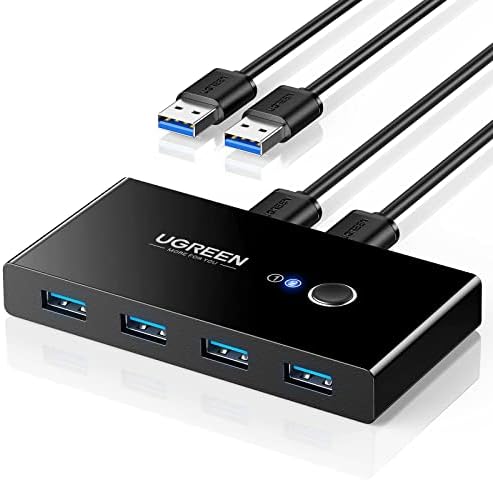

Belkin 2-Port KVM Switch with Cables Keyboard/Video/MOUSEPS/2
Bottom line: The Belkin 2-Port KVM Switch with Cables Keyboard/Video/MOUSEPS/2 is a specs-and-price decision rather than a crowd-consensus one in the kvm switches category. Check the specification table below against one or two close alternatives — on price and spec fit, not on star ratings.
As an Amazon Associate, SpecPicks earns from qualifying purchases. Full disclosure →
Pros & Cons
Pros
- ✓ The simplest way to share one monitor, keyboard, and mouse between two computers.
Cons
- ✗ Check the listed dimensions, connectors and platform compatibility against your setup before ordering
- ✗ Used and vintage listings vary by seller and condition — check the listing photos, description and return terms before buying
Manufacturer description
Ps/2; Allows Control Of 2 Computers; Hot-Key Switching, Automatic Scanning & Led Indicators; Supports Video Resolutions Up To 2048 X 1536 At 65 Hz; Compatible With Multiple Operating Systems & Offers Keyboard & Mouse Emulation; Does Not Require Additional Cables Or Power Supply
SpecPicks Verdict
SpecPicks scored Belkin 2-Port KVM Switch with Cables Keyboard/Video/MOUSEPS/2 using a rating × review-volume × price-fit model applied to published specs and reviews across the kvm switches category. Compare with similarly-priced alternatives in the kvm switches category before committing. Judge it on the specification table and the price rather than on sentiment: check the figures that decide your use case, then put it side-by-side with two or three close alternatives in the Compare tool before clicking through.
Common buyer scenarios for kvm switches of this kind: matching it to an existing build, replacing a failing part, or upgrading from a previous-generation equivalent. Check the spec table below against your current setup — particularly socket / form-factor / power-rating fields — and confirm compatibility on the retailer's listing before purchase. Prices and stock are set by the retailer and may have moved since this page was last updated.
Key Features
- The simplest way to share one monitor, keyboard, and mouse between two computers.
- This Switch provides an affordable KVM solution that saves workspace while giving you control of two PS/2 computers from one console.
- Its compact design with built-in cabling saves you time on installation, desktop space, and money.
- The Switch includes su.
- Sold by THE EA
Full Specifications
| Language | English |
|---|---|
| Compatibility | Switch |
Hardware benchmark data
Ready to buy?
Belkin 2-Port KVM Switch with Cables Keyboard/Video/MOUSEPS/2 is vintage hardware; the used and vintage market on eBay carries most of the live inventory. Prices and condition vary by seller and move in real time, so we link the live listing rather than quote a cached price. It also has an Amazon listing — check it for current price and availability. SpecPicks earns a small commission on qualifying purchases — thank you for supporting independent review work.
Related KVM Switches


CABLESONLINE.COM ATLANTIC COMPUTERTECH
CablesOnline 2-Way A/B RJ45 Metal Rotary Manual Switch Box (SB-034)


More guides & deep dives from the SpecPicks archive
Browse all articles & guides →- RTX 4070 Super vs RX 7800 XT — Which to Buy in 2026
- Best 1440p Gaming GPUs in 2026
- Emulation Hardware in 2026: FPGA, Software, and Cart-Reader Ecosystems
- Best Retro Handhelds in 2026 — From $35 to $500
- How to Build a Windows 98 Retro PC in 2026
- Best Budget Gaming PC Build 2026 — ~$1,000 Parts List
- The Complete Voodoo5 5500 AGP Driver Guide (2026 Edition)
More reviews from the SpecPicks archive
Browse all reviews →- US Forces Anthropic to Disable Claude Fable 5: Local Fallbacks
- PC Sim Racing Wheels in 2026: Logitech G29, Thrustmaster and HORI Compared
- Pelican-Style Filament Dry Box: The Adafruit Build, Explained
- Best GPU for ComfyUI & Stable Diffusion Under $300 in 2026
- Logitech G920 vs HORI Overdrive for Sim Racing in 2026
- Ryzen 7 5700X vs Intel Core i7-9700K: Best Budget Gaming CPU in 2026
- Local AI Server LLM Setups 2025: What Hardware Matters
- Using an LLM to Fix Win98 Voodoo & TNT Driver Installs
- Intel's Bartlett Lake Core 9 273PQE Loses to a 4-Year-Old CPU
- Ultrawide vs 27-Inch 4K for Sim Racing on a G29 and RTX 3060
- Nous Hermes Desktop: A Local AI Agent for Your Own Hardware
- Radeon Pro W7900 48GB vs RTX A6000 48GB for Local 70B Inference (2026)
- Benchmarking Open LLMs for Tool-Use: RTX 3060 12GB vs Ryzen 5800X CPU-Only
- Steam Deck OLED vs ROG Ally X vs Legion Go: 2026 Gaming Handheld Shootout
- Logitech G29 vs HORI Racing Wheel Overdrive: Which Entry Sim Wheel Wins?
- Grok Imagine Hits #5: Can a $300 RTX 3060 Run Local Image AI?
- Noctua NH-U12S vs DeepCool AK620 for Ryzen Overclocking: Air-Cooler Showdown
- Best Budget SSD for Gaming and PC Upgrades in 2026
- AVX-512 Lifts Linux RAID Up to 41% on AMD Ryzen Chips
- Black Friday Monitor Deals 2026: 5 Picks for Gaming and AI Desks
- Raspberry Pi 4 as a SimHub Dash for a Logitech G29 Rig
- ASRock Arc B580 12GB vs RTX 3060 12GB for 1440p Gaming in 2026
- Can a Raspberry Pi 4 8GB Run Local LLMs in 2026? Ollama tok/s + SSD-Boot Setup
- ROG Ally X vs Steam Deck OLED: 2026 Buying Guide
Earliest SpecPicks reviews
Browse full archive →- Best GPU for Llama 3.1 8B (2026)
- Best GPU for Qwen 3 14B (2026)
- Best GPU for Qwen 3 32B (2026)
- Best GPU for Llama 3.1 70B (2026)
- Best GPU for DeepSeek-R1 32B (2026)
- Best GPU for Llama 3.1 405B (2026)
- How to run Llama 3.1 8B on NVIDIA GeForce RTX 5090
- How to run Qwen 3 14B on NVIDIA GeForce RTX 5090
- How to run Qwen 3 32B on NVIDIA GeForce RTX 5090
- How to run Llama 3.1 70B on NVIDIA GeForce RTX 5090
- How to run DeepSeek-R1 32B on NVIDIA GeForce RTX 5090
- How to run Llama 3.1 8B on NVIDIA GeForce RTX 4090