
A-Tech
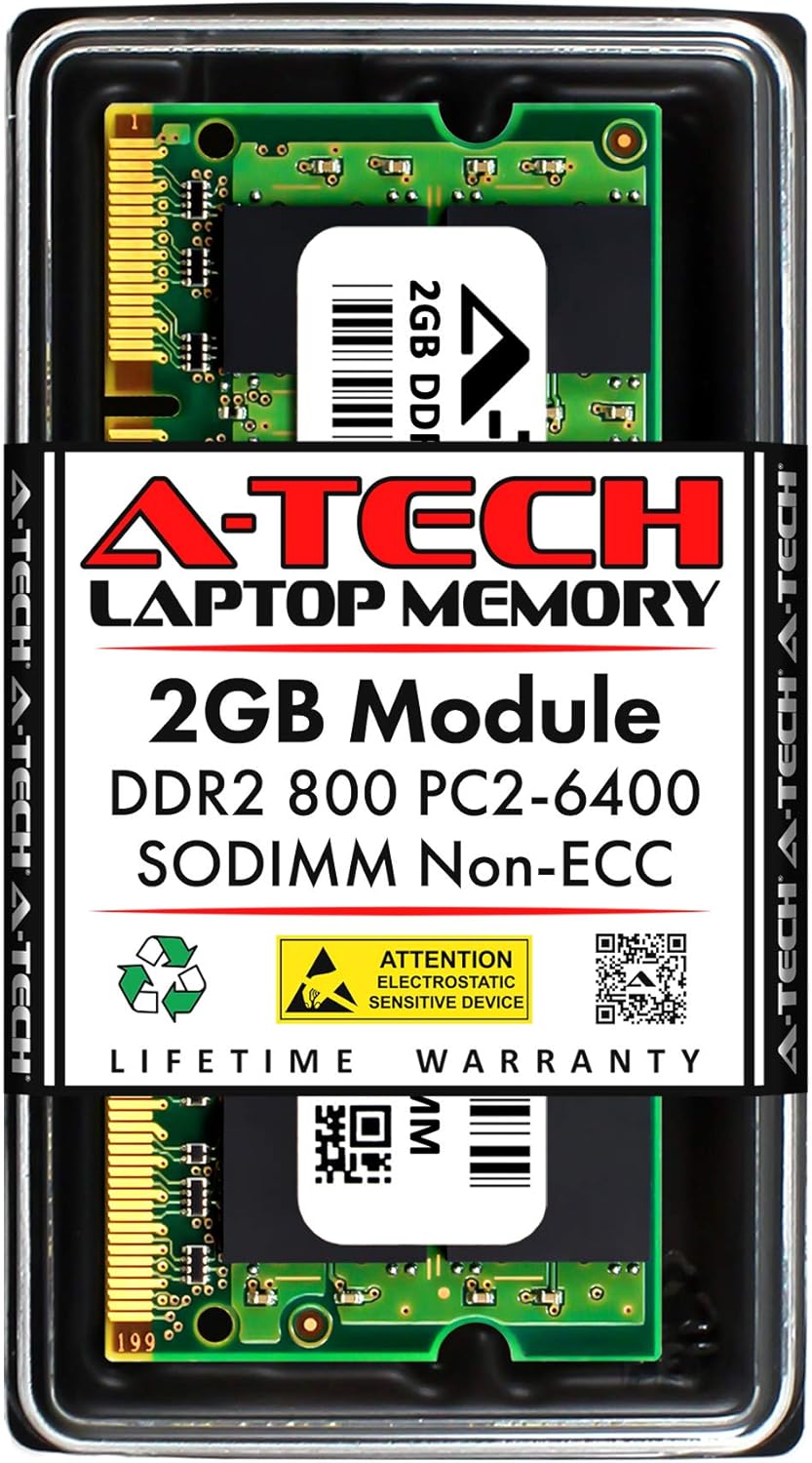
A-Tech 2GB DDR2 800MHz SODIMM PC2-6400 1.8V CL6 200-Pin Non-ECC Unbuffered Laptop RAM Memory Upgrade Module
Bottom line: The A-Tech 2GB DDR2 800MHz SODIMM PC2-6400 1.8V CL6 200-Pin Non-ECC: A-Tech lifetime warranty covers the module, not just 1-3 years; main trade-off: 2GB single module caps older 32-bit laptops fast.
As an Amazon Associate, SpecPicks earns from qualifying purchases. Full disclosure →
Pros & Cons
Pros
- ✓ A-Tech lifetime warranty covers the module, not just 1-3 years
- ✓ Standard 200-pin DDR2 SO-DIMM fits laptops, notebooks and AIOs
- ✓ PC2-6400 800MHz speed, the top DDR2 SO-DIMM grade
- ✓ 1.8V CL6 non-ECC unbuffered matches stock laptop DDR2 timings
Cons
- ✗ 2GB single module caps older 32-bit laptops fast
- ✗ Non-ECC only, so no workstation or server use
- ✗ Sold as 1x2GB, so dual-channel needs a second purchase
- ✗ You must verify your laptop's DDR2 support before ordering
SpecPicks Verdict
SpecPicks has no buyer-rating or benchmark data for A-Tech 2GB DDR2 800MHz SODIMM PC2-6400 1.8V CL6 200-Pin Non-ECC…, so this read rests on the manufacturer's listed specs (how we evaluate). Compare with similarly-priced alternatives in the memory & ram category before committing. On the listing's own facts, the case for it is "A-Tech lifetime warranty covers the module, not just 1-3 years"; the main trade-off is "2GB single module caps older 32-bit laptops fast". If those two points fit how you will use it, put it beside one or two close alternatives in the Compare tool to confirm the price.
Common buyer scenarios for memory & ram of this kind: matching it to an existing build, replacing a failing part, or upgrading from a previous-generation equivalent. Check the spec table below against your current setup — particularly socket / form-factor / power-rating fields — and confirm compatibility on the retailer's listing before purchase. Prices and stock are set by the retailer and may have moved since this page was last updated.
Key Features
Quoted from the manufacturer's listing. Where it differs from the pros and cons above, those note the conditions the listing leaves out.
- 2GB ( 1x 2GB Module ) | DDR2 800 MHz ( PC2-6400 / PC2-6400S ) | DDR2 SO-DIMM ( 200-Pin ) | Non-ECC Unbuffered
- High performance Memory RAM upgrade designed for DDR2 SODIMM compatible Laptop, Notebook, & All in One (AIO) computers
- Boosts the performance of your system by speeding up loading times, improving system responsiveness, and increasing your system's ability to handle greater workloads
- All modules undergo quality assurance testing to ensure dependable and reliable performance | Please verify the supported memory (RAM) specifications of your system prior to purchase to ensure compatibility
- A-Tech provides a Lifetime Warranty for all orders & offers complimentary United States based Tech Support before, during, & after your purchase
Full Specifications
| Brand | A-Tech |
|---|---|
| Voltage | 1.8 Volts |
| RAM Size | 2 GB |
| Model Name | A-Tech |
| Form Factor | 200-Pin |
| Memory Speed | 800 MHz |
| Model Number | CT25664AC800 |
| Number of Pins | 200 |
| Mfr Part Number | CT25664AC800 |
| Memory Generation | DDR2 |
| Compatible Devices | Laptop |
| Data Transfer Rate | 800 MHz |
| Memory Form Factor | SODIMM |
| Additional Features | High Performance |
| Computer Memory Size | 2 GB |
| Warranty Description | Limited Lifetime Warranty Covering Defects In Materials And Workmanship |
| RAM Memory Technology | DDR2 |
| Column Address Strobe Latency | 6 |
Ready to buy?
A-Tech 2GB DDR2 800MHz SODIMM PC2-6400 1.8V CL6 200-Pin Non-ECC Unbuffered Laptop RAM Memory Upgrade Module is vintage hardware; the used and vintage market on eBay carries most of the live inventory. Prices and condition vary by seller and move in real time, so we link the live listing rather than quote a cached price. It also has an Amazon listing — check it for current price and availability. SpecPicks earns a small commission on qualifying purchases — thank you for supporting independent review work.
Related Memory & RAM


More guides & deep dives from the SpecPicks archive
Browse all articles & guides →- Best 1440p Gaming GPUs in 2026
- Best Retro Handhelds in 2026: Pocket, Mid-Tier and FPGA Picks
- Emulation Hardware in 2026: FPGA, Software, and Cart-Reader Ecosystems
- RTX 4070 Super vs RX 7800 XT — Which to Buy in 2026
- How to Build a Windows 98 Retro PC in 2026
- Best Budget Gaming PC Build 2026 — ~$1,000 Parts List
- The Complete Voodoo5 5500 AGP Driver Guide (2026 Edition)
More reviews from the SpecPicks archive
Browse all reviews →- DualSense vs 8BitDo Pro 2 vs GameSir G7 SE: PC Sim Racing
- Intel Arc Pro B60 AI Performance: 24GB VRAM Explained
- Best GPU for ComfyUI and SDXL Under $400 in 2026
- Jellyfin on a Ryzen 5 5600G: 4K Transcoding on a $400 Mini-Server (2026)
- LoRA Fine-Tuning Small LLMs on an RTX 3060 12GB in 2026
- Sound Blaster Audigy 2 ZS vs Aureal Vortex 2: The Last Great Win98 Audio Battle
- Raspberry Pi AI Projects: A 2025 Builder's Guide
- Ryzen 7 5800X3D vs Core i7-14700K: DDR4's Last Big Fight
- Raspberry Pi 4 8GB as a Local LLM Box: What Models Actually Run?
- Best SSD for a Local AI / LLM Workstation in 2026
- Best GPU for Llama 3.1 8B (2026)
- Flux 3 Native-Audio Video: Can a 12GB GPU Run It?
- RTX 5090 vs RTX 5070: Specs, Value & Which to Buy
- Intel Arc A770 for Local LLMs: 2026 Benchmark Guide
- Best Budget CPU for Gaming + Productivity in 2026: The Honest Buying Guide
- Shared ChatGPT & Claude Chats Are Spreading Malware — Run a Local LLM on a 12GB GPU Instead
- Best CPU Cooler for AMD Ryzen 7 5800X High-TDP Builds (2026)
- Ryzen 5 2600 vs Core i7-9700K for a First 1080p Gaming Build (2026)
- Best Mini PC for Local LLM Inference in 2026
- Intel's Bartlett Lake Core 9 273PQE Loses to a 4-Year-Old CPU
- Advanced Raspberry Pi Projects for Adults (2026 Guide)
- RTX 3060 12GB vs RTX 4060 Ti 16GB for Qwen2.5-Coder 14B (2026)
- Imaging Vintage IDE Drives with a CompactFlash + USB Adapter
- Imaging Vintage IDE and SATA Drives in 2026: The Vantec CB-ISATAU2 Workflow
Earliest SpecPicks reviews
Browse full archive →- Best GPU for Llama 3.1 8B (2026)
- Best GPU for Qwen 3 14B (2026)
- Best GPU for Qwen 3 32B (2026)
- Best GPU for Llama 3.1 70B (2026)
- Best GPU for DeepSeek-R1 32B (2026)
- Best GPU for Llama 3.1 405B (2026)
- How to run Llama 3.1 8B on NVIDIA GeForce RTX 5090
- How to run Qwen 3 14B on NVIDIA GeForce RTX 5090
- How to run Qwen 3 32B on NVIDIA GeForce RTX 5090
- How to run Llama 3.1 70B on NVIDIA GeForce RTX 5090
- How to run DeepSeek-R1 32B on NVIDIA GeForce RTX 5090
- How to run Llama 3.1 8B on NVIDIA GeForce RTX 4090