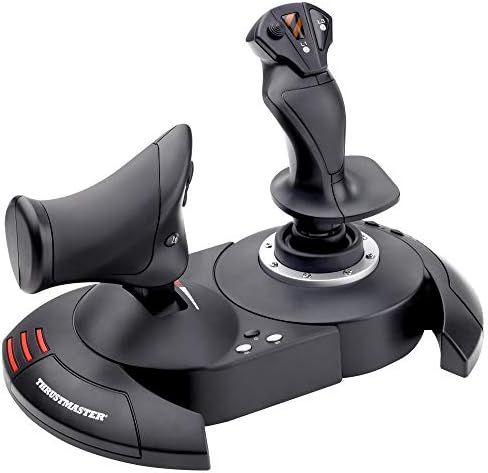

Thrustmaster Sol-R3 AVA Add-On Space Combat Flight Stick Grip
Bottom line: The Thrustmaster Sol-R3 AVA Add-On Space Combat Flight Stick Grip: 21 mappable buttons, 2 triggers, 2 hats, ministick and thumbwheel on one grip; main trade-off: requires a Thrustmaster AVA or Sol-R base, sold separately and not included.
As an Amazon Associate, SpecPicks earns from qualifying purchases. Full disclosure →
Pros & Cons
Pros
- ✓ 21 mappable buttons, 2 triggers, 2 hats, ministick and thumbwheel on one grip
- ✓ 16-bit Hall-Effect sensors resist drift across thousands of hours of play
- ✓ Two included STAR cams reshape the axis curve to your piloting style
- ✓ Ambidextrous swappable hand and thumb rests for left- or right-handed pilots
- ✓ Backlit ministick styling built for Thrustmaster AVA and Sol-R bases
Cons
- ✗ Requires a Thrustmaster AVA or Sol-R base, sold separately and not included
- ✗ Grip-only add-on, non-functional without a compatible base
- ✗ Niche space-sim layout is overkill for casual or non-flight-sim players
Manufacturer description
The Thrustmaster Sol-R3 AVA Add-On Grip puts 21 fully mappable action buttons at your fingertips, giving you instant command over every system, weapon, and maneuver in your favorite space simulation titles without ever lifting your hand from the stick. Powered by H.E.A.R.T. HallEffect AccuRate Technology with 16 bit magnetic sensors, every axis including the critical Z axis responds with surgical precision and zero drift, so your inputs translate flawlessly into on screen action flight after flight. Two included STAR cams let you reshape the axis curve on your AVA base to match your personal…
SpecPicks Verdict
SpecPicks has no buyer-rating or benchmark data for Thrustmaster Sol-R3 AVA Add-On Space Combat Flight Stick Grip, so this read rests on the manufacturer's listed specs (how we evaluate). Compare with similarly-priced alternatives in the flight sim gear category before committing. On the listing's own facts, the case for it is "21 mappable buttons, 2 triggers, 2 hats, ministick and thumbwheel on one grip"; the main trade-off is "Requires a Thrustmaster AVA or Sol-R base, sold separately and not included". If those two points fit how you will use it, put it beside one or two close alternatives in the Compare tool to confirm the price.
Before ordering, check the listed dimensions, ports, power requirements and supported devices or systems in the spec table below against how you plan to use it, and confirm them on the retailer's listing. Prices and stock are set by the retailer and may have moved since this page was last updated.
Key Features
Quoted from the manufacturer's listing. Where it differs from the pros and cons above, those note the conditions the listing leaves out.
- COMMAND EVERY SYSTEM INSTANTLY - With 21 fully mappable action buttons including 2 triggers, 2 hat switches, 1 ministick, and 1 thumbwheel, you have total control over weapons, shields, and navigation without ever breaking your grip during intense space flight sim sessions.
- DRIFT FREE HALL EFFECT PRECISION - H.E.A.R.T. HallEffect AccuRate Technology delivers 16 bit magnetic sensor accuracy across every axis, especially the critical Z axis, ensuring your inputs register with surgical precision that never degrades over thousands of hours of gameplay.
- CUSTOMIZE YOUR FLIGHT RESPONSE - Two included STAR cams let you physically modify the axis curve on your AVA base so you can tailor stick resistance and response to your personal piloting style, giving you the same feel customization pros demand from their flight sim setup.
- AMBIDEXTROUS ERGONOMIC COMFORT - Interchangeable hand and thumb rests adapt to left or right handed pilots, providing fatigue free support during long cockpit sessions so you stay sharp and comfortable whether you are exploring galaxies or locked in heated dogfights.
- ICONIC BACKLIT COCKPIT DESIGN - Optimized for Thrustmaster AVA and Sol R bases sold separately, the striking backlit ministick elevates your flight sim accessories station with a look that matches its performance. This grip is Compatible with PC for seamless plug and play integration.
Full Specifications
| Color | White |
|---|---|
| Model Name | R3 AVA Add-on Grip |
| Model Number | 2960941 |
| Compatibility | PC |
| Controller Type | Joystick |
| Item Dimensions | 9.25 x 11.02 x 4.33 inches |
| Hardware Platform | Desktop, Laptop |
| Compatible Devices | PC, Windows |
| Additional Features | Ergonomic |
| Warranty Description | One Year |
| Connectivity Technology | USB |
| Manufacturer Part Number | 2960941 |
| Full listing title | Thrustmaster Sol-R3 AVA Add-On Space Combat Flight Stick Grip - PC | 21 action buttons, 2 triggers, 2 hat switches, ministick, thumbwheel, 16-bit Hall-Effect, 2 STAR cams, ambidextrous grip |
Ready to buy?
Thrustmaster Sol-R3 AVA Add-On Space Combat Flight Stick Grip - PC | 21 action buttons, 2 triggers, 2 hat switches, ministick, thumbwheel, 16-bit Hall-Effect, 2 STAR cams, ambidextrous grip is listed on Amazon. Price, availability, shipping and returns are set by Amazon and its sellers — check the listing for current terms. SpecPicks earns a small commission on qualifying purchases — thank you for supporting independent review work.
Related Flight Sim Gear


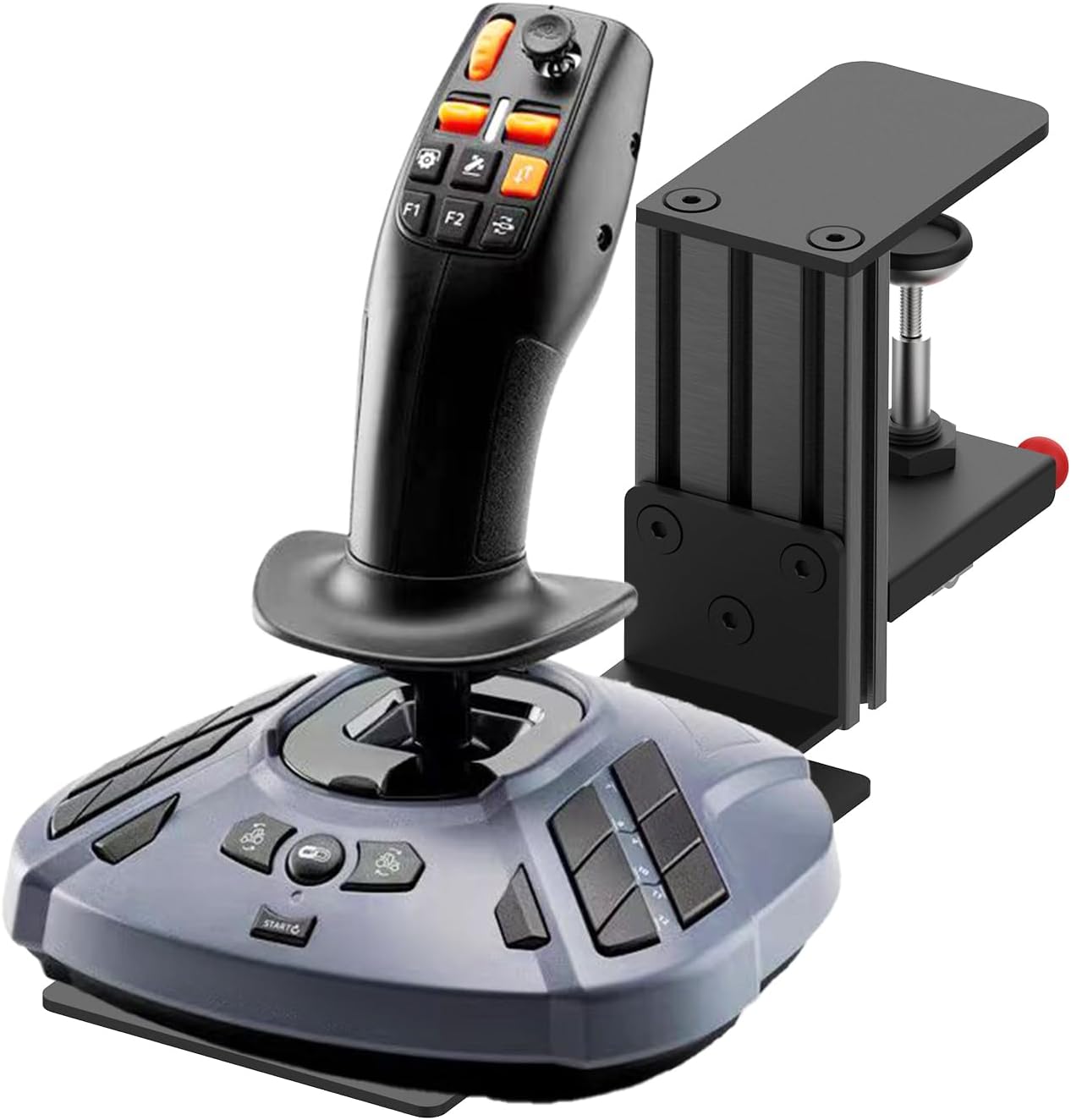
More guides & deep dives from the SpecPicks archive
Browse all articles & guides →- Best 1440p Gaming GPUs in 2026
- Emulation Hardware in 2026: FPGA, Software, and Cart-Reader Ecosystems
- The Complete Voodoo5 5500 AGP Driver Guide (2026 Edition)
- Best Retro Handhelds in 2026: Pocket, Mid-Tier and FPGA Picks
- Best Budget Gaming PC Build 2026 — ~$1,000 Parts List
- RTX 4070 Super vs RX 7800 XT — Which to Buy in 2026
- How to Build a Windows 98 Retro PC in 2026
More reviews from the SpecPicks archive
Browse all reviews →- Anthropic Backs Off Billing Overhaul as Price War Heats Up
- GeForce 4 Ti 4600 AGP in a Windows XP Build: Drivers, Gotchas and Benchmarks
- How to run Llama 3.1 8B on AMD Radeon RX 7900 XTX
- Building a Period-Correct 1999 3dfx Voodoo3 Windows 98 PC in 2026
- Intel Arc B580 & Arc Pro B60 24GB vs RTX 3060 12GB for Local LLMs
- Imaging a vintage IDE hard drive with a USB adapter in 2026
- Best 2.5" SATA SSD for Old Laptop and PC Upgrades in 2026
- Best 1440p Monitor for an RTX 3060: Matching Panel to GPU
- Nintendo Switch Steering Wheel V2: A 3D-Printed Accessibility Controller
- RetroPie Handheld Shells in 2026: Pick the Right Pi for Your DIY Handheld
- Anthropic's 2GW AMD Deal: Should You Still Run Local?
- Local AI Video After Seedance 2.5: What GPU Generates 30-Second Clips
- Period-Correct 2002 LAN Party Build Around an Athlon XP and GeForce 4 Ti
- SNES Classic vs Sega Genesis Mini in 2026: Which Is Worth It?
- Best SSDs for a Raspberry Pi homelab NAS in 2026
- Jetson Orin Nano Super for Local LLM: 7B/13B Tokens-per-Second Reality Check
- Can Local Qwen 3.6 Match Frontier Models at Canvas Code?
- Steam Controller (2026) Scores 83/100 in Early Reviews
- Best Budget PC Upgrades Under $250 in 2026
- Best GPU for Local LLMs Under $300: Why the RTX 3060 12GB Still Wins
- Best Budget SATA SSD for Gaming and Boot Drives in 2026
- Putting a Modern SATA SSD in a Win98/XP Retro Build via an IDE Bridge
- Kimi K3 Just Launched: What You Can (and Can't) Run Locally Instead
- Dump and Archive Your Retro PC's IDE Drives in 2026: A USB Adapter Workflow
Earliest SpecPicks reviews
Browse full archive →- Best GPU for Llama 3.1 8B (2026)
- Best GPU for Qwen 3 14B (2026)
- Best GPU for Qwen 3 32B (2026)
- Best GPU for Llama 3.1 70B (2026)
- Best GPU for DeepSeek-R1 32B (2026)
- Best GPU for Llama 3.1 405B (2026)
- How to run Llama 3.1 8B on NVIDIA GeForce RTX 5090
- How to run Qwen 3 14B on NVIDIA GeForce RTX 5090
- How to run Qwen 3 32B on NVIDIA GeForce RTX 5090
- How to run Llama 3.1 70B on NVIDIA GeForce RTX 5090
- How to run DeepSeek-R1 32B on NVIDIA GeForce RTX 5090
- How to run Llama 3.1 8B on NVIDIA GeForce RTX 4090