
Duttek
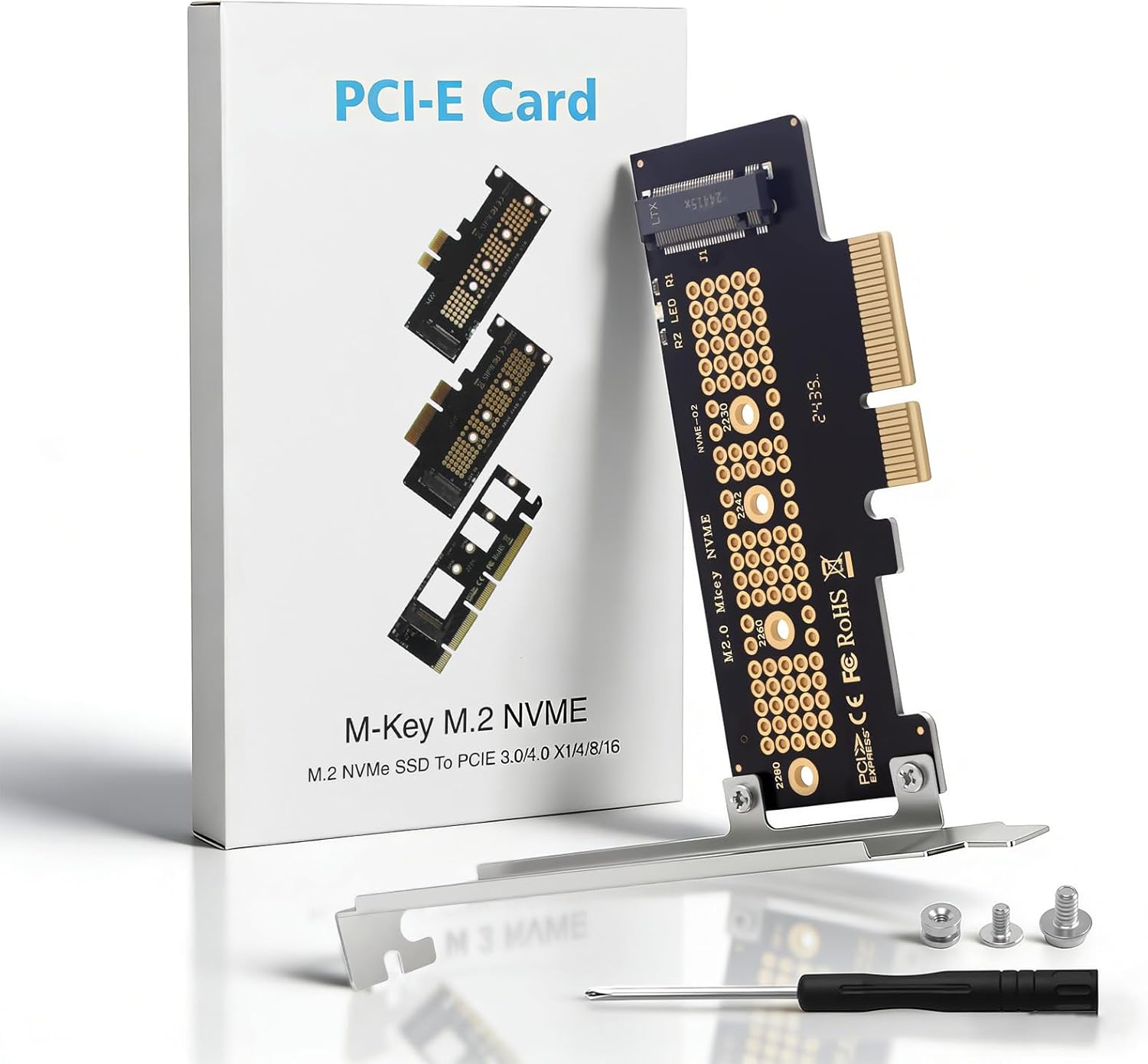
Duttek M.2 NVME to PCIe 3.0/4.0 x4 Adapter Card
Bottom line: Per its Amazon listing, the Duttek M.2 NVME to PCIe 3.0/4.0 x4 Adapter Card: the M.2 to PCIE Adapter is compatible with 2280/2260/2242/2230mm M.2 NVMe and AHCI SSDs.
As an Amazon Associate, SpecPicks earns from qualifying purchases. Full disclosure →
Pros & Cons
Pros
- ✓ The M.2 to PCIE Adapter is compatible with 2280/2260/2242/2230mm M.2 NVMe and AHCI SSDs
- ✓ Backed by Duttek's warranty and support channels
Cons
- ✗ Needs a free PCIe slot — check which of your board's slots are wired for it
SpecPicks Verdict
SpecPicks has no buyer-rating or benchmark data for Duttek M.2 NVME to PCIe 3.0/4.0 x4 Adapter Card, so this read rests on the manufacturer's listed specs (how we evaluate). Compare with similarly-priced alternatives in the storage adapters category before committing. Judge it on the specification table and the price rather than on sentiment: check the figures that decide your use case, then put it side-by-side with two or three close alternatives in the Compare tool before clicking through.
Before ordering, confirm the board side: this card needs a free PCIe slot of the width the card uses. Your motherboard manual lists which slots share lanes with M.2 sockets or other slots. Prices and stock are set by the retailer and may have moved since this page was last updated.
Key Features
Quoted from the manufacturer's listing. Where it differs from the pros and cons above, those note the conditions the listing leaves out.
- The M.2 to PCIE Adapter is compatible with 2280/2260/2242/2230mm M.2 NVMe and AHCI SSDs. Easy to install: no driver required.
- NVME PCIe Adapter with unlimited capacity: Supports PCI-Express x4, x8, x16 slots, PCIe 4.0 lanes are backward compatible with PCIe 1.0, 2.0, 3.0, fully unleashing the speed of PCIE 3.0/4.0 X4 full-speed M.2 PCIe SSD.
- Nvme pcie adapter compatible with Windows 11/10/8, Linux and Mac OS. Supports booting from NVMe SSD. Meanwhile, Windows 7 does not have default NVMe drivers, and installing Windows 7 or PE system may fail to recognize the hard disk. It is recommended to install Windows 10 operating system on NVMe hard disk.
- Fast heat dissipation, high-speed operation, dual-sided multi-copper-hole heat dissipation structure can effectively reduce the high temperature generated during operation, no heat sink is needed, making performance more durable. The green light remains on when powered on and flashes during reading and writing.
- Important Note: Do not install the adapter in the PCI slot. Incorrect slots may damage the adapter, hard drive and motherboard. Note: The AHCI protocol is not the SATA protocol. Pcie nvme adapter packaging: 1 PCIE card, 1 screwdriver, 1 120mm full-grade board,1 hard drive fixing screw.
Full Specifications
| Brand | Duttek |
|---|---|
| Style | PCIE-X4 |
| Style Name | PCIE-X4 |
| Model Number | PCIE-X4 |
| Compatibility | PC, Mac, Linux |
| Mfr Part Number | PCIE-X4 |
| Number of Items | 1 |
| Compatible Devices | Personal Computer |
| Hardware Interface | PCI Express x4 |
| Warranty Description | Within 90 days of purchase |
| Item Dimensions L x W x H | 4.72"L x 1.18"W x 0.59"H |
| Full listing title | Duttek M.2 NVME to PCIe 3.0/4.0 x4 Adapter Card, SSD Converter for Desktop PC, Supports Gen3/Gen4 x4 Slot, 22110/2280/2260 Compatibility |
Ready to buy?
Duttek M.2 NVME to PCIe 3.0/4.0 x4 Adapter Card, SSD Converter for Desktop PC, Supports Gen3/Gen4 x4 Slot, 22110/2280/2260 Compatibility is listed on Amazon. Price, availability, shipping and returns are set by Amazon and its sellers — check the listing for current terms. SpecPicks earns a small commission on qualifying purchases — thank you for supporting independent review work.
Related Storage Adapters


More guides & deep dives from the SpecPicks archive
Browse all articles & guides →- Best Retro Handhelds in 2026: Pocket, Mid-Tier and FPGA Picks
- Emulation Hardware in 2026: FPGA, Software, and Cart-Reader Ecosystems
- RTX 4070 Super vs RX 7800 XT — Which to Buy in 2026
- Best 1440p Gaming GPUs in 2026
- The Complete Voodoo5 5500 AGP Driver Guide (2026 Edition)
- How to Build a Windows 98 Retro PC in 2026
- Best Budget Gaming PC Build 2026 — ~$1,000 Parts List
More reviews from the SpecPicks archive
Browse all reviews →- 48GB vs 64GB DDR5 for Gaming and AI: Worth It?
- How to Make Steam Deck Intros Last Longer (2026)
- Voodoo5 5500 PCI Boots on Modern ASUS P8Z77-V Pro — A Look at Retro GPUs in 2026 Boards
- Quiet RTX 3060 12GB Local LLM Box: Build Notes from a Real Setup
- Best SATA SSD for Gaming and Everyday Upgrades in 2026
- ROCm in 2026: Is AMD Finally a Real Local-LLM Option?
- Qwen3.6-27B vs Coder-Next: Which Local Coding Model Wins?
- Best Gaming Controllers for PC in 2026: 5 Picks Tested Across Genres
- PS3 Emulation Reaches Radeon HD 2000-4000: What It Unlocks
- RetroPie on a Raspberry Pi 4 8GB: The Definitive 2026 Emulation Build
- Google's 'Frozen v2' Chip Bakes Gemini Into Silicon: What It Means for Local Rigs
- Raspberry Pi 4 8GB vs Pi 5 for a 2026 Homelab: Is the Pi 4 Still Worth It?
- CompactFlash + IDE Storage for a Period-Correct Windows 98 Build
- Reve 2.0 Debuts at #2: Can You Run Competitive Image Models on an RTX 3060 12GB?
- Revive an Old Payphone with a Raspberry Pi Zero 2W
- MSI RTX 3060 Ventus 2X vs ZOTAC RTX 3060 Twin Edge: Which $300 1080p GPU Wins in 2026?
- Asus ROG Xreal R1: 240Hz AR Glasses Hit Review
- Open-Source NVIDIA NVK Vulkan Driver Adds DLSS Support: What It Means for RTX 3060 Owners
- CompactFlash vs SATA SSD vs IDE-to-USB: Best Storage for a Retro PC
- Best GPU for 1080p Esports in 2026: Why the RTX 3060 12GB Still Delivers
- ComfyUI on an RTX 3060 12GB: Stable Diffusion Throughput and VRAM Limits in 2026
- RTX 3060 12GB vs Ryzen 5 5600G iGPU for Entry Local LLM Inference
- 2000s LAN Party Modern Setup Guide: Hardware, Cables, and Server Stack in 2026
- What Hardware Runs a Gemini-Class Model Locally in 2026?
Earliest SpecPicks reviews
Browse full archive →- Best GPU for Llama 3.1 8B (2026)
- Best GPU for Qwen 3 14B (2026)
- Best GPU for Qwen 3 32B (2026)
- Best GPU for Llama 3.1 70B (2026)
- Best GPU for DeepSeek-R1 32B (2026)
- Best GPU for Llama 3.1 405B (2026)
- How to run Llama 3.1 8B on NVIDIA GeForce RTX 5090
- How to run Qwen 3 14B on NVIDIA GeForce RTX 5090
- How to run Qwen 3 32B on NVIDIA GeForce RTX 5090
- How to run Llama 3.1 70B on NVIDIA GeForce RTX 5090
- How to run DeepSeek-R1 32B on NVIDIA GeForce RTX 5090
- How to run Llama 3.1 8B on NVIDIA GeForce RTX 4090