

PRAISUN
PRAISUN 47 X 20 Inch Computer Desk, Power Outlets, USB-C, Black
Bottom line: The PRAISUN 47 X 20 Inch Computer Desk: 4 AC outlets built into the desk for monitor, PC and lamp; main trade-off: particleboard top, not solid wood.
As an Amazon Associate, SpecPicks earns from qualifying purchases. Full disclosure →
Pros & Cons
Pros
- ✓ 4 AC outlets built into the desk for monitor, PC and lamp
- ✓ USB-A plus USB-C ports for charging phones and tablets
- ✓ 47 x 20 inch top fits a dual-monitor setup
- ✓ Thick steel tube frame with struts under the tabletop
- ✓ Labeled parts and included tools for simpler assembly
Cons
- ✗ Particleboard top, not solid wood
- ✗ No weight capacity stated in the listing
- ✗ No drawers, shelves or storage listed
- ✗ 20 inch depth is tight for large monitors and a full keyboard
Manufacturer description
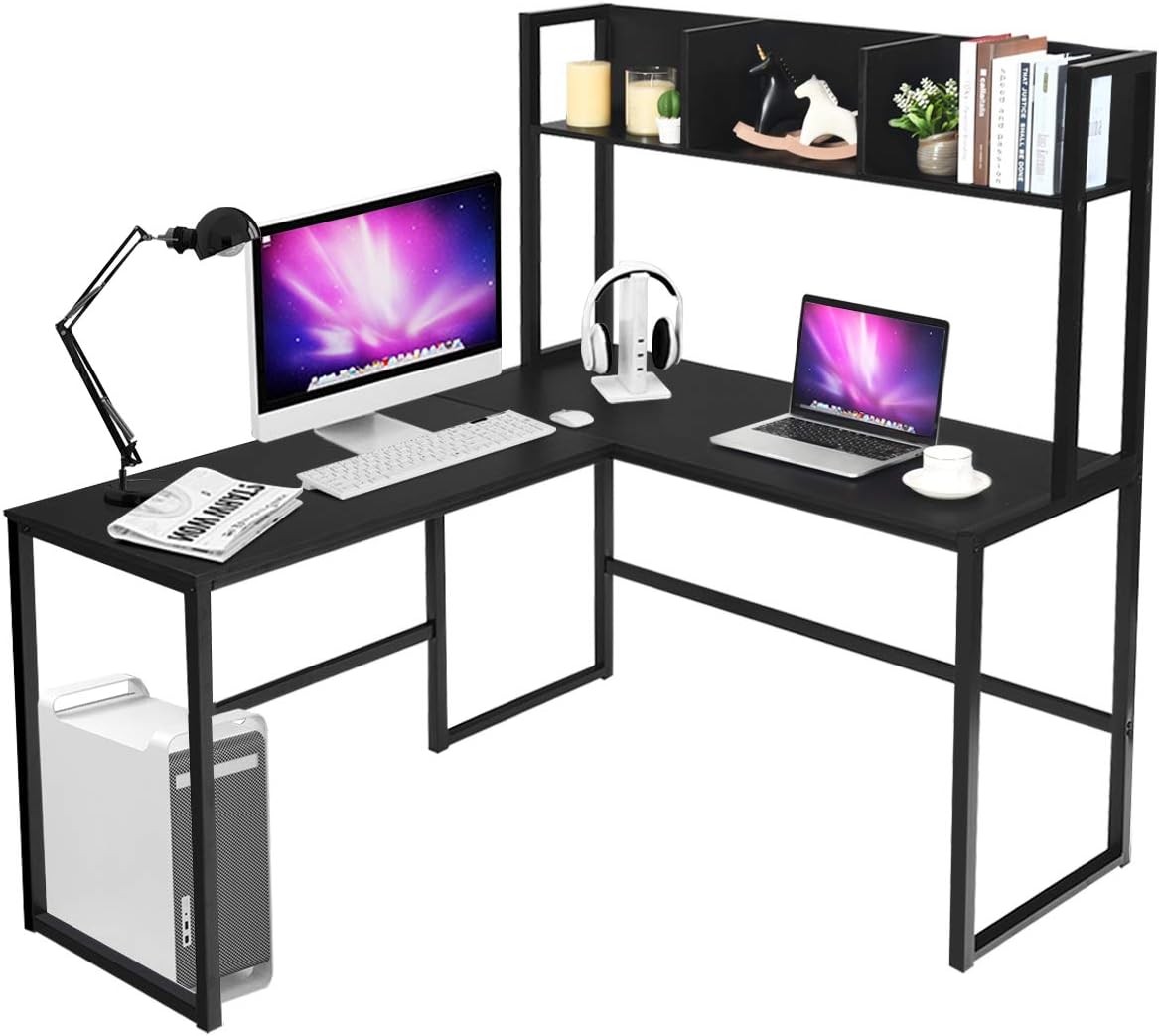
The PRAISUN 47 x 20 Inch Computer Desk puts a charging station right on your work surface. It has 4 AC outlets, 1 USB port and 1 USB-C port, so your monitor, laptop, desk lamp and gaming gear all plug in at the desk. You won't need a power strip trailing across the floor, and your cables stay off the carpet. The 47 x 20 inch desktop gives you room for multiple monitors, books, planners and decor. That's enough space to study, work from home or game without feeling cramped. The black finish fits a home office, bedroom, gaming room or study corner. It works as a writing desk, a computer desk…
SpecPicks Verdict
SpecPicks has no buyer-rating or benchmark data for PRAISUN 47 X 20 Inch Computer Desk, so this read rests on the manufacturer's listed specs (how we evaluate). Compare with similarly-priced alternatives in the gaming desks category before committing. On the listing's own facts, the case for it is "4 AC outlets built into the desk for monitor, PC and lamp"; the main trade-off is "Particleboard top, not solid wood". If those two points fit how you will use it, put it beside one or two close alternatives in the Compare tool to confirm the price.
Common buyer scenarios for gaming desks: matching surface dimensions to the room footprint and monitor count, checking height-adjustment range for sit-stand setups, verifying cable-management channels for a clean multi-monitor build, and confirming weight capacity for a full tower + dual-monitor load. Review the spec sheet for assembly difficulty before ordering.
Frequently Asked Questions
What are the dimensions of the PRAISUN computer desk?
The desktop measures 47 x 20 inches. Check the product listing for the overall height before you buy.
How many outlets and USB ports does this desk have?
The built-in charging station has 4 AC outlets, 1 USB port and 1 USB-C port, so you can power a monitor, laptop, lamp or gaming gear from the desk.
Can the PRAISUN desk hold two monitors?
The listing says the 47 x 20 inch top has room for multiple monitors. Measure your monitor stands first, because the 20 inch depth limits how far back each screen can sit.
What material is the desk made of?
The tabletop is particleboard on a frame of thick steel tubes, with reinforcement struts under the top for extra stability. The finish is black.
Is the desk hard to assemble, and are tools included?
The desk comes with clear instructions, labeled parts and the tools you need. No extra hardware is required according to the listing.
Key Features
Quoted from the manufacturer's listing. Where it differs from the pros and cons above, those note the conditions the listing leaves out.
- 【Built-in Charging Station】Stay powered throughout the day with 4 AC outlets, 1 USB port, and 1 USB-C port. Whether it’s your monitor, laptop, lamp, or gaming gear—you can charge everything directly from your work desk for home office, keeping your space neat and cable-free
- 【Larger Desktop】Need room to spread out? This 47 x 20 inch desktop gives you generous space for multiple monitors, books, planners, and décor. This home office desk is perfect for studying, working from home, or gaming without feeling cramped
- 【Versatile Desk】Designed to fit seamlessly into your home office, bedroom, gaming room, or study area. Use it as a writing desk, computer desk, study desk, or gaming desk—one desk that easily adapts to your lifestyle
- 【Reinforced Structure】Made with durable particleboard and thick steel tubes, this gamer desk offers reliable support for work or play. Reinforcement struts under the tabletop add extra stability, giving you a sturdy surface that stays strong over time
- 【Easy to Assemble】With clear instructions, labeled parts, and included tools, setting up your new writing desk is simple. You’ll have it assembled and ready to use in no time
Full Specifications
| Base | Metal |
|---|---|
| Size | 48inch |
| Brand | PRAISUN |
| Color | Black |
| Shape | Rectangular |
| Style | Modern |
| Set Name | Single |
| Base Type | Metal |
| Top Color | Black |
| Item Depth | 19.7 inches |
| Style Name | Modern |
| Unit Count | 1 Count |
| Desk Design | Computer Desk |
| Desk design | Computer Desk |
| Finish Type | Polished |
| Connectivity | USB-C |
| Finish Types | Polished |
| Base Material | Metal |
| Mounting Type | Freestanding |
| Warranty Type | Limited |
Ready to buy?
PRAISUN 47 X 20 Inch Computer Desk, Power Outlets, USB-C, Black is listed on Amazon. Price, availability, shipping and returns are set by Amazon and its sellers — check the listing for current terms. SpecPicks earns a small commission on qualifying purchases — thank you for supporting independent review work.
Related Gaming Desks



More guides & deep dives from the SpecPicks archive
Browse all articles & guides →- Emulation Hardware in 2026: FPGA, Software, and Cart-Reader Ecosystems
- Best Retro Handhelds in 2026: Pocket, Mid-Tier and FPGA Picks
- How to Build a Windows 98 Retro PC in 2026
- Best Budget Gaming PC Build 2026 — ~$1,000 Parts List
- The Complete Voodoo5 5500 AGP Driver Guide (2026 Edition)
- RTX 4070 Super vs RX 7800 XT — Which to Buy in 2026
- Best 1440p Gaming GPUs in 2026
More reviews from the SpecPicks archive
Browse all reviews →- Best Gaming Monitors in 2026: 1080p, 1440p, and 4K Picks
- Jellyfin on a Raspberry Pi 4 8GB in 2026: The 4K Transcode Reality Check
- Build a Raspberry Pi 4 AirPlay Receiver in 2026: Full Walkthrough
- Ryzen AI Max+ 395 Review: Specs and What It's Really For
- Best CPU Under $300 for a 1080p Gaming Build (2026)
- AMD Instinct MI300X vs Radeon RX 7600 XT: Datacenter vs Desk
- Best Game Streaming Starter Kit in 2026: Mic, Light, and Capture
- Best Mechanical Keyboard for Office and Hybrid Coding in 2026
- Best Controller for PC Emulation and Retro Console Crossover (2026)
- Best Game Controllers for PC in 2026
- 3dfx Voodoo2 SLI in 2026: Building a Period-Correct Windows 98 Glide Rig
- Best Gaming Headsets for PS5 and PC in 2026
- Intel Arc Pro B60 AI: 24GB VRAM for Local LLMs in 2026
- $2,000 Gaming PC Build 2026: Parts, Cost, 1440p FPS
- Samsung's 256GB microSD Drops to $47.99 — and What It Means for Cheap Storage
- Ryzen AI Max 385 Mini PC: Specs and What It's Really For
- Best Adaptive and One-Handed Gaming Controllers in 2026
- Best SSD for a Local AI / LLM Workstation in 2026
- Running Llama 3.1 70B Locally: Hardware Requirements & Performance Benchmarks
- Best Storage for a Windows 98 Retro PC: CompactFlash vs IDE-to-USB SSD Adapters
- Qwen 3.6 35B-A3B vs Qwen 3.6 27B Dense: Which Local LLM Wins on a Single 24GB GPU?
- Can a 12GB RTX 3060 Run Bonsai 27B, the New Open Reasoning Model?
- Sub-$300 4K Mini-LED Gaming Monitors Hit the Mainstream
- HiDream-O1-Image on an RTX 3060 12GB: Does It Fit?
Earliest SpecPicks reviews
Browse full archive →- Best GPU for Llama 3.1 8B (2026)
- Best GPU for Qwen 3 14B (2026)
- Best GPU for Qwen 3 32B (2026)
- Best GPU for Llama 3.1 70B (2026)
- Best GPU for DeepSeek-R1 32B (2026)
- Best GPU for Llama 3.1 405B (2026)
- How to run Llama 3.1 8B on NVIDIA GeForce RTX 5090
- How to run Qwen 3 14B on NVIDIA GeForce RTX 5090
- How to run Qwen 3 32B on NVIDIA GeForce RTX 5090
- How to run Llama 3.1 70B on NVIDIA GeForce RTX 5090
- How to run DeepSeek-R1 32B on NVIDIA GeForce RTX 5090
- How to run Llama 3.1 8B on NVIDIA GeForce RTX 4090