

StarTech.com
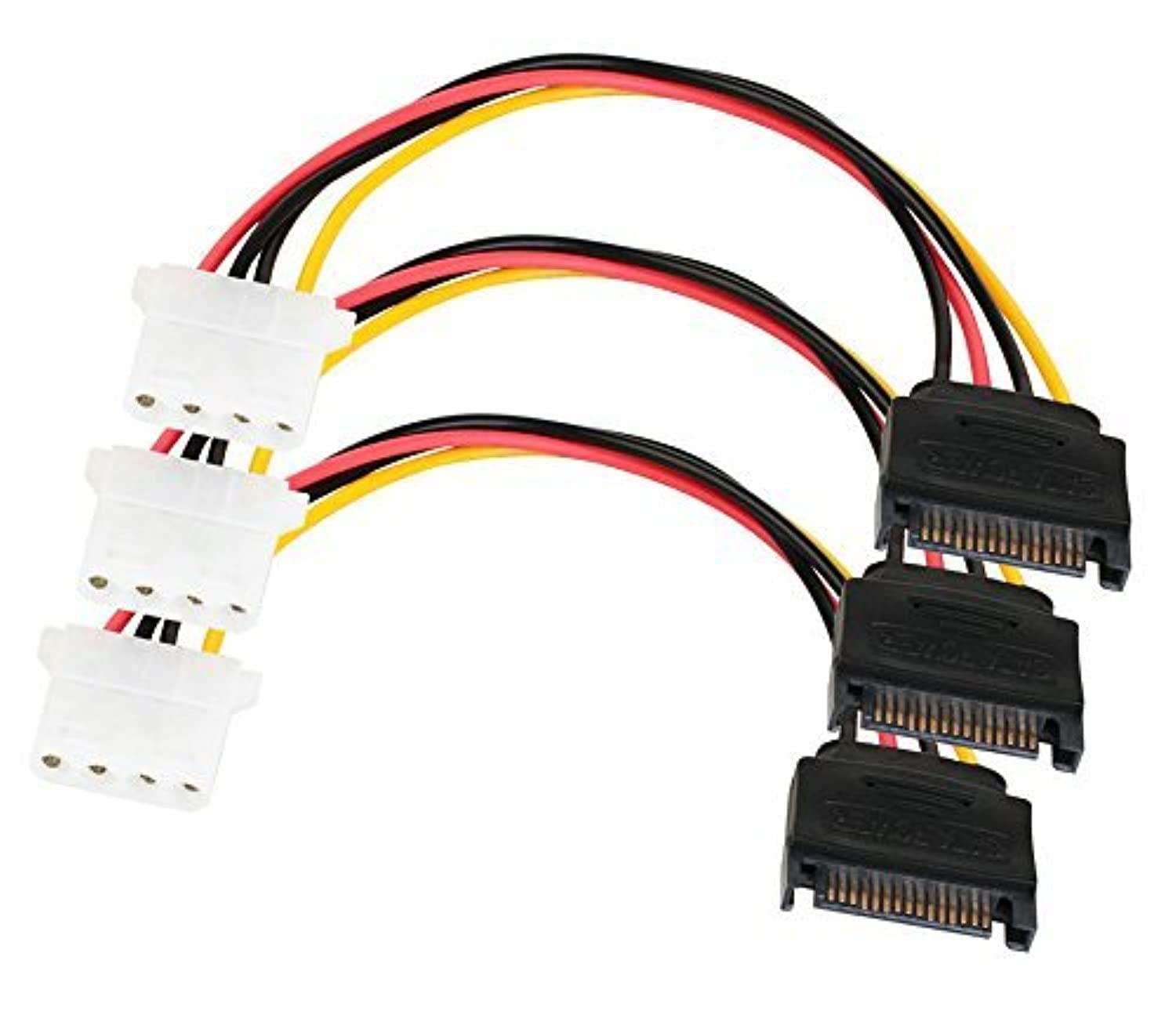
StarTech LP4 to 2X LP4 Power Y Splitter Cable (PYO2L) | Molex Y Splitter, Male to Female
Bottom line: The StarTech.com StarTech LP4 to 2X LP4 Power Y Splitter Cable: Splits one PSU LP4 connector into two female LP4 outputs; main trade-off: male-to-female only; will not adapt LP4 to SATA or PCIe.
As an Amazon Associate, SpecPicks earns from qualifying purchases. Full disclosure →
Pros & Cons
Pros
- ✓ Splits one PSU LP4 connector into two female LP4 outputs
- ✓ StarTech.com lists compatibility with all IDE hard drives
- ✓ Powers internal tape backup drives, a rare spec to see called out
- ✓ Frees PSU harness connections without swapping the power supply
Cons
- ✗ Male-to-female only; will not adapt LP4 to SATA or PCIe
- ✗ Splits the connector, not the rail's amperage budget
- ✗ Product context lists no cable length, so reach is unverified
- ✗ No shroud or latch spec given; Molex pins rely on friction fit
Manufacturer description
The StarTech.com PYO2L Molex Y splitter solves a problem every retro PC builder hits eventually: an older power supply with too few LP4 connectors for the drives you want to run. This cable takes one male LP4 (4-pin Molex) connector from your PSU and breaks it out into two female LP4 connectors, so a single rail feeds two peripherals instead of one. It is built for the drives that define period-correct builds — IDE hard drives, CD-ROM and DVD-ROM drives, and internal tape backup units. StarTech.com lists compatibility with all IDE hard drives, which covers the bulk of what you will find in a…
SpecPicks Verdict
SpecPicks scored StarTech.com StarTech LP4 to 2X LP4 Power Y Splitter Cable using a rating × review-volume × price-fit model applied to published specs and reviews across the power supplies & cables category. StarTech.com's power supplies & cables lineup sits within the broader category mid-tier; price and specs are the deciding factors over brand loyalty here. Judge it on the specification table and the price rather than on sentiment: check the figures that decide your use case, then put it side-by-side with two or three close alternatives in the Compare tool before clicking through.
Common buyer scenarios for power supplies & cables of this kind: matching it to an existing build, replacing a failing part, or upgrading from a previous-generation equivalent. Check the spec table below against your current setup — particularly socket / form-factor / power-rating fields — and confirm compatibility on the retailer's listing before purchase. Prices and stock are set by the retailer and may have moved since this page was last updated.
Frequently Asked Questions
What does this StarTech Molex splitter actually do?
It takes one male LP4 (4-pin Molex) connector from your power supply and breaks it out into two female LP4 connectors, letting you power two peripherals from a single PSU connection.
Will it work with my old IDE hard drives?
Yes. StarTech.com lists the PYO2L as compatible with all IDE hard drives, and also calls out internal CD-ROM drives, DVD-ROM drives, and internal tape backup units.
Is this the same as a Molex to SATA adapter?
No. The PYO2L is LP4 to dual LP4 only, male to female. It does not convert to SATA power, PCIe, or any other connector type.
Can I run two power-hungry drives off one connector?
The splitter divides the connector, not the rail's current capacity, so both drives draw from the same PSU circuit. Check your power supply's per-rail amperage rating before loading two high-draw devices.
Key Features
- Connect two LP4 peripheral devices (CD/DVD-ROM drives etc) to a single LP4 connector
- Molex Splitter / LP4 Splitter / Molex Y Splitter / 4 pin Molex Adapter / Molex Power Cable / LP4 to Dual LP4
- Power two (LP4 connected) drives
- Free up connections on the power supply by attaching two devices on a single connection
- Compatible with all IDE hard drives
- Supplies power to internal tape backup
Full Specifications
| Brand | StarTech.com |
|---|---|
| Color | Multicolor |
| Model | PYO2L |
| Wattage | 105 watts |
| Cable Type | LP4 |
| Item Shape | Round |
| Model Name | PYO2L |
| Unit Count | 1 Count |
| Item Length | 23 Centimeters |
| Part Number | PYO2L |
| Cable Length | 3.94 Inches |
| Connector Type | 4 Pin Molex |
| Number of Pins | 4 |
| Outer Material | Plastic |
| Maximum Current | 5 Amps |
| Maximum Voltage | 12 Volts |
| Number of Items | 1 |
| Special Feature | Braided |
| Connector Gender | Female |
| Compatible Devices | DVD Player, PC |
Hardware benchmark data
Ready to buy?
StarTech LP4 to 2X LP4 Power Y Splitter Cable (PYO2L) | Molex Y Splitter, Male to Female is listed on Amazon. Price, availability, shipping and returns are set by Amazon and its sellers — check the listing for current terms. SpecPicks earns a small commission on qualifying purchases — thank you for supporting independent review work.
Related Power Supplies & Cables


More guides & deep dives from the SpecPicks archive
Browse all articles & guides →- RTX 4070 Super vs RX 7800 XT — Which to Buy in 2026
- Best Retro Handhelds in 2026 — From $35 to $500
- Best 1440p Gaming GPUs in 2026
- Emulation Hardware in 2026: FPGA, Software, and Cart-Reader Ecosystems
- The Complete Voodoo5 5500 AGP Driver Guide (2026 Edition)
- Best Budget Gaming PC Build 2026 — ~$1,000 Parts List
- How to Build a Windows 98 Retro PC in 2026
More reviews from the SpecPicks archive
Browse all reviews →- Best Budget SSD for a Gaming PC in 2026: Crucial BX500 vs SanDisk vs Samsung 970 EVO Plus
- Best CPU Cooler for AM4 Ryzen 7 5800X Overclocking Under $100 in 2026
- Best 1TB SATA SSDs for PC Builds and Retro Upgrades
- Best Sim Racing Wheel for Forza on Xbox + PC 2026
- Linux Gaming Keeps Closing the Gap: What the Latest Kernel Work Means
- Building a 2002 Windows XP Gaming Rig: GeForce 4 Ti, Sound BlasterX G6, CompactFlash Boot
- Local Whisper for Stream VODs: What Mic and GPU You Actually Need
- RTX 5090 and Ryzen 7 9800X3D Benchmark Showdown: 2026 Performance Deep Dive
- Sound BlasterX G6 for DOS and Win98 Retro Gaming: SBEMU and Real-Mode Audio
- Linux vs Windows 11: AMD Ryzen 9 9950X3D Performance
- Console to Gaming PC: What Changes in 2025
- Claude Sonnet 5: What Shipped and What It Means for Local Rigs
- Best Parts for an Always-On Local LLM Server in 2026
- Best SATA SSDs for Older PCs and Retro Builds in 2026
- Raspberry Pi OS Moves to Linux 6.18 LTS: What Changes for Pi Builders
- Best Cooler for a Ryzen 7 5800X: Noctua NH-U12S vs CoolerMaster ML240L
- Single vs. Dual Channel Memory: Intel Core Ultra 7 270K
- CPU-Only LLM Inference on a Ryzen 7 5800X: When 32GB of RAM Beats a 12GB GPU
- Build a Raspberry Pi Retro Handheld in 2026: Parts and Setup
- Qwen3.6-35B-A3B on an 8GB Laptop: What the Krasis Benchmark Means for Local Inference
- Best SSD for a PS4 Pro Upgrade in 2026
- Mistral Seeks €3B: What a Bigger European Lab Means for Local Rigs
- OpenAI Codex Now Encrypts Agent-to-Agent Instructions: The Case for Local, Auditable Agents
- Crucial BX500 vs Samsung 870 EVO for an Emulation Box
Earliest SpecPicks reviews
Browse full archive →- Best GPU for Llama 3.1 8B (2026)
- Best GPU for Qwen 3 14B (2026)
- Best GPU for Qwen 3 32B (2026)
- Best GPU for Llama 3.1 70B (2026)
- Best GPU for DeepSeek-R1 32B (2026)
- Best GPU for Llama 3.1 405B (2026)
- How to run Llama 3.1 8B on NVIDIA GeForce RTX 5090
- How to run Qwen 3 14B on NVIDIA GeForce RTX 5090
- How to run Qwen 3 32B on NVIDIA GeForce RTX 5090
- How to run Llama 3.1 70B on NVIDIA GeForce RTX 5090
- How to run DeepSeek-R1 32B on NVIDIA GeForce RTX 5090
- How to run Llama 3.1 8B on NVIDIA GeForce RTX 4090