
Symantec
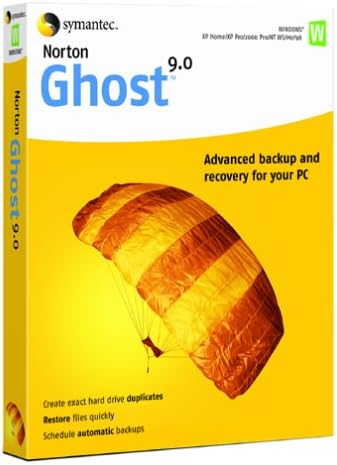
Norton Ghost 9.0 OLD VERSION
Bottom line: The Symantec Norton Ghost 9.0 OLD VERSION: Hot imaging creates backup images without restarting Windows; main trade-off: listed as an OLD VERSION, superseded by later Norton Ghost releases.
As an Amazon Associate, SpecPicks earns from qualifying purchases. Full disclosure →
Pros & Cons
Pros
- ✓ Hot imaging creates backup images without restarting Windows
- ✓ Incremental backups save only changes, cutting backup time and disk space
- ✓ Scheduled backups keep your backup image current automatically
- ✓ Restore individual files, selected folders, or the entire hard drive
- ✓ Bundles Norton Ghost 2003 for extended backup options
Cons
- ✗ Listed as an OLD VERSION, superseded by later Norton Ghost releases
- ✗ Supported Windows versions not stated in the listing; verify before buying
- ✗ Legacy release unlikely to receive new compatibility or security updates
- ✗ Two bundled programs (9.0 and 2003) mean two interfaces to learn
Manufacturer description
From the ManufacturerSymantecs Norton Ghost 9.0 provides advanced backup and recovery for your PC. Protect your data by making a backup of your hard drives contents--without restarting Windows. Incremental backups save you time and disk space. You can even schedule backups to run automatically. Quickly restore individual files, selected folders, or the entire hard drive.Features:New! "Hot imaging" lets you create backup images without restarting Windows. *New! Incremental backup updates save time and disk space.*New! Scheduled backups automatically keep your backup image up to date.*Backs up…
SpecPicks Verdict
SpecPicks has no buyer-rating or benchmark data for Symantec Norton Ghost 9.0 OLD VERSION, so this read rests on the manufacturer's listed specs (how we evaluate). Compare with similarly-priced alternatives in the retro software & media category before committing. On the listing's own facts, the case for it is "Hot imaging creates backup images without restarting Windows"; the main trade-off is "Listed as an OLD VERSION, superseded by later Norton Ghost releases". If those two points fit how you will use it, put it beside one or two close alternatives in the Compare tool to confirm the price.
Before ordering, check the listed dimensions, ports, power requirements and supported devices or systems in the spec table below against how you plan to use it, and confirm them on the retailer's listing. Prices and stock are set by the retailer and may have moved since this page was last updated.
Key Features
Quoted from the manufacturer's listing. Where it differs from the pros and cons above, those note the conditions the listing leaves out.
- Advanced backup and recovery for the PC
- Create backup images without restarting Windows
- Incremental backups save time and disk space
- Schedule backups to run automatically
- Includes Norton Ghost 2003 for extended backups
Full Specifications
| Brand | Symantec |
|---|---|
| Compatibility | PC |
Ready to buy?
Norton Ghost 9.0 OLD VERSION is vintage hardware; the used and vintage market on eBay carries most of the live inventory. Prices and condition vary by seller and move in real time, so we link the live listing rather than quote a cached price. It also has an Amazon listing — check it for current price and availability. SpecPicks earns a small commission on qualifying purchases — thank you for supporting independent review work.
Related Retro Software & Media


More guides & deep dives from the SpecPicks archive
Browse all articles & guides →- Best 1440p Gaming GPUs in 2026
- RTX 4070 Super vs RX 7800 XT — Which to Buy in 2026
- Best Budget Gaming PC Build 2026 — ~$1,000 Parts List
- How to Build a Windows 98 Retro PC in 2026
- Emulation Hardware in 2026: FPGA, Software, and Cart-Reader Ecosystems
- Best Retro Handhelds in 2026: Pocket, Mid-Tier and FPGA Picks
- The Complete Voodoo5 5500 AGP Driver Guide (2026 Edition)
More reviews from the SpecPicks archive
Browse all reviews →- Best Budget SATA SSD in 2026: BX500 vs SanDisk Plus vs WD Blue
- Intel Arc B580 for LLM Inference: What It Can Actually Do
- Best Work-From-Home Kit for Gamers in 2026
- When a Game Boy Clone Runs Too Fast: The Crystal-Swap Fix Behind a Viral Repair
- Best 4K Monitor for the PS4 Pro and PS5 in 2026 (Value Pick)
- Best Adaptive and One-Handed Gaming Controllers in 2026
- Is the RTX 3060 12GB Still the Best Budget 1080p GPU in 2026?
- 8BitDo Pro 2 vs GameSir G7 SE for Raspberry Pi Emulation
- RTX 5090 vs RTX 3090: Specs, Gaming & AI Compared (2026)
- DeepSeek V4.1-Flash on One RTX 3060 12GB vs Two: Why Neither Can Load It, and What 24 GB Runs Instead
- SteamOS Boots on Intel Hardware: Enthusiast Hack Lands
- Best Streaming Setup Under $400: G502 + QuadCast 2 S + Cam Link 4K vs the Bundle Alternatives
- CRT vs Monitor for Retro Gaming: Which Wins in 2026
- DIY Handheld Tricorder Build Guide 2026
- Best Raspberry Pi 4 Starter Kit Bundle for First-Time Robotics Builders in 2026
- Qwen Plays DCSS: What Roguelike Runs Tell Us About Long-Context Agent Performance
- Raspberry Pi LLM Projects: What Actually Runs in 2026
- Best CPU Cooler for AM4 Ryzen Overclocking (2026 Edition)
- Unified RAM for LLMs: 2025-2026 Hardware Guide
- Best SATA, IDE & CompactFlash Adapters for Retro PC Data Recovery in 2026
- A 180Hz 1440p Gaming Monitor at Entry-Level Pricing — How It Stacks Against Our 4K Picks
- Stream Deck MK.2 vs 12-Button MMO Mouse vs Macro Keys: Which Shortcut Buttons Are Worth It
- Google's Tiny Gemma 3 Board: What a $0 SBC Gemma Demo Means for Local AI
- GameSir G7 SE vs DualSense: Which Controller Is Better on PC in 2026?
Earliest SpecPicks reviews
Browse full archive →- Best GPU for Llama 3.1 8B (2026)
- Best GPU for Qwen 3 14B (2026)
- Best GPU for Qwen 3 32B (2026)
- Best GPU for Llama 3.1 70B (2026)
- Best GPU for DeepSeek-R1 32B (2026)
- Best GPU for Llama 3.1 405B (2026)
- How to run Llama 3.1 8B on NVIDIA GeForce RTX 5090
- How to run Qwen 3 14B on NVIDIA GeForce RTX 5090
- How to run Qwen 3 32B on NVIDIA GeForce RTX 5090
- How to run Llama 3.1 70B on NVIDIA GeForce RTX 5090
- How to run DeepSeek-R1 32B on NVIDIA GeForce RTX 5090
- How to run Llama 3.1 8B on NVIDIA GeForce RTX 4090