

10Gtek
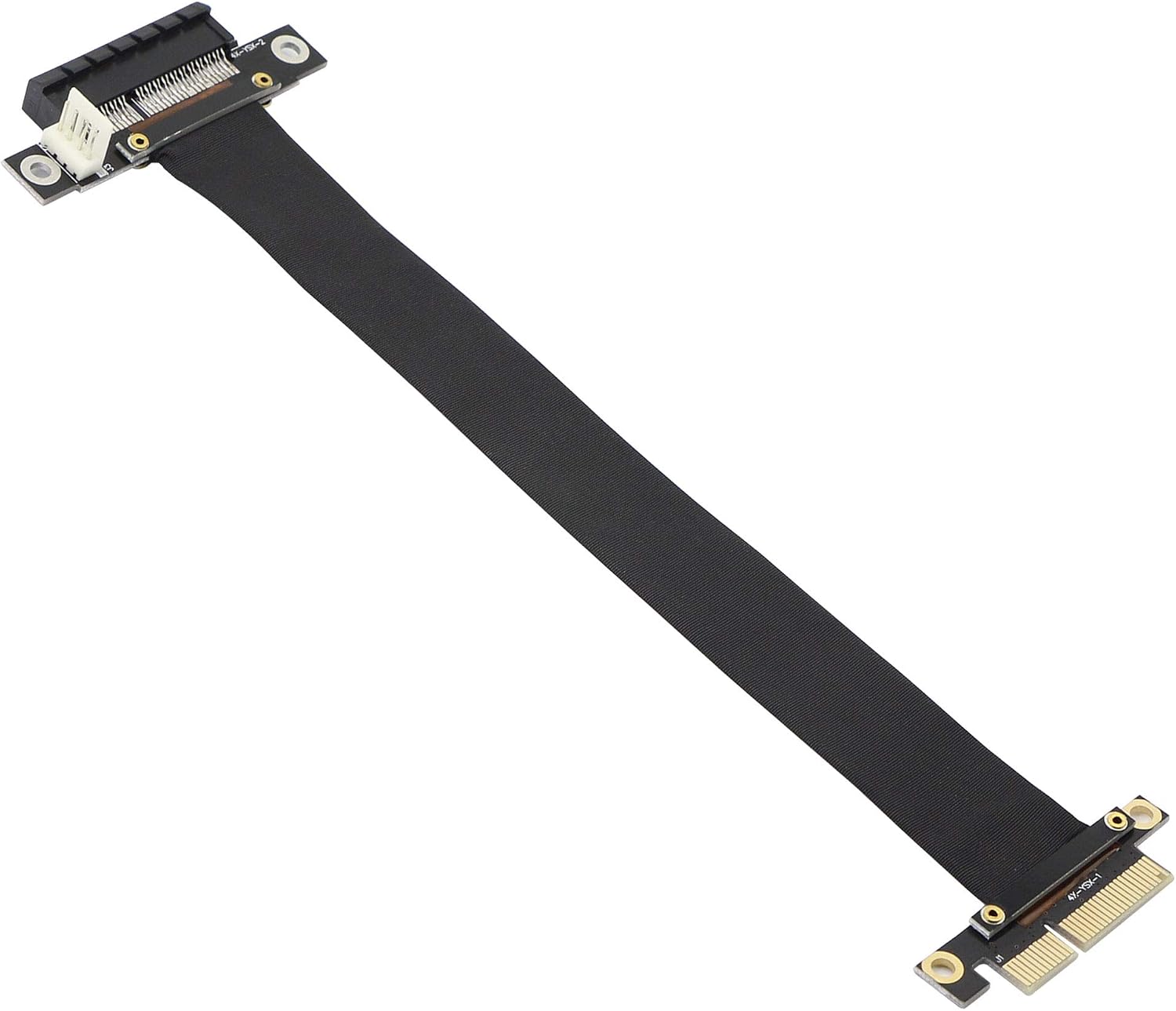
10Gtek PCIe 3.0 x1 Riser Cable (20cm/0.66ft)
Bottom line: The 10Gtek PCIe 3.0 x1 Riser Cable: Fits any PCIe x1/x4/x8/x16 slot as an x1 riser; main trade-off: no hot-swap support; power down before connecting.
As an Amazon Associate, SpecPicks earns from qualifying purchases. Full disclosure →
Pros & Cons
Pros
- ✓ Fits any PCIe x1/x4/x8/x16 slot as an x1 riser
- ✓ Dual 90° connectors reroute cards flat in tight cases
- ✓ EMI-shielded jacket reduces electromagnetic interference
- ✓ 3μm immersion-gold fingers for stable signal, longer life
- ✓ Foldable, flexible cable bends without cutting throughput
Cons
- ✗ No hot-swap support; power down before connecting
- ✗ Short 20cm/0.66ft length limits placement in larger builds
- ✗ Single x1 lane caps GPU bandwidth vs a full x16 riser
- ✗ Fixed 90° angled ends restrict cable routing flexibility
SpecPicks Verdict
SpecPicks has no buyer-rating or benchmark data for 10Gtek PCIe 3.0 x1 Riser Cable, so this read rests on the manufacturer's listed specs (how we evaluate). Compare with similarly-priced alternatives in the expansion cards category before committing. On the listing's own facts, the case for it is "Fits any PCIe x1/x4/x8/x16 slot as an x1 riser"; the main trade-off is "No hot-swap support; power down before connecting". If those two points fit how you will use it, put it beside one or two close alternatives in the Compare tool to confirm the price.
Before ordering, confirm the board side: this card needs a free PCIe 3.0 x1 slot. Your motherboard manual lists which slots share lanes with M.2 sockets or other slots. Prices and stock are set by the retailer and may have moved since this page was last updated.
Key Features
Quoted from the manufacturer's listing. Where it differs from the pros and cons above, those note the conditions the listing leaves out.
- The gold finger adopts the immersion gold process with a gold thickness of up to 3 μm, which enhances the plug-in service life and good electrical performance of the product
- Good compatibility, good stability, foldable, and anti-electromagnetic interference
- Anti-interference EMI material, not easy to damage
- The line has the flexibility of bending and bending, which does not affect the transmission efficiency and the use function
- Supported the devices with PCIe x1/x4/x8/x16 sockets. NOT support hot swapping!
Full Specifications
| Brand | 10Gtek |
|---|---|
| Color | black |
| Model | PCIE-X1-MF-20-33(BK) |
| Cable Type | PCIe |
| Item Shape | Round |
| Unit Count | 1 Count |
| Part Number | PCIE-X1-MF-20-33(BK) |
| Connector Type | Pcie |
| Number of Pins | 1 |
| Outer Material | Plastic or Rubber |
| Number of Items | 1 |
| Special Feature | plug and play |
| Connector Gender | Male-to-Female |
| Compatible Devices | GPUs/Storage Devices/High-Speed Networking & Accelerators/Professional I/O & Capture Cards |
| Data Transfer Rate | 1 Gigabytes Per Second |
| Indoor Outdoor Usage | Indoor |
| Recommended Uses For Product | Connecting and extending PCIe devices |
| Other Special Features of the Product | plug and play |
| Full listing title | 10Gtek PCIe 3.0 x1 Riser Cable, Male 90° to Female 90° EMI-Shielded GPU Jumper Cable for Graphics Cards, 20cm/0.66ft |
Ready to buy?
10Gtek PCIe 3.0 x1 Riser Cable, Male 90° to Female 90° EMI-Shielded GPU Jumper Cable for Graphics Cards, 20cm/0.66ft is listed on Amazon. Price, availability, shipping and returns are set by Amazon and its sellers — check the listing for current terms. SpecPicks earns a small commission on qualifying purchases — thank you for supporting independent review work.
Related Expansion Cards


More guides & deep dives from the SpecPicks archive
Browse all articles & guides →- RTX 4070 Super vs RX 7800 XT — Which to Buy in 2026
- Best Budget Gaming PC Build 2026 — ~$1,000 Parts List
- Emulation Hardware in 2026: FPGA, Software, and Cart-Reader Ecosystems
- Best Retro Handhelds in 2026: Pocket, Mid-Tier and FPGA Picks
- Best 1440p Gaming GPUs in 2026
- How to Build a Windows 98 Retro PC in 2026
- The Complete Voodoo5 5500 AGP Driver Guide (2026 Edition)
More reviews from the SpecPicks archive
Browse all reviews →- Self-Hosting Jellyfin on a Ryzen 5 5600G: 4K Transcode on the Cheap
- Best CPU Coolers for Ryzen and Intel Builds in 2026
- Best Gaming Mouse Pad for Competitive FPS in 2026: 5 Picks Ranked by Glide, Tracking, and Sweat Resistance
- RTX 5090 Benchmark Comparison: 4K Gaming, AI & Value (2026)
- Running DeepSeek Distills Locally on a Ryzen 7 5800X + RTX 3060
- Simba 3.2 Tops the TTS Leaderboard: Run Local Text-to-Speech on an RTX 3060 12GB
- Anthropic Keeps Supplying Claude to the NSA After Pentagon Supply-Chain Flag
- Sega Saved Nvidia in 1996: The NV1 Gamble That Shaped Every GPU
- Best Gaming SSD for PC Builds in 2026: 5 Picks Tested
- Gemma 4 31B Creative-Writing Finetunes on RTX 3060 12GB
- Best SSD for PS4 Pro: SATA Upgrades That Actually Help
- 8BitDo Pro 2 vs GameSir G7 SE: Best Controller for PC Emulation in 2026
- CompactFlash-to-IDE Boot Drive: The Silent Win98 Build Upgrade
- Best GPU + Monitor Pairings for 1440p QD-Mini-LED Gaming in 2026
- Ryzen 7 5700X + RTX 3060 12GB: The Best Value 1080p Combo in 2026
- Asus ProArt PA27USD OLED Lands — and What 4K Gamers Can Buy for Less
- GLM-5.2 Review: The Most Powerful Open-Weights LLM You Can Self-Host in 2026
- GTX 1050 Ti vs Ryzen 5 2600 for Gemma 3 1B and Llama 3.2 1B
- Samsung 1440p 240Hz Gaming Monitor Drops to $169 — 32% Off
- Best GPU for AI code generation in 2026
- Grok 4.5 Ranks #4 on GDPval: Cloud-vs-Local Math for 2026
- Best 2.5" SATA SSD to Upgrade a PS4 Pro in 2026
- Self-Hosting Jellyfin on a Raspberry Pi 4 8GB: What It Can Really Do
- Amstrad CPC Emulator Now Runs on the Raspberry Pi Pico 2
Earliest SpecPicks reviews
Browse full archive →- Best GPU for Llama 3.1 8B (2026)
- Best GPU for Qwen 3 14B (2026)
- Best GPU for Qwen 3 32B (2026)
- Best GPU for Llama 3.1 70B (2026)
- Best GPU for DeepSeek-R1 32B (2026)
- Best GPU for Llama 3.1 405B (2026)
- How to run Llama 3.1 8B on NVIDIA GeForce RTX 5090
- How to run Qwen 3 14B on NVIDIA GeForce RTX 5090
- How to run Qwen 3 32B on NVIDIA GeForce RTX 5090
- How to run Llama 3.1 70B on NVIDIA GeForce RTX 5090
- How to run DeepSeek-R1 32B on NVIDIA GeForce RTX 5090
- How to run Llama 3.1 8B on NVIDIA GeForce RTX 4090