

ACHORO
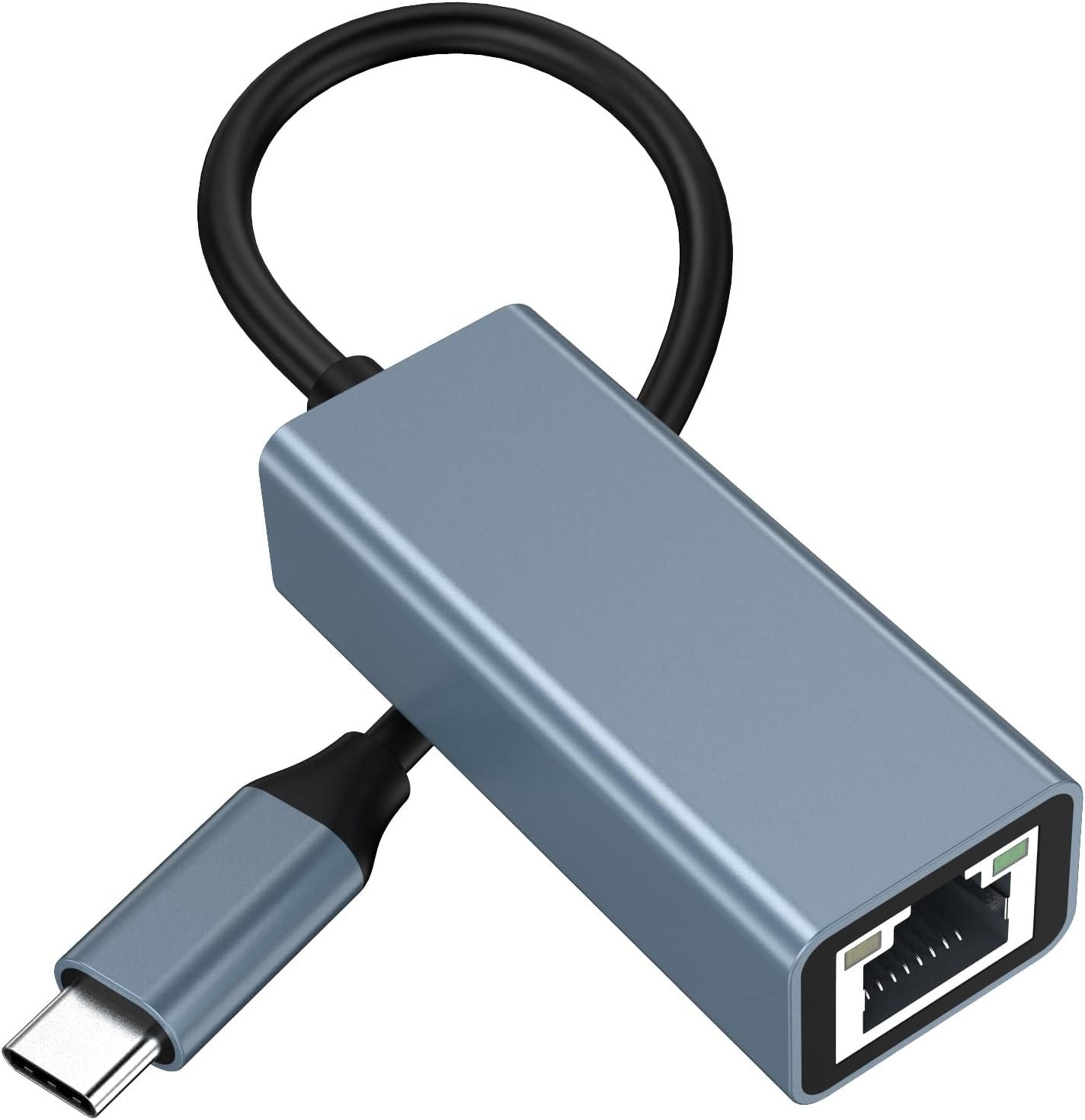
ACHORO Multi-Function USB to Ethernet Adapter with LAN
Bottom line: The ACHORO Multi-Function USB to Ethernet Adapter with LAN: Adds a wired RJ45 Ethernet port to laptops that don't have one; main trade-off: ethernet listed as 10/100 Mbps despite Gigabit wording elsewhere.
As an Amazon Associate, SpecPicks earns from qualifying purchases. Full disclosure →
Pros & Cons
Pros
- ✓ Adds a wired RJ45 Ethernet port to laptops that don't have one
- ✓ One USB 3.0 port rated up to 5Gbps for external drives
- ✓ Three USB 2.0 ports at up to 480Mbps for keyboards, mice and printers
- ✓ Thin aluminum alloy housing, compact enough for a laptop bag
- ✓ Title lists built-in USB-A and USB-C connections for PC and Mac
Cons
- ✗ Ethernet listed as 10/100 Mbps despite Gigabit wording elsewhere
- ✗ Only one of the four USB ports is USB 3.0
- ✗ USB 2.0 ports cap at 480Mbps, too slow for fast SSD transfers
- ✗ No external power input or pass-through charging listed
Manufacturer description
The ACHORO Multi-Function USB to Ethernet Adapter turns one USB connection on your PC or Mac into a wired network port and three extra USB ports. It fits an RJ45 LAN jack, one USB 3.0 port rated up to 5Gbps and three USB 2.0 ports rated up to 480Mbps into a thin aluminum alloy housing. Use the USB 3.0 port for jobs that need speed, like moving photos, video and project files to an external drive or flash drive. The USB 2.0 ports cover slower devices such as keyboards, mice, printers, scanners, speakers and digital cameras, and all of them can run at the same time. The RJ45 port gives a…
SpecPicks Verdict
SpecPicks has no buyer-rating or benchmark data for ACHORO Multi-Function USB to Ethernet Adapter with LAN, so this read rests on the manufacturer's listed specs (how we evaluate). Compare with similarly-priced alternatives in the retro networking cards category before committing. On the listing's own facts, the case for it is "Adds a wired RJ45 Ethernet port to laptops that don't have one"; the main trade-off is "Ethernet listed as 10/100 Mbps despite Gigabit wording elsewhere". If those two points fit how you will use it, put it beside one or two close alternatives in the Compare tool to confirm the price.
Before ordering, check the listed dimensions, ports, power requirements and supported devices or systems in the spec table below against how you plan to use it, and confirm them on the retailer's listing. Prices and stock are set by the retailer and may have moved since this page was last updated.
Frequently Asked Questions
How many USB ports does the ACHORO adapter add?
It adds four USB ports: one USB 3.0 port rated up to 5Gbps and three USB 2.0 ports rated up to 480Mbps, plus one RJ45 Ethernet port.
Is the Ethernet port Gigabit or 10/100?
The listing is inconsistent. One feature line mentions Gigabit, while the stated Ethernet standard is 10/100 Mbps. Check the product listing for the rated LAN speed before buying if you need Gigabit throughput.
Will it work with both a Mac and a Windows PC?
The product is marketed for PC and Mac, and the title mentions built-in USB-A and USB-C connections. Make sure the connector matches your computer's ports, and check the listing for supported OS versions.
What devices can I connect to the USB ports?
The listing names keyboards, mice, external drives, flash drives, scanners, printers, digital cameras, camcorders, speakers and MP3 players. Plug storage into the USB 3.0 port for the fastest transfers.
What is the housing made of?
The hub uses an ultra-thin aluminum alloy shell. For warranty coverage on the housing or electronics, check the product listing for current warranty terms.
Key Features
Quoted from the manufacturer's listing. Where it differs from the pros and cons above, those note the conditions the listing leaves out.
- Aluminium Alloy Ultra-Thin USB 3.0*1 & USB 2.0*3 USB Hub with Ethernet Gigabit Network Ports. Expand Your Computer's Connectivity and Functionality with External USB Hub.
- Lan USB Ports Hub – Offers Expend USB Ports and Connect Ethernet to Computers. Computer USB HUB with Ethernet Ports – Supports High Speed up to 5Gbps and 2.0 up to 480 Mbps. Aluminium USB Hub with Lan -Transfer files, pictures, music fast and efficiently. Offers Easy Ethernet Connection to your Devices.
- Multiport USB Hub device in place includes System Supports Ethernet Connection, keyboard, external drives, scanners, printers, digital cameras, camcorders, speakers, mouse, MP3 players and other USB related devices.
- RJ45 Internet Ports Ethernet Standard: 10/100/Mbps - 3 USB Ports - MANUFACTURED of top-quality aluminium alloy materials and USB 3.0 mechanism in order to superspeed operational effectiveness and efficiency. Work simultaneously with Multiple USB Port devices includes USB Flash Drive for data transfer, printer, scanner, etc.
- EFFICIENT AND SUPERSPEED Ethernet Connection, USB Port Expanded & Data Transfer hub for transferring Photo, Video, Music, Files Working Documents and more.
Full Specifications
| Brand | ACHORO |
|---|---|
| Color | Black, Grey |
| Connectivity | USB-C |
| Compatibility | PC, Mac |
| Compatible Devices | Desktop, Digital Cameras, Keyboard, MP3 Players, Mouse, Printers, Scanners, Speakers, USB Flash Drives |
| Data Link Protocol | Ethernet |
| Data Transfer Rate | 480 Megabits Per Second, 5 Gigabits Per Second |
| Hardware Interface | Ethernet, USB |
| Full listing title | ACHORO Multi-Function USB to Ethernet Adapter with LAN – Built-in USB A & USB C, Extra 3 USB Connections with RJ45, Aluminum Alloy, for PC & Mac (LAN & USB Ports) |
Ready to buy?
ACHORO Multi-Function USB to Ethernet Adapter with LAN – Built-in USB A & USB C, Extra 3 USB Connections with RJ45, Aluminum Alloy, for PC & Mac (LAN & USB Ports) is listed on Amazon. Price, availability, shipping and returns are set by Amazon and its sellers — check the listing for current terms. SpecPicks earns a small commission on qualifying purchases — thank you for supporting independent review work.
Related Retro Networking Cards


More guides & deep dives from the SpecPicks archive
Browse all articles & guides →- Emulation Hardware in 2026: FPGA, Software, and Cart-Reader Ecosystems
- Best Budget Gaming PC Build 2026 — ~$1,000 Parts List
- Best 1440p Gaming GPUs in 2026
- The Complete Voodoo5 5500 AGP Driver Guide (2026 Edition)
- RTX 4070 Super vs RX 7800 XT — Which to Buy in 2026
- How to Build a Windows 98 Retro PC in 2026
- Best Retro Handhelds in 2026: Pocket, Mid-Tier and FPGA Picks
More reviews from the SpecPicks archive
Browse all reviews →- Ryzen 5 5600G vs Ryzen 7 5700X for 1080p Gaming
- Best 2.5" SATA SSD to Upgrade a PS4 Pro in 2026
- Best Controller for PC Retro Gaming (2026)
- Best Budget NVMe SSD for a Big Steam Library: WD Blue SN550 vs SATA
- Best GPU for Llama 3.1 8B (2026)
- Raspberry Pi AI Projects: A 2025 Builder's Guide
- Steam Deck OLED vs ROG Ally X vs Legion Go: 2026 Gaming Handheld Shootout
- Best SATA SSD to Upgrade Your PS4 Pro Storage in 2026
- Qwen 3.6 27B on 24GB VRAM: Backend, Quant + Settings Synthesis
- Ryzen 7 5800X vs Ryzen 5 5600G for Gaming and Streaming
- Best Controller for Raspberry Pi Retro Emulation in 2026
- Hands-On: Asus ROG Harpe II Extreme Edition 20 Gaming Mouse
- Ryzen 7 9800X3D vs Ryzen 9 9900X3D: Which Zen 5 X3D Chip Wins in 2026?
- Period-Correct Windows 98 Boot Drive: CompactFlash vs IDE SSD
- Local AI Server Build 2026: RAM, VRAM and NVMe for 13B+ Models
- Ryzen 7 5800X vs Ryzen 9 3900X: Mistral Small 24B Offload (2026)
- KDE KWin Gaming Patches 2026: Linux Latency vs Windows
- Qualcomm Enters the Data-Center Market With Its Own AI Processor
- Imaging a 90s IDE Hard Drive with a SATA/IDE-to-USB Adapter: The Retro-PC Data-Rescue Workflow
- Four Frontier Models in Eight Days: What a 12GB RTX 3060 Can Actually Run
- Best GPUs for Mixtral 8x22B Local Inference in 2026
- AMD Ryzen AI Max 400 'Gorgon Halo': 192GB Unified Memory APU Hits $3,999
- Best SATA, IDE & CompactFlash Adapters for Retro PC Data Recovery in 2026
- Best Budget GPU for Stable Diffusion: Why the RTX 3060 12GB Still Wins
Earliest SpecPicks reviews
Browse full archive →- Best GPU for Llama 3.1 8B (2026)
- Best GPU for Qwen 3 14B (2026)
- Best GPU for Qwen 3 32B (2026)
- Best GPU for Llama 3.1 70B (2026)
- Best GPU for DeepSeek-R1 32B (2026)
- Best GPU for Llama 3.1 405B (2026)
- How to run Llama 3.1 8B on NVIDIA GeForce RTX 5090
- How to run Qwen 3 14B on NVIDIA GeForce RTX 5090
- How to run Qwen 3 32B on NVIDIA GeForce RTX 5090
- How to run Llama 3.1 70B on NVIDIA GeForce RTX 5090
- How to run DeepSeek-R1 32B on NVIDIA GeForce RTX 5090
- How to run Llama 3.1 8B on NVIDIA GeForce RTX 4090