

Lufeiya
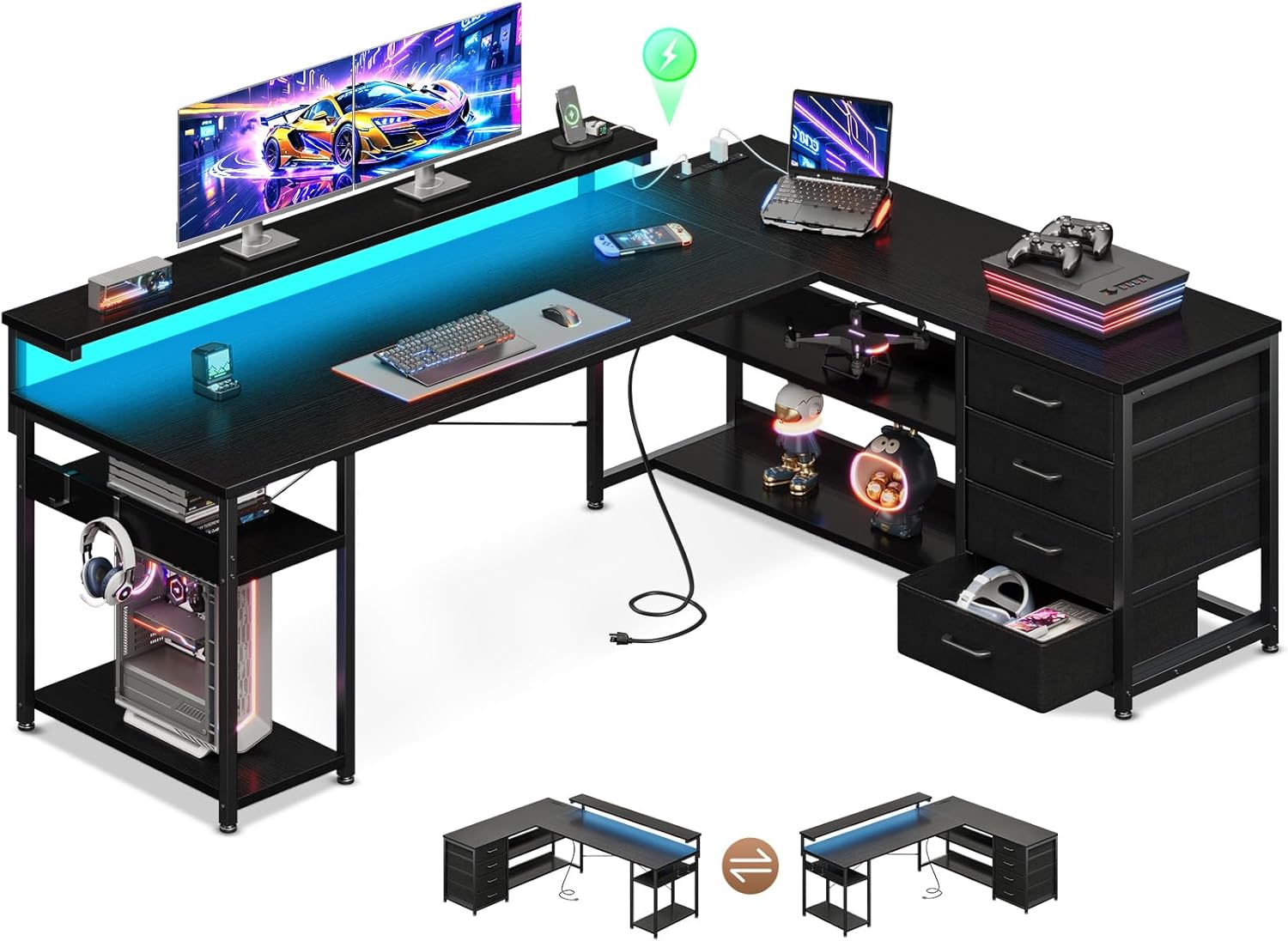
Lufeiya White Computer Desk with LED Lights and Power Outlets
Bottom line: The Lufeiya White Computer Desk with LED Lights and Power Outlets ($71.23 on Amazon as of 2026-11-23 11:25 UTC): Built-in strip with 2 AC outlets and 2 USB ports powers gear at desk level; main trade-off: particle board, not solid wood or steel-frame construction. Another in-stock pick with the same 40" desk: the Lufeiya Gaming Desk with Power Outlets and LED…, $69.99 on Amazon as of (price may vary).
As an Amazon Associate, SpecPicks earns from qualifying purchases. Full disclosure →
*Price sourced from Amazon.com. Last updated 2026-11-23. Product prices and availability are accurate as of the date/time indicated and are subject to change. Any price and availability information displayed on Amazon.com at the time of purchase will apply to the purchase of this product.
Pros & Cons
Pros
- ✓ Built-in strip with 2 AC outlets and 2 USB ports powers gear at desk level
- ✓ RGB strip offers 7 colors, 4 dynamic modes and 16 static types
- ✓ Monitor stand holds two displays or a laptop at eye level
- ✓ Waterproof, scratch- and collision-resistant particle board top
- ✓ Removable storage bag and 2 headphone hooks keep the 40-inch top clear
Cons
- ✗ Particle board, not solid wood or steel-frame construction
- ✗ 40 inches is tight for dual large monitors plus peripherals
- ✗ Only 2 USB charging ports, and no listed USB-C or wattage spec
- ✗ Monitor stand is fixed height, with no listed weight limit
SpecPicks Verdict
SpecPicks has no buyer-rating or benchmark data for Lufeiya White Computer Desk with LED Lights and Power Outlets, so this read rests on the manufacturer's listed specs and the current price in the gaming desks category (how we evaluate). Compare with similarly-priced alternatives in the gaming desks category before committing. On the listing's own facts, the case for it is "Built-in strip with 2 AC outlets and 2 USB ports powers gear at desk level"; the main trade-off is "Particle board, not solid wood or steel-frame construction". If those two points fit how you will use it, put it beside one or two close alternatives in the Compare tool to confirm the price.
Common buyer scenarios for gaming desks: matching surface dimensions to the room footprint and monitor count, checking height-adjustment range for sit-stand setups, verifying cable-management channels for a clean multi-monitor build, and confirming weight capacity for a full tower + dual-monitor load. Review the spec sheet for assembly difficulty before ordering.
Key Features
Quoted from the manufacturer's listing. Where it differs from the pros and cons above, those note the conditions the listing leaves out.
- Safety Multi-functional Power Strip: The computer desk includes a built-in power strip with 2 power outlets & 2 USB charging ports for your computer, monitor, gaming gear, pad, phone and other electronic devices.
- Gaming Desk With LED Lights: Equipped with a built-in RGB LED lights strips, the led gaming desk provides 7 adjustable colors, 4 dynamic modes, 16 static types, create different lights ambiance which provide different work or game scenarios.
- Modern Simple Style Design: Desk is made of thick particle board with scratch-resistant, anti-collision and waterproof, protect home office desk surface from daily wear and tear, with storage bag and 2 headphone hook(Both removable).
- Sturdy Structure With Monitor Stand: The monitor stand can meet your requirements for placing 2 monitors or laplops. It can keep your computer at eye-level, which helps you maintain the right posture for your neck and spinal health.
- Easy Assemble And After-sale Service: A detailed instruction manual and tool are provided, no other tools required, quick and easy to assemble. Provides professional customer service, easy and fast replacement is guaranteed if have quality problem of the desk.
Full Specifications
| Base | Metal |
|---|---|
| Size | 39.4" |
| Brand | Lufeiya |
| Color | White |
| Shape | Rectangular |
| Style | Modern |
| Set Name | Lufeiya 32 40 inch Computer Desk with LED Lights and Power Outlets for Home Office |
| Base Type | Leg |
| Room Type | Bedroom, Dormitory, Living Room, Office |
| Top Color | White |
| Base Color | White |
| Item Depth | 19.7 inches |
| Model Name | desk |
| Style Name | Modern |
| Unit Count | 1 Count |
| Desk Design | Computer Desk, Writing Desk |
| Desk design | Computer Desk, Writing Desk |
| Drawer Type | No Drawer |
| Finish Type | Powder Coated |
| Connectivity | USB |
| Full listing title | Lufeiya White Computer Desk with LED Lights and Power Outlets, 40 Inch Home Office Desks with Monitor Stand, Teen Writing Study Table Gaming Desk with Charging Station, White |
Ready to buy?
Lufeiya White Computer Desk with LED Lights and Power Outlets, 40 Inch Home Office Desks with Monitor Stand, Teen Writing Study Table Gaming Desk with Charging Station, White is listed on Amazon. Price, availability, shipping and returns are set by Amazon and its sellers — check the listing for current terms. SpecPicks earns a small commission on qualifying purchases — thank you for supporting independent review work.
*Price sourced from Amazon.com. Last updated 2026-11-23. Product prices and availability are accurate as of the date/time indicated and are subject to change. Any price and availability information displayed on Amazon.com at the time of purchase will apply to the purchase of this product.
Related Gaming Desks




More guides & deep dives from the SpecPicks archive
Browse all articles & guides →- How to Build a Windows 98 Retro PC in 2026
- RTX 4070 Super vs RX 7800 XT — Which to Buy in 2026
- Best 1440p Gaming GPUs in 2026
- Best Retro Handhelds in 2026: Pocket, Mid-Tier and FPGA Picks
- Emulation Hardware in 2026: FPGA, Software, and Cart-Reader Ecosystems
- Best Budget Gaming PC Build 2026 — ~$1,000 Parts List
- The Complete Voodoo5 5500 AGP Driver Guide (2026 Edition)
More reviews from the SpecPicks archive
Browse all reviews →- Best CPU Cooler for AM4 Ryzen Overclocking (2026 Edition)
- Anthropic's 2GW AMD Deal: What It Means for Local-vs-Cloud Builders
- Best Parts for a DIY Home Arcade Cabinet in 2026
- RTX 4090 vs RTX 5090 for Local LLM Inference: 24 GB vs 32 GB
- Raspberry Pi 5 8GB Review: Specs, Price & Use Cases (2025)
- Best Streaming Setup Gear for Beginners in 2026
- Best 4K Monitor Under $300 for RTX 3060 12GB Gaming in 2026
- Best Gaming Gifts Under $60 in 2026
- Lenovo G02 Retro Handheld Reportedly Ships With Pirated Game Library
- Gemini 3.5 Flash Can Drive Your Screen — Build a Local Agent Rig Instead
- Logitech G502 Hero in 2026: Is the FPS Mouse King Still Worth It?
- AMD Ryzen 7 5800X3D Re-Review: Maxing Out DDR4 Gaming in 2026
- llama.cpp vs vLLM for Single-User Local Chat in 2026: Which Wins on a 12GB GPU?
- Sound BlasterX G6 for Retro DOS and Win98 Gaming: Does a Modern USB DAC Fix the EAX Era?
- Raspberry Pi Zero 2W: Privacy-Preserving Ring Alternative
- Troubleshooting Ryzen 7 5800X Memory Training, Boot Loops, and Cold-Start Hangs on B550 in 2026
- Build a Budget Self-Hosted Game Server on a Ryzen 5 5600G in 2026
- Aureal Vortex 2 vs Sound Blaster Live!: A3D 2.0 vs EAX in Vintage PC Gaming
- Best Retro Emulator Consoles 2026: AMD GPU Buying Guide
- Best Controller for PC Emulation: 8BitDo Pro 2 vs GameSir G7
- Microsoft + Nvidia Agent PCs: Hardware to Run Agents Locally
- Best Sim Racing Setup for 2026: Wheels, Shifters and Pedals
- Cerebras Running GPT-5.4 and GPT-5.5 Internally: What the CFO's Slip Tells Us About Wafer-Scale Inference
- Samsung's 360Hz 4K QD-OLED vs Budget 4K Gaming Monitors: Is the Premium Worth It?
Earliest SpecPicks reviews
Browse full archive →- Best GPU for Llama 3.1 8B (2026)
- Best GPU for Qwen 3 14B (2026)
- Best GPU for Qwen 3 32B (2026)
- Best GPU for Llama 3.1 70B (2026)
- Best GPU for DeepSeek-R1 32B (2026)
- Best GPU for Llama 3.1 405B (2026)
- How to run Llama 3.1 8B on NVIDIA GeForce RTX 5090
- How to run Qwen 3 14B on NVIDIA GeForce RTX 5090
- How to run Qwen 3 32B on NVIDIA GeForce RTX 5090
- How to run Llama 3.1 70B on NVIDIA GeForce RTX 5090
- How to run DeepSeek-R1 32B on NVIDIA GeForce RTX 5090
- How to run Llama 3.1 8B on NVIDIA GeForce RTX 4090