
Hitron
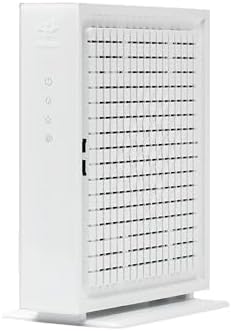
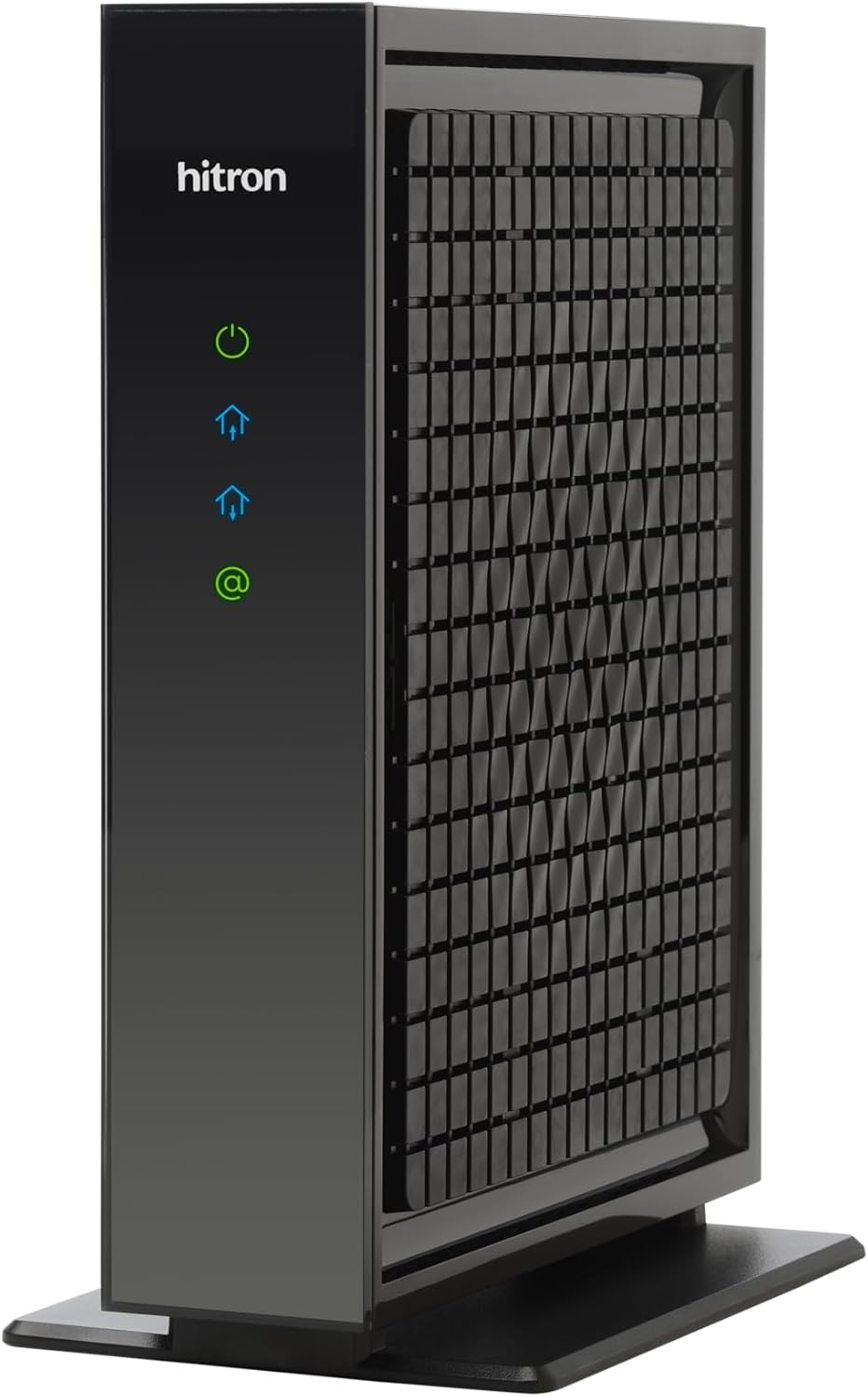
Hitron CODA56 DOCSIS 3.1 Cable Modem ONLY (NOT Fiber) with 3-Year Warranty
Bottom line: The Hitron CODA56 DOCSIS 3.1 Cable Modem ONLY with 3-Year Warranty ($203.99 on Amazon as of 2026-11-22 17:30 UTC): 2.5 Gbps Ethernet port supports cable plans up to 2.5 Gbps; main trade-off: no WiFi radio: a separate router is mandatory for multi-device use.
As an Amazon Associate, SpecPicks earns from qualifying purchases. Full disclosure →
*Price sourced from Amazon.com. Last updated 2026-11-22. Product prices and availability are accurate as of the date/time indicated and are subject to change. Any price and availability information displayed on Amazon.com at the time of purchase will apply to the purchase of this product.
Pros & Cons
Pros
- ✓ 2.5 Gbps Ethernet port supports cable plans up to 2.5 Gbps
- ✓ 3-year warranty: 1-year standard plus 2-year extension
- ✓ Certified on Xfinity up to 2.33 Gbps, Cox 2 Gbps, Spectrum 1 Gbps
- ✓ DOCSIS 3.1 with DOCSIS 3.0 backward compatibility
Cons
- ✗ No WiFi radio: a separate router is mandatory for multi-device use
- ✗ Coaxial cable only; will not work on fiber, DSL, satellite, or 5G home
- ✗ Single Ethernet port limits you to one wired device without a router
- ✗ No phone or voice ports, so VoIP cable plans are out
Manufacturer description
The Hitron CODA56 is a bare-bones DOCSIS 3.1 cable modem built for one job: replacing your ISP's rental box on a multi-gig coaxial plan. Its single 2.5 Gbps Ethernet port supports plans up to 2.5 Gbps, with certified compatibility on Xfinity (up to 2.33 Gbps), Spectrum (1 Gbps), and Cox (2 Gbps). DOCSIS 3.1 channel bonding keeps latency low for 4K streaming, competitive gaming, and video calls, and the modem stays backward compatible with DOCSIS 3.0 networks if your area has not upgraded yet. Read the name carefully before you buy. This is a modem only: no WiFi radio, no phone or voice…
SpecPicks Verdict
SpecPicks has no buyer-rating or benchmark data for Hitron CODA56 DOCSIS 3.1 Cable Modem ONLY with 3-Year Warranty, so this read rests on the manufacturer's listed specs and the current price in the networking category (how we evaluate). Compare with similarly-priced alternatives in the networking category before committing. On the listing's own facts, the case for it is "2.5 Gbps Ethernet port supports cable plans up to 2.5 Gbps"; the main trade-off is "No WiFi radio: a separate router is mandatory for multi-device use". If those two points fit how you will use it, put it beside one or two close alternatives in the Compare tool to confirm the price.
Before ordering, check the listed dimensions, ports, power requirements and supported devices or systems in the spec table below against how you plan to use it, and confirm them on the retailer's listing. Prices and stock are set by the retailer and may have moved since this page was last updated.
Frequently Asked Questions
Does the Hitron CODA56 have built-in WiFi?
No. The CODA56 is a modem only, with no WiFi radio and no router features. You need a separate WiFi router, ideally one with a 2.5 Gbps port, to reach full plan speeds across multiple devices.
Will this modem work with my fiber internet?
No. The CODA56 works only with internet delivered over coaxial cable, the round cable with a screw-on connector. It will not work with Verizon FiOS, AT&T Fiber, Google Fiber, DSL, satellite, or 5G home internet, even if your provider is Xfinity, Spectrum, or Cox.
What internet speeds does the CODA56 support?
It supports plans up to 2.5 Gbps through its 2.5 Gbps Ethernet port. Certified provider speeds are up to 2.33 Gbps on Xfinity, 2 Gbps on Cox, and 1 Gbps on Spectrum. It is designed for plans of 1 Gbps and faster.
What warranty comes with the Hitron CODA56?
Hitron includes 3 years of total coverage: a standard 1-year warranty plus a 2-year extended warranty. Hitron also provides technical support 7 days a week and product registration.
What do I need to set it up?
Three things: active cable internet service that is not fiber, a separate WiFi router with a 2.5 Gbps port for full speeds, and an activation call to your ISP. Without a router you can connect only one device using the included Ethernet cable.
Key Features
Quoted from the manufacturer's listing. Where it differs from the pros and cons above, those note the conditions the listing leaves out.
- Includes 3-Year Warranty for Peace of Mind – Comes with a standard 1-year warranty plus a 2-year extended warranty, giving you 3 full years of total protection.
- ⚠️ COAXIAL CABLE INTERNET ONLY - NOT FIBER: This modem works ONLY with Internet delivered through coaxial cable (the round cable with screw-on connector). Even if you have Xfinity, Spectrum, or Cox service, verify you have their CABLE internet service, NOT their fiber optic service. Check your wall connection before purchasing. Will NOT work with fiber internet (Verizon FiOS, AT&T Fiber, Google Fiber), DSL, satellite, or 5G home internet. Verify your internet type BEFORE purchasing.
- ⚠️ NO WiFi, NO Voice, NO Router Features: This device ONLY connects to your cable line and provides ONE Ethernet port. It does NOT create WiFi networks, has NO phone/voice capabilities, and cannot connect multiple devices without a separate WiFi router
- 🚀 MULTI-GIG PERFORMANCE: Supports internet plans up to 2.5 Gbps with 2.5 Gbps Ethernet port. Designed for plans 1 Gbps and faster from certified providers: Xfinity (up to 2.33 Gbps), Spectrum (1 Gbps), Cox (2 Gbps). Verify your plan speed and provider compatibility.
- 🔧 REQUIRED FOR SETUP: (1) Cable internet service (not fiber), (2) Separate WiFi router with 2.5 Gbps port for full speeds, (3) ISP activation call. Without a router, you can connect only ONE device via the single Ethernet cable included.
- 🎮 GAMING & STREAMING OPTIMIZED: DOCSIS 3.1 technology with low latency for smooth 4K streaming, gaming, and video calls. Backward compatible with DOCSIS 3.0 networks.
Full Specifications
| Size | Long (3 yr) |
|---|---|
| Brand | Hitron |
| Color | White DOCSIS 3.1 Modem 2.5Gbps |
| Warranty | 3 Year Warranty |
| UnitCount | 1 |
| Manufacturer | Hitron |
| Full listing title | Hitron CODA56 DOCSIS 3.1 Cable Modem ONLY (NOT Fiber) with 3-Year Warranty | NO WiFi/Voice/Router | Single Ethernet Port | Xfinity/Spectrum/Cox Compatible | Requires Separate WiFi Router |
Ready to buy?
Hitron CODA56 DOCSIS 3.1 Cable Modem ONLY (NOT Fiber) with 3-Year Warranty | NO WiFi/Voice/Router | Single Ethernet Port | Xfinity/Spectrum/Cox Compatible | Requires Separate WiFi Router is listed on Amazon. Price, availability, shipping and returns are set by Amazon and its sellers — check the listing for current terms. SpecPicks earns a small commission on qualifying purchases — thank you for supporting independent review work.
*Price sourced from Amazon.com. Last updated 2026-11-22. Product prices and availability are accurate as of the date/time indicated and are subject to change. Any price and availability information displayed on Amazon.com at the time of purchase will apply to the purchase of this product.
Related Networking


More guides & deep dives from the SpecPicks archive
Browse all articles & guides →- Emulation Hardware in 2026: FPGA, Software, and Cart-Reader Ecosystems
- Best Budget Gaming PC Build 2026 — ~$1,000 Parts List
- RTX 4070 Super vs RX 7800 XT — Which to Buy in 2026
- The Complete Voodoo5 5500 AGP Driver Guide (2026 Edition)
- Best Retro Handhelds in 2026: Pocket, Mid-Tier and FPGA Picks
- How to Build a Windows 98 Retro PC in 2026
- Best 1440p Gaming GPUs in 2026
More reviews from the SpecPicks archive
Browse all reviews →- Ternary Text-to-Image: Running Bonsai 4B on a 12GB RTX 3060
- Build a Raspberry Pi Retro Handheld in 2026: Parts and Setup
- Can a 12GB RTX 3060 Run a 70B LLM? The Offload Reality Check
- Best GPU for Local Llama 3 8B Under $400: Why the RTX 3060 12GB Wins
- Intel Arc AI Training in 2026: What Workloads Actually Work
- Logitech G920 vs HORI Overdrive for Sim Racing in 2026
- Benchmarking Open Models for Tool-Use on a Budget RTX 3060 Rig
- Jetson Orin Nano Super vs Coral USB: Which One Runs an LLM?
- HyperX QuadCast 2 vs Blue Yeti for Streaming in an Untreated Room
- Ryzen AI Max 395 Laptop: Specs and AI Performance
- Ryzen 5 5600G vs Ryzen 7 5700X for a Budget 1080p Gaming + Local-AI Build
- Samsung 870 EVO vs WD Blue SN550: Best Storage for Forza Horizon 6 Fast Loading
- GLM-5.2's Long-Horizon Agent Mode: Running It Locally in 2026
- Gemma-4-Harmonia-31B Uncensored on RTX 3060 12GB: Quantization, VRAM, and tok/s
- Best Game Controllers for PC in 2026
- Best GPU for AI Workstations in 2026
- Logitech G29 vs HORI Force Feedback Wheel — Which First Wheel Is Right?
- Samsung Winds Down Memory Output Before 18-Day Strike — SSD Price Watch
- Building a 2001 LAN-Party Rig: Pentium III, GeForce 3, Win98 SE Period-Correct Build Log
- Count Anything Runs Locally on a 12GB GPU: Object-Counting AI on the RTX 3060
- CompactFlash and IDE-to-USB Adapters for Retro PC Builds in 2026
- Can a Ryzen AI Max+ 395 Mini-PC With 128GB Run Big LLMs? The r/LocalLLaMA Question
- Why Stock GPU Pastes Last Longer Than Aftermarket Ones
- GTX 1050 Ti 4GB vs Raspberry Pi 4 8GB for Qwen3 1.7B Local Inference
Earliest SpecPicks reviews
Browse full archive →- Best GPU for Llama 3.1 8B (2026)
- Best GPU for Qwen 3 14B (2026)
- Best GPU for Qwen 3 32B (2026)
- Best GPU for Llama 3.1 70B (2026)
- Best GPU for DeepSeek-R1 32B (2026)
- Best GPU for Llama 3.1 405B (2026)
- How to run Llama 3.1 8B on NVIDIA GeForce RTX 5090
- How to run Qwen 3 14B on NVIDIA GeForce RTX 5090
- How to run Qwen 3 32B on NVIDIA GeForce RTX 5090
- How to run Llama 3.1 70B on NVIDIA GeForce RTX 5090
- How to run DeepSeek-R1 32B on NVIDIA GeForce RTX 5090
- How to run Llama 3.1 8B on NVIDIA GeForce RTX 4090