
Windows 11 for Seniors in easy steps
Bottom line: The Windows 11 for Seniors in easy steps: Written specifically for older beginners, not repurposed general Windows 11 documentation; main trade-off: no Kindle or ebook edition listed here, so text size cannot be enlarged.
As an Amazon Associate, SpecPicks earns from qualifying purchases. Full disclosure →
Pros & Cons
Pros
- ✓ Written specifically for older beginners, not repurposed general Windows 11 documentation
- ✓ In Easy Steps format uses short numbered tasks rather than long walls of text
- ✓ Paperback lays flat next to the keyboard, so no screen-sharing with the tutorial
Cons
- ✗ No Kindle or ebook edition listed here, so text size cannot be enlarged
- ✗ Windows 11 updates twice a year; print editions drift out of date
- ✗ Product listing does not state page count, edition, or Windows 11 build covered
SpecPicks Verdict
SpecPicks scored Windows 11 for Seniors in easy steps using a rating × review-volume × price-fit model applied to published specs and reviews across the retro reference & guides category. Michael Price(Author),Nick Vandome(Author)Format:Paperback's retro reference & guides lineup sits within the broader category mid-tier; price and specs are the deciding factors over brand loyalty here. Judge it on the specification table and the price rather than on sentiment: check the figures that decide your use case, then put it side-by-side with two or three close alternatives in the Compare tool before clicking through.
Common buyer scenarios for retro reference & guides of this kind: matching it to an existing build, replacing a failing part, or upgrading from a previous-generation equivalent. Check the spec table below against your current setup — particularly socket / form-factor / power-rating fields — and confirm compatibility on the retailer's listing before purchase. Prices and stock are set by the retailer and may have moved since this page was last updated.
Full Specifications
| Brand | Michael Price(Author),Nick Vandome(Author)Format:Paperback |
|---|
Hardware benchmark data
Ready to buy?
Windows 11 for Seniors in easy steps is listed on Amazon. Price, availability, shipping and returns are set by Amazon and its sellers — check the listing for current terms. SpecPicks earns a small commission on qualifying purchases — thank you for supporting independent review work.
Related Retro Reference & Guides
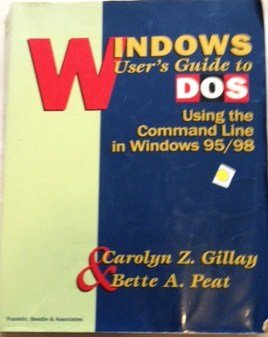
Carolyn Z. Gillay, Bette A. PeatFormat:Paperback
Windows User's Guide to DOS: Using the Command Line in Windows 95/98

Declan MoncrieffFormat:Paperback
Chromebook for Seniors Manual: A Guide to Set Up, Navigate ChromeOS, Master Google Workspace, and Browse the…

ELLIOT AA MACVEYFormat:Kindle Edition
WINDOWS 11 USER GUIDE 2025: The Ultimate Manual for Beginners and Experienced Users to Unleash Powerful…

More guides & deep dives from the SpecPicks archive
Browse all articles & guides →- Emulation Hardware in 2026: FPGA, Software, and Cart-Reader Ecosystems
- Best Budget Gaming PC Build 2026 — ~$1,000 Parts List
- The Complete Voodoo5 5500 AGP Driver Guide (2026 Edition)
- Best Retro Handhelds in 2026 — From $35 to $500
- How to Build a Windows 98 Retro PC in 2026
- Best 1440p Gaming GPUs in 2026
- RTX 4070 Super vs RX 7800 XT — Which to Buy in 2026
More reviews from the SpecPicks archive
Browse all reviews →- Best Sim Racing Wheel + Shifter Combo Under $400 in 2026: 5 Setups for iRacing, ACC, and GT3
- Qwen3.6-35B-A3B vs Gemma4-26B-A4B: Which MoE Fits a 12GB RTX 3060
- GPT-5.6 Sol Ultra Shipped: Cloud vs Local Coding Rig
- Do You Even Need a Graphics Card? Ryzen 5 5600G iGPU vs RTX 3060 for 1080p
- Best Capture Setup for Console Streaming in 2026: Elgato Cam Link 4K + PS4 Pro
- Best Raspberry Pi Alternative for AI Inference in 2026: When to Step Up
- Sega Saved Nvidia in 1996: The NV1 Gamble That Shaped Every GPU
- Train a Kick Drum AI Model on 6GB VRAM (Linux Guide)
- Best SATA SSD for a PS4 Upgrade in 2026: BX500 vs 870 EVO vs WD Blue
- RTX 5090 vs RTX 3090: Specs, Gaming & AI Compared (2026)
- Ryzen 7 5800X vs Core i7-9700K: Best Budget 1080p Gaming CPU in 2026
- Run Qwen 3.6 27B Locally: What Fits on 12GB in 2026
- This Retro Switch 2 Dock Looks Exactly Like an N64 — and Holds Six Cards
- Homebrew Hardware Mod Gives the NES a Graphics Upgrade
- SNES Classic vs Sega Genesis Mini: Best Plug-and-Play Retro Console in 2026
- Best Budget AM4 Gaming PC Parts in 2026
- RTX 5090 Prebuilt vs a $700 RTX 3060 Local-LLM Box: What Extra VRAM Actually Buys
- Using a Raspberry Pi 5 with AI to Recover Lost Windows 98 INF Files (2026)
- How to run Llama 3.1 70B on NVIDIA GeForce RTX 5070
- Qwen3.6-27B at 80 TPS on RTX 5090: Is the Claim Real?
- Best Gaming Room Lighting in 2026: LED Strips and Ring Lights
- Dual RTX 3060 12GB vs RTX 3090 24GB for Qwen2.5 32B (2026)
- The Greatest GPU Awards: A Decade of Standout Cards
- Qwen3 4B on Raspberry Pi 4 8GB vs Ryzen 5 5600G: Which Cheap Always-On Box Wins?
Earliest SpecPicks reviews
Browse full archive →- Best GPU for Llama 3.1 8B (2026)
- Best GPU for Qwen 3 14B (2026)
- Best GPU for Qwen 3 32B (2026)
- Best GPU for Llama 3.1 70B (2026)
- Best GPU for DeepSeek-R1 32B (2026)
- Best GPU for Llama 3.1 405B (2026)
- How to run Llama 3.1 8B on NVIDIA GeForce RTX 5090
- How to run Qwen 3 14B on NVIDIA GeForce RTX 5090
- How to run Qwen 3 32B on NVIDIA GeForce RTX 5090
- How to run Llama 3.1 70B on NVIDIA GeForce RTX 5090
- How to run DeepSeek-R1 32B on NVIDIA GeForce RTX 5090
- How to run Llama 3.1 8B on NVIDIA GeForce RTX 4090