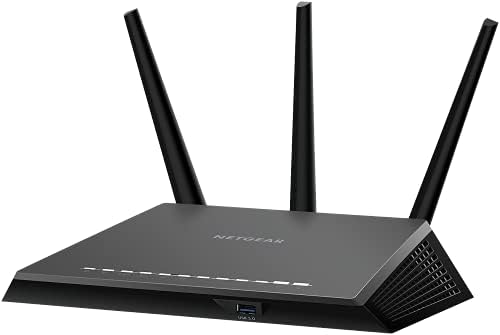

NETGEAR
NETGEAR Nighthawk 5G Mobile Hotspot M7
Bottom line: The NETGEAR Nighthawk 5G Mobile Hotspot M7: WiFi 7 at up to 3.6Gbps, well past most travel hotspots; main trade-off: ethernet adapter is sold separately, not in the box.
As an Amazon Associate, SpecPicks earns from qualifying purchases. Full disclosure →
Pros & Cons
Pros
- ✓ WiFi 7 at up to 3.6Gbps, well past most travel hotspots
- ✓ Certified on AT&T, T-Mobile, and Verizon; ships unlocked
- ✓ NETGEAR eSIM covers 140+ countries with no contract
- ✓ Handles 32 simultaneous devices, freeing your phone
- ✓ Up to 10 hours of battery on a single charge
Cons
- ✗ Ethernet adapter is sold separately, not in the box
- ✗ Data plans are a separate recurring cost on top of hardware
- ✗ 16.9mm thick and 145mm long; not a pocket-sized puck
Manufacturer description
The NETGEAR Nighthawk M7 (MH7150) is a portable WiFi 7 hotspot built for people who need real broadband away from home. It pulls a 5G or 4G LTE signal and rebroadcasts it as WiFi 7 at speeds up to 3.6Gbps, so a laptop, tablet, and a dozen client devices get at-home performance from a device that fits in a jacket pocket at 83.6 x 145 x 16.9 mm. You can connect up to 32 devices at once, which keeps your phone free for calls instead of burning its battery as a tethering point. Carrier flexibility is the M7's strongest argument. It is certified for AT&T, T-Mobile, and Verizon, ships unlocked…
SpecPicks Verdict
SpecPicks has no buyer-rating or benchmark data for NETGEAR Nighthawk 5G Mobile Hotspot M7, so this read rests on the manufacturer's listed specs (how we evaluate). Compare with similarly-priced alternatives in the networking category before committing. On the listing's own facts, the case for it is "WiFi 7 at up to 3.6Gbps, well past most travel hotspots"; the main trade-off is "Ethernet adapter is sold separately, not in the box". If those two points fit how you will use it, put it beside one or two close alternatives in the Compare tool to confirm the price.
Before ordering, check the listed dimensions, ports, power requirements and supported devices or systems in the spec table below against how you plan to use it, and confirm them on the retailer's listing. Prices and stock are set by the retailer and may have moved since this page was last updated.
Frequently Asked Questions
Does the NETGEAR M7 work on Verizon, AT&T, and T-Mobile?
Yes. The M7 is certified for AT&T, T-Mobile, and Verizon, and it ships unlocked for use on other compatible carriers. Contact your carrier directly for eSIM or SIM activation and data plan pricing.
Do I need a SIM card, or can I use eSIM only?
Either works. You can use NETGEAR's built-in eSIM with plans bought in the NETGEAR app, load a third-party carrier eSIM, or insert a physical SIM card from the carrier of your choice.
How many devices can connect to the Nighthawk M7 at once?
Up to 32 devices simultaneously over WiFi 7, at speeds up to 3.6Gbps. You can also connect one device directly by USB-C, or use an Ethernet adapter (sold separately) for a wired multi-gig link.
How long does the battery last on a charge?
NETGEAR rates the high-capacity battery at up to 10 hours per charge. Real-world runtime depends on how many of the 32 supported devices are active and how much data they pull.
Will it work overseas for international travel?
Yes. The NETGEAR eSIM offers 5G or 4G data plans in 140+ countries with no contract or hidden fees, purchased directly in the NETGEAR mobile app. Check per-country coverage in the app before you travel.
Key Features
Quoted from the manufacturer's listing. Where it differs from the pros and cons above, those note the conditions the listing leaves out.
- US CARRIER SUPPORT: The M7 is certified for AT&T, T-Mobile, and Verizon. It is unlocked for flexible use across compatible carriers. For US local carrier eSIM or SIM activation and data plan details, please contact your carrier directly
- Instant coverage with NETGEAR eSIM in 140+ countries using 5G or 4G without contracts or hidden fees. Purchase flexible data plans right from the NETGEAR app for seamless connectivity
- Get the latest, most powerful WiFi with speeds up to 3.6 Gbps. Powered by a 5G or 4G cellular internet connection, M7 delivers at-home performance on the go
- Easily set up and manage your network, monitor data usage, buy eSIM data plans, and more - all from the intuitive mobile app
- High-capacity battery lasts up to 10 hours on a single charge for all-day WiFi performance
- Powerful built-in security includes Firewall protection, WPA3 encryption, and automatic firmware updates
Full Specifications
| Brand | NETGEAR |
|---|---|
| Weight | 5g |
| Coverage | 140+ countries |
| Model Name | MH7150 |
| Unit Count | 1.0 Count |
| Connectivity | USB-C, WiFi |
| Model Number | MH7150-100PAS |
| Built-In Media | Accessories QR code, Nighthawk M7 Portable WiFi Hotspot (MH7150), Rechargeable battery, SIM card removal tool, USB Type-C cable |
| Connection Type | Wired |
| Mfr Part Number | MH7150-100PAS |
| Special Feature | 5G-powered WiFi 7 |
| Antenna Location | Business, Home |
| Wi-Fi Generation | WiFi 7 |
| Security Protocol | WPA3 |
| Compatible Devices | Gaming Console, Personal Computer, Printer, Tablet |
| Data Transfer Rate | 3.6 Gigabits Per Second |
| LAN Port Bandwidth | 10 Gbps |
| Included Components | Accessories QR code, Nighthawk M7 Portable WiFi Hotspot (MH7150), Rechargeable battery, SIM card removal tool, USB Type-C cable |
| Is Modem Compatible | Yes |
| Router Network Type | wireless |
| Full listing title | NETGEAR Nighthawk 5G Mobile Hotspot M7 | eSIM or SIM | Portable WiFi 7 Router for Travel in 140+ Countries | 32 Devices | Unlocked 5G/4G LTE | 3.6Gbps Speed | AT&T, T-Mobile, Verizon (MH7150) |
Ready to buy?
NETGEAR Nighthawk 5G Mobile Hotspot M7 | eSIM or SIM | Portable WiFi 7 Router for Travel in 140+ Countries | 32 Devices | Unlocked 5G/4G LTE | 3.6Gbps Speed | AT&T, T-Mobile, Verizon (MH7150) is listed on Amazon. Price, availability, shipping and returns are set by Amazon and its sellers — check the listing for current terms. SpecPicks earns a small commission on qualifying purchases — thank you for supporting independent review work.
Related Networking




More guides & deep dives from the SpecPicks archive
Browse all articles & guides →- Best Retro Handhelds in 2026: Pocket, Mid-Tier and FPGA Picks
- The Complete Voodoo5 5500 AGP Driver Guide (2026 Edition)
- RTX 4070 Super vs RX 7800 XT — Which to Buy in 2026
- Best Budget Gaming PC Build 2026 — ~$1,000 Parts List
- How to Build a Windows 98 Retro PC in 2026
- Emulation Hardware in 2026: FPGA, Software, and Cart-Reader Ecosystems
- Best 1440p Gaming GPUs in 2026
More reviews from the SpecPicks archive
Browse all reviews →- Cloudflare CEO: The Web's Future Is 'Pay to Crawl' as Bots Overtake Humans
- CompactFlash to IDE Adapter Workflow: Imaging, Cloning, and Reviving Win98 Drives in 2026
- Qwen 3.6 vs Frontier Models on a Local Rig: The Honest Gap
- Best CPU Cooler for Ryzen 7 5800X Overclocking (2026)
- GPT and Claude Flunked Bridgewater's Finance Test — Why a Local RAG Box Fills the Gap
- $2,000 Gaming PC Build 2026: Parts, Cost, 1440p FPS
- Microsoft MAI-Image-2.5 Lands #2 on the Image Arena — The Local Angle
- i7-9700K vs Ryzen 7 5800X as a CPU-Offload Host for a 12GB GPU
- Best SSD to Upgrade a PS4 in 2026
- BENGOO G9000 vs Turtle Beach Recon 50: Best Sub-$40 Wired Headset
- Best Budget GPU for 1080p Gaming in 2026: Is the RTX 3060 12GB Still the Pick?
- Razer Soma Chroma Gaming Chair Review: RGB vs. Adjustability
- Motherboard Sales Fell 33% in 2026: Is DIY PC Building Dying?
- Local-LLM PC Build on a 16GB Card: What r/LocalLLaMA and r/buildapc Concluded (2026)
- GeForce 3 Ti 500 vs Radeon 8500: The 2001 DirectX 8 GPU Showdown
- ASUS TUF 27" 1440p vs Samsung Odyssey G5 32": Best High-Refresh Esports Monitor
- How to run Qwen 3 32B on NVIDIA GeForce RTX 5080
- Logitech G29 vs HORI Force Feedback Wheel for Sim-Racing Beginners
- Best GPU for Running Llama 3 8B Locally Under $350 (2026)
- Best Budget Streaming & Podcast Gear in 2026
- Second Streaming PC vs NVENC: What an Old i7-9700K Is Still Good For
- Crucial BX500 vs Samsung 870 EVO vs SanDisk SSD Plus: Best Budget SATA SSD
- ZOTAC vs MSI RTX 3060 12GB: Which Twin-Fan Card Should You Buy in 2026?
- Best SATA SSDs for Gaming and Retro PC Builds in 2026
Earliest SpecPicks reviews
Browse full archive →- Best GPU for Llama 3.1 8B (2026)
- Best GPU for Qwen 3 14B (2026)
- Best GPU for Qwen 3 32B (2026)
- Best GPU for Llama 3.1 70B (2026)
- Best GPU for DeepSeek-R1 32B (2026)
- Best GPU for Llama 3.1 405B (2026)
- How to run Llama 3.1 8B on NVIDIA GeForce RTX 5090
- How to run Qwen 3 14B on NVIDIA GeForce RTX 5090
- How to run Qwen 3 32B on NVIDIA GeForce RTX 5090
- How to run Llama 3.1 70B on NVIDIA GeForce RTX 5090
- How to run DeepSeek-R1 32B on NVIDIA GeForce RTX 5090
- How to run Llama 3.1 8B on NVIDIA GeForce RTX 4090