

Intel Compatible
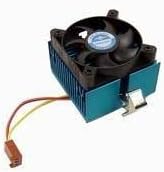
Intel P4 Socket 478 CPU Heatsink Retention Motherboard Bracket Module
Bottom line: The Intel P4 Socket 478 CPU Heatsink Retention Motherboard Bracket Module: Direct replacement for a broken or missing Socket 478 heatsink retention bracket; main trade-off: socket 478 only, so it will not fit LGA 775 or newer retro builds.
As an Amazon Associate, SpecPicks earns from qualifying purchases. Full disclosure →
Pros & Cons
Pros
- ✓ Direct replacement for a broken or missing Socket 478 heatsink retention bracket
- ✓ Fits standard Socket 478 boards, including most Dell motherboards
- ✓ Polycarbonate build rated twice as strong as typical bundled brackets
- ✓ Four snap-in mounting push-pins included, no extra hardware to source
Cons
- ✗ Socket 478 only, so it will not fit LGA 775 or newer retro builds
- ✗ Bracket alone, no heatsink or fan in the box
- ✗ Generic 'Intel Compatible' part rather than an OEM Intel-branded module
- ✗ Push-pin plastic mounts can be fragile on repeated heatsink swaps
Manufacturer description
This is your standard Socket 478 Retention Bracket, used to mount a standard Socket 478 Heatsink/Fan. Normally, this piece is included with the motherboard, but here is a chance to buy a replacement if you broke yours during installation, or you bought a motherboard that did not come with one. Four easily snap-in pins for easy installation. Made of strong Polycarbonate material, which is twice as strong as the standard ones that come with most motherboards.
SpecPicks Verdict
SpecPicks scored Intel P4 Socket 478 CPU Heatsink Retention Motherboard Bracket Module using a rating × review-volume × price-fit model applied to published specs and reviews across the processors category. Intel Compatible's processors lineup sits within the broader category mid-tier; price and specs are the deciding factors over brand loyalty here. Judge it on the specification table and the price rather than on sentiment: check the figures that decide your use case, then put it side-by-side with two or three close alternatives in the Compare tool before clicking through.
Common buyer scenarios for processors of this kind: matching it to an existing build, replacing a failing part, or upgrading from a previous-generation equivalent. Check the spec table below against your current setup — particularly socket / form-factor / power-rating fields — and confirm compatibility on the retailer's listing before purchase. Prices and stock are set by the retailer and may have moved since this page was last updated.
Key Features
- Universally fits all standard Socket 478 motherboards, including most DELL's!
- Replaces your broken or missing CPU heatsink bracket!
- Extra strong and durable polycarbonate constructed.
- Mounting plastic push-pins included.
Full Specifications
| Brand | Intel Compatible |
|---|---|
| Model | OEM-CBR478 |
| CPU Socket | Socket 478 |
| Part Number | OEM-CBR478 |
| Mounting Type | Chassis Mount |
| Cooler Heatsink Material | Aluminum |
| Cooler Heatsink Compatibility | Socket 478 |
Benchmark data for other processors
Ready to buy?
Intel P4 Socket 478 CPU Heatsink Retention Motherboard Bracket Module is vintage hardware; the used and vintage market on eBay carries most of the live inventory. Prices and condition vary by seller and move in real time, so we link the live listing rather than quote a cached price. It also has an Amazon listing — check it for current price and availability. SpecPicks earns a small commission on qualifying purchases — thank you for supporting independent review work.
Related Processors
More guides & deep dives from the SpecPicks archive
Browse all articles & guides →- Best 1440p Gaming GPUs in 2026
- Best Budget Gaming PC Build 2026 — ~$1,000 Parts List
- Best Retro Handhelds in 2026 — From $35 to $500
- How to Build a Windows 98 Retro PC in 2026
- The Complete Voodoo5 5500 AGP Driver Guide (2026 Edition)
- Emulation Hardware in 2026: FPGA, Software, and Cart-Reader Ecosystems
- RTX 4070 Super vs RX 7800 XT — Which to Buy in 2026
More reviews from the SpecPicks archive
Browse all reviews →- Ryzen 5 2600 vs Ryzen 5 5600G for CPU-Only Llama 3.2 3B in 2026
- Build a Frigate AI Security-Camera NVR on a Raspberry Pi 4 8GB in 2026
- NVIDIA Bankrolls AI Startups to Tighten Its Chip Grip
- Sound Blaster in 2026: Using the Creative Sound BlasterX G6 on a Retro and Modern PC
- Samsung 870 EVO vs Crucial BX500: Best Budget SATA SSD for a Secondary or Retro Build in 2026
- Orange Pi 4 Pro 12GB vs Raspberry Pi 4 8GB for Small Local LLMs (2026)
- Stable Diffusion on Intel Arc vs RTX 3060 12GB: Which Budget GPU Renders Faster?
- Samsung's 256GB microSD Drops to $47.99 — and What It Means for Cheap Storage
- Best AM4 CPU Cooler in 2026: 5 Picks for Ryzen Builds
- How to run Qwen 3 14B on Arc B580
- ASUS ROG Crosshair 2006 X870E: A Retro-Styled AM5 Mobo for ROG's 20th Anniversary
- Best GPU for 1440p Esports in 2026: Why the RTX 3060 12GB Still Delivers
- Best SSD to Upgrade a PS4 Pro: Crucial BX500 vs Samsung 870 EVO Real-World Gains
- Razer Soma Chroma Gaming Chair Review: RGB vs. Adjustability
- Fable 5 Cloud vs an RTX 3060 12GB Local Rig: Is Local Still Worth It in 2026?
- Logitech Slashes Gaming Mouse Prices up to 47% for Prime Day
- KOORUI vs Samsung Odyssey: Best 27" 4K Gaming Monitor?
- ROCm in 2026: Is AMD Finally a Real Local-LLM Option?
- Best NVMe SSD for PC Gaming Builds in 2026
- 34-Inch Ultrawide vs 27-Inch 4K for Coding and Gaming (2026)
- Best Gaming Mouse Pad for Esports FPS in 2026
- Ryzen AI Max+ 'Gorgon Halo' 192GB vs RTX 3060 12GB for Local LLMs
- KOORUI 4K QD-Mini LED vs Samsung Odyssey 4K: Best Budget 4K Gaming Monitor in 2026?
- CompactFlash Imaging for Retro PCs: A CF133 + IDE Workflow
Earliest SpecPicks reviews
Browse full archive →- Best GPU for Llama 3.1 8B (2026)
- Best GPU for Qwen 3 14B (2026)
- Best GPU for Qwen 3 32B (2026)
- Best GPU for Llama 3.1 70B (2026)
- Best GPU for DeepSeek-R1 32B (2026)
- Best GPU for Llama 3.1 405B (2026)
- How to run Llama 3.1 8B on NVIDIA GeForce RTX 5090
- How to run Qwen 3 14B on NVIDIA GeForce RTX 5090
- How to run Qwen 3 32B on NVIDIA GeForce RTX 5090
- How to run Llama 3.1 70B on NVIDIA GeForce RTX 5090
- How to run DeepSeek-R1 32B on NVIDIA GeForce RTX 5090
- How to run Llama 3.1 8B on NVIDIA GeForce RTX 4090