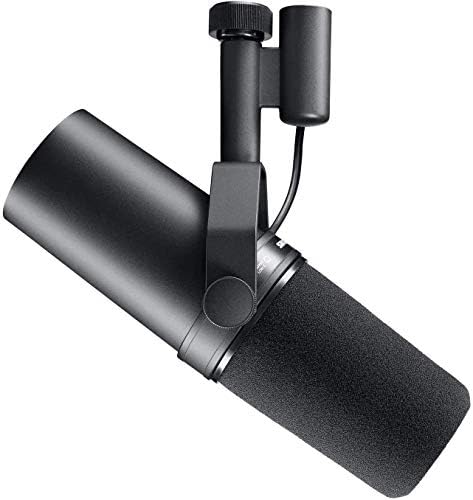

Zoom
Zoom U-24 Handy Audio Interface
Bottom line: The Zoom U-24 Handy Audio Interface: Same low-noise preamps as Zoom's H5 and H6 Handy Recorders; main trade-off: only 2 inputs, so drum kits or full bands need a bigger interface.
As an Amazon Associate, SpecPicks earns from qualifying purchases. Full disclosure →
Pros & Cons
Pros
- ✓ Same low-noise preamps as Zoom's H5 and H6 Handy Recorders
- ✓ Runs on 2 AA batteries, so no wall power needed for field recording
- ✓ Records and plays back at up to 24-bit/96 kHz
- ✓ Two XLR/TRS combo inputs handle mics and instruments at once
- ✓ Ships with Ableton Live 9 Lite and Pro Tools First download codes
Cons
- ✗ Only 2 inputs, so drum kits or full bands need a bigger interface
- ✗ iPad use requires an Apple Camera Connection Kit sold separately
- ✗ AC adapter is optional, not included in the box
Manufacturer description
The U-24 is a compact, 2-in/4-out audio interface that provides all of the essential tools you need for recording and performing with high resolution, 24-bit/96 kHz audio-anywhere you go. Get incredible sound quality thanks to high-quality, low-noise preamps-the same ones found on our acclaimed H5 and H6 Handy Recorders. Connect to your PC, Mac, or iPad via USB and record mics, instruments, and more. The U-24 delivers the same great sound as our U-44 interface, with a more streamlined feature set.
SpecPicks Verdict
SpecPicks has no buyer-rating or benchmark data for Zoom U-24 Handy Audio Interface, so this read rests on the manufacturer's listed specs (how we evaluate). Compare with similarly-priced alternatives in the streaming gear category before committing. On the listing's own facts, the case for it is "Same low-noise preamps as Zoom's H5 and H6 Handy Recorders"; the main trade-off is "Only 2 inputs, so drum kits or full bands need a bigger interface". If those two points fit how you will use it, put it beside one or two close alternatives in the Compare tool to confirm the price.
Before ordering, check the listed dimensions, ports, power requirements and supported devices or systems in the spec table below against how you plan to use it, and confirm them on the retailer's listing. Prices and stock are set by the retailer and may have moved since this page was last updated.
Key Features
Quoted from the manufacturer's listing. Where it differs from the pros and cons above, those note the conditions the listing leaves out.
- Multi-channel and stereo USB audio interface for PC/Mac
- Connect to iPad with Apple iPad Camera Connection Kit or Lightning-to-USB Camera Adapter (sold separately), plus 2 AA batteries or optional AC adapter for power
- Two mic/line inputs with high-performance mic preamps
- High-quality recording and playback at resolutions upto24-bit/96 kHz
- Includes access to Pro Tools | First
- Includes Ableton Live 9 Lite software download code
Full Specifications
| Brand | Zoom |
|---|---|
| Unit Count | 1.0 Count |
| Audio Input | USB |
| Connectivity | USB |
| Model Number | U-24 |
| Compatibility | PC, Mac |
| Compatible Devices | Personal Computer |
| Number of Channels | 24 |
| Supported Software | Pro Tools | First, Ableton Live 9 Lite, Mac OS X 10.9.5 ~ macOS 15 drivers, Windows 10/11 (64bit) drivers |
| Maximum Sample Rate | 96 KHz |
| Warranty Description | 1 year - replacement. |
| Connectivity Technology | USB |
| Manufacturer Part Number | U-24 |
| Global Trade Identification Number | 04515260016167 |
| Full listing title | Zoom U-24 Handy Audio Interface, 2-Channel Portable USB Audio Interface, 2 XLR/TRS Combo Inputs, MIDI I/O, RCA Outputs |
Ready to buy?
Zoom U-24 Handy Audio Interface, 2-Channel Portable USB Audio Interface, 2 XLR/TRS Combo Inputs, MIDI I/O, RCA Outputs is listed on Amazon. Price, availability, shipping and returns are set by Amazon and its sellers — check the listing for current terms. SpecPicks earns a small commission on qualifying purchases — thank you for supporting independent review work.
Related Streaming Gear


More guides & deep dives from the SpecPicks archive
Browse all articles & guides →- The Complete Voodoo5 5500 AGP Driver Guide (2026 Edition)
- How to Build a Windows 98 Retro PC in 2026
- Best Retro Handhelds in 2026: Pocket, Mid-Tier and FPGA Picks
- RTX 4070 Super vs RX 7800 XT — Which to Buy in 2026
- Emulation Hardware in 2026: FPGA, Software, and Cart-Reader Ecosystems
- Best 1440p Gaming GPUs in 2026
- Best Budget Gaming PC Build 2026 — ~$1,000 Parts List
More reviews from the SpecPicks archive
Browse all reviews →- Turning a Broken Steam Deck Into a 2.5GbE NAS
- ComfyUI on an RTX 3060 12GB: Local Stable Diffusion Setup and Real Throughput
- Ryzen 5 5600G vs Ryzen 7 5800X for a 24/7 Ollama Box
- Local AI Video After Seedance 2.5: What GPU Generates 30-Second Clips
- Ryzen 5 5600G vs Ryzen 7 5700X for a Budget 1080p Gaming Build
- STEPLA-1 8-Bit Hardwired CPU: 74-Series Logic Explained
- BIOS Says Resize BAR Is On But Nvidia Disagrees
- GeForce 4 Ti 4600 vs GeForce FX 5900: The Last Great AGP Cards Compared (2026)
- Best Sim Racing Wheel and Shifter for Beginners in 2026
- Best Gaming Monitor Under $400 in 2026: 5 Top Picks
- Qwen3 8B: Raspberry Pi 4 8GB vs RTX 3060 12GB (2026)
- SNES Classic vs Sega Genesis Mini vs Raspberry Pi RetroPie: Best Plug-and-Play Retro Gaming in 2026
- Best Retro Mini Console & Handheld in 2026
- Local AI and Gaming Setup Picks 2026: 5 Buys With Price Anchors
- Best Gaming Mouse for FPS Esports Under $100 (2026)
- GeForce Tensor-Throttle Unlock: RTX 3060 12GB vs RTX 4090 for Local LLMs
- Ryzen 7 5800X3D vs Core i7-14700K: The 2026 DDR4 Value Fight
- When Gemini Debugs Your Linux Boot: Agentic Sysadmin on a Local RTX 3060 Rig
- GLM-5.2 Review: Running the Top Open-Weights LLM on an RTX 3060
- Best 4K Monitor Under $300 for RTX 3060 12GB Gaming in 2026
- Raspberry Pi vs AMD GPUs for Local LLMs: What the Specs Show
- Best Wheel and Controller for Truck and Farm Sims in 2026
- 20GB Homelab Memory Left: What to Add Next
- Strix Halo LLM Benchmarks 2026: What AMD's Ryzen AI Max+ Delivers
Earliest SpecPicks reviews
Browse full archive →- Best GPU for Llama 3.1 8B (2026)
- Best GPU for Qwen 3 14B (2026)
- Best GPU for Qwen 3 32B (2026)
- Best GPU for Llama 3.1 70B (2026)
- Best GPU for DeepSeek-R1 32B (2026)
- Best GPU for Llama 3.1 405B (2026)
- How to run Llama 3.1 8B on NVIDIA GeForce RTX 5090
- How to run Qwen 3 14B on NVIDIA GeForce RTX 5090
- How to run Qwen 3 32B on NVIDIA GeForce RTX 5090
- How to run Llama 3.1 70B on NVIDIA GeForce RTX 5090
- How to run DeepSeek-R1 32B on NVIDIA GeForce RTX 5090
- How to run Llama 3.1 8B on NVIDIA GeForce RTX 4090