

INLAND
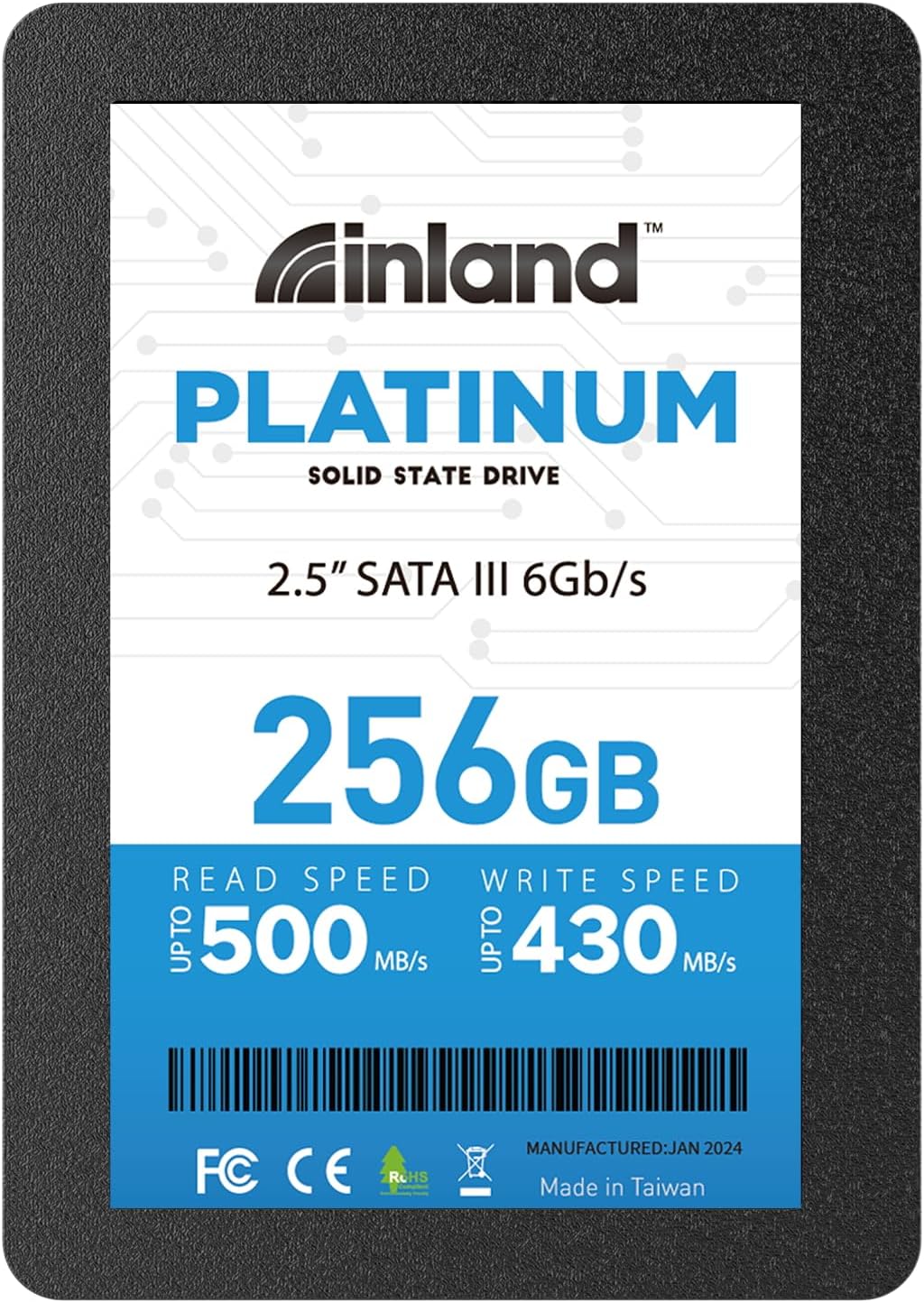
INLAND Platinum 512GB SSD SATA III 6Gb/s 2.5" 7mm TLC 3D NAND Internal Solid State Drive (512GB)
Bottom line: The INLAND Platinum 512GB SSD SATA III 6Gb/s 2.5" 7mm TLC 3D NAND: SATA III 6Gb/s, up to 500MB/s read and 450MB/s write; main trade-off: SATA III caps speed far below NVMe M.2 drives.
As an Amazon Associate, SpecPicks earns from qualifying purchases. Full disclosure →
Pros & Cons
Pros
- ✓ SATA III 6Gb/s, up to 500MB/s read and 450MB/s write
- ✓ 4-year limited parts and labor warranty
- ✓ 1,000,000-hour MTBF rating
- ✓ 7mm 2.5-inch shell fits laptops and desktop bays
Cons
- ✗ SATA III caps speed far below NVMe M.2 drives
- ✗ 512GB fills fast with modern game installs
- ✗ Random 4K tops out at 45K/40K IOPS
- ✗ 3D TLC, not faster MLC or SLC NAND
Manufacturer description
Upgrading from a mechanical hard drive? The SATA III 6Gb/s interface pushes sequential reads up to 500MB/s and sequential writes up to 450MB/s, with random 4K performance rated at up to 45K read IOPS and 40K write IOPS - enough to cut boot times, shutdowns, application launches, and large file transfers down dramatically compared to a spinning disk. Inside, 3D TLC NAND balances speed, capacity, and cost, and because there are no moving parts the drive runs quiet and stays cooler than a mechanical HDD. The 7mm slim 2.5-inch form factor slots into notebooks, laptops, ultrabooks, and desktop…
SpecPicks Verdict
SpecPicks has no buyer-rating or benchmark data for INLAND Platinum 512GB SSD SATA III 6Gb/s 2.5" 7mm TLC 3D NAND…, so this read rests on the manufacturer's listed specs (how we evaluate). Compare with similarly-priced alternatives in the ssds & storage category before committing. On the listing's own facts, the case for it is "SATA III 6Gb/s, up to 500MB/s read and 450MB/s write"; the main trade-off is "SATA III caps speed far below NVMe M.2 drives". If those two points fit how you will use it, put it beside one or two close alternatives in the Compare tool to confirm the price.
Common buyer scenarios for ssds & storage of this kind: matching it to an existing build, replacing a failing part, or upgrading from a previous-generation equivalent. Check the spec table below against your current setup — particularly socket / form-factor / power-rating fields — and confirm compatibility on the retailer's listing before purchase. Prices and stock are set by the retailer and may have moved since this page was last updated.
Frequently Asked Questions
How fast is the INLAND Platinum 512GB SSD?
It uses a SATA III 6Gb/s interface rated for sequential reads up to 500MB/s and sequential writes up to 450MB/s, with random 4K performance up to 45K read IOPS and 40K write IOPS. Actual speeds vary by system hardware, OS, and configuration.
Will this SSD fit in my laptop?
It is a standard 2.5-inch drive in a 7mm slim design, so it fits notebooks, laptops, and ultrabooks that take a 7mm 2.5-inch SATA bay, as well as desktop drive bays. Check your laptop's drive bay height before ordering.
What warranty does INLAND offer on this drive?
INLAND lists a 4-year limited parts and labor warranty on this SSD, along with a 1,000,000-hour MTBF reliability rating. Check the product listing for current warranty terms and claim process.
Can I use this to replace my hard drive?
Yes, it is designed as a traditional hard drive replacement, giving you faster boot-ups, shutdowns, application loading, and file transfers. You will need cloning software or a fresh OS install to move your data over.
Does this SSD run hot or make noise?
No. It has no moving parts, so it runs silent, and INLAND states it does not overheat and stays quiet in operation compared to a mechanical hard drive.
Key Features
Quoted from the manufacturer's listing. Where it differs from the pros and cons above, those note the conditions the listing leaves out.
- SSD 512GB. Ideal as a traditional hard drive replacement and upgrade your computer with faster boot-ups, shutdowns, application loading and file transfer
- High-speed SATA III 6Gb/s interface. Sequential Read/Write Speed up to 500MB/s and 450MB/s respectively; Random Read/Write 4K: up to 45K and 40K IOPS respectively
- 3D TLC NAND flash internal solid state drive with the balance of SSD performance, high storage capacities and lower cost. No overheat and quiet when working compare to HDD
- 2.5 inch form factor and 7mm slim design with no moving parts inside, make it widely compatible, thin and vibration-resistant for notebooks, laptops, ultrabooks and other mobile computing devices
- Reliable solid-state drive. 1,000,000 hours MTBF with 4-year limited parts and labor warrant. Internal SSD drive performance may vary based on system hardware and configuration, OS and applications
Full Specifications
| Brand | INLAND |
|---|---|
| Color | Platinum-512GB |
| Model Name | Platinum |
| Read Speed | 500 Megabytes Per Second |
| Form Factor | 2.5-inch |
| Media Speed | 450 Megabytes Per Second |
| Model Number | 770d472a-205c-4f26-9ac9-86a13d99abae |
| Built-In Media | 1 x SSD |
| Item Type Name | intermal solid state drive |
| Hard-Drive Size | 512 GB |
| Number of Items | 1 |
| Special Feature | Portable |
| Vibration/Rumble | Yes |
| Hardware Platform | Desktop/Laptop |
| Installation Type | Internal Hard Drive |
| Compatible Devices | Laptop |
| Data Transfer Rate | 500 Megabytes Per Second |
| Enclosure Material | 3D Tlc Nand Flash |
| Additional Features | Portable |
| Hard Disk Interface | Solid State |
Ready to buy?
INLAND Platinum 512GB SSD SATA III 6Gb/s 2.5" 7mm TLC 3D NAND Internal Solid State Drive (512GB) is listed on Amazon. Price, availability, shipping and returns are set by Amazon and its sellers — check the listing for current terms. SpecPicks earns a small commission on qualifying purchases — thank you for supporting independent review work.
Related SSDs & Storage



More guides & deep dives from the SpecPicks archive
Browse all articles & guides →- How to Build a Windows 98 Retro PC in 2026
- Best 1440p Gaming GPUs in 2026
- Best Budget Gaming PC Build 2026 — ~$1,000 Parts List
- RTX 4070 Super vs RX 7800 XT — Which to Buy in 2026
- The Complete Voodoo5 5500 AGP Driver Guide (2026 Edition)
- Best Retro Handhelds in 2026: Pocket, Mid-Tier and FPGA Picks
- Emulation Hardware in 2026: FPGA, Software, and Cart-Reader Ecosystems
More reviews from the SpecPicks archive
Browse all reviews →- Blue Yeti vs HyperX QuadCast 2: Best Budget Streaming Mic Setup in 2026
- RetroPie on a Raspberry Pi 4 8GB: The Definitive 2026 Emulation Build
- Running Mistral's New OCR Model Locally on a 12GB GPU
- Cloudflare Swaps Its Blanket AI Bot Block for Granular Crawler Controls
- Running a 1-Trillion-Parameter LLM on 768GB of Cheap Optane
- Building a Local LLM Workstation on a Raspberry Pi 5 + Ryzen 7 5800X Hybrid
- Best SSD for PS4 Pro: SATA Upgrades That Actually Help
- Best Wired Headset for PlayStation Cross-Play Cross-Platform Voice Chat (2026)
- Is the RTX 3060 12GB Still Worth It for Gaming in 2026?
- Intel Arc Pro B70 (BMG-G31) Posts Strong Linux Gaming Numbers — How It Stacks Up Against an RTX 3060
- Best AI HATs for Raspberry Pi 5 in 2026
- Can a Raspberry Pi 4 8GB Run Local LLMs in 2026? Ollama tok/s + SSD-Boot Setup
- How to run Qwen 3 32B on Arc B580
- Ollama vs llama.cpp vs vLLM — which local LLM runtime wins in 2026?
- Best Controller for Fighting Games on PC in 2026: HORI HORIPAD vs 8BitDo Pro 2 vs DualSense
- Samsung's 256GB microSD Falls to $47.99 — Plus the SSD Sidegrade
- Best SATA SSDs for Reviving an Old PC in 2026
- Rescue Dying Vintage IDE & SATA Drives with a USB Adapter Before They Fail
- Best Budget Upgrades for a Ryzen Gaming PC in 2026
- Lemonade v10.5.1: an MTP + ROCm 7.13 quick start for Strix Halo
- RTX 5070 Ti vs RTX 5080: Is the $250 MSRP Step-Up Worth It at 1440p and 4K?
- ASUS ProArt PA27USD Lands: 27-Inch OLED Aims at Gaming
- Intel's llm-scaler-vLLM 1.4 Adds Arc Pro B70: A Cheaper Local-Inference Path?
- ComfyUI on an RTX 3060 12GB: VRAM Tuning and Image-Gen Throughput
Earliest SpecPicks reviews
Browse full archive →- Best GPU for Llama 3.1 8B (2026)
- Best GPU for Qwen 3 14B (2026)
- Best GPU for Qwen 3 32B (2026)
- Best GPU for Llama 3.1 70B (2026)
- Best GPU for DeepSeek-R1 32B (2026)
- Best GPU for Llama 3.1 405B (2026)
- How to run Llama 3.1 8B on NVIDIA GeForce RTX 5090
- How to run Qwen 3 14B on NVIDIA GeForce RTX 5090
- How to run Qwen 3 32B on NVIDIA GeForce RTX 5090
- How to run Llama 3.1 70B on NVIDIA GeForce RTX 5090
- How to run DeepSeek-R1 32B on NVIDIA GeForce RTX 5090
- How to run Llama 3.1 8B on NVIDIA GeForce RTX 4090